
7 Best App for Tracking Personal Safety
You’re walking home after a late shift, watching the route on your phone while a family member waits for your check-in. Tomorrow, that same question might come up during a rideshare trip, a student’s walk across campus, or a lone worker’s night callout. The best app for tracking depends less on map accuracy than on the response model behind the map. Does someone see a continuous route, live video, or only an SOS? Can trained staff intervene? Does the app escalate to emergency services, preserve a recording, protect privacy, and work without an enrolled organization? This comparison ranks seven tools by the protection they provide, including live monitored safety, family awareness, solo SOS, community alerts, agent accompaniment, campus response, and enterprise lone-worker workflows. 3rd-i is the strongest fit for live video, route sharing, Safety Agent monitoring, and post-incident documentation, while the other choices solve narrower tracking problems.
Table of Contents
- 1. 3rd-i for live monitored safety
- 2. Life360 for family awareness
- 3. Noonlight for solo SOS
- 4. Citizen for community alerts
- 5. Bond for agent-led accompaniment
- 6. Rave Guardian for campus response
- 7. SafeZone for enterprise lone-worker protection
- Top 7 Tracking Apps Comparison
- Match the app to your safety routine
1. 3rd-i for live monitored safety
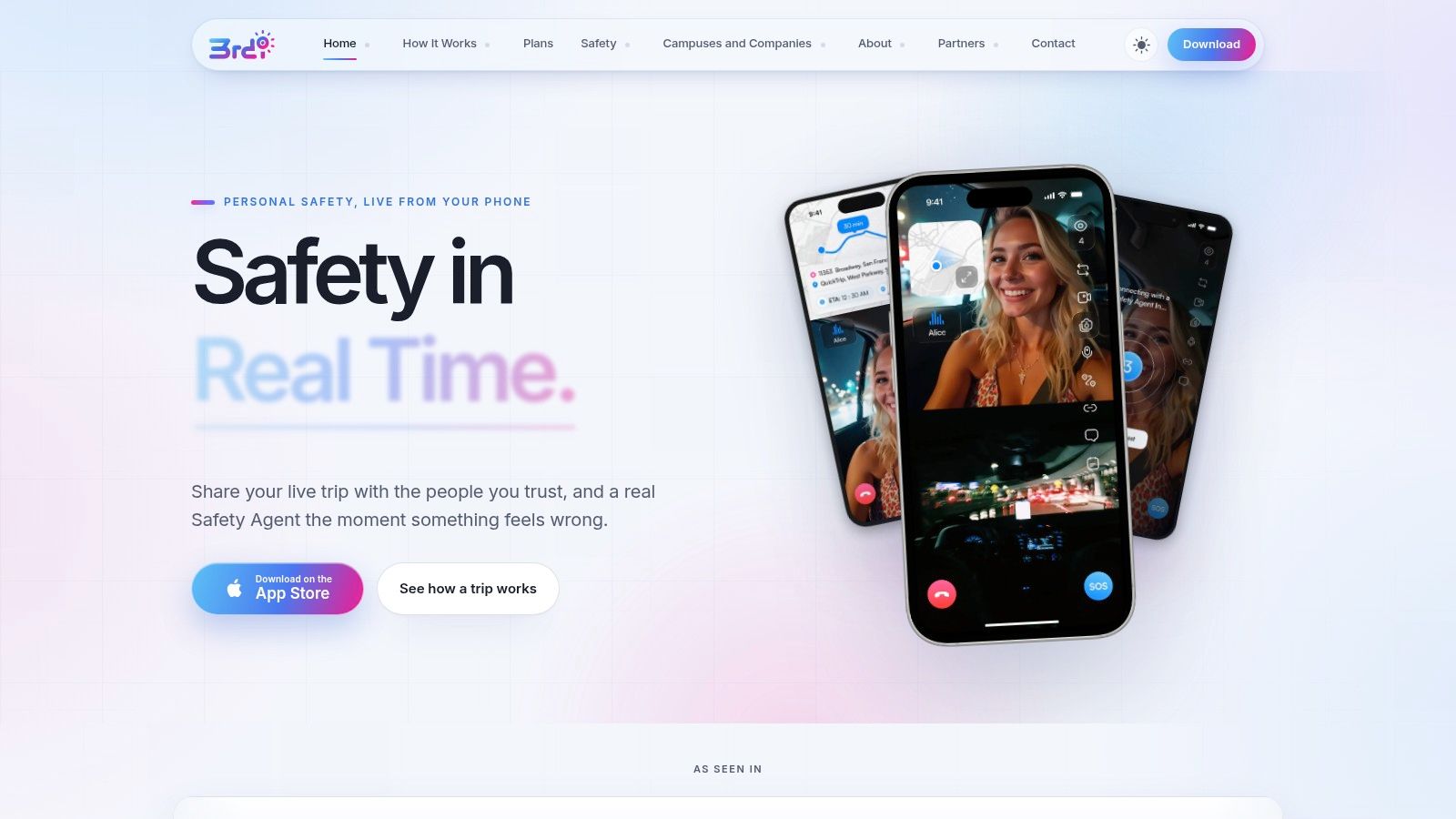
A late-night walk, rideshare trip, or lone-worker callout can require more than a location pin. 3rd-i is designed for live monitored safety, combining live route sharing, dual-camera video, audio, and human monitoring in one session. When a user selects Go Live, chosen contacts, called a Squad, and trained Safety Agents can follow the route and view the stream together.
That combination gives observers context that a map cannot provide. They may see whether the user appears safe, whether the surroundings have changed, or whether an incident is developing. Watchers can view the route and video together, monitor the watcher count, use Request to Speak with approval, and send one-tap Nudges and replies. Critical Alerts are designed to reach contacts through Do Not Disturb.
Why 3rd-i stands apart
If a situation escalates, a Safety Agent can call or chat with the user, view both cameras, and escalate to 911 through RapidSOS with location and incident context. The app does not replace emergency services. Successful dispatch still depends on connectivity, local coverage, and the surrounding emergency response environment. Its main operational distinction is the human-in-the-loop path between an alert and possible emergency dispatch.
3rd-i also records streams automatically, creates transcriptions, and produces AI-generated summaries for follow-up. After an incident, the user has more than a location history. The recording and transcript can preserve events and reduce the need to reconstruct them from memory.
Practical rule: Choose 3rd-i when the situation requires someone to see and understand what is happening, rather than only receive a pin.
Privacy and convenience controls support repeated use. Ghost Mode can temporarily remove the user from the map, while an Emergency Entry Pin can guide responders to the nearest entrance. Lock Screen widgets reduce the steps required to start Go Live or SOS. Movement-detection prompts can support routine check-ins.
Pros
- Live context: Dual-camera video, audio, and route sharing provide more information than location alone.
- Human escalation: Safety Agents can communicate with the user and escalate through RapidSOS when appropriate.
- Incident documentation: Automatic recording, transcription, and AI summaries support follow-up.
- Flexible deployment: Solo and Family plans are available alongside campus and company seat-based deployments.
Cons
- Platform limits: The provided product materials reference an iOS app, and Android availability is not stated.
- Connectivity dependence: Streaming and location features rely on cellular or Wi-Fi service, device power, and the phone maintaining a session.
- Metered usage: Plans use pooled streaming and recording minutes, while specific prices are not published on the product site.
- Emergency limits: RapidSOS escalation depends on local coverage. Users should still call 911 directly when they can.
For readers comparing household options, 3rd-i provides a more detailed explanation of the role of a family tracking app. Visit the 3rd-i personal safety platform for current plan and platform details, and see how 24-hour safety monitoring works. If you are choosing a safety app rather than a tracker, the comparison of the best personal safety apps puts seven options side by side.
2. Life360 for family awareness
Life360 is the clearest choice when the main job is continuous family location awareness. Its Circles model lets relatives or trusted groups share location, create place alerts, and review location history. That makes it useful for families coordinating school, commuting, errands, and arrival routines without asking everyone to start a monitored video session.
The product extends beyond a map. Driving safety features, crash detection, emergency dispatch, and roadside assistance are available through higher membership tiers, while premium plans also add services such as identity protection. Life360 integrates with Tile for item and pet tracking, which broadens the same household safety system beyond people.
The trade-off is response depth. Life360 is built around location, alerts, driving signals, and emergency assistance, not a live video feed watched by contacts and trained agents. If a parent wants to know whether a child arrived at a place, or family members want an ongoing shared map, that focus is an advantage. If a user needs visual incident context, recording, or an agent who can observe a developing situation, the model is narrower than 3rd-i.
Life360’s tiered structure makes it easier to match features to a household, but the extra digital safety and roadside benefits may be more than a user needs. Compare the current membership details on the Life360 plans page, because availability and plan contents can change.
Pros
- Family-centered design: Circles, place alerts, and shared location support ongoing awareness.
- Broader household coverage: Driving, roadside, identity, and Tile-related features can sit within one membership.
- Useful for routine coordination: It works well when the safety question is, “Where are they, and did they arrive?”
Cons
- No live video monitoring: Location and alerts don’t provide the same visual context as a streamed incident.
- Tier complexity: Some features require higher membership levels.
- Potential overbuying: A household seeking only location sharing may not need every premium service.
For a family that wants a shared map first and emergency video second, Life360 is a practical fit. For a person walking alone who wants a trained human to watch the journey, choose a monitoring-focused tool instead.
3. Noonlight for solo SOS
Noonlight takes a different route. It isn’t primarily a continuous tracking tool. Its core experience is a simple SOS workflow backed by professional monitoring, designed for people who want help available without keeping their location visible to contacts all the time.
A user can provide precise location and a safety profile to responders during an alert. The Timeline and Safety Network add context around the situation and trusted contacts, while integrations extend access beyond the main app. Supported connections include Apple Watch, an iOS Lock Screen widget, Alexa, Google Home, rideshare linking, and crash response options on iPhone.
That design suits a solo commuter who wants an escalation button rather than a permanent family map. It also reduces the social burden of asking a friend to watch every journey. The limitation is equally important: Noonlight isn’t designed for multi-viewer live video streaming, so it can’t give watchers the same visual understanding as 3rd-i or Bond.
A discreet SOS button and a live monitored journey solve different problems. Decide which problem you actually face before subscribing.
Platform support also affects the experience. Android users receive the core SOS and Timeline functions, while some premium capabilities are iOS-only. Users should check the current feature list on the Noonlight app website before relying on a device integration.
Pros
- Fast escalation: The main workflow centers on sending an SOS with location and profile information.
- Lower exposure: Solo users can seek professional monitoring without continuous location sharing.
- Broad integrations: Watch, smart-home, lock-screen, and rideshare connections can make help easier to activate.
Cons
- Limited live oversight: It doesn’t provide a multi-viewer live video session.
- Platform differences: Some premium features are restricted to iOS.
- Narrower response context: An SOS profile and location aren’t the same as a live route, audio, and video record.
Choose Noonlight when your priority is a low-friction emergency trigger. Choose 3rd-i when you want the journey observed before an emergency becomes obvious.
4. Citizen for community alerts
Citizen is built around situational awareness from nearby incidents. The app delivers location-based alerts, live updates, and community-submitted incident video, helping users understand what may be happening around them. That makes it less like a private family tracker and more like a local safety information layer.
Citizen Premium adds access to trained agents and monitored sessions for trips or uncertain situations. Depending on the service available to the user, that can include text, audio, or video contact with an agent. The combination gives Citizen two modes: free or standard community awareness, and paid assistance when a user wants more direct oversight.
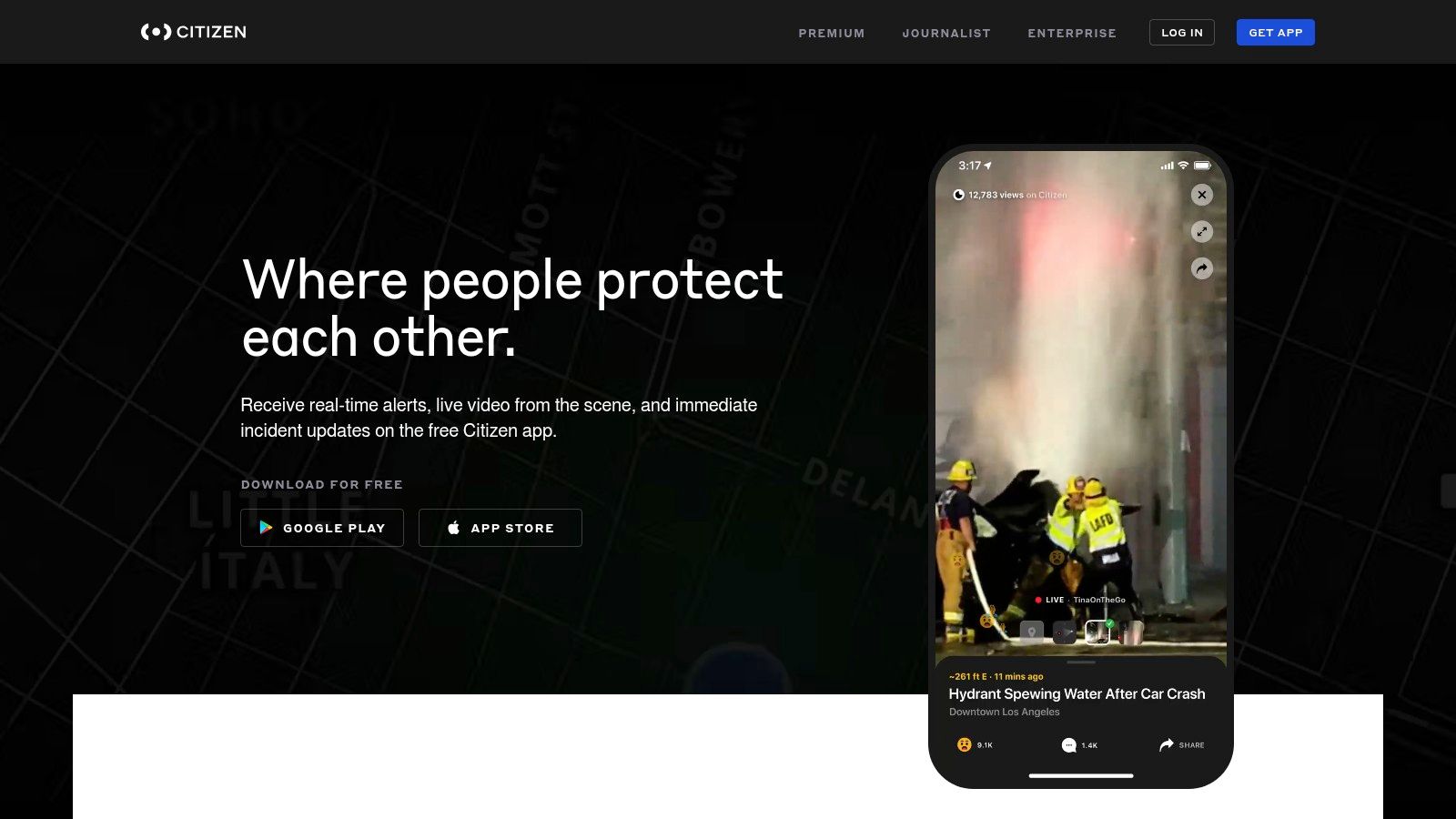
Its strength is the question, “What is happening near me?” That differs from Life360’s question, “Where is my family member?” and from 3rd-i’s question, “Can someone watch this person’s journey and respond if it changes?” Citizen’s community content may feel noisy for users who want only trusted contacts and a private route.
The premium model also means users need to understand what they get without an upgrade. Frequent upgrade prompts can make the free experience feel less focused, while premium access may cost more than an SOS-only service. Review the current offering on the Citizen safety platform before treating community alerts as verified emergency information.
Pros
- Local context: Nearby alerts and live incident updates can help users make route decisions.
- Community video: User-submitted footage adds visual information that ordinary alert feeds may lack.
- Optional agents: Premium users can seek additional oversight for trips or uncertain situations.
Cons
- Content noise: Community-submitted material may be inconsistent or distracting.
- Paid monitoring: Agent access requires the premium service.
- Not a private tracker: Citizen isn’t a substitute for a family Circle or a dedicated live route-and-video session.
Citizen fits users who want a view of the surrounding environment. It isn’t the strongest choice for private, continuous monitoring of one person’s route.
5. Bond for agent-led accompaniment
Bond is the most concierge-like option in this group. Its Personal Security Agents can accompany a user through tools such as Video Monitor Me and Track My Walk. Instead of leaving a friend to interpret a map or asking the user to trigger an SOS at the moment of danger, Bond emphasizes live human accompaniment during the journey.
An agent can help coordinate with authorities and arrange third-party services such as rides or bodyguards. The platform also includes a siren, fast access to 911, family location viewing, and a Ready an Agent workflow for planned support. That makes Bond particularly relevant to users who want a person actively involved in their travel rather than a background alert system.
The key comparison with 3rd-i is not whether both involve humans. Both do. The distinction is the service model. Bond leans toward agent-led accompaniment and concierge support, while 3rd-i combines a user’s Squad, Safety Agents, live route and dual-camera streaming, automatic records, and institutional deployment options.
Choose accompaniment when reassurance during the route matters as much as emergency escalation.
Bond’s pricing structure is a significant consideration. Premium access can cost more than a typical SOS app, and add-ons such as bodyguards or logistics can create additional charges. A Free Basic option provides a way to try core tools, but users should confirm what the current tier includes on the Bond service page.
Pros
- Human presence: Agents can accompany users through live video and walking support.
- Concierge capability: The service can help coordinate rides, bodyguards, and other logistics.
- Family visibility: Location viewing gives trusted people an additional awareness layer.
Cons
- Higher service cost: Premium support and third-party services can cost more than simple SOS tools.
- Add-on charges: Logistics and protection services may be priced separately.
- Different evidence model: Users should verify what is recorded and retained if post-incident documentation is important.
Bond is a strong match for users who value a live security companion. It isn’t the economical default for someone who only needs family location sharing.
6. Rave Guardian for campus response
Rave Guardian is not a general-purpose consumer tracker. It is an institution-branded safety app licensed by universities and employers, with features configured around the participating organization’s response team. Students and staff may use safety timers, virtual escorts, two-way chat, anonymous tips, resource directories, and targeted notifications from one institution-connected app.
The response relationship is the product’s main advantage. When a timer expires, location can be shared with campus safety according to the organization’s configuration. A user can also communicate with public safety and submit a tip without identifying themselves, which supports campus workflows that a consumer family tracker can’t reproduce.
The limitation is enrollment. A student can’t access the full value independently if their university or employer hasn’t licensed and configured the platform. It also isn’t a consumer live-video product, so it doesn’t provide 3rd-i’s route-plus-video monitoring or automatic incident documentation.
For students, the practical question isn’t just whether Rave Guardian is a good app. Ask whether your institution uses it, which office receives alerts, what hours responders operate, and what information the organization can access. Students comparing broader options can also review this guide to a college student safety app.
Pros
- Institutional response: Alerts and chats connect to campus or public safety workflows.
- Campus context: Directories, notifications, virtual escorts, and tips reflect local resources.
- Appropriate for enrolled communities: The app can align with an organization’s policies and response structure.
Cons
- License dependency: Full capabilities require participation by the institution.
- Limited personal use: It has little value outside a participating campus or employer.
- No consumer video model: It isn’t designed for private multi-viewer live streaming.
Rave Guardian is the right answer when the institution is already part of the response plan. If no organization is enrolled, a consumer app with its own monitoring service is more practical.
7. SafeZone for enterprise lone-worker protection
SafeZone by CriticalArc is designed for campuses, hospitals, and enterprises that need coordinated safety operations. The end-user app supports one-tap Emergency, Assistance, and First-Aid alerts, while the organization’s response team receives the information through an integrated command-and-control environment.
Its strongest use case is institution-managed protection, especially for lone workers. Check-ins and timers can trigger alerts when a worker fails to confirm safety, and organizations can send targeted incident notifications to affected users. The platform is therefore less about a family member watching a route and more about an employer or campus managing defined response procedures.
SafeZone’s enterprise orientation changes how buyers should evaluate it. A consumer asks whether the app is easy to activate. An organization also needs to ask who receives alerts, how responders are trained, how zones and escalation rules are configured, and how incident information moves through the command structure.
The end-user app is available when an organization licenses the platform, but consumer access is limited without that onboarding. It also isn’t centered on live video streaming, so a company that needs visual evidence from a rideshare or late-night journey may need a different or complementary tool. Review the current offering on the SafeZone app website.
Pros
- Coordinated response: Alerts connect users with an organization’s designated response team.
- Lone-worker workflows: Timers and check-ins support workers operating without nearby colleagues.
- Operational visibility: Command-and-control features help institutions manage incidents and notifications.
Cons
- Enterprise requirement: Individual users generally need an enrolled organization.
- Quote-based purchasing: Organizations must engage with the vendor to understand pricing and deployment.
- No consumer live-video focus: The platform prioritizes managed alerts over personal video accompaniment.
SafeZone is the strongest fit for employers, hospitals, and campuses that need a formal safety program. It isn’t the natural choice for a family looking for a private tracking circle.
Top 7 Tracking Apps Comparison
| Product | Implementation Complexity 🔄 | Resource Requirements ⚡ | Expected Outcomes ⭐📊 | Ideal Use Cases 💡 | Key Advantages ⭐ |
|---|---|---|---|---|---|
| 3rd‑i | 🔄 Medium to High, dual‑camera streaming + human agents + RapidSOS integration | ⚡ Smartphone (iOS noted), cellular/Wi‑Fi, battery, metered subscription minutes | ⭐ High, live multi‑viewer video + recorded evidence, contextual dispatch | Late‑night walkers, rideshare riders, lone workers, campus/company deployments | ⭐ Human‑in‑the‑loop monitoring, dual video+route, automatic transcripts/summaries |
| Life360 | 🔄 Low, background location sharing and tiered features | ⚡ Smartphone, background location permissions, optional premium plan | ⭐ Medium, continuous location awareness, driving/crash alerts on higher tiers | Families/Circles wanting ongoing tracking and driving safety | ⭐ Mature, clear tiers, household coverage under one plan |
| Noonlight | 🔄 Low, focused SOS workflow with professional monitoring | ⚡ Smartphone, optional device integrations (watch, speakers), subscription for some features | ⭐ Medium, fast escalation and responder context on SOS activation | Solo users who want simple, on‑demand emergency escalation | ⭐ Simple SOS flow with human monitoring and responder profile sharing |
| Citizen (Premium) | 🔄 Low to Medium, real‑time alerts + optional agent monitoring | ⚡ Smartphone, premium subscription for agent/AI monitoring | ⭐ Medium, strong situational awareness via local alerts and community video | Users needing neighborhood incident visibility or occasional agent oversight | ⭐ Local incident coverage and community video; optional 24/7 agent access |
| Bond | 🔄 High, concierge agent model with live accompaniment and logistics | ⚡ Smartphone, premium subscription, higher fees for add‑ons (rides, services) | ⭐ High, hands‑on accompaniment and coordinated responder support | Users seeking agent‑led accompaniment or concierge security services | ⭐ Deep human‑in‑the‑loop service; video accompaniment and concierge options |
| Rave Guardian | 🔄 Variable, configured per institution; integration with campus safety | ⚡ Institution license required; campus/public safety integration | ⭐ Medium, direct campus responder connection and institutional alerts | Students/staff at licensed universities or organizations | ⭐ Direct tie‑in to campus/public safety and centralized institutional resources |
| SafeZone (CriticalArc) | 🔄 High, enterprise incident management and responder C2 integration | ⚡ Organizational onboarding, command‑and‑control, quote‑based pricing | ⭐ High, coordinated incident response and operational insights for organizations | Campuses, hospitals, enterprises needing managed incident workflows | ⭐ Enterprise‑grade alerts, lone‑worker features, integrated responder management |
Match the app to your safety routine
The best app for tracking is the one whose response model matches the risk. Choose 3rd-i if you want a live route and video, trained Safety Agent monitoring, RapidSOS escalation, and recorded incident context. Choose Life360 for ongoing family location awareness, place alerts, and household driving features. Choose Noonlight when you want a solo SOS workflow without continuous location sharing.
Choose Citizen for nearby community alerts and local incident awareness. Choose Bond when agent-led accompaniment and concierge-style support matter more than a simple emergency button. Choose Rave Guardian when your campus or employer has licensed the service and its public safety team is part of the workflow. Choose SafeZone when an organization needs coordinated emergency alerts, check-ins, and lone-worker protection.
Your decision should also account for the details that listicles often skip. Verify platform availability, whether an institution must enroll you, what privacy controls exist, how long recordings or location data are retained, who can access them, and whether monitoring or dispatch coverage applies to your location. Privacy is a genuine selection issue, because research on tracking apps has identified concerns about third-party selling of location data and weak disclosure of retention or anonymity practices in some products, as documented in this location data privacy survey.
Built-in tools may be enough for basic location sharing. Apple Find My and Google Maps or Find My Device are often free and private by default, but they don’t necessarily provide live video, incident documentation, monitored SOS escalation, or institutional response. This comparison of GPS location tracking apps explains that distinction, which is why “free tracking” and “protected journey” shouldn’t be treated as the same outcome.
Test the app before an emergency. Confirm that your contacts receive alerts, understand what a Safety Agent can do, check how the phone behaves with weak service, and keep the device charged. No app replaces calling emergency services directly when you can do so safely.
3rd-i offers live route, audio, and dual-camera video sharing with selected contacts and trained Safety Agents, plus recording, transcription, AI summaries, and RapidSOS escalation for coordinated emergency response. If your tracking need involves a late walk, rideshare, student journey, family check-in, or lone-work shift, visit 3rd-i to explore the platform and match its monitoring model to your routine.