
A late departure
Support the walk from a quiet building to the car with a live connection that can escalate if the situation changes.
Connect to a Safety Agent with live video, audio and shared location. When a situation escalates, give emergency dispatch the context to act.
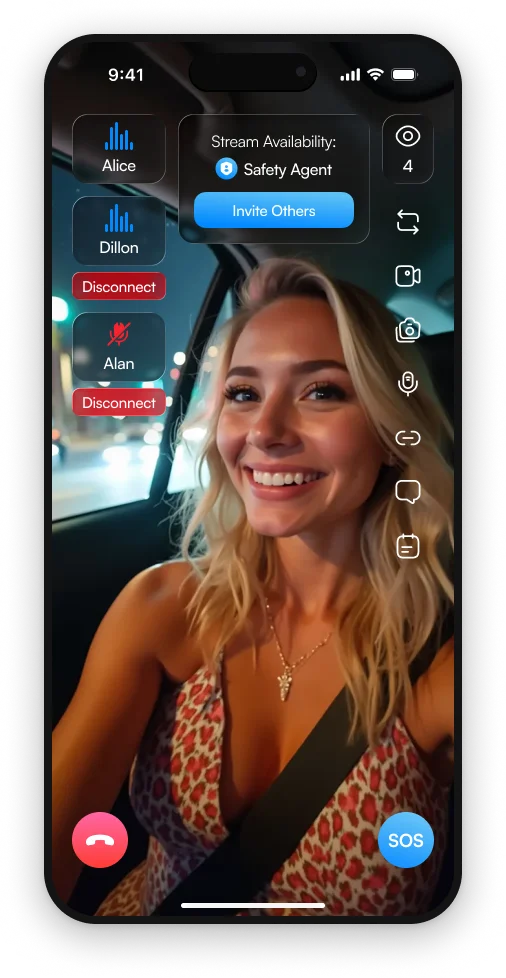
Video, audio & shared location
3rd-i product screen.
01 / How it works
A changing situation is difficult to explain in a few words. A live connection lets a Safety Agent see and hear what is happening while helping coordinate the next step.
A Safety Agent receives the SOS and the live context shared through the app. Video and audio help them understand what is unfolding.
Shared location, a pinned entry and available floor or room details help explain where assistance is needed and how to get inside.
Emergency context travels through RapidSOS to support the 911 response. The Safety Agent helps carry the situation into the dispatch workflow.
02 / In view
The Safety Agent view puts the live stream alongside location and access information. A pinned entrance and useful access notes can make the difference between knowing the street and knowing where to go.
Walk through it with us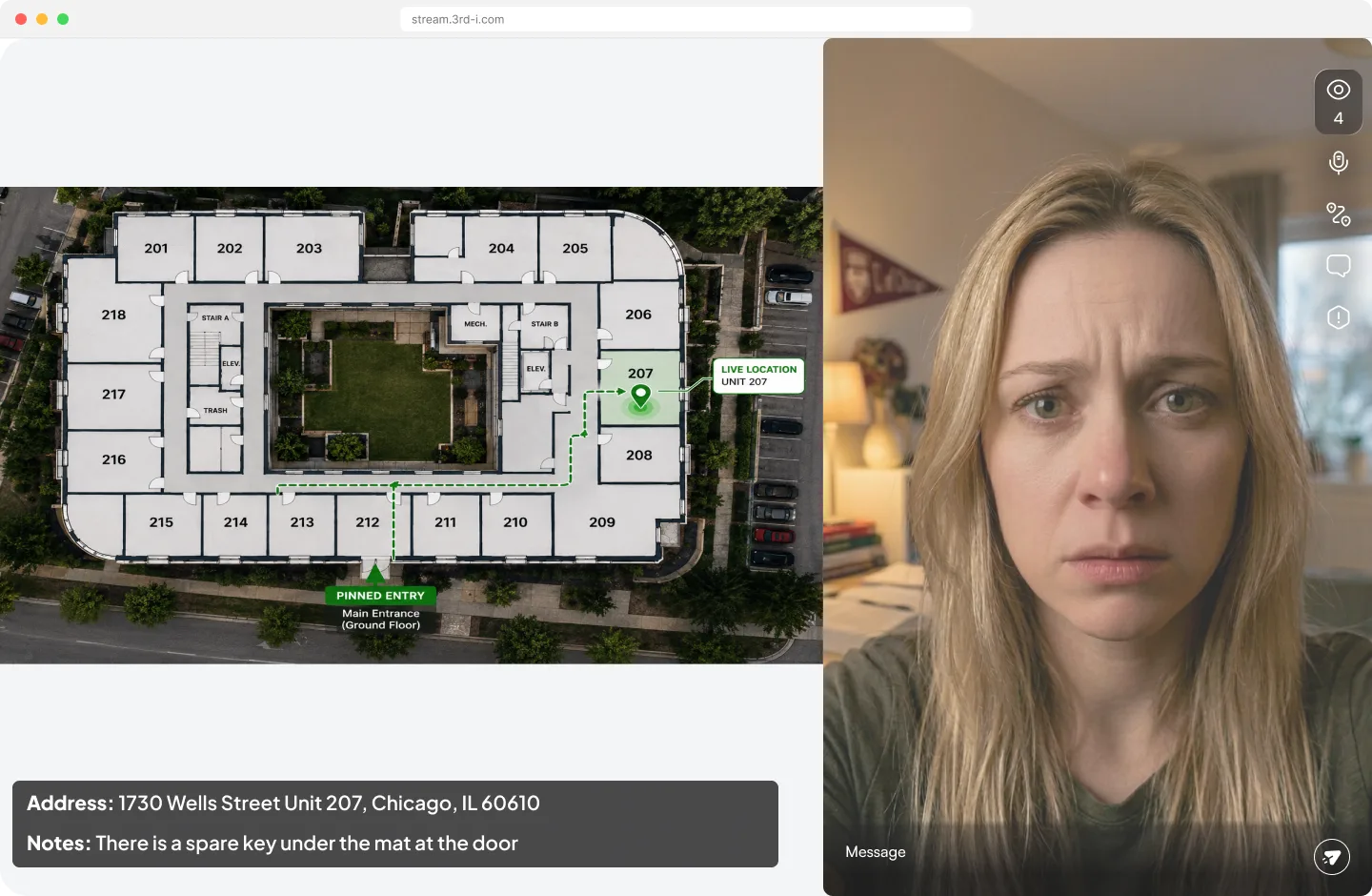
03 / Your team
Support the walk from a quiet building to the car with a live connection that can escalate if the situation changes.
Share useful entry information when staff are visiting a new property, client location or work site.
Pair SOS response with mapped buildings so the entrance, floor and room can become part of the emergency context.
The live video, audio and location shared through the active safety connection, along with available entry and access information. Review the exact workflow, permissions and building data for your deployment.
No. 3rd-i supports emergency escalation through RapidSOS and is not a substitute for calling emergency services. Your workplace procedures should still explain how to contact 911 directly.
Indoor mapping adds building-specific context such as floors, rooms and routes. Discuss SOS coverage and any mapping needs separately so the response plan reflects the information available at each site.
Confirm device support, connectivity, app permissions and who handles assistance on site. 3rd-i is available on iPhone today; scope device coverage with our team and rehearse your fallback procedure.
Let’s build your program
Start with the people you cover and the moments when they may need help.
Plan your SOS response