Movement detection
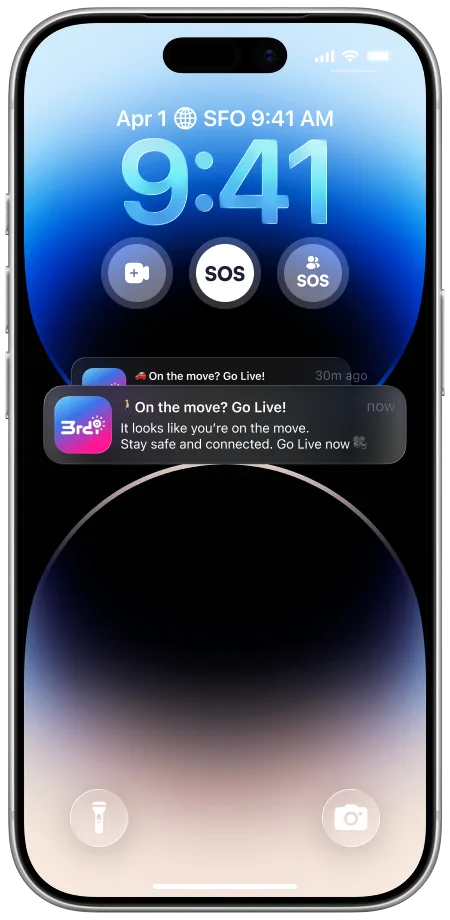
When 3rd-i notices you are on the move, a Lock Screen nudge offers to start a stream. Set the hours, or leave it on around the clock.
Safety features
A real Safety Agent you can text, an SOS you can send for a friend, alerts that break through Do Not Disturb, and a stream that keeps running whatever app you are in.
Texts with a Safety Agent
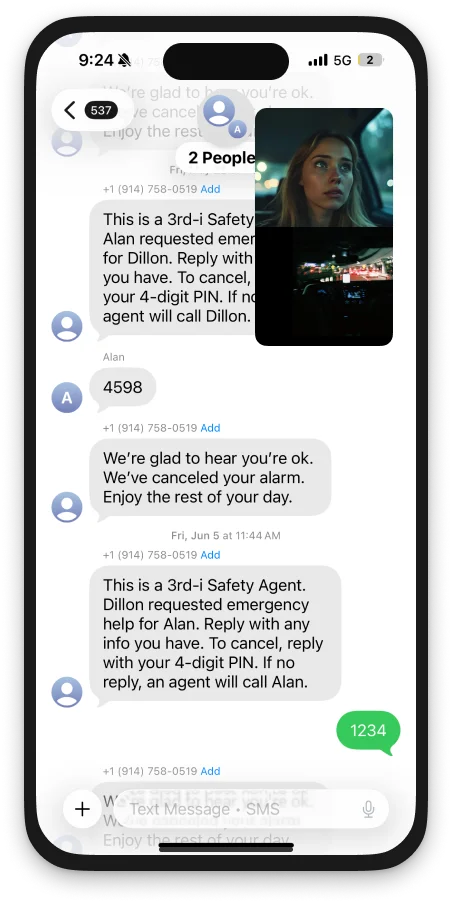
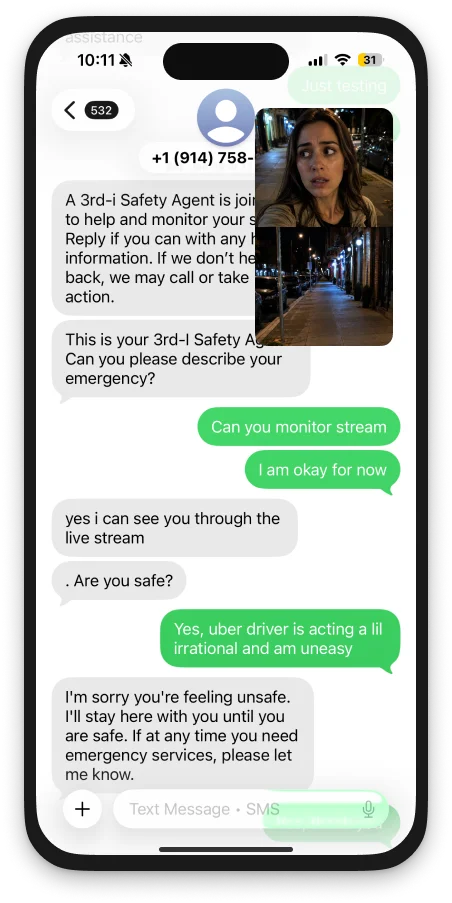
Connect, and a trained person joins your stream and texts with you, so you never have to say out loud that something is wrong. Trigger an SOS for a friend and the three of you land in one group chat.
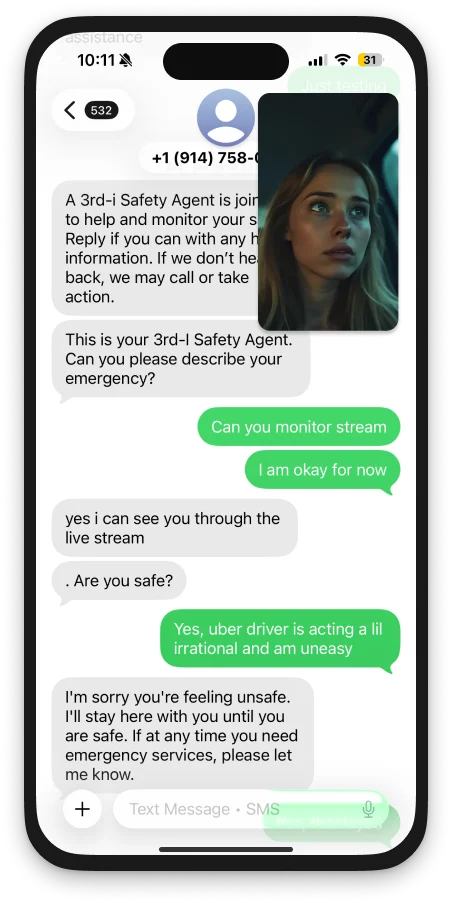
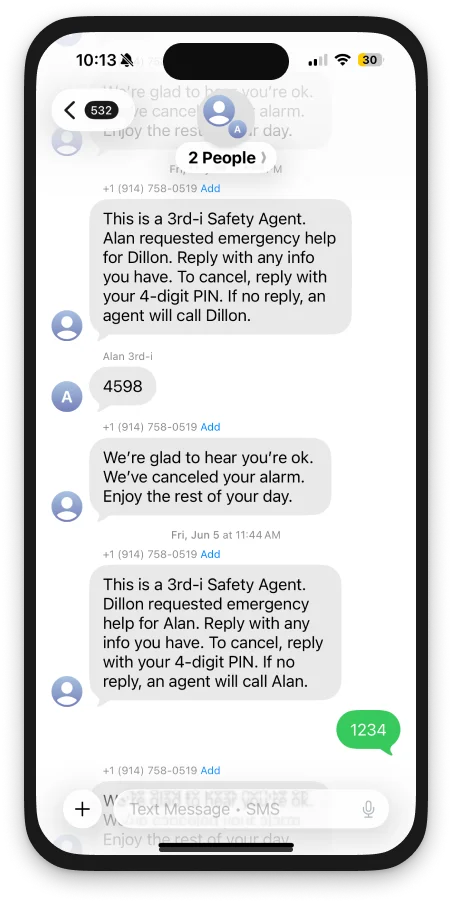
Reply when talking out loud is not an option. The agent is watching your stream and your location the whole time, so you only have to type what they cannot see.
Picture in picture keeps your video and location live while you are in Messages, Maps or anything else. Dual camera works in the floating window too.
An SOS for a friend opens one group text with them and the agent, so nobody is relaying messages. A four digit PIN cancels it if they turn out to be fine.
Discreet connection to a Safety Agent
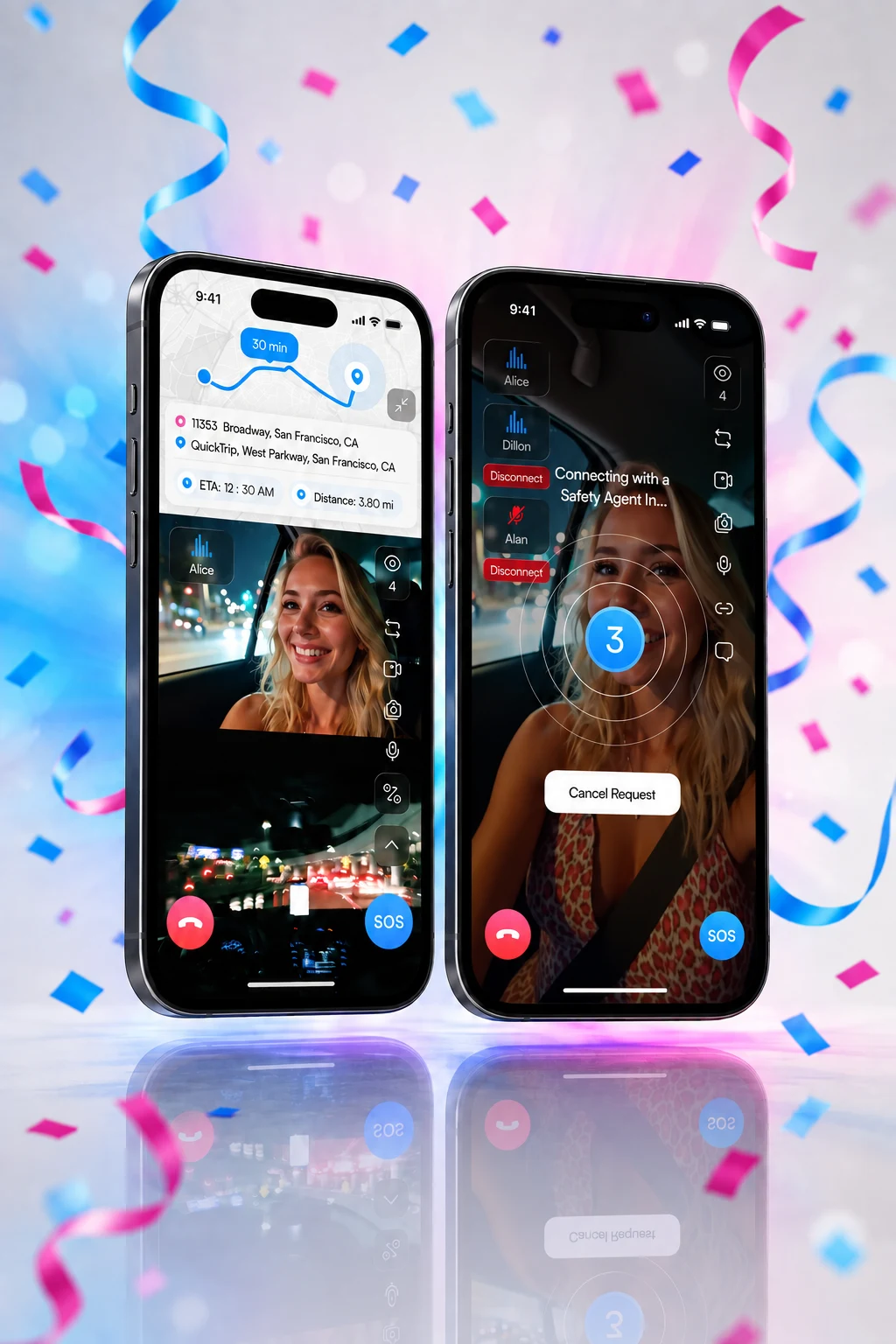
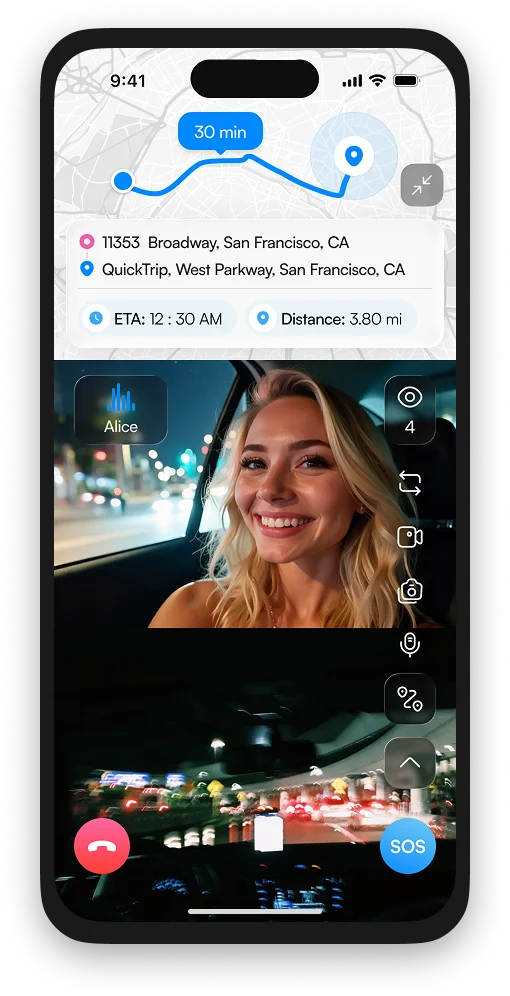
One tap sends your live stream, audio and location to a 3rd-i Safety Agent. They watch, they listen, and if it stops being a maybe they hand everything to 911.
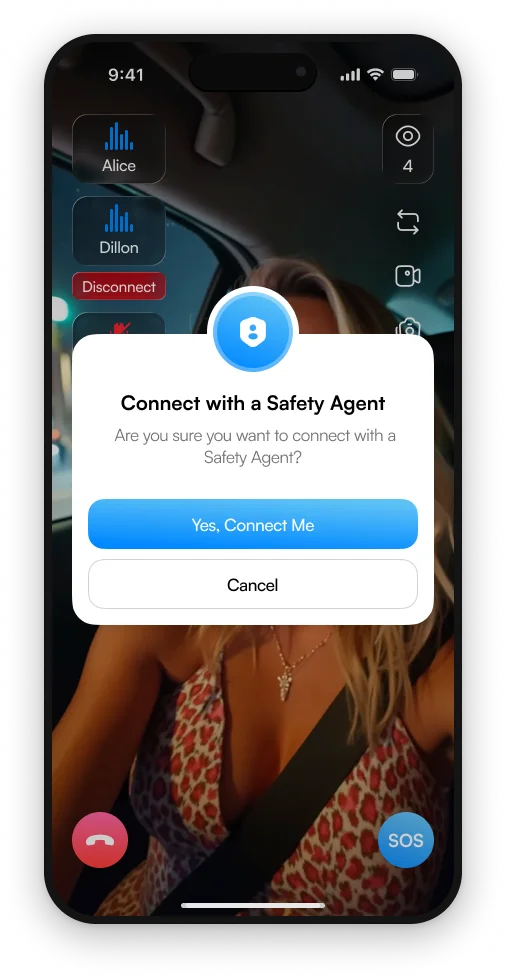
From the Go Live sheet, a Lock Screen widget, or the button on any stream.
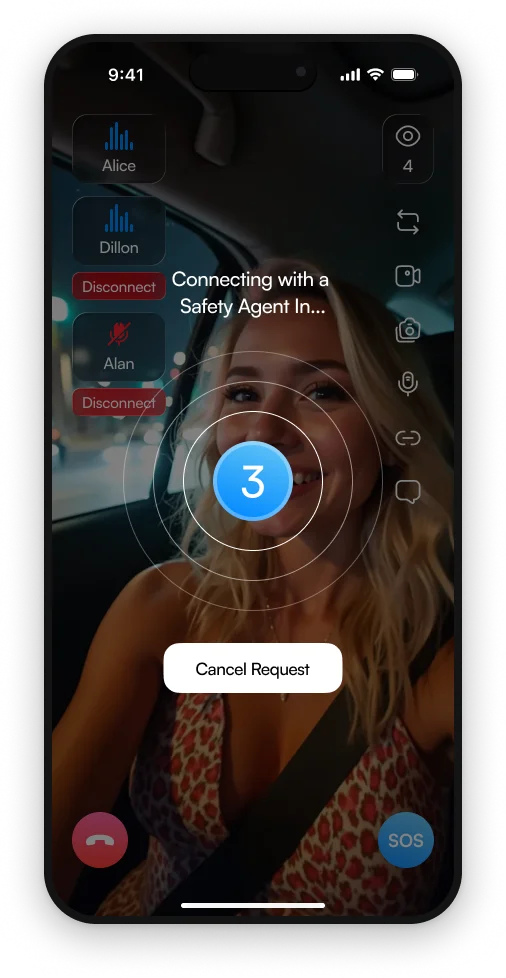
A short countdown so a pocket tap can be cancelled. Then a real person is on.
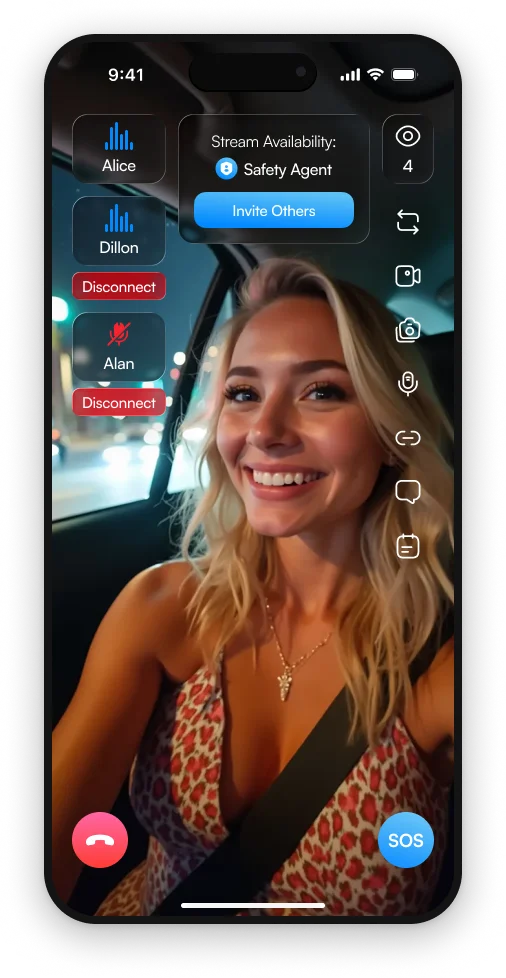
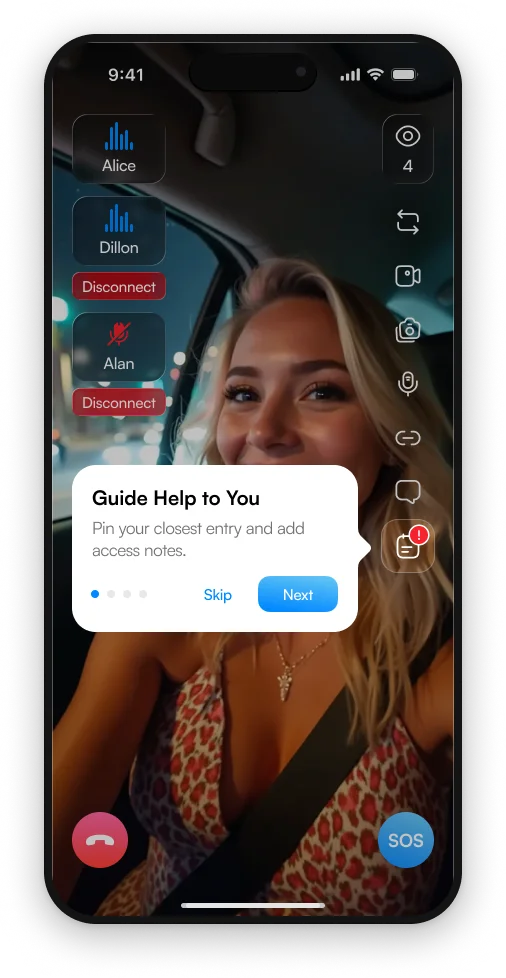
The agent sees both cameras and your location. Invite friends into the same stream.
Discreet by design. Nothing on your screen announces it. The agent can quietly watch and listen with you and escalate the moment it is needed.
Battery shared in real time. While you are connected, the agent sees your battery level, so help is dispatched before a phone dies, not after.
Trigger an emergency for a friend
Calling 911 for someone in another city means the wrong dispatch center, transfers, and a location you cannot see. As an emergency contact you skip all of it.
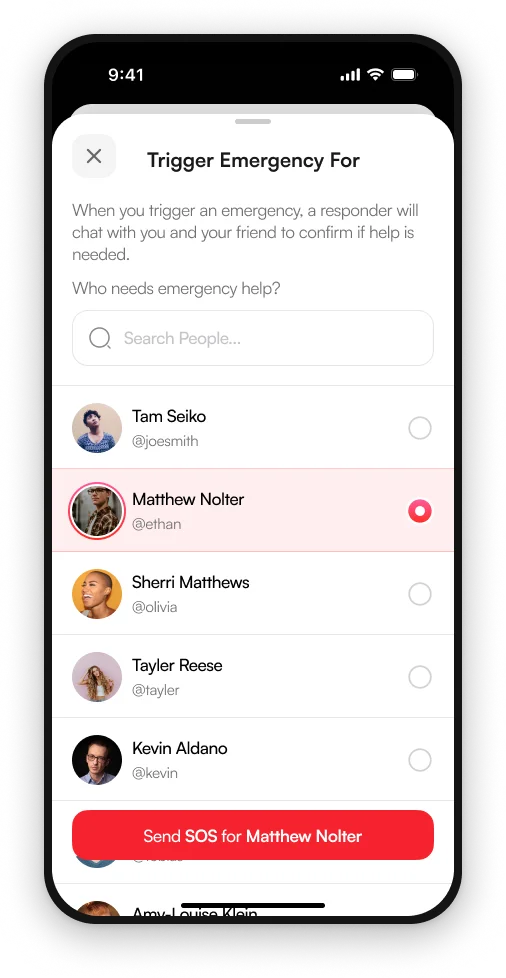
Anyone who made you an emergency contact, or from the stream you are watching.
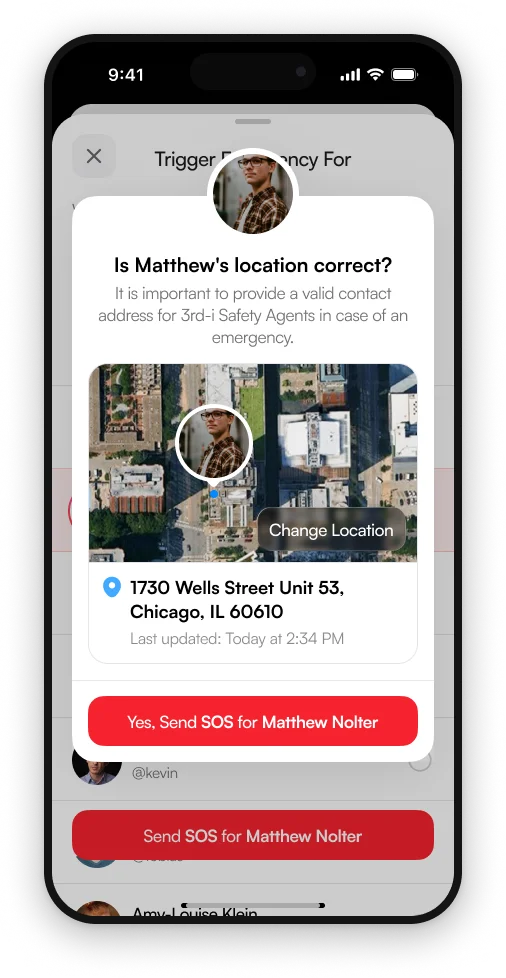
Their last known position, which you can drag to the exact spot inside a large building.
You, your friend and the agent, together. If they are fine, their PIN cancels it.
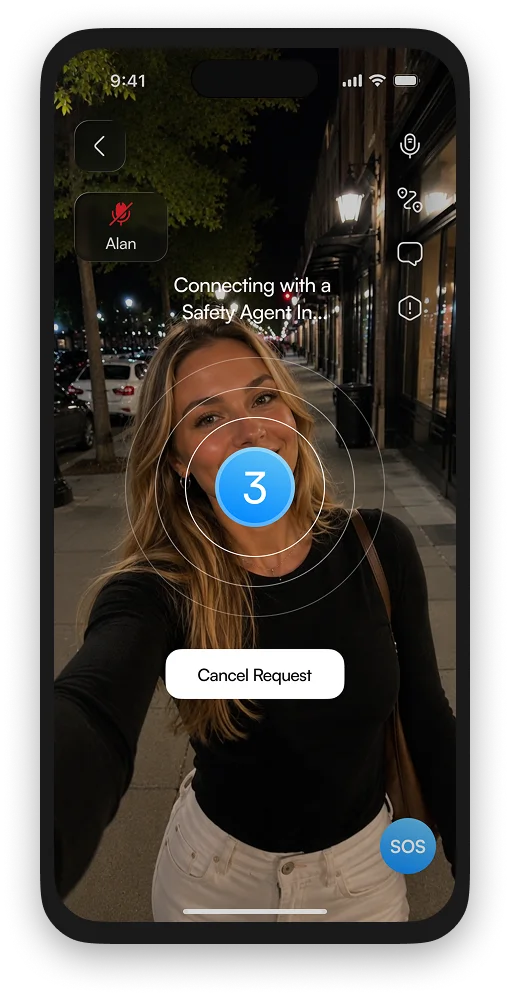
Watching their stream?
If a friend is live and something looks wrong, you do not have to leave. The SOS on their stream connects a Safety Agent to what you are both already seeing.
Critical alerts, Apple approved
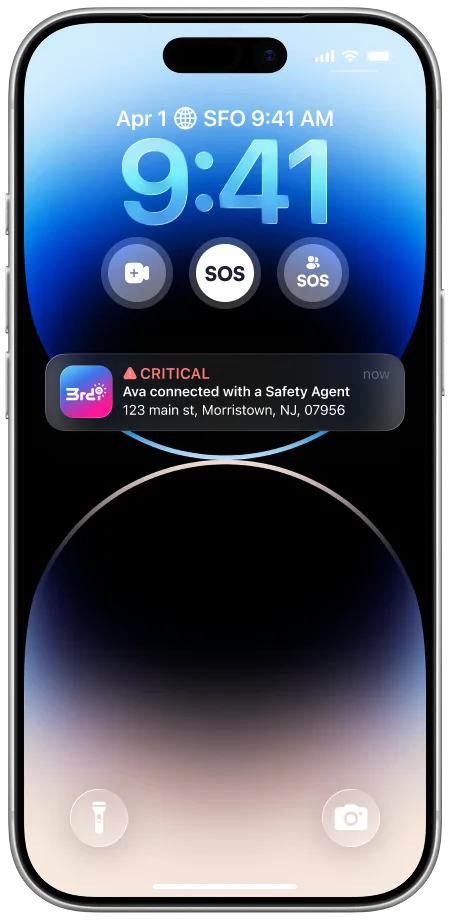
Your emergency contacts do not get a quiet banner that waits until morning. They get a seven second, amber alert style sound that overrides silent and Do Not Disturb, with your address on it.
Pin your entry
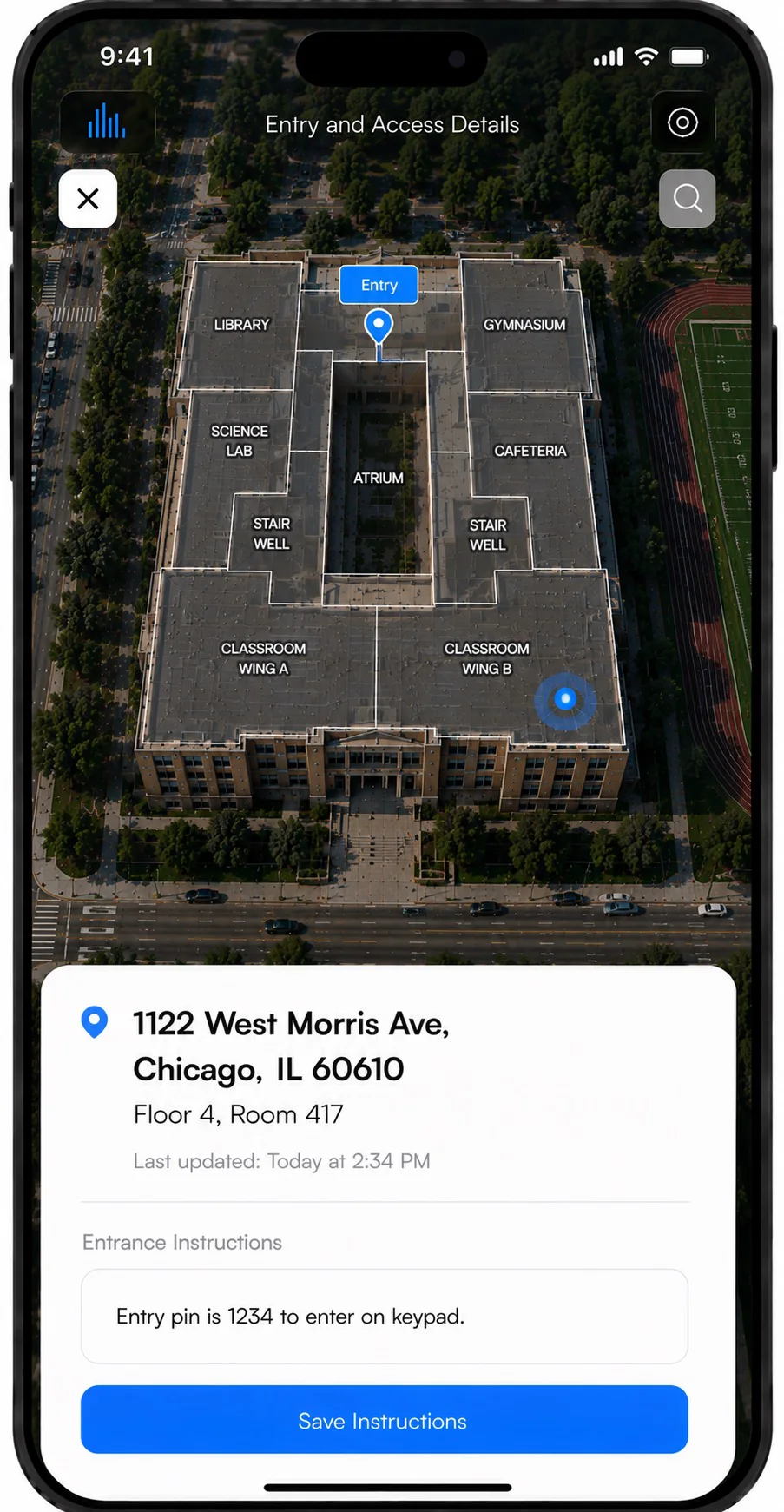
The bigger the building, the more minutes a responder loses finding you. Drop the pin on your closest entrance and leave access notes, and the Safety Agent reads them straight to dispatch.
Dual camera and picture in picture
Stream the road ahead and your own face at once, then leave the app. The stream floats over Messages, Maps or whatever you open next, like a FaceTime window.
Recordings
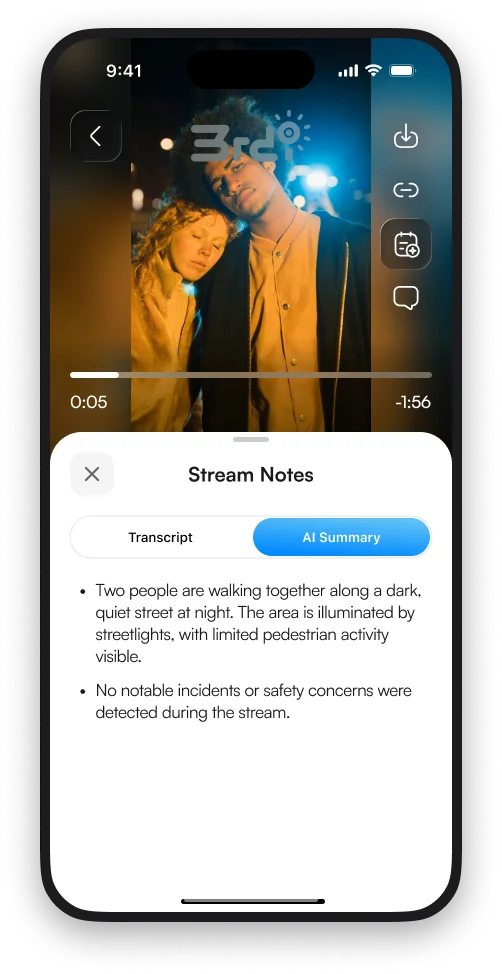
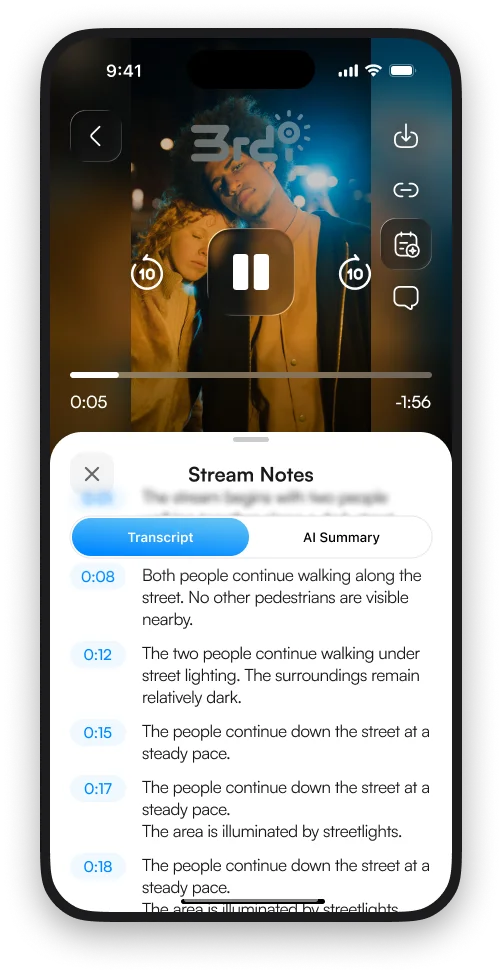
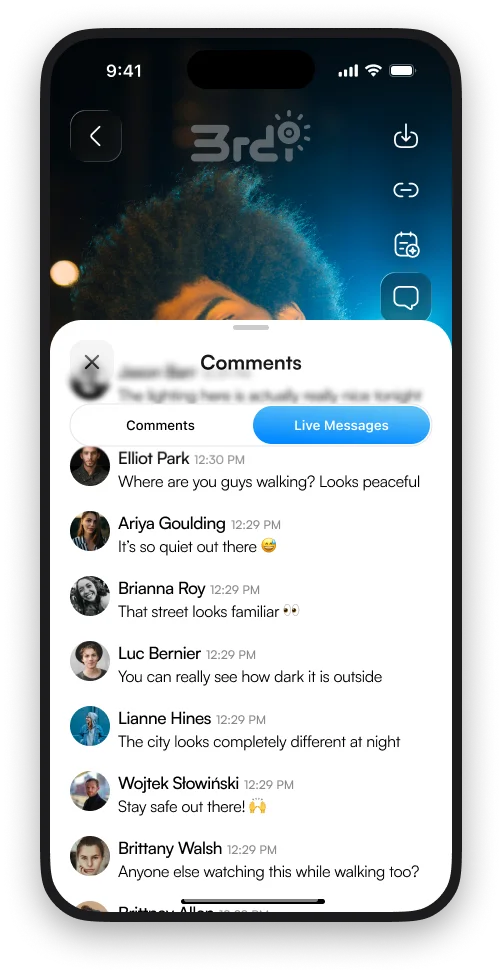
Streams record automatically (toggle it in Settings) and save to your Squads. AI writes the transcript and a summary, so evidence review takes a minute instead of an evening. Shared links keep the recording for people without the app.
Reminders and nudges
When 3rd-i notices you are on the move, a Lock Screen nudge offers to start a stream. Set the hours, or leave it on around the clock.
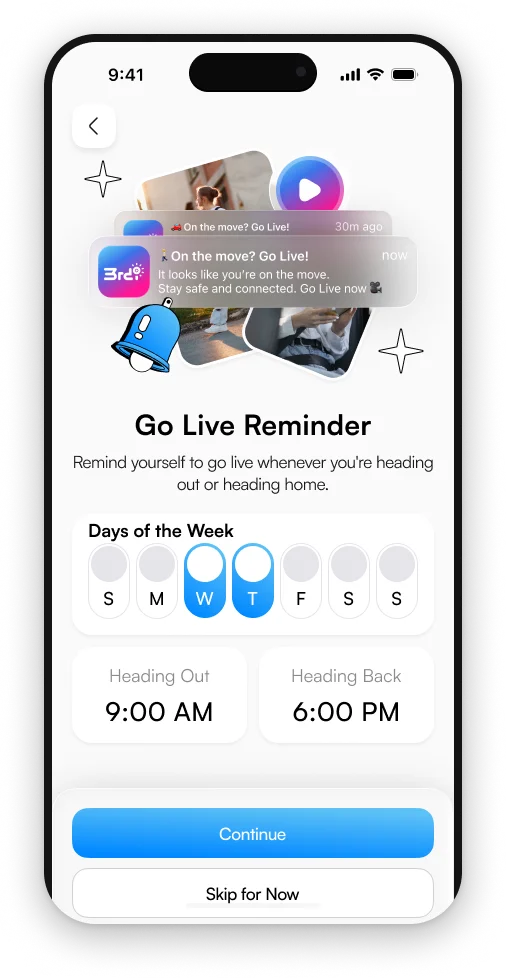
Pick the days and times you usually head out and come home. The reminder lands on your Lock Screen, two taps from live.
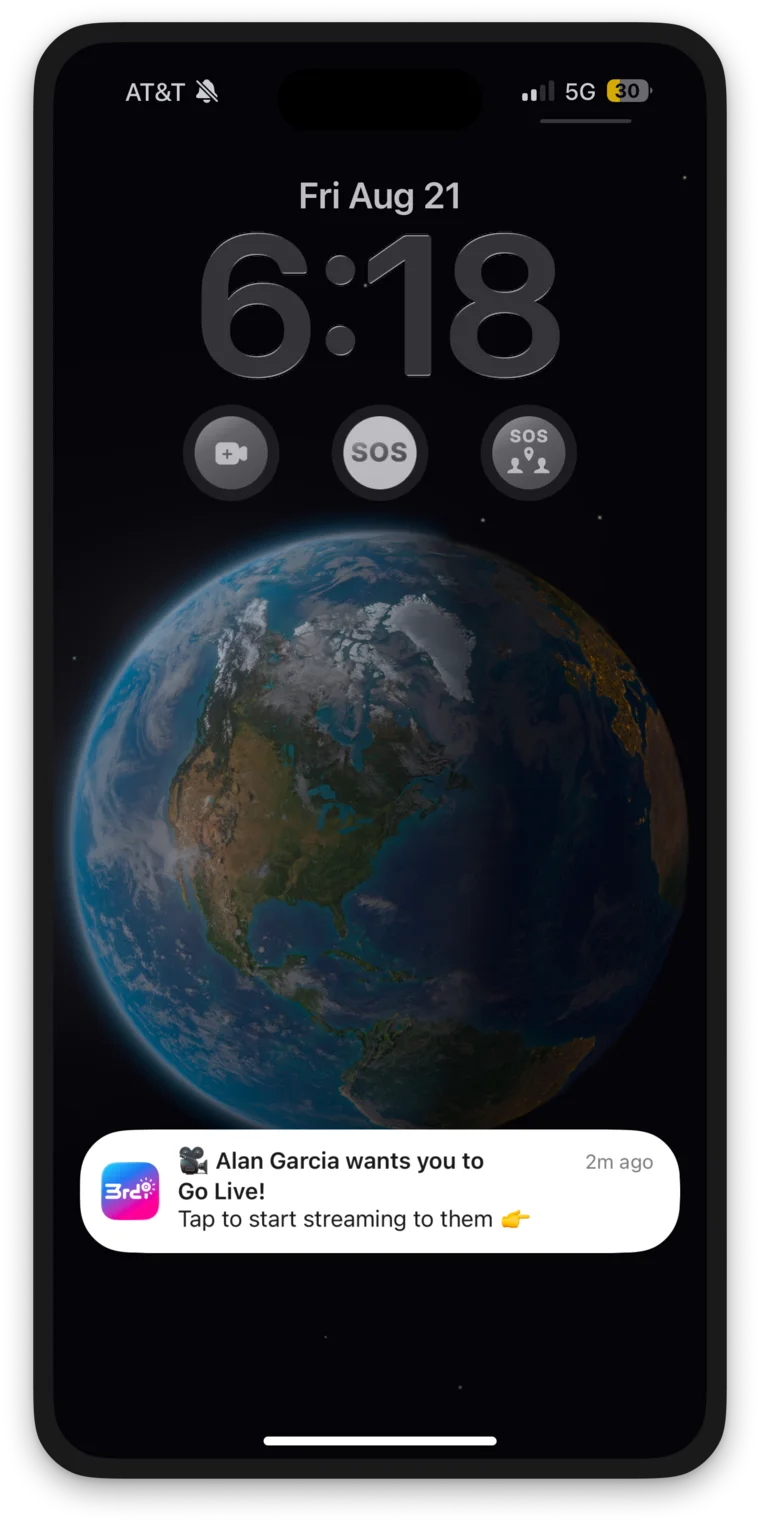
A friend who wants eyes on you sends a nudge. It lands on your Lock Screen and you can go live straight from it, up to twice per session.
Lock Screen widgets
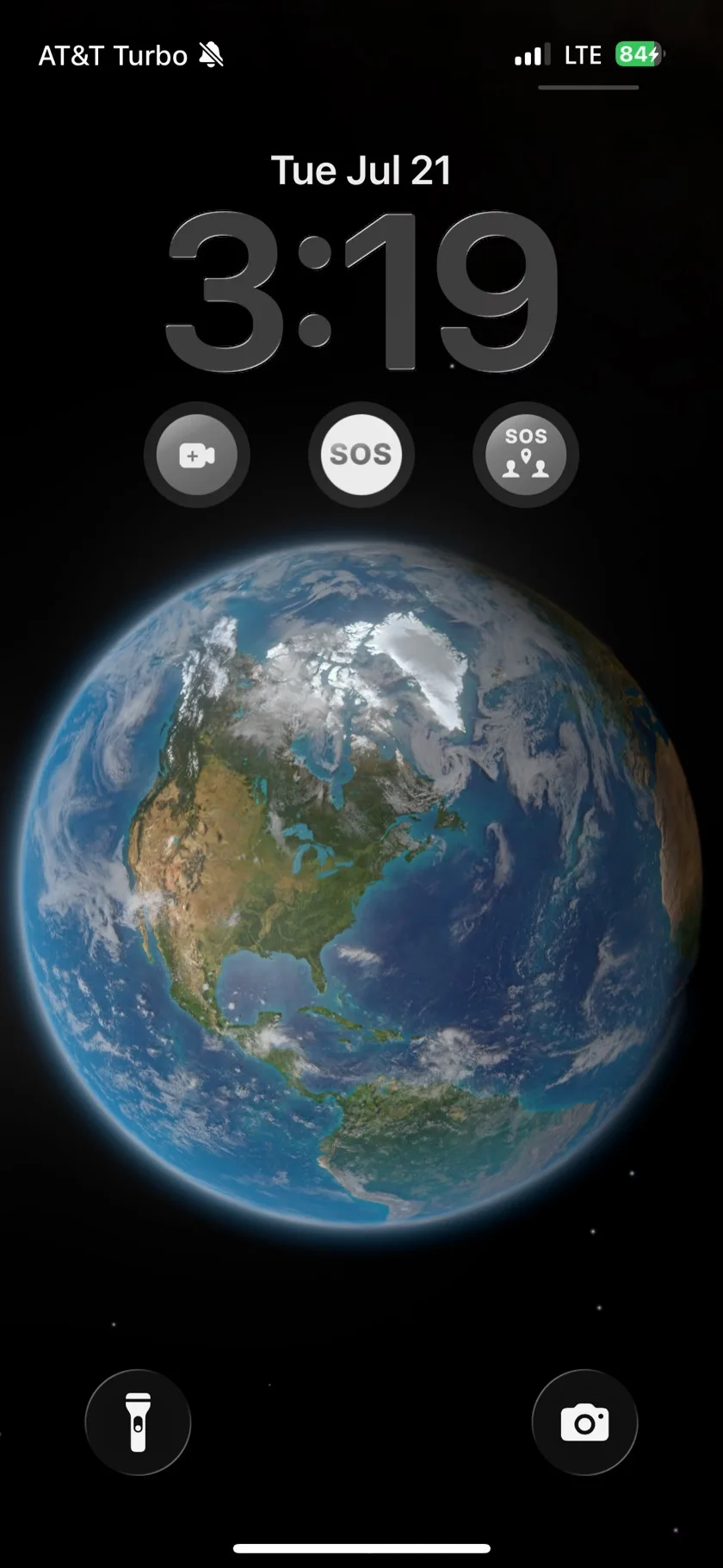
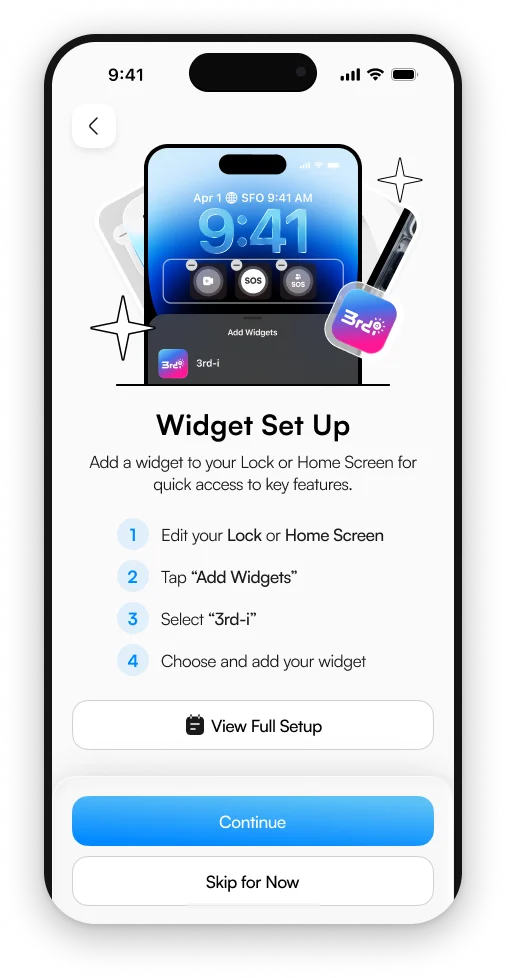
Go Live, SOS and Trigger SOS for a Friend sit directly under the clock. No unlocking, no finding the app, no menus.
Built for your neighborhood
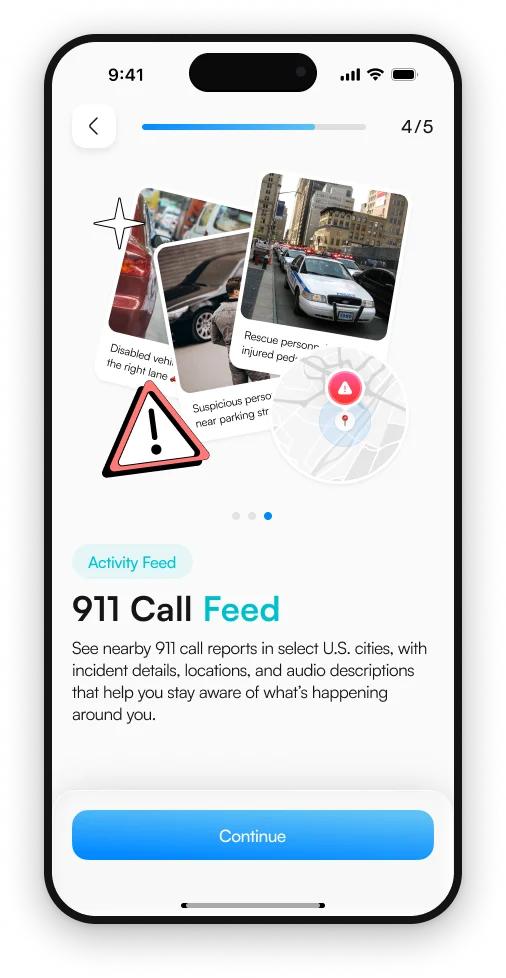
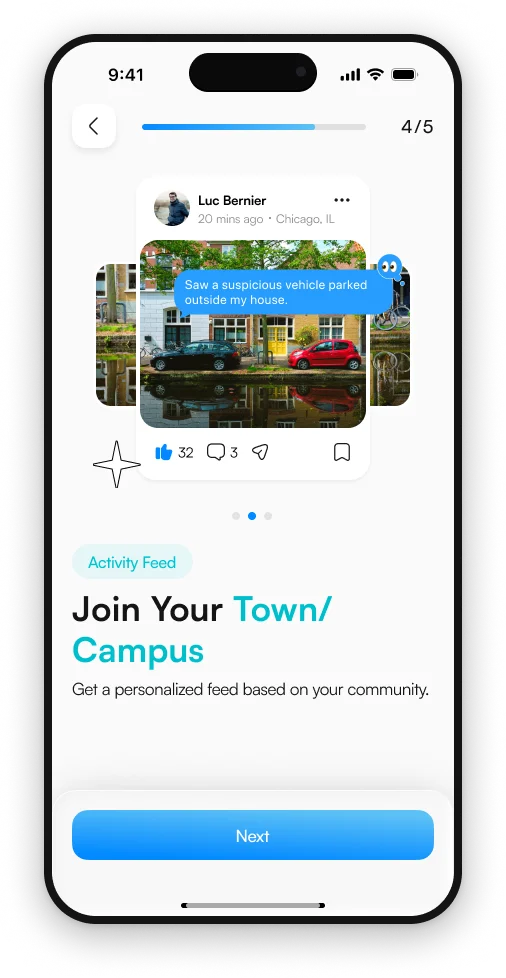
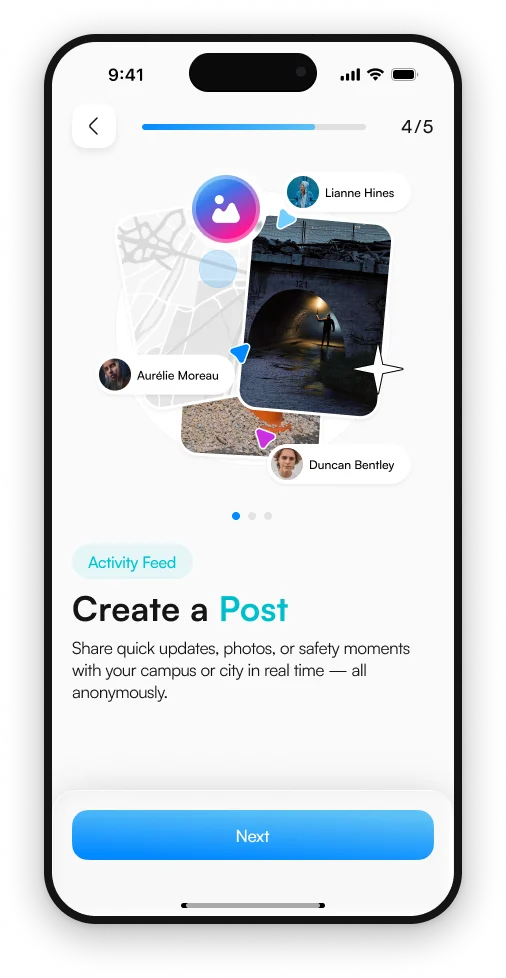
Your phone becomes your third eye. See what is happening nearby, report it with photo, video and location, and stay anonymous while still protecting your community.
3rd-i is not a substitute for calling emergency services. Emergency dispatch is delivered through RapidSOS. Choosing for a commute or a late shift? Compare the best personal safety app options or the women's safety app options, or see the Solo and Family plans.
Get 3rd-i
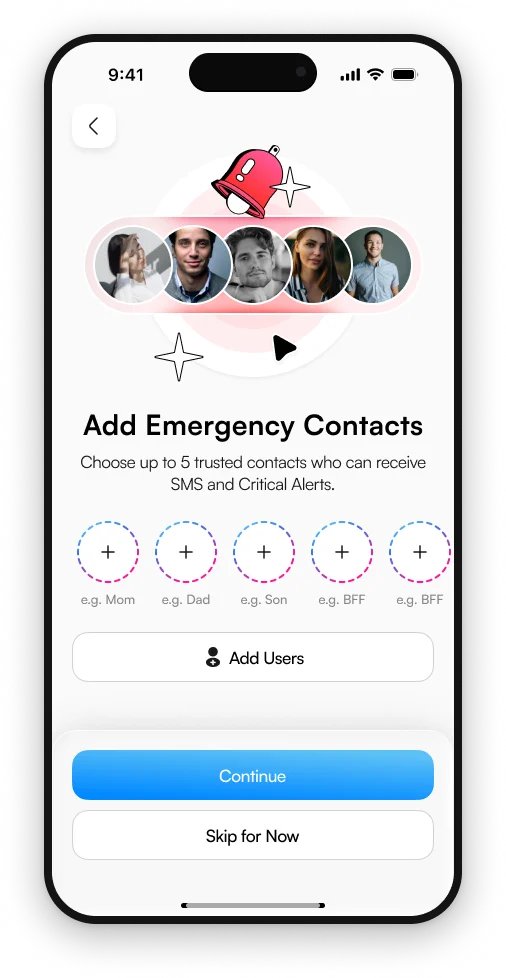
Download 3rd-i, add your emergency contacts, and every feature on this page is two taps from your Lock Screen.
Available on iPhone. Individual, family and group plans, with pooled streaming minutes.
Welcome offer
Create your account, enter the code at checkout, and get one month of Solo Plus or a Family plan free. Every new account is also entered into this month's giveaway.
New subscribers only. The free month applies to the first billing cycle of Solo Plus or a Family plan when code 1FREE is entered at checkout in the app. No purchase necessary to enter the giveaway. Giveaway details and Official Rules.