Seats issued centrally
Your population gets covered without anyone having to find the app, pick a tier, and put a safety subscription on a personal card.
For campuses and companies
Issue 3rd-i across a student body or a workforce. Every person gets live trip sharing, one tap escalation and a real Safety Agent, without turning your organization into a tracking system.
Enterprise at a glance
Explore the tools, the people and the response plan behind every deployment.
One stop shop
Most organizations stitch safety together from five or six contracts that do not talk to each other. 3rd-i is one agreement, priced once for the population, and every layer below comes with it.
Bought separately
Seven invoices, seven logins, and nobody's alarm reaches the other six.
 One agreement
One lump sum, once a year. Priced on population, not per download.
Tell us how many people you cover and the quote comes back as a single annual sum. No tiers to pick, no per seat creep as people join.
SOS, Safety Agents, critical alerts and recordings are on for every person from day one. No personal upgrade, no card on file.
Streaming minutes sit in one pool across the deployment, so the people who need it most are carried by the people who do not.
Day one, in the app
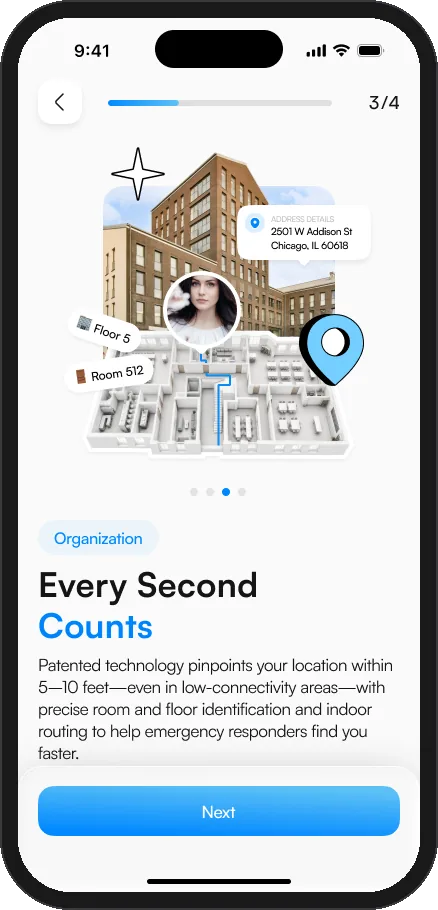
Crime and threat alerts for the area, a digitized facility with floor plans and emergency access, and indoor routing that guides responders to the right room.
3rd-i Command
Your safety office watches events, not students. Live escalations, reported hazards and unusual volume across every campus you cover, each one placed and timed, with the person behind it withheld by design.
Your Organization
Security adminSecurity administrator
3 active SOS incidents Covered student · North Campus · Elm and 4th Open incident
1 new anonymous tipLighting out on the path to Hale
Your organization
Security command center
Safety across schools, community facilities, commutes, and rideshares.
Emergency queue
Oldest unacknowledged SOS first
Covered student · North Campus · Elm and 4th
Queue #1 · waiting 2 min
Identity withheldStaff member · Riverside · Lot C
Queue #2 · waiting 1 min
Identity withheldCommuting employee · South Campus · Route concern
Owned by Security admin
Identity withheldSafety feed
Public safety data and anonymous posts near your campuses
Armed person reported near campus
North Campus · two blocks east of the quad
Public safety dataVehicle break-ins reported near Lot C
Riverside · Pine and 2nd
Public safety dataPath to Hale is dark tonight
South Campus · between Hale and the west lot
Anonymous postWho is behind an event. Never shown to your organization.
An event tells your safety office what is happening and where, so they can act. It does not tell them who. There is no view of where a person is, no way to open a trip on their behalf, and no record between trips. A Safety Agent and 911 see what they need to respond. You see the event.
3rd-i Command, the live operations view a funding organization gets. Interface is illustrative and shows representative data.
An SOS, live
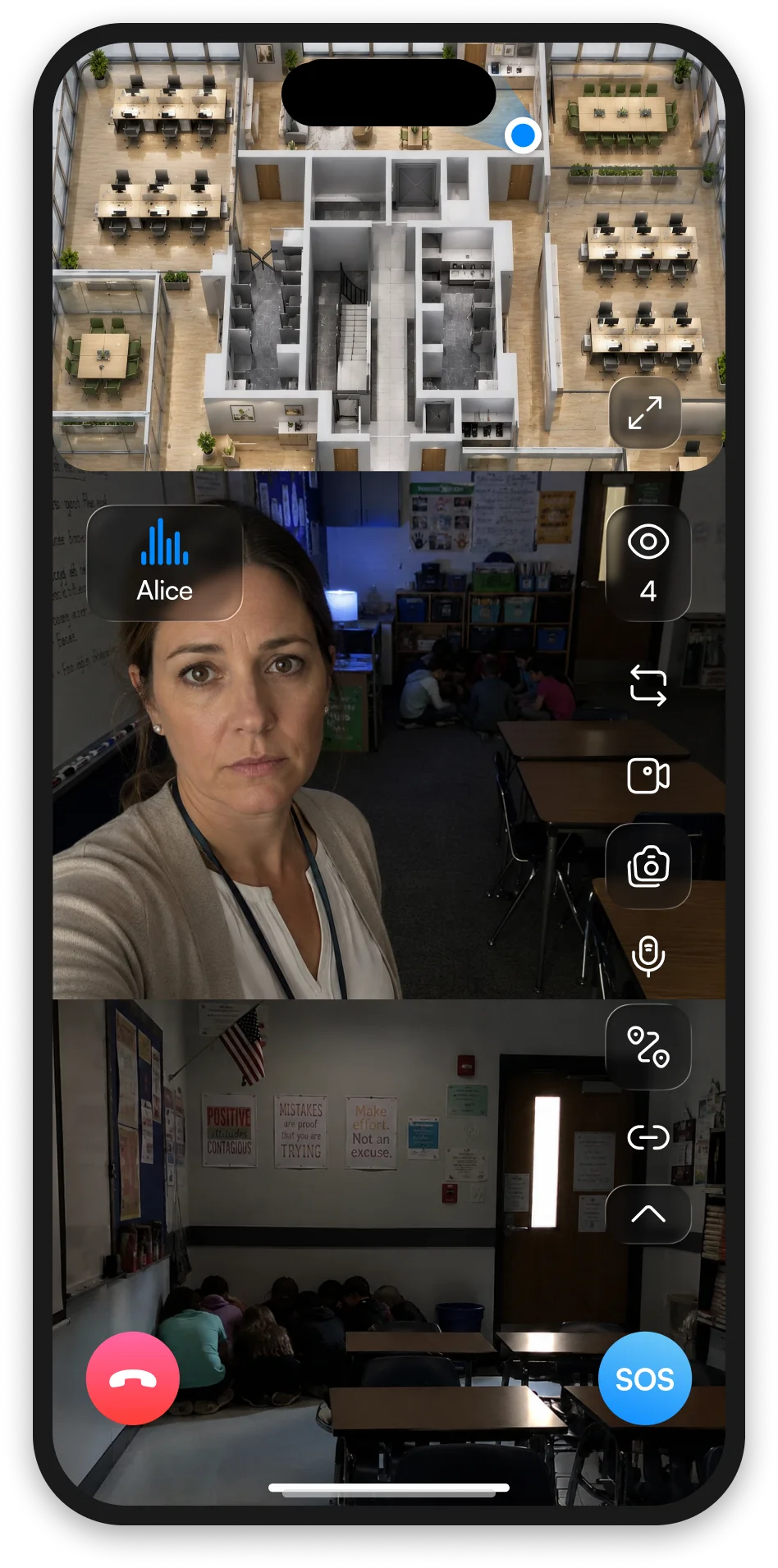
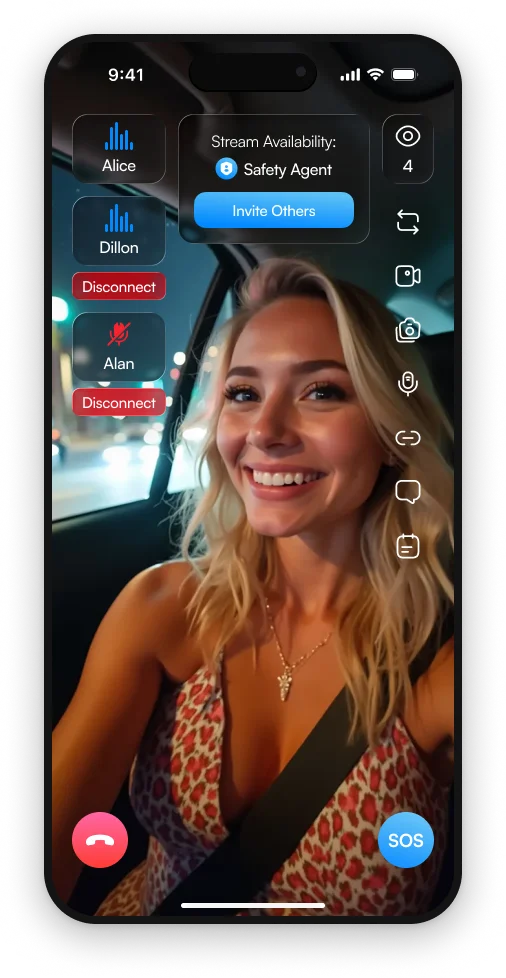
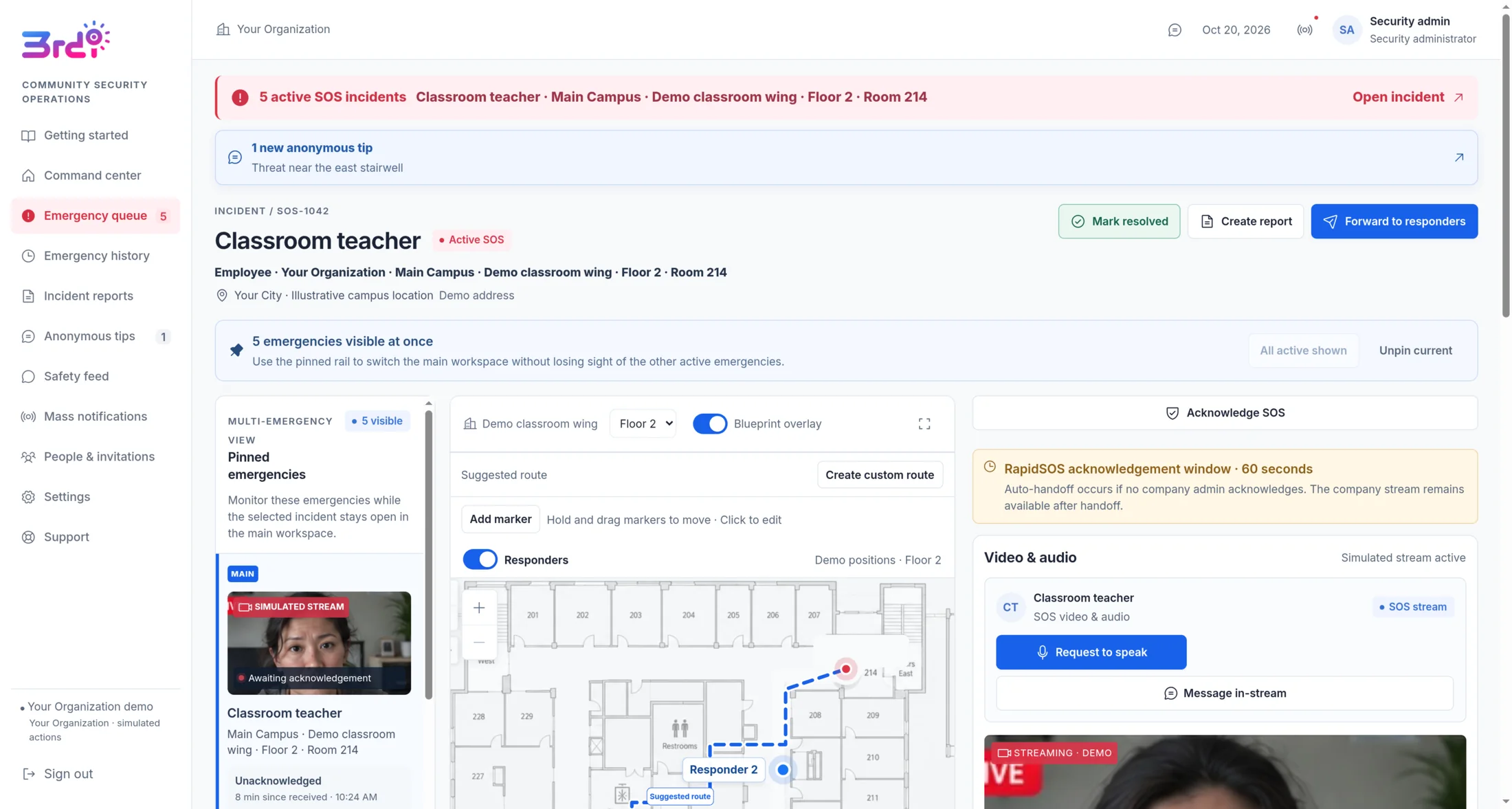
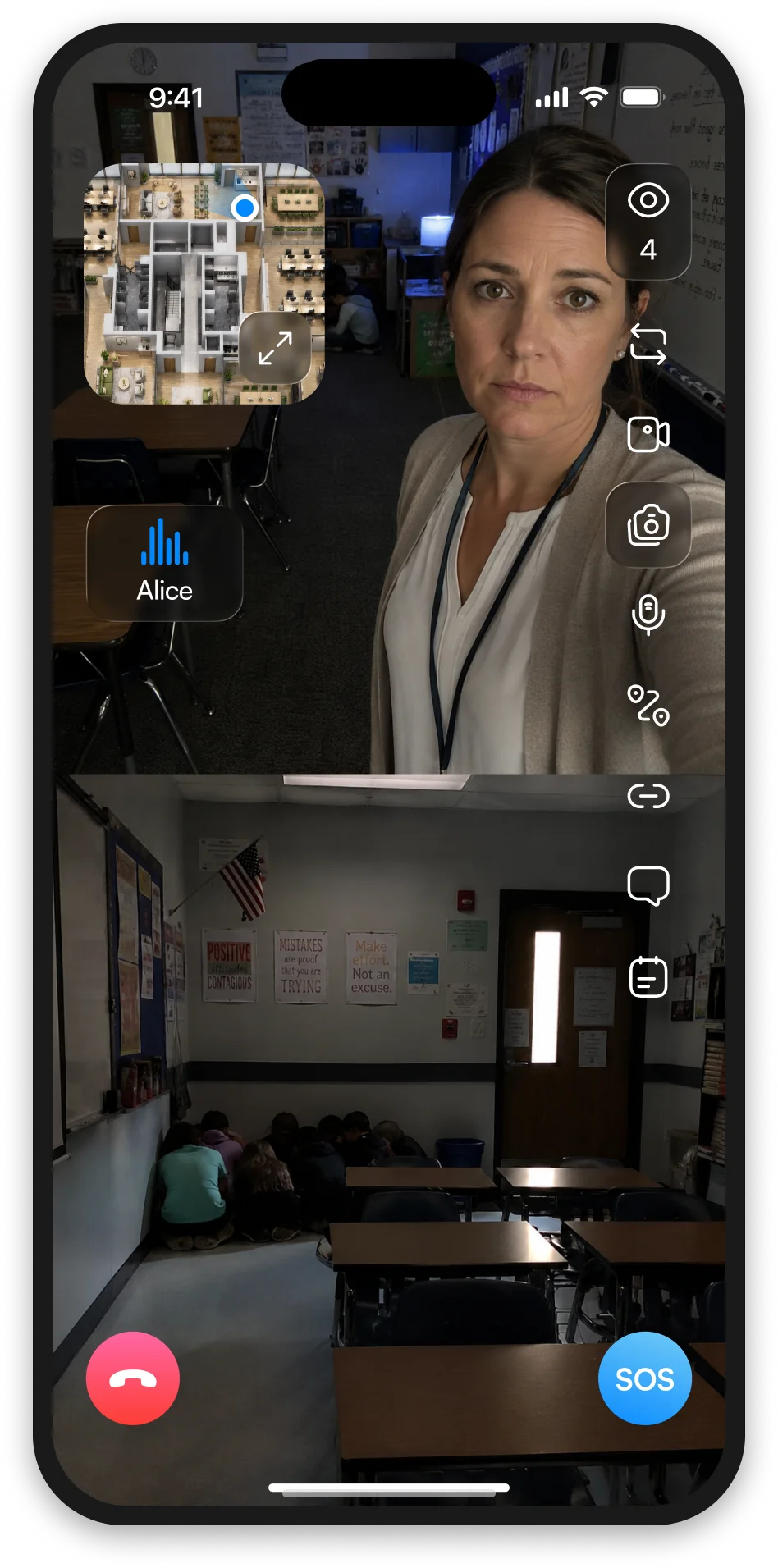
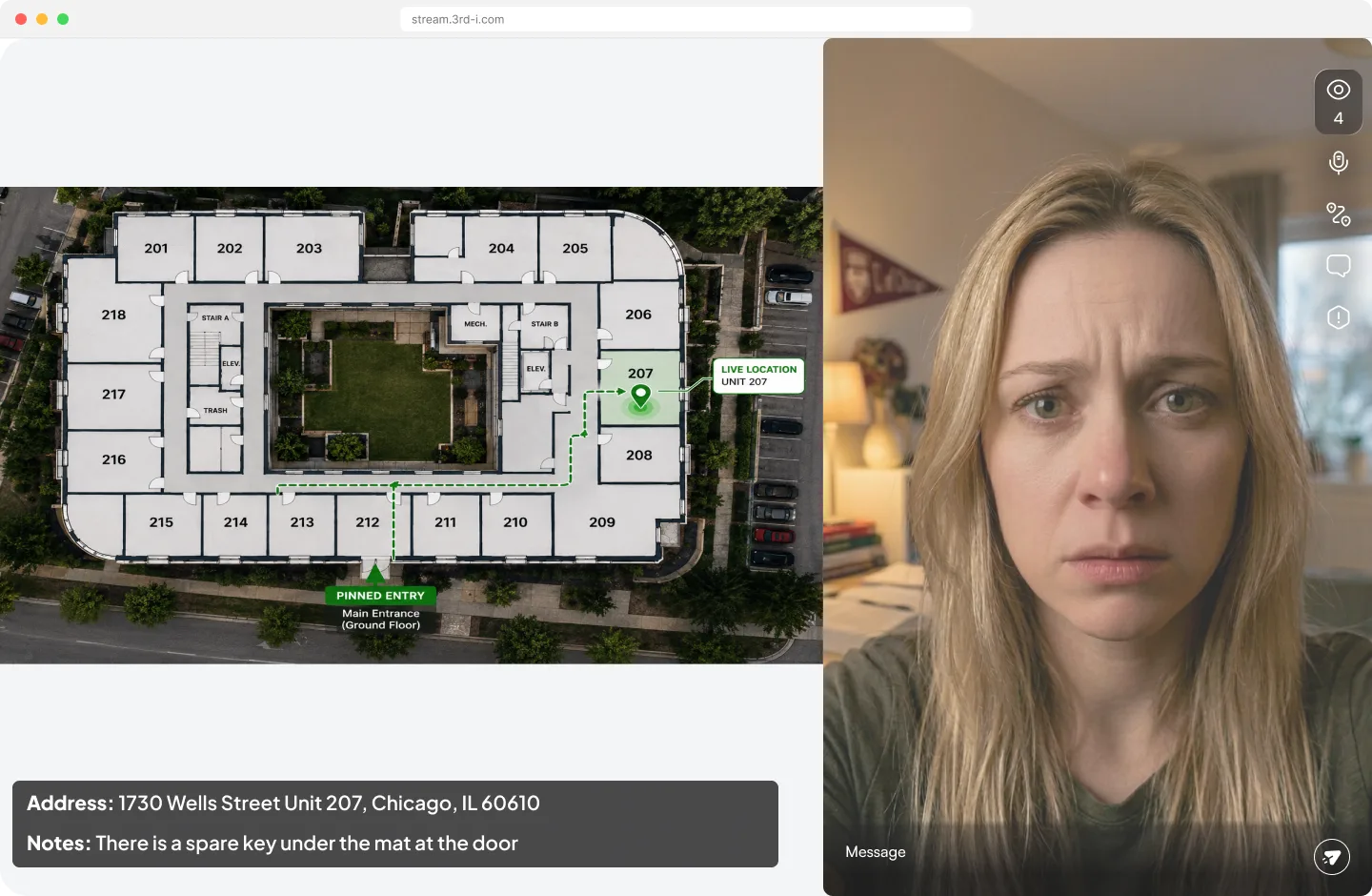
The moment an SOS fires, a trained Safety Agent is watching the live stream, hearing the audio and holding the exact location, down to the unit and the door to use. They stay on until it is resolved, and they hand 911 the full picture instead of a description of one.
Automated safety alerts
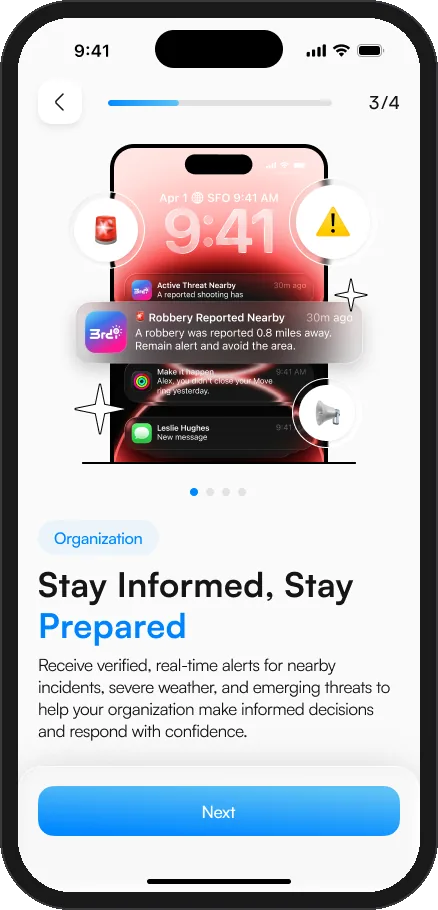
A deployment can push live safety alerts to every covered phone, placed to where a person actually is. AI identifies and verifies emerging incidents in real time, so a warning often lands before the information reaches the news. Switch on the areas you cover and the app starts warning people the moment something is verified nearby, no app to open and nobody to ask.
Illustrative alerts on a representative phone. A person is warned about what is reported around them; the app never reports the person back.
Universities
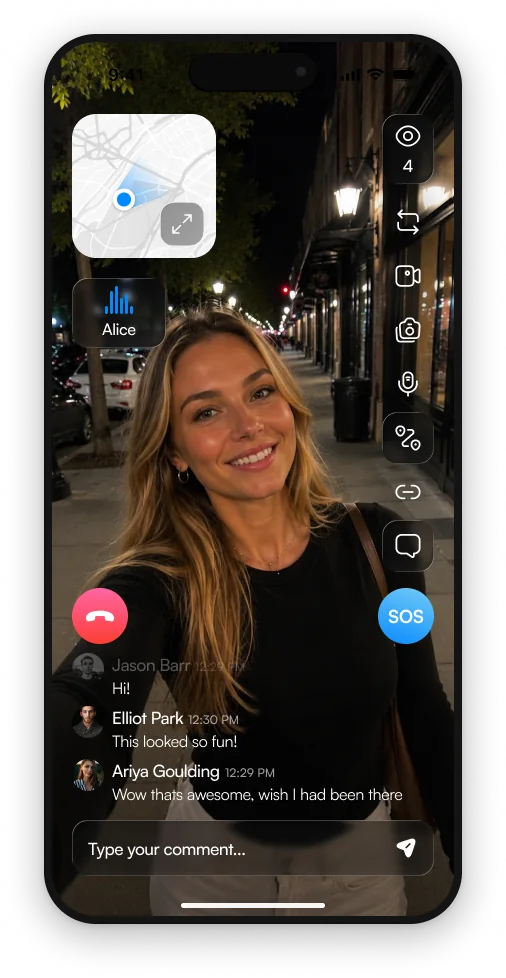
Students walk home late, take rideshares alone, and work in labs and libraries at hours when the campus is empty. A blue light phone only helps if you are standing next to it. 3rd-i travels with them.
Employers
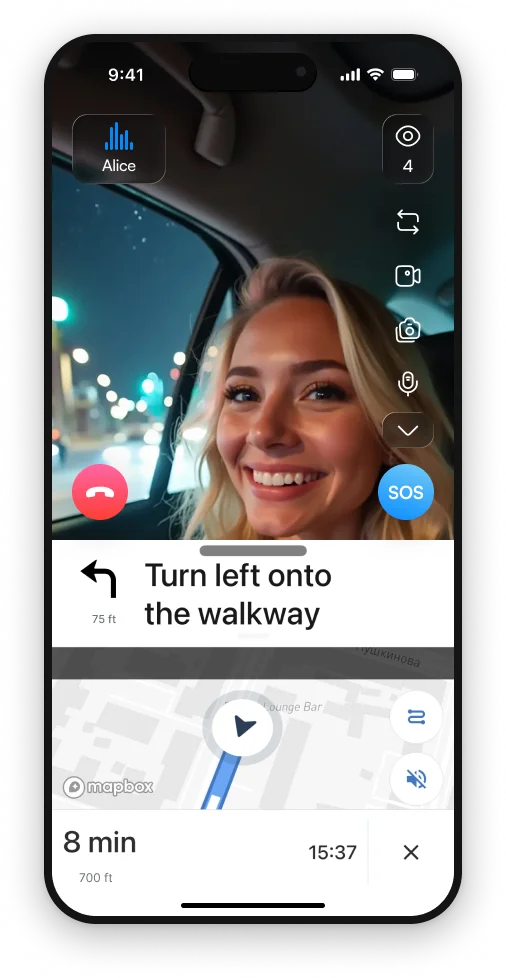
Night shifts, lone working, home visits, field techs, hospitality staff closing up, anyone who travels for work. Duty of care is a policy until somebody can actually see what is happening.
3rd-i grew up at the University of Miami, built around the question a student asks at 1am: does anybody actually know where I am right now. The early focus was rideshare safety, which is the campus problem in miniature: alone, at night, in a stranger's car, with nobody watching.
The habit behind the product came first. Founder Dillon Abend used to call friends on late night runs just to have somebody on the line. 3rd-i is that habit, made into software with a Safety Agent at the end of it.
So the campus case is not a repackaging exercise. It is the case the product was designed against first.
3rd-i in the press



Integrations
3rd-i plugs into the systems public safety already runs on, so an alarm arrives with verified location, an indoor map and a direct line to dispatch, not just a dot on a map.




Indoor Mapping
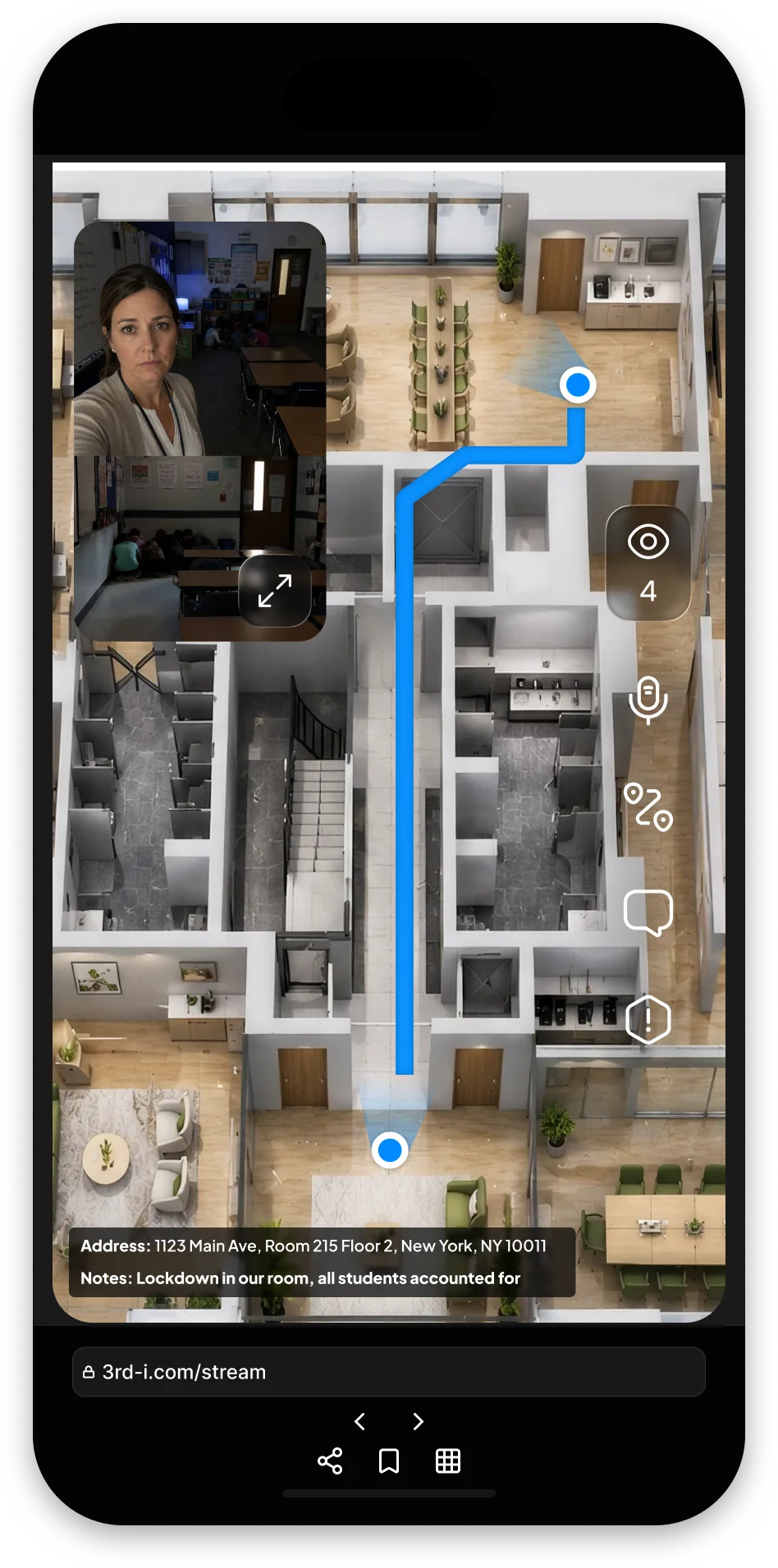
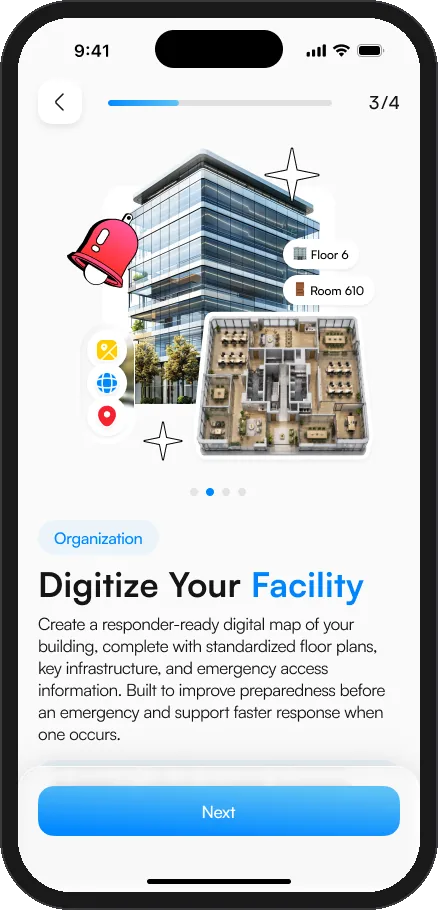
Your blueprints become a live, room accurate map. When an alarm fires, campus safety and local responders see the floor, the room and the fastest way in.
Staff route to the safest exit runs the other way.
01 Every building digitized
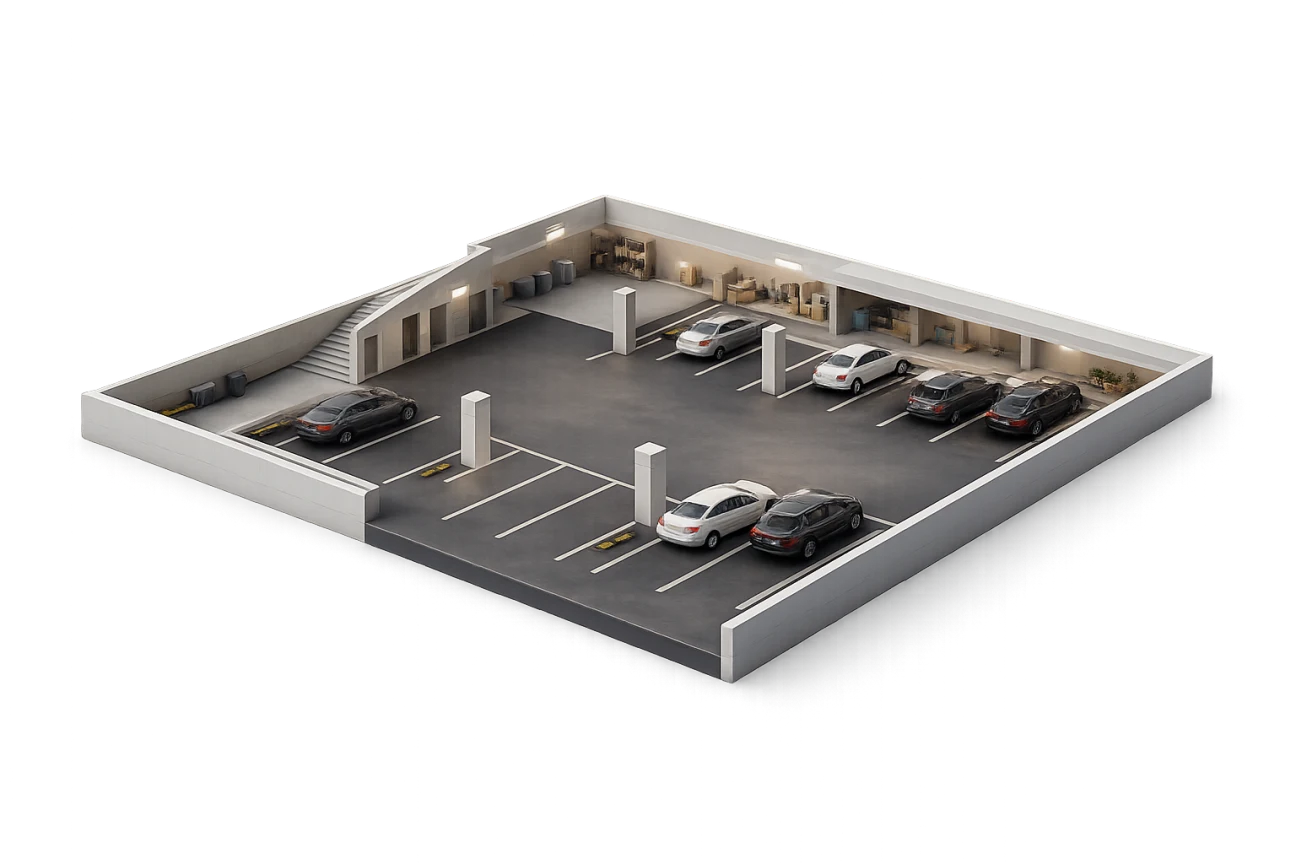
We take the floor plans you already have and turn them into one standardized, responder ready model of the building: every level, every room, every stairwell and every door, on the same plan for campus safety and for dispatch.
02 An alarm names the room
When an alarm fires, campus safety and 3rd-i Command do not get a pin on a parking lot. They get the building, the floor and the room, on the plan your own drawings produced, while the stream is still opening.
03 The route continues indoors
The route threads from the nearest entrance, through the stairwell, to the room the alarm came from. Responders stop guessing which door and which corridor, and staff get the opposite instruction: the fastest way out.
04 Found in feet, not floors
Positioning built for low connectivity locates a person within 5 to 10 feet, even deep inside a building. A Safety Agent is on the stream first, with 911 escalation behind them, and the routing works both ways: staff to the safest exit, responders to the incident.
On the map
Built for K-12
For schools, 3rd-i is rebuilt around the building itself: a silent alarm in every teacher's hand, your blueprints in every response, and a live command center for the district.


Faculty silent alarm


Blueprint digitizing and indoor routing


Campus community


District alerts and widgets
3rd-i Command
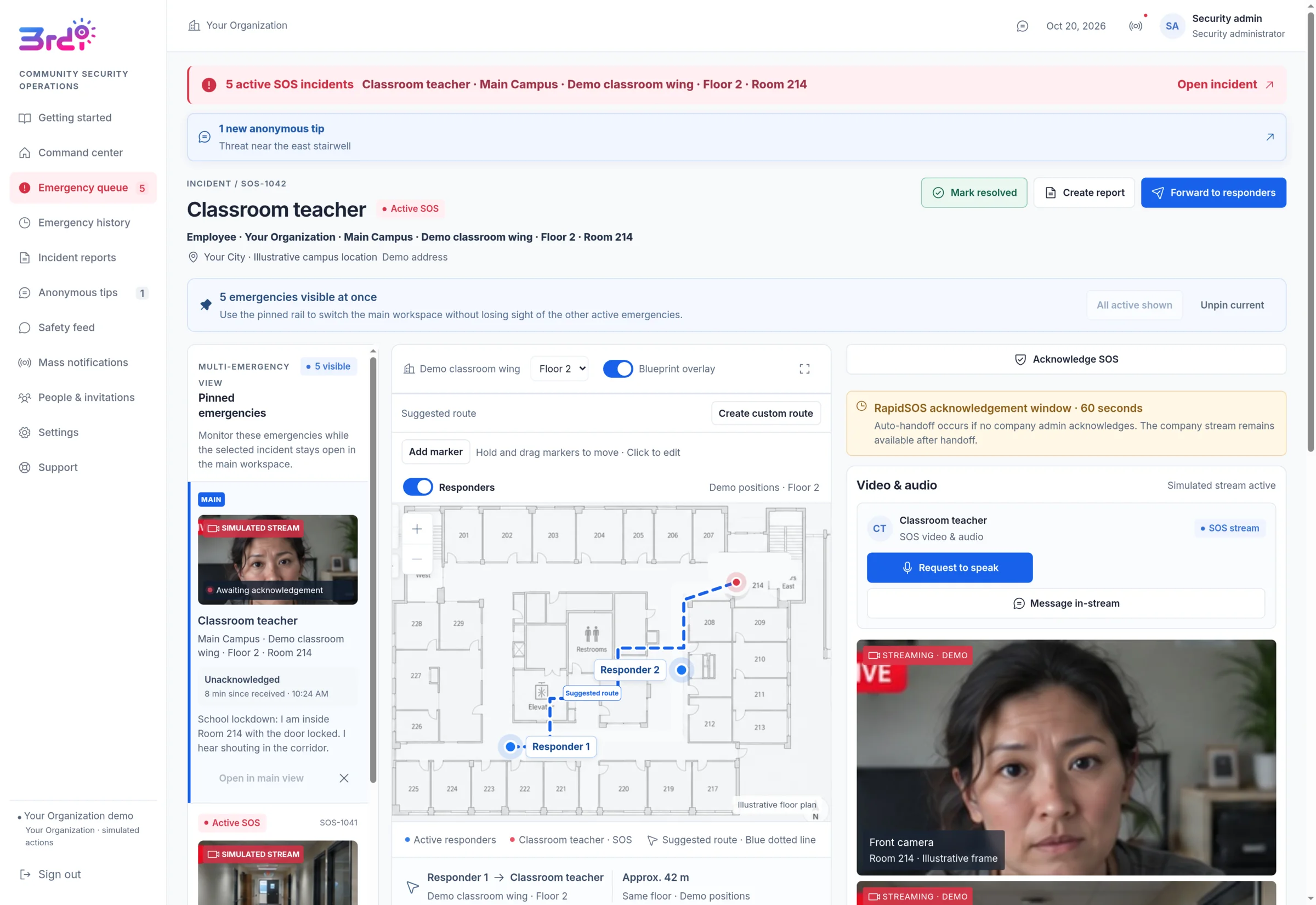
Live video and audio from the phone, the exact room on the digitized floor plan, a suggested route for responders, and every active emergency pinned on one screen for the safety office.
Emergency dispatch delivered with Official partner
Seats, pooled minutes, privacy, and real human support, connected across every person you cover.
Your population gets covered without anyone having to find the app, pick a tier, and put a safety subscription on a personal card.
Minutes sit in one pool across the deployment, so the people having a bad month are covered by the people who are not.
Every seat carries the same escalation path: a Safety Agent on the stream, and 911 when it needs to go further.
You are buying cover, not surveillance. A trip exists only while the person starts one, and nobody, including you, can start one for them.
People choose the squad that watches their trips, so they are sharing with friends rather than reporting to an institution.
Per-seat pricing against your population, on a single invoice, instead of reimbursing individual subscriptions.
This is the difference between safety cover and monitoring, and it is the reason a deployment gets adopted instead of quietly uninstalled.
3rd-i is on iPhone today. For a mixed-device population we will scope coverage and the Android timeline with you directly.
Safety consulting
The team behind the Safety Agent network, backed by four patents pending, also consults on the program itself: what the protocol says, who moves when an alarm goes off, and what a responder is handed when they get there.
Audit
We walk the campus, the venue or the site the way your people move through it, at the hours they actually do it, then write the protocol against what we found instead of against a template.
Dispatch
How an alarm reaches a human, what gets transmitted to 911, and how a responder finds the right door: closest entry pinning, access notes and indoor wayfinding, designed around the way dispatch really works.
Late nights
The problem 3rd-i was built around. Pickup points, verification habits, and the walk from the drop off to the door, turned into a program students and staff will actually use at 2am.
Readiness
Sessions and drills for security teams, RAs, shift leads and front desk staff, so the plan is muscle memory before the night it matters instead of a document nobody opened.
Bring us in for the program on its own, or run it alongside a 3rd-i deployment so the protocol and the app agree with each other. The entrance a Safety Agent reads out is then the same door your response plan sends people to.

Insurance
3rd-i strengthens your organization's emergency-response capabilities with live video, audio, and location sharing, discreet SOS, and Safety Agent support with escalation to 911.
5 to 10%
Potential premium savings on qualifying coverage
Broker estimateChart, drawn to scale: the qualifying coverage premium today next to the premium with 3rd-i. With 3rd-i, a 5 to 10 percent slice comes off, so the premium could be 90 to 95 percent of today's. Broker estimate. Other coverage is unchanged.
Ask your broker
An insurance broker has estimated potential premium savings of 5 to 10% on qualifying coverage. Ask your broker whether incorporating 3rd-i into your safety program could support premium credits or favorable underwriting for your organization.
The 5 to 10% range is a broker estimate, not a confirmed insurer discount. Savings are not guaranteed and may be unavailable. Eligibility and amounts depend on insurer approval, coverage, state, and implementation. Any credit applies only to the qualifying coverage premium, not necessarily your total insurance premium.
Population size is the only number we need to come back with a real answer. If you are here for consulting rather than seats, say so in the message.
Two minutes: who you are, roughly how many people, and what you need.
3rd-i for organizations
If your people are walking home late, working alone, or travelling for you, cover them properly and let them pick who watches.