
Across a campus
Keep buildings and reported events in a shared operational view, from residence halls to late-night facilities.
Bring reported hazards, active escalations and response activity into one view across your sites. Give your safety team a shared picture of what needs attention.

01 / How it works
A campus or company can span many buildings. Command brings the incident, its location and its response status together so the next shift can work from the same picture.
Review reported hazards and active escalations by place and time. Keep the focus on the event and the sites your team covers.
See the progression from an active incident to agent involvement and dispatch. Bring relevant emergency context into the response workflow.
Use the incident activity to support handoffs between your safety office, site teams and responders. Agree on who owns each step before rollout.
02 / In view
An active alarm needs more than a marker on a map. The response view can bring live camera context, building information and an incident timeline together for the people handling it.
Walk through it with us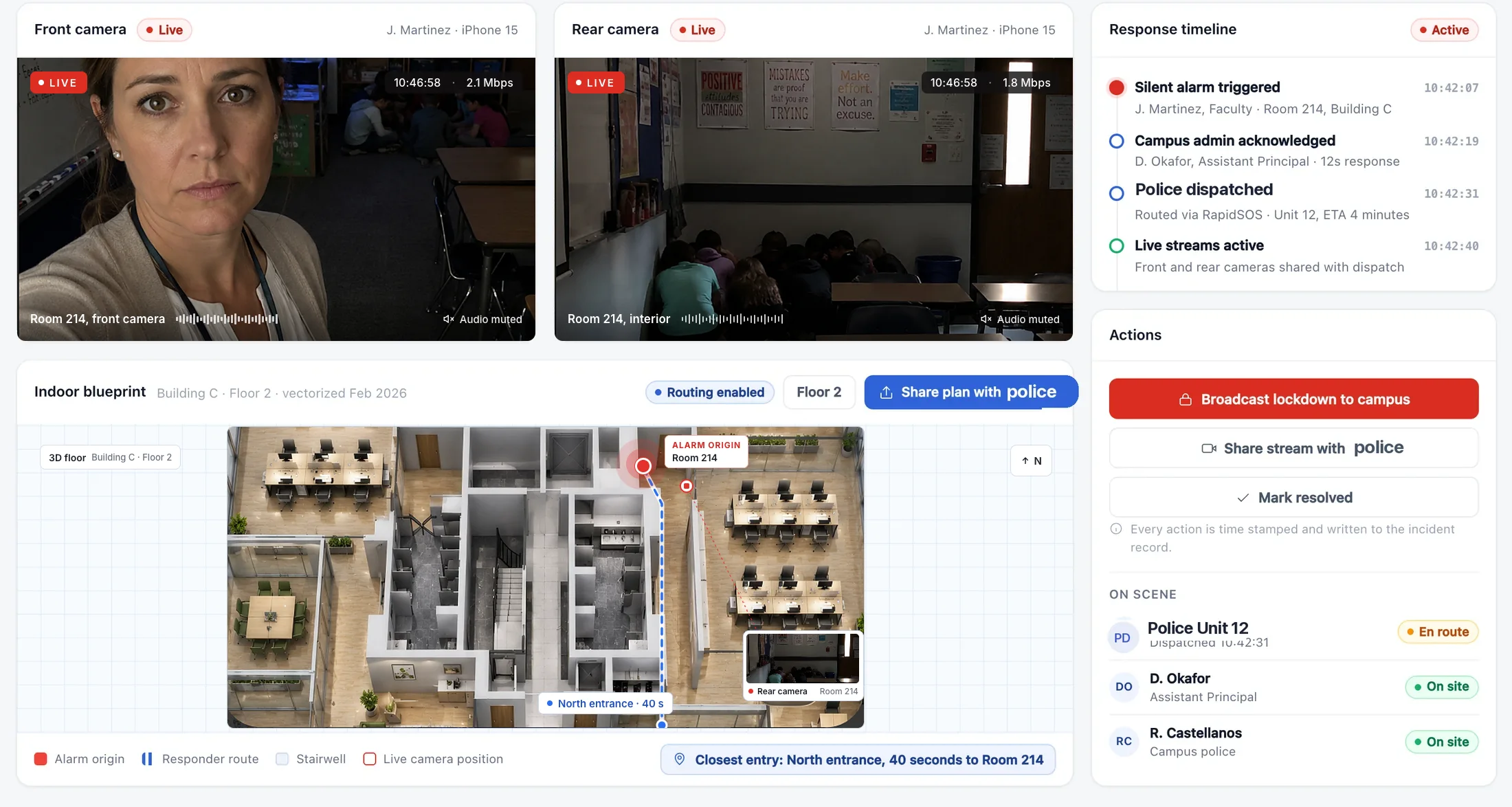
03 / Your team
Keep buildings and reported events in a shared operational view, from residence halls to late-night facilities.
Give a central safety office context across locations while defining how the team on site responds.
Make active incidents and their response status part of the handoff, alongside your existing procedures.
The general operations view is organized around events, places and response activity. Employers cannot start a person’s trip or view their individual location between trips. Information shared during an active trip or emergency belongs to a separate, intentional safety workflow.
Yes. Bring the locations, teams and hours you want to cover. We can scope an initial deployment and the process for extending it to other sites.
Command is the organizational operations view. Live SOS response connects the person asking for help with a Safety Agent and supports escalation through RapidSOS when emergency assistance is needed.
Your site list, the roles involved in safety, an example of your current incident workflow and the information each team needs during a handoff. We will walk through the relevant configuration and access requirements.
Let’s build your program
Let’s walk through your sites, your team and the response you need to coordinate.
Explore Command with us