
Coming to campus
Give students and staff local context around the places they study, work and travel through.
Keep covered people informed about verified incidents nearby. Automated safety alerts bring relevant local context to the phone without asking your team to write every notification.
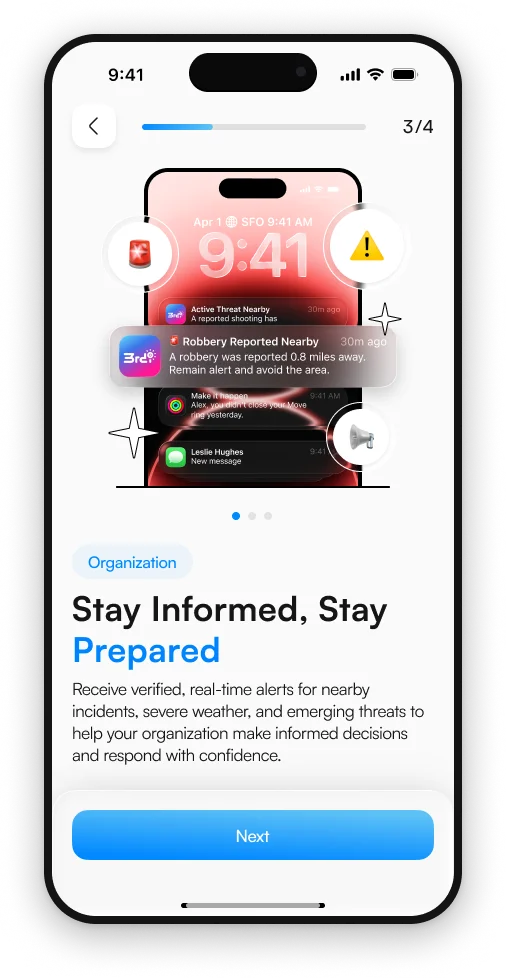
Delivered to the person.
3rd-i product screen.
01 / How it works
Your team should not have to watch every local feed. Automated alerts connect relevant incidents with the people nearby, while your organization defines the areas it covers.
Work with our team to establish the sites and areas for your program. Confirm the people, devices and notification setup involved.
The alert workflow identifies verified incidents relevant to the covered person’s area. The information comes to the phone through notifications.
An alert explains the incident and where it is happening so the recipient can make a more informed decision about their surroundings.
02 / In view
Clear notifications can make safety information easier to notice. Set up permissions with your team and explain how nearby incident alerts fit alongside urgent messages and your organization’s instructions.
Walk through it with us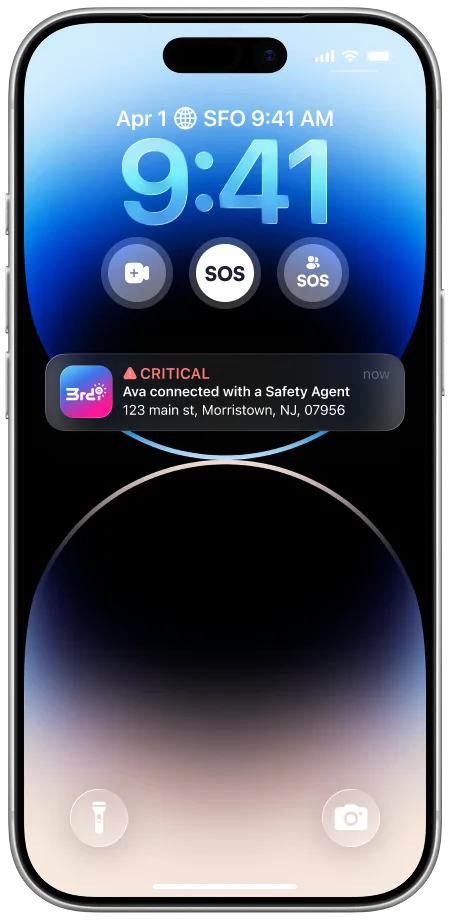
03 / Your team
Give students and staff local context around the places they study, work and travel through.
Include the areas around your locations in the coverage conversation for a team on the move.
Support awareness around a late departure, alongside the option to connect to a Safety Agent.
The nearby incident alert workflow is automated. Your organization enables coverage, while the service identifies relevant verified incidents for people nearby. Review the available incident coverage and configuration with our team.
Nearby alerts are intended to send relevant information to the person, not create a report of their movements for the employer. Employers cannot view individual location between trips or start a trip on someone’s behalf.
No. Nearby incident alerts, organization-directed emergency messages and critical alerts serve different purposes. We will walk through the available workflows, who initiates each one and how recipients see them.
Do not assume every alert behaves like a critical alert. Delivery depends on the notification type, supported device, connectivity and permissions. Test the setup with your team and keep your existing emergency communication procedures.
Let’s build your program
Let’s define the areas and people you want to cover, and the messages they need to receive.
Explore alert coverage