
Check in Safety App: Essential Guide to Modern Safety Tools
You’re leaving a late shift, walking toward a rideshare pickup, or crossing an unfamiliar area after dark. Your phone is in your hand, but texting “I’m on my way” doesn’t create continuous oversight, and a friend may not notice a missed message until much later. That gap is why people search for a check in safety app: they need something that still helps when attention, battery, connectivity, or confidence fails.
The useful question isn’t which app has the most buttons. It’s whether the system can turn a missed update into a clear response, preserve actionable location, and avoid overwhelming trusted contacts with alerts that people eventually ignore.
Table of Contents
- The Late Night Walk Anxiety Every Safety App Solves
- What Is a Check in Safety App and How It Works
- Critical Features That Separate Good Apps from Dangerous Ones
- Use Cases Who Needs a Check in Safety App Most
- Privacy Controls and Reliability The Hidden Trade-offs
- How 3rd-i Addresses Core Safety Needs with Human Monitoring
- Choosing the Right Safety App for Your Lifestyle
The Late Night Walk Anxiety Every Safety App Solves
A late-night walk often looks routine from the outside. You leave a building, take out your phone, send a quick message, and start toward the car or station. Then the route changes, your battery drops, or someone begins following too closely. At that point, composing a detailed text can feel unsafe, and the person waiting at home has no reliable way to know whether silence means “almost there” or “something is wrong.”
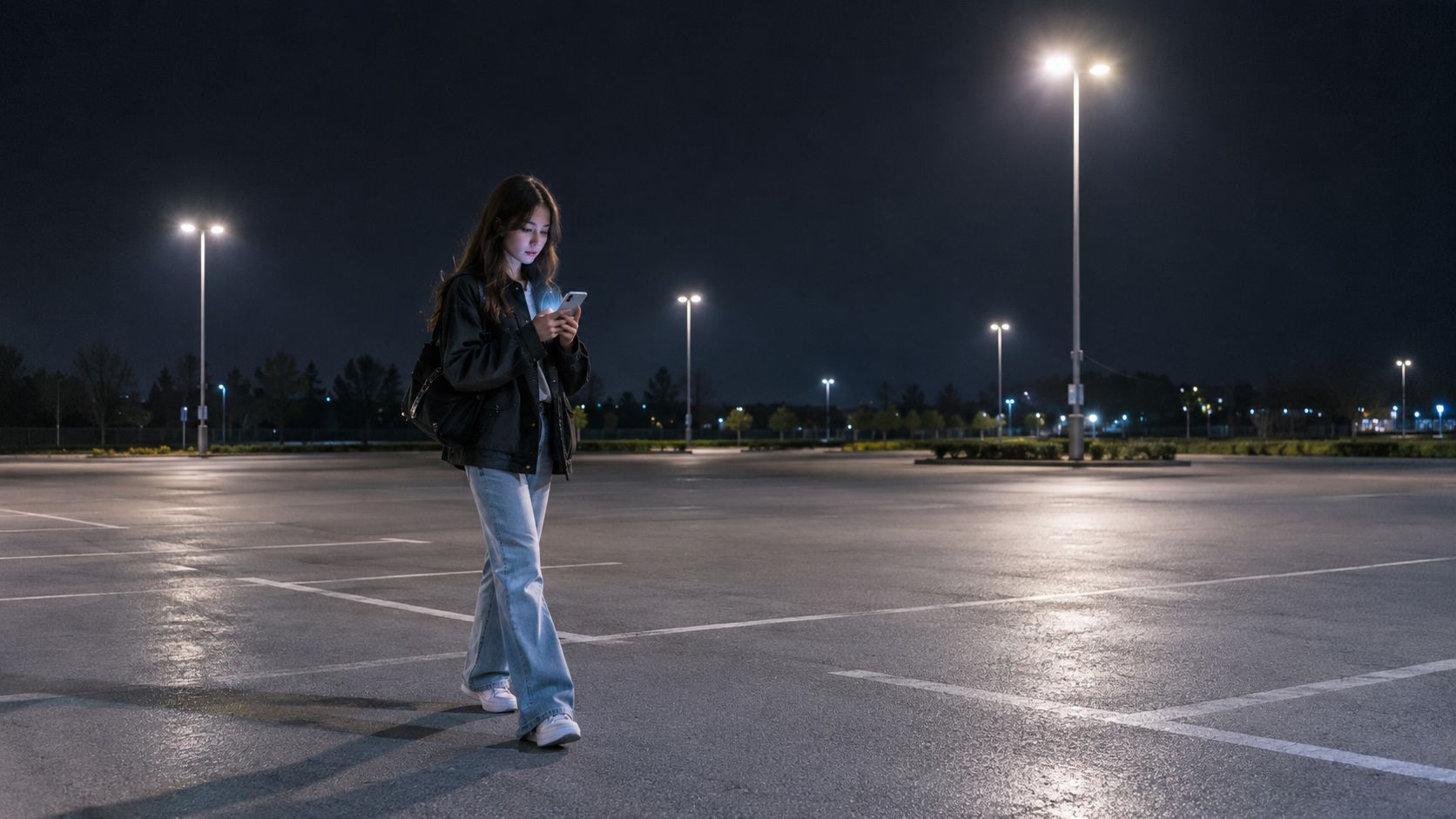
Traditional check-ins depend on two people remembering the same sequence. You must send the message, your contact must see it, and someone must decide what to do if you don’t reply. That process works for ordinary travel, but it becomes fragile under stress. A check in safety app replaces some of that manual coordination with a scheduled status, live location, an SOS path, or an escalation rule.
A practical guide to staying safe while walking alone at night still matters because technology can’t remove environmental risk. The app should support sensible choices, such as sharing your route before you leave, avoiding isolated shortcuts, and keeping access to emergency services simple.
Practical rule: A safety tool should reduce the number of actions required from the person who may be frightened, distracted, or unable to type.
The category is no longer niche. One industry estimate places the global personal safety app market at about USD 1.8 billion in 2024, with a projection of roughly USD 7.7 billion by 2034 and a projected 15.6% compound annual growth rate. The same report estimates that North America represented more than 34% of market share in 2024, or about USD 0.61 billion in revenue, indicating that check-in and location-sharing tools already have broad adoption in a major market. These figures are projections and estimates, not a guarantee that any particular app will protect you. (Personal Safety App Market)
What Is a Check in Safety App and How It Works
A check in safety app is an active safety system that connects a person in the field with trusted contacts, a monitoring team, or emergency responders. It can combine scheduled check-ins, live location, a one-tap status, and an emergency trigger. A passive location tracker may record where someone has been. An active system asks whether the person is safe and creates a response when the expected answer doesn’t arrive.
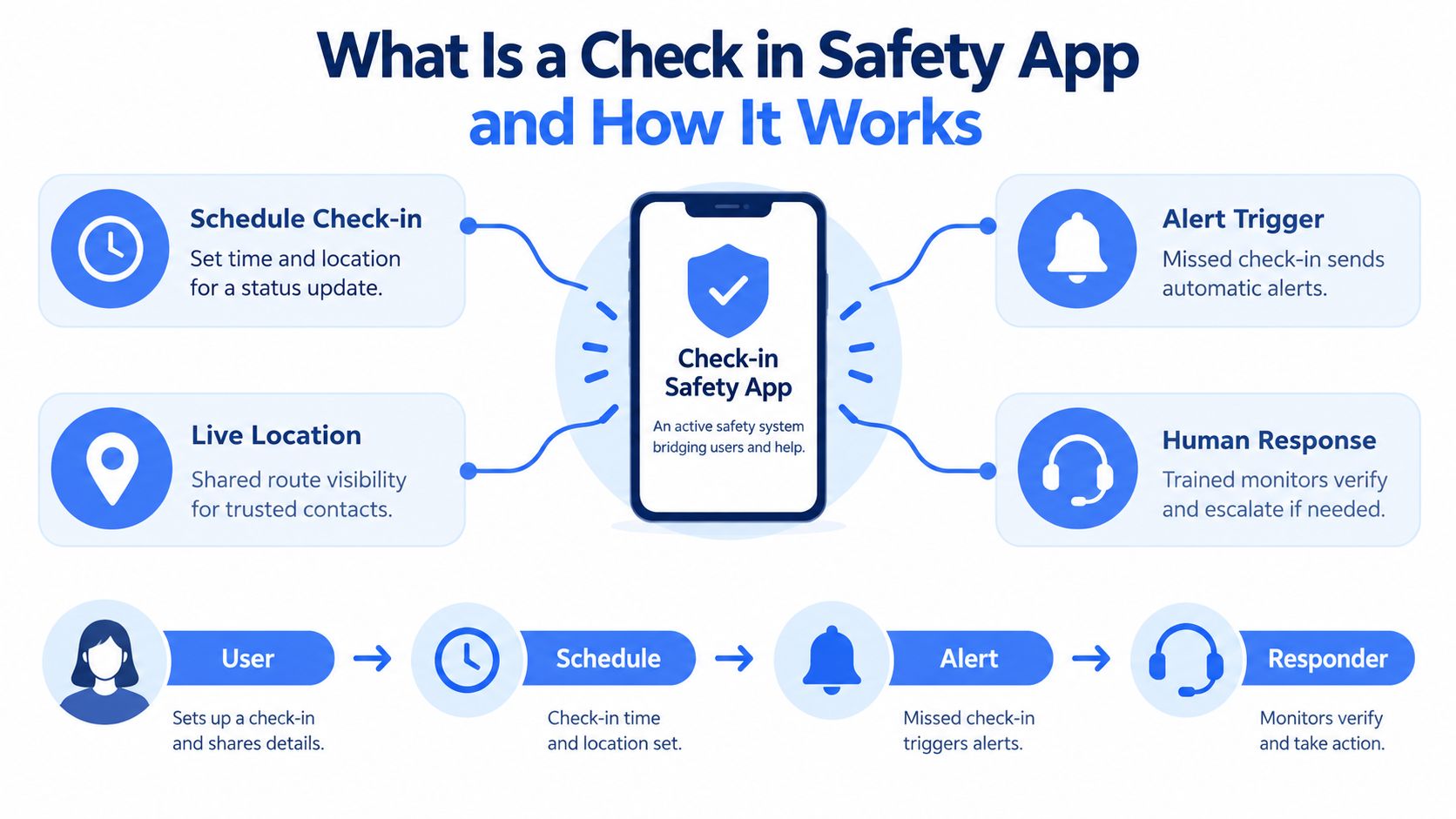
The basic workflow is straightforward:
- Start a session. The user sets a destination, time window, route, or monitoring period.
- Send a status. They confirm arrival or respond to a prompt with a tap instead of writing a message.
- Share context. Depending on the service, trusted contacts or monitors can see location, movement, audio, video, or the user’s status.
- Escalate a concern. An SOS button can begin an emergency workflow, while a missed check-in can trigger an alert.
- Verify and respond. A contact or trained monitor tries to establish what happened, then follows the configured escalation path.
Real-time monitoring systems commonly pair time-based check-ins with continuous GPS reporting. One documented implementation updates location every 30 seconds when activated, while other systems display live GPS to a supervisor dashboard or monitoring center. That architecture makes a missing status more useful because responders can see a recent or current position instead of receiving only a vague “didn’t check in” notification. (Lone worker monitoring and safety systems)
Emergency routing adds another layer. Android Emergency Location Service can automatically send a caller’s location to first responders in supported countries and networks, and emergency guidance covers location sharing when someone calls or texts numbers such as 911 or 112. A capable app should therefore preserve coordinates, incident status, and callback information in a format that a monitor or dispatcher can use, rather than treating GPS history as the final product. (Android Emergency Location Service)
The distinction is important. A reminder app asks you to remember. An active safety service creates a defined path from expected response to human attention.
Critical Features That Separate Good Apps from Dangerous Ones
A polished demonstration can hide weak failure handling. Evaluate the system by asking what happens when the user is moving, panicked, offline, or unable to access the phone.
Start with the response path
The strongest products make the first action obvious. A lock screen widget, a one-tap check-in, and a prominent SOS control reduce friction. One-tap replies also help when someone can’t safely stop to type. Live location should be visible to the right people during the active session, not buried in a history screen.
The quality of the alert depends on what accompanies it. A useful event may include a recent coordinate, route, timestamp, callback details, and incident status. A generic push notification saying “missed check-in” leaves the recipient to reconstruct the situation.
Test the live experience, not the feature list
For a mobile safety app, ask whether location and communication work together. Live route visibility can show where the user is going, while audio or video can provide context that a pin cannot. Dual-camera streaming, picture-in-picture, and a request-to-speak function may matter during an uncertain encounter, but only if the controls remain usable under pressure.
Monitoring also changes the response model. An automated alert can be fast, but it may not know whether a missed check-in resulted from a dead phone, a harmless delay, or an emergency. Human monitors can attempt contact, interpret context, and escalate when the facts justify it.
Compare tiers by safety function
| App approach | Useful for | Main limitation |
|---|---|---|
| Reminder-only check-in | Routine arrival confirmations | A missed reminder may create no meaningful response |
| Contact-based location sharing | Families and trusted friends | Response depends on someone noticing and acting |
| Automated monitoring | Repeated workplace or travel workflows | Rules can create false alarms without verification |
| Human-monitored service | Situations requiring verification and escalation | Requires clear coverage, privacy terms, and plan limits |
Market reporting identifies emergency SOS and real-time monitoring as central use cases. One report assigns 28.5% to emergency SOS functionality, reports 78% adoption among active users for emergency SOS, and 73% adoption for location sharing. It also reports that freemium access accounted for about 67.3% of global users. These figures describe historical market patterns from the cited report, not a guarantee that free access includes the safeguards you need. (Personal Safety Apps Market)
Before choosing, run a practical test. Start a session, miss a check-in deliberately, disable notifications, and check whether the designated person receives a clear escalation. If the answer is unclear, the feature may look good in a demo but remain weak in real use.
Use Cases Who Needs a Check in Safety App Most
Different users need different levels of oversight. A student walking across campus, a rideshare passenger, and a lone technician may all use check-ins, but their failure points aren’t identical.

Students and late-night pedestrians
A student may want a short, temporary session rather than constant visibility. Scheduled arrival confirmation, live route sharing, an easily accessible SOS button, and a trusted contact list can cover the walk from a library, residence hall, or transit stop. Campus teams may need a different arrangement, with centrally managed access and procedures for contacting security or emergency services.
Rideshare passengers and travelers
A rideshare journey creates a moving boundary between the passenger, driver, destination, and outside contact. Sharing a route can help a trusted person identify an unexpected stop, while live audio or video can add context when a passenger feels uncomfortable. The app still needs a fallback for weak signal and a clear process for escalating outside the friend group.
Lone workers
A lone worker faces a duty-of-care problem, not just personal anxiety. A missed check-in during a remote visit, night shift, industrial task, or field assignment should reach a supervisor or monitoring center with enough information to act. Automated escalation is valuable because the worker may be unable to call back, and the supervisor may not be watching a dashboard continuously.
Parents and teenage drivers
Families often need a balance between reassurance and independence. A timed arrival check-in may be more acceptable than continuous tracking, especially when the driver has a predictable route. Parents should agree in advance on what happens after a missed response, who gets contacted first, and when an emergency service call becomes appropriate.
The best fit depends on the risk profile:
- Short, familiar trips: A one-tap status and trusted contact may be sufficient.
- Unfamiliar travel: Live route sharing and an SOS path add useful context.
- Work with exposure or isolation: Automated escalation and human verification deserve priority.
- Family coordination: Privacy controls and agreed response rules are as important as location access.
Privacy Controls and Reliability The Hidden Trade-offs
More monitoring isn’t automatically safer. Continuous visibility can reassure a family or employer, but it can also collect sensitive location data, create conflict, and make people feel watched rather than supported. A consent-first check-in may provide enough protection for a particular journey without turning every movement into a permanent record.
Useful controls include temporary invisibility, limited sharing windows, role-based access, and a clear retention policy. A feature such as Ghost mode can let a user go temporarily off the map, while an Emergency Entry Pin can help responders find the closest access point without requiring someone to explain it during a crisis. These controls work only when everyone understands when they apply.
The dead-phone test
The most important reliability question is simple: Will the check-in still work if the phone is off, lost, or has no signal?
A timer running only on the phone may fail when the device dies, enters airplane mode, loses permissions, or cannot deliver a notification. A server-side escalation path can reduce that dependency, but it still needs a way to receive the user’s last known state and reach someone through a separate channel. Voice-call fallback, a monitoring center, and explicit no-response procedures are stronger than a reminder that disappears with the device.
Independent coverage of dead-man’s-switch and missed-check-in apps highlights this exact weakness. Notification-only systems can be too fragile for safety-critical situations because they rely on the phone and the user’s ability to acknowledge the prompt. (Dead man’s switch apps and missed check-ins)
Prevent alert fatigue
An escalation chain that fires for every minor delay trains recipients to dismiss alerts. Set realistic windows, define who responds first, and reserve urgent channels for events that need urgent attention. Critical alerts can help during emergencies, but they shouldn’t compensate for poorly designed rules.
Research on personal safety apps also raises concerns about limited evidence for many product claims and about shifting monitoring labor onto users and trusted contacts. A responsible deployment explains what is collected, who can view it, how long it remains available, and how false alarms are resolved. (Research on personal safety apps and safety-app discourse)
How 3rd-i Addresses Core Safety Needs with Human Monitoring
3rd-i is one example of a service that combines an iOS app with trained Safety Agents. Its Go Live feature can stream video, audio, and route information, while Squad viewing lets selected contacts see the live route and video in one view. Users can send one-tap Nudges or responses, activate SOS, or request help for another person through Emergency for a Friend.
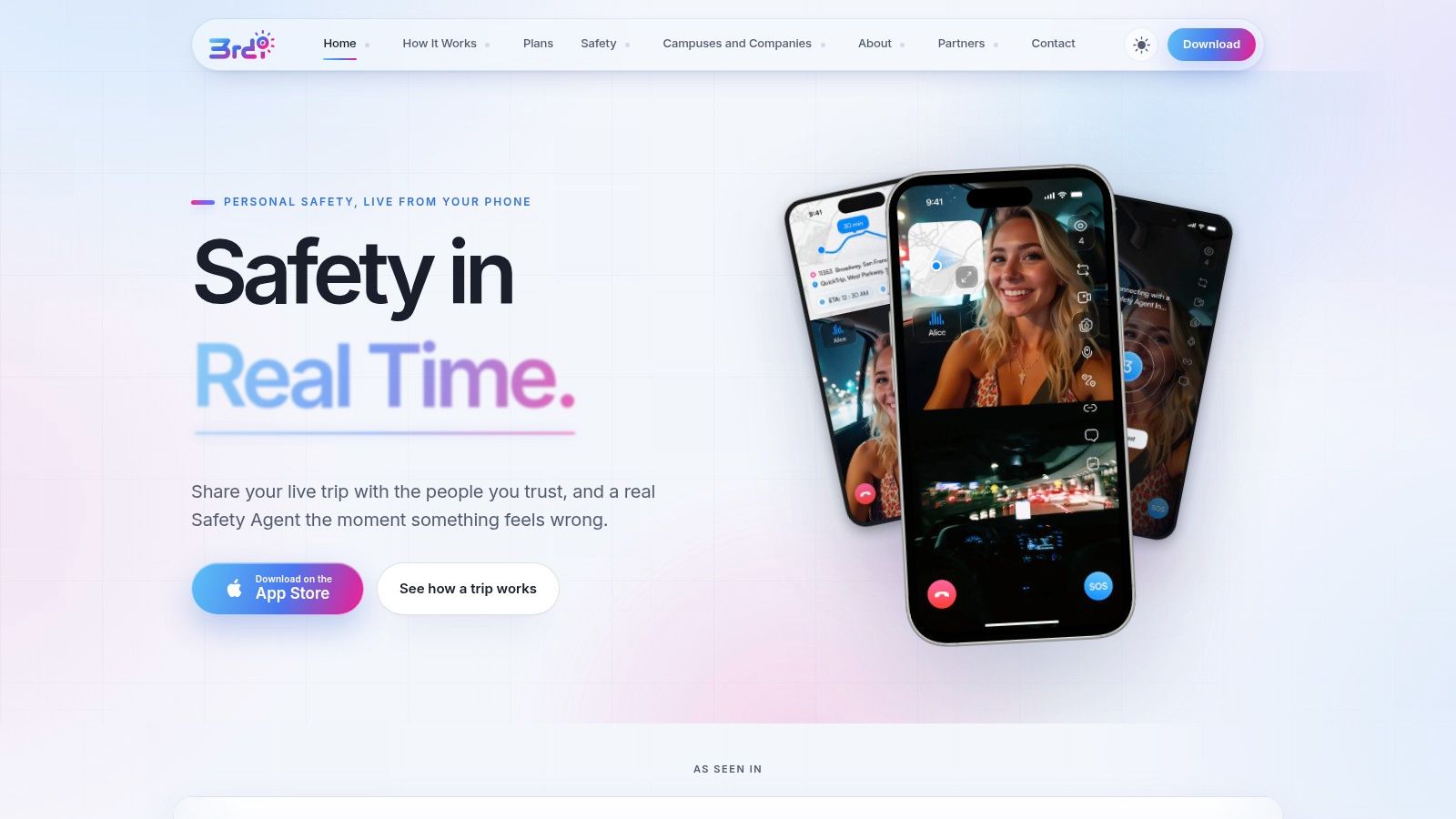
The human role matters when an automated rule creates uncertainty. A Safety Agent can attempt contact, review available context, and escalate an emergency to 911 through RapidSOS. That is different from sending a notification to a friend and hoping they notice it, understand it, and know how to relay the relevant information.
The service also includes dual-camera streaming, picture-in-picture, lock screen widgets, movement prompts, and Critical Alerts. Privacy features include Ghost mode and an Emergency Entry Pin. Recording, transcription, and summaries can preserve information for follow-up, although users and organizations should still review consent, retention, and access policies before enabling those functions.
Response principle: Automation should identify the problem. A trained person should help decide what the problem means and what happens next.
This short video shows how the product presents its monitoring experience:
Consumer plans use streaming and recording minutes as the meter, with Solo and Family options and Safety Agent monitoring on each plan. Campus and company deployments can issue seats centrally, pool minutes, and tailor coverage for late walks, night shifts, lone work, or rideshare use. The real-time safety monitoring model is most relevant when an organization needs a defined response process instead of a collection of informal check-ins.
RapidSOS integration can deliver stream, location, and critical information to emergency dispatch, but the app remains a supplement to calling emergency services directly. Buyers should verify current coverage, plan conditions, device support, and the exact circumstances in which agents can escalate.
Choosing the Right Safety App for Your Lifestyle
Choose the app around the failure you’re trying to prevent. For a short walk, a fast check-in and trusted contact may be enough. For lone work, rideshare travel, or a campus program, prioritize automated escalation, live context, and a person who can verify an incident.
Use this checklist before committing:
- Dead-phone handling: Find out whether missed check-ins escalate server-side and what happens without signal.
- Emergency routing: Confirm whether the service can pass useful location and incident context into the public-safety workflow.
- Human response: Identify who reviews an alert, how they contact the user, and when they escalate.
- Privacy boundaries: Check temporary visibility, consent, retention, and access controls.
- Alert discipline: Configure realistic timing and a clear no-response procedure to limit false alarms.
- Stress usability: Test the lock screen, one-tap actions, and SOS path while walking, not only while seated at home.
A check in safety app should make a real safety plan easier to follow. It shouldn’t promise perfect protection or replace judgment, emergency services, or agreed communication. Select the system that remains understandable when the phone is unreliable and the people involved are under pressure.
3rd-i offers live video, audio, and location sharing, one-tap check-ins, Safety Agent monitoring, privacy controls, and emergency escalation through RapidSOS for individuals, families, campuses, and companies. Visit 3rd-i to review how its tools can support late walks, rideshares, and lone-worker check-ins.