
24/7 Security Monitoring Explained: What It Covers
The walk from the station to your front door takes eleven minutes. Tonight it’s dark, one streetlight is out, and you have a monitoring app open on your phone because the plan page promised 24/7 coverage. What that promise covers during those eleven minutes is the question worth settling before you lean on it.
It’s easy to read 24/7 as “someone is watching me right now.” The honest version is narrower and far more useful: the service is staffed or automated around the clock so an alert you raise at 2 a.m. gets received, assessed and acted on. That’s a promise about response, not about observation. One of those you can test. The other you mostly can’t.
What follows walks through the parts of a monitoring service in the order a real alert travels through them, points out where coverage breaks, and gives you questions precise enough that a provider either answers them or reveals that it can’t.
Table of Contents
- What 24/7 Security Monitoring Actually Means
- How Human Monitors Decide Whether an Alert Is Real
- The Escalation Path From Alert to Emergency Dispatch
- When Connectivity Fails and Coverage Degrades
- Privacy, Consent and Who Can See Your Stream
- What Recorded Footage Adds After an Incident
- Coverage Measures and a Personal Test
What 24/7 Security Monitoring Actually Means
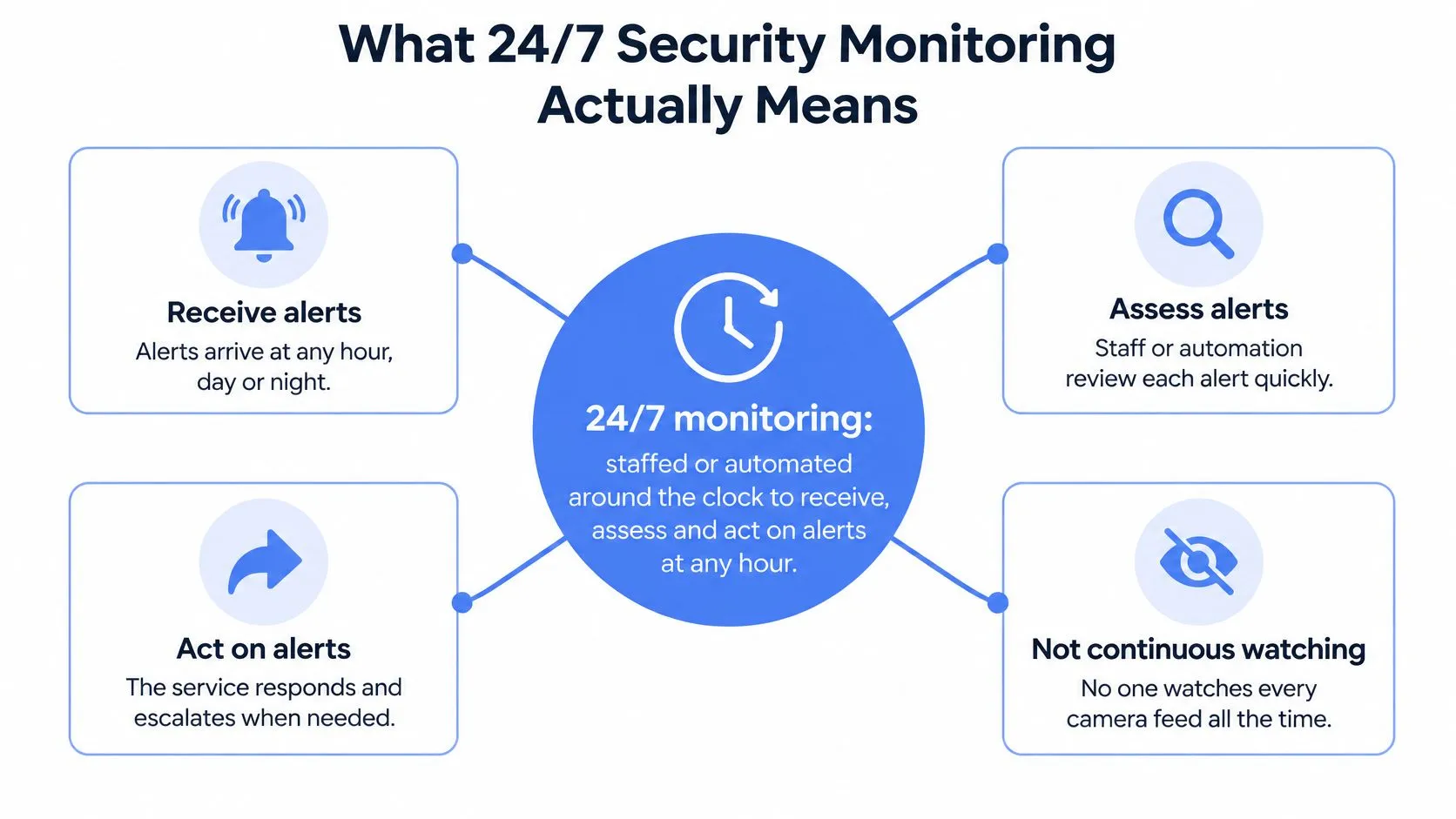
24/7 security monitoring means a service is staffed or automated around the clock to receive, assess and act on alerts at any hour, including nights, weekends and holidays. It does not mean a person watches every camera feed or every location dot without a break. Those are two different products, and only one of them exists.
Picture a lighthouse keeper on night watch. The keeper doesn’t stare at the sea for eight hours. They watch for signals: a flare, a light where no light should be, a boat off its usual line. Then they decide which of those justify launching a boat. Most nights nothing happens.
Most services assemble the same three components:
- Signal generation. An SOS press, a missed check-in, a route that stops matching the plan, or a motion sensor firing outside expected hours.
- A monitoring desk. A person or an automated system reviews the incoming signal and decides whether it’s real.
- An escalation route. Confirmed emergencies travel to responders with the context gathered along the way.
Here’s how the common models differ on those three parts.
| Model | Who watches | How a signal is handled | Main limit |
|---|---|---|---|
| Automated alarm monitoring | Sensors and rules, no person | Trigger is forwarded to a call centre or responder | Unverified triggers create false alarms |
| Human-attended monitoring | Trained operators on shift | Operator reviews the signal and contacts the user | Staffing gaps slow the response |
| Hybrid verified monitoring | Automation plus human review | Trigger is reviewed by a person before escalation | Queue capacity sets the pace |
| Self-monitoring by family or user | The user or a contact checking in | Manual check-in or message | No one watches if the user cannot make contact |
Families often blend the last row with one of the others. If you’re arranging cover for a relative who lives alone, it helps to find routines that support solo living alongside whatever monitoring you pick, because a daily check-in habit catches situations no sensor will ever flag.
What the term promises, then, is a defined ability to respond at any hour, backed by staffing and written procedure. Whether it holds at 3 a.m. on a Sunday is a separate question, and it has an answer.
How Human Monitors Decide Whether an Alert Is Real
Every signal that reaches a monitoring desk consumes someone’s attention. When a service skips the review step and forwards triggers straight to emergency services, the cost lands on police. The U.S. Department of Justice guidance on alarm response reported that police responded to approximately 36 million alarm activations in 2002, at an estimated annual cost of $1.8 billion. Between 94% and 98% of those activations were false alarms, and each one consumed roughly 20 minutes of police time, usually involving two officers.
Verification is what changes that math. The same guidance noted that jurisdictions adopting verified-response systems typically reduced alarm calls by about 90%, freeing officers for incidents that were real. Human review isn’t a premium add-on. It’s the thing that makes the rest of the system worth having.
A monitor can land on three outcomes, and only one of them involves a dispatcher.
- Confirmed emergency. There’s enough context to send it onward with location, a live feed and a description.
- False alarm. The user answers, says they’re fine, and the incident closes with the reason written down.
- Unclear. Nobody answers, but nothing confirms danger either. The incident stays open with a timed follow-up and a supervisor escalation if the clock runs out.
Between the trigger and any of those outcomes, the monitor weighs a short list of evidence:
- Route deviation. Did the user leave the planned path, stop moving somewhere unexpected, or reverse direction?
- Inactivity. Has the phone been still longer than the situation explains?
- Who triggered it. A deliberate SOS press from the account holder reads differently from an automated prompt.
- Live audio or video. Can the desk see or hear anything, and does it match the alert type?
- History. Is there an earlier acknowledgment tonight, an open incident, or a pattern from previous weeks?
The judgment call. A trigger tells you something changed. Context tells you whether it matters. A route deviation at 11 p.m. on a familiar street is a different event from the same deviation at 2 a.m. in a strange one.
A quick call to a trusted contact resolves a lot of borderline cases before anyone reaches a dispatcher. Our Safety Agents work the same way: they monitor the live stream, view both cameras, and reach the user by call or chat before deciding what happens. Verification cuts unnecessary emergency calls. It doesn’t eliminate false positives, so ask any provider how it handles the borderline ones and whether the reason for each decision gets recorded.
The Escalation Path From Alert to Emergency Dispatch
A verified alert follows a fixed sequence, and each stage has an owner. The value of the sequence is that failure at any step is visible rather than silent.
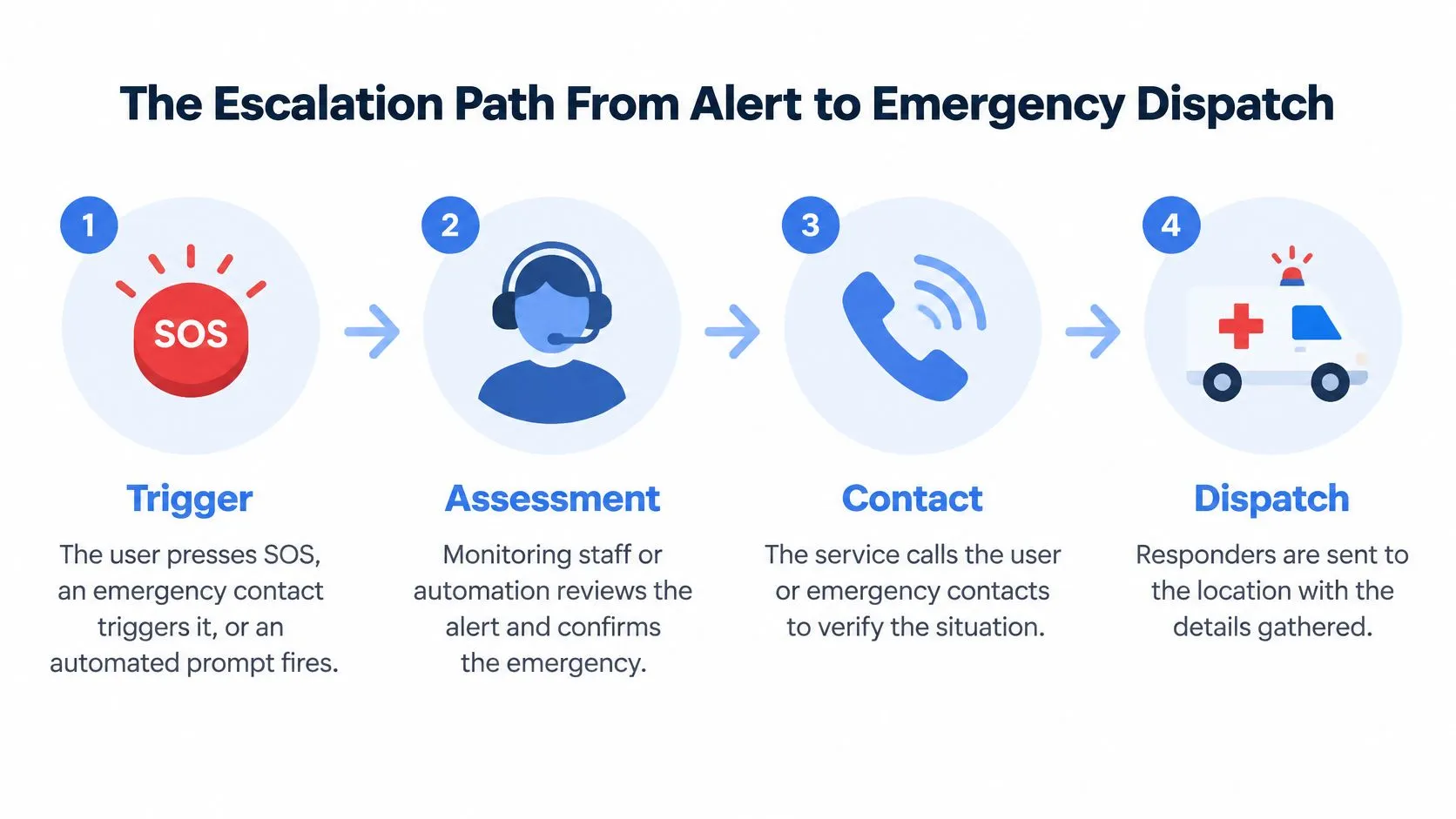
- Trigger. The user presses SOS, an emergency contact raises it on their behalf, or an automated prompt fires after a missed movement check. Ask who initiated it and whether the identity is confirmed. Pressing SOS, or an Emergency Contact triggering it on the user’s behalf, sends the user’s stream and location straight to 911 through a 3rd-i Safety Agent.
- Acknowledgment. A monitor takes ownership and the timestamp is logged. The question is simple and often skipped: who owns this incident right now, by name?
- Contact. The monitor calls or messages the user to confirm the situation. Ask what happens when nobody answers, and how many attempts precede escalation.
- Context check. The monitor pulls the live stream, both cameras and the location, then compares what they see with what the alert claimed. Silence and an empty frame mean something different from silence and movement.
- Decision. Escalate to 911, or close the incident with a documented reason. Ask whether every closure is written down, because a reason nobody recorded is a reason nobody can review.
- Handoff. Stream, location and critical details reach emergency dispatch. At 3rd-i this runs through RapidSOS, and you can see how the 911 dispatch app delivers that information. Ask how a completed handoff is confirmed and what the fallback is if it fails.
- Follow-up. The incident record and any recordings stay available to the user, and to an organization administrator where one exists. Ask who can pull that record and for how long.
The sequence looks bureaucratic written down. In practice it’s the difference between an alert that arrives with a location and a description, and one that arrives as a phone number and a guess.
One thing sits outside the sequence entirely. If someone is in immediate danger, calling 911 directly is the first move, not the fallback. An app is a bridge to emergency services, never a substitute for them.
When Connectivity Fails and Coverage Degrades
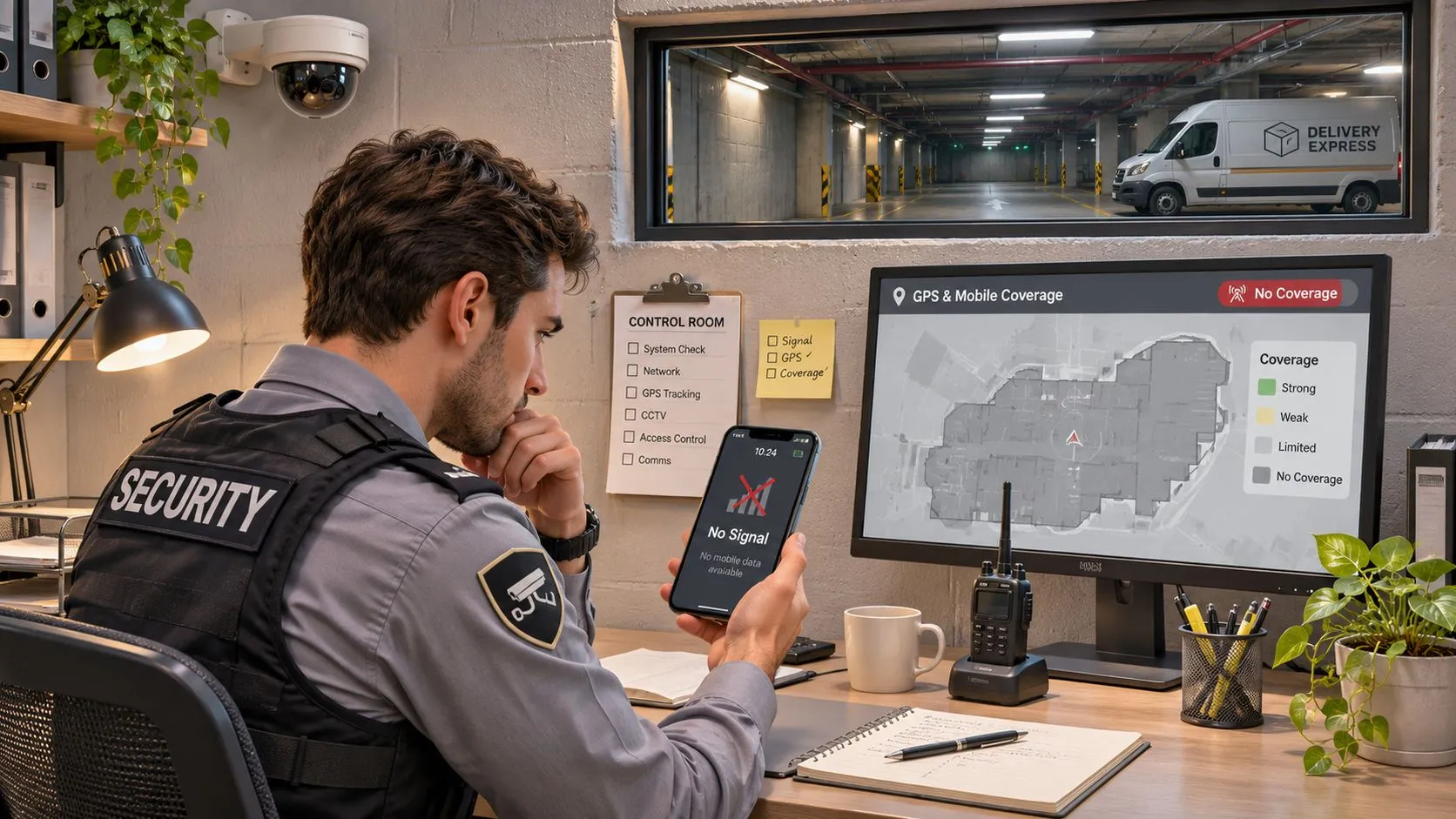
The phrase “always on” carries a hidden assumption: that the network is always there. Walk into a basement car park, a rural stretch of road, a packed stadium, or a tunnel on the evening commute, and the assumption fails. So does a low battery, a carrier switch, or a phone three generations old.
This is a known gap rather than an edge case. A 2025 ACM paper identifies offline emergency location sharing via SMS as an underexplored problem and frames internet-independent communication as a safety gap in its own right. The paper also notes device compatibility, accessibility and adoption as unresolved challenges for emergency apps. In plain terms, always-on monitoring is not always available.
What degradation looks like from the outside matters. Live video stops. The map pin stops moving and becomes last-known location. A timestamp starts aging while everyone assumes the situation is unchanged.
Ask before you need it. Which data is stored on the device itself? Does the app retry automatically when the signal returns? Can a fallback SMS carry the last-known location? How do watchers learn that the stream has degraded rather than ended?
A simple plan covers most dead zones. Tell a trusted contact before you enter a known gap and give them a rough arrival time. Keep the phone charged enough that the radio stays on. Check whether your app displays location freshness, and if it does, look at it.
The distinction worth internalising is between live and last-known. They’re different coverage states with different meanings, and a service that shows you which one you’re in is more trustworthy than one that implies uninterrupted protection. Knowing what happens to footage captured before a signal dropped is part of that picture, and you can read how live stream video to cloud storage handles the upload.
Privacy, Consent and Who Can See Your Stream
Monitoring collects location, audio and video. A 2025 review of emergency-monitoring systems warns that gathering location, audio, video and biometric information creates unauthorized-access and hacking risks. The same body of research highlights privacy, autonomy and demographic differences as persistent gaps in personal-safety technology, with women and younger users in the cited studies expressing particular concern about location tracking.
That doesn’t make monitoring a bad trade. It makes the terms of the trade worth reading.
Four questions should have plain answers before you rely on any service. Who can view your stream, and can you change that mid-trip? How long do recordings remain available? Under what conditions may an agent contact a watcher or 911? And how does consent work when someone triggers help on another person’s behalf?
False positives cause harm in both directions. Escalate too eagerly and you create privacy harm, wasted emergency capacity and users who stop trusting the system. Escalate too cautiously and help arrives late. The right answer is a published threshold, not a judgment made fresh each time.
Governance is a feature list. Published escalation thresholds. A visible difference between a user-requested SOS and an automated prompt. Audit trails for every decision. Granular visibility controls, including temporary map privacy. Retention and deletion written in language a normal person can follow.
Employers putting monitoring in place for shift staff and travelling teams carry an extra layer, because the organization becomes a viewer. If you’re weighing that, the employee safety monitoring model shows how seats, visibility and administration fit together. The principle holds regardless of vendor: 24/7 monitoring is a governed process, and the rules should be visible before someone depends on them.
What Recorded Footage Adds After an Incident
Live response is half of what continuous coverage buys. The other half is a record. A peer-reviewed study in the European Journal on Criminal Policy and Research examined CCTV evidence across criminal investigations and found that the estimated probability of detection in robbery cases rose from 8.9% without useful CCTV to 55.7% when useful CCTV evidence was available.
Read that carefully. Those are police investigations working from recorded footage, not tests of a personal-safety app, so treat the numbers as evidence that recordings matter after an incident rather than as a performance claim for any product. The mechanism is easy enough to see. An investigator starting three weeks later works from whatever was captured at the time. If nothing was captured, there’s nothing to work with.
A recorded stream typically contributes more than video. Timestamps establish sequence. Route history shows where someone went. Audio captures what the camera missed, and automatic transcription plus a written summary saves an investigator from watching an hour of footage to find the relevant forty seconds.
Recordings made through the 3rd-i service are stored in secure data storage facilities located in the United States, which is the kind of detail worth confirming with any provider rather than assuming.
Then there’s the part people miss. A recording does not mean anyone watched it live. Footage and monitoring are separate capabilities that often get marketed as one. When you evaluate a provider, put four questions to it:
- Timestamp accuracy. How precise are the timestamps, and are they synchronised across devices?
- Transcription quality. When a transcript gets a word wrong, how is that corrected, and can you see the original audio?
- Export access. Who can pull a copy, and is that logged?
- Deletion. How does a recording get removed, and on what schedule?
A recording only helps when it’s available, accurate and usable. The retention and access rules that govern it belong with the privacy questions you’d put to any provider.
Coverage Measures and a Personal Test
“Always on” isn’t a measurable claim. It’s a slogan with a number in it. What you can measure is the time each stage of a response takes, and that’s the approach NIST’s computer security incident handling guide recommends: track elapsed time from incident onset to discovery, initial impact assessment, containment, recovery, and the response team’s first action. The same guide states that real-time staff availability is preferable, because the longer an incident persists, the greater the potential damage and loss.
Translated to personal safety, those stages look like this.
| Stage | What it measures | Question to ask the provider |
|---|---|---|
| Stream start | Time from trigger or Go Live to the first live feed | What is the p95 stream-start time, and is it timestamped? |
| Alert acknowledgment | Time from signal to a named monitor taking ownership | What is the p95 acknowledgment time overnight? |
| First human contact | Time from acknowledgment to a call or message to the user | What share of contacts land inside the stated target, and what is the target? |
| Escalation decision | Time from first contact to a documented decision | Is every decision logged with a reason? |
| Dispatch handoff | Time from escalation approval to data reaching dispatch | How is handoff confirmed, and what is the fallback if it fails? |
Why medians hide the problem
A median tells you about a typical night. Trouble happens on the atypical ones. Ask for p95 and p99 latency, the slow tail where overnight staffing gaps, carrier degradation and saturated queues show up. A provider whose median is 40 seconds and whose p95 is nine minutes has a coverage problem, and only one of those numbers gets quoted in a brochure.
Burst conditions expose the same weakness. Campus closing times, shift changes at a large employer, and the minutes after a widely felt incident all push many alerts into the queue at once. Ask whether failover staffing and supervisor takeover apply when acknowledgment runs past threshold, and whether the queue has been tested under load.
Coverage is a physical problem before it’s a software one. The same discipline behind network planning advice from Purple Access applies here: define the area, measure it where people stand, and hunt the gaps between access points instead of trusting the floor plan.
A test you can run this week
- Send one SOS through the app to a trusted contact, note the time, and time the acknowledgment. Repeat it once late at night.
- Watch the freshness indicator on a route you travel, not a demo route. Note the spots where location goes stale and how the app tells you.
- Get it in writing. Ask for the included services, the escalation thresholds and the recording retention in a document you can keep.
On that last point, transparency is checkable. Every 3rd-i plan includes Safety Agent monitoring and 911 escalation, and plans differ in streaming and recording minutes and in how many people are covered. Ask the same structural questions of us that you’d ask of anyone else.
A provider that can show timestamps and an auditable event log has evidence. A provider that can’t has adjectives. Written answers are the proof of coverage, and they’re worth more than any uptime figure on a landing page.
3rd-i streams your live video, audio and route to trained Safety Agents and to the people you choose, with emergency dispatch through RapidSOS sitting behind the whole thing. Run the test above with our app in your hand before you need it at 2 a.m., and see what a verified response feels like. Visit 3rd-i to check how the coverage works.