
911 Dispatch App: Features, Workflow, and Key Limits
You’re walking home after dark when someone starts matching your pace. Calling 911 might expose your location or force you to speak when staying silent feels safer. A safety app could let you share your position, audio, video, and context with a trusted contact or trained monitoring agent, but its value depends on what happens after that alert leaves your phone.
That’s the question most guides skip. A 911 dispatch app is not just a panic button. It sits inside a chain involving your device, a monitoring service, emergency data networks, public safety answering points, computer-aided dispatch systems, and local responders. If any part of that chain lacks the right integration, the experience may differ from the promise shown on the app screen.
Table of Contents
- Understanding 911 Dispatch Apps and Emergency Intervention
- How Emergency Apps Interface with Dispatch Systems
- The Role of RapidSOS in Emergency Data Networks
- Real-World Use Cases and Response Time Benefits
- Comparing Direct 911 Calls and App-Mediated Alerts
- Privacy Trade-offs and Legal Considerations
- Best Practices for Using 911 Dispatch Apps Effectively
- Future Trends in Emergency Dispatch Technology
Understanding 911 Dispatch Apps and Emergency Intervention
A 911 dispatch app works as a digital intermediary between a person in danger and professional emergency response. You might press an SOS button, start a live stream, or ask someone else to trigger help. The app can then package your location and incident details for selected contacts, trained Safety Agents, or an emergency communication center.
Consider a student walking across campus. She notices a vehicle following her and doesn’t want to make a visible phone call. She starts a live safety session, allowing trusted watchers or a monitoring agent to see her route and hear what’s happening. If the situation appears dangerous, the agent can escalate the alert through the app’s emergency workflow.

That process differs from calling 911 directly. A traditional call connects you to a dispatcher who asks questions, confirms your location, and sends the appropriate response. An app may provide richer initial context, including live location, audio, video, profile information, and an incident status, but it still relies on an operational handoff to emergency services.
For people who can safely speak and know their location, calling 911 directly should remain the default. An app becomes useful when speaking is unsafe, when a person needs monitoring during a vulnerable journey, or when someone is trying to help another person remotely. 3rd-i describes this kind of workflow through its active 911 call monitoring, where an alert can remain connected to live safety information rather than becoming an isolated phone call.
Practical rule: Treat an emergency app as a second channel that can add context, not as a replacement for emergency calling.
The app also isn’t a guarantee that every local dispatcher can see every stream. Its practical performance depends on the monitoring provider, the emergency data network, and the capabilities of the local emergency communication center.
How Emergency Apps Interface with Dispatch Systems
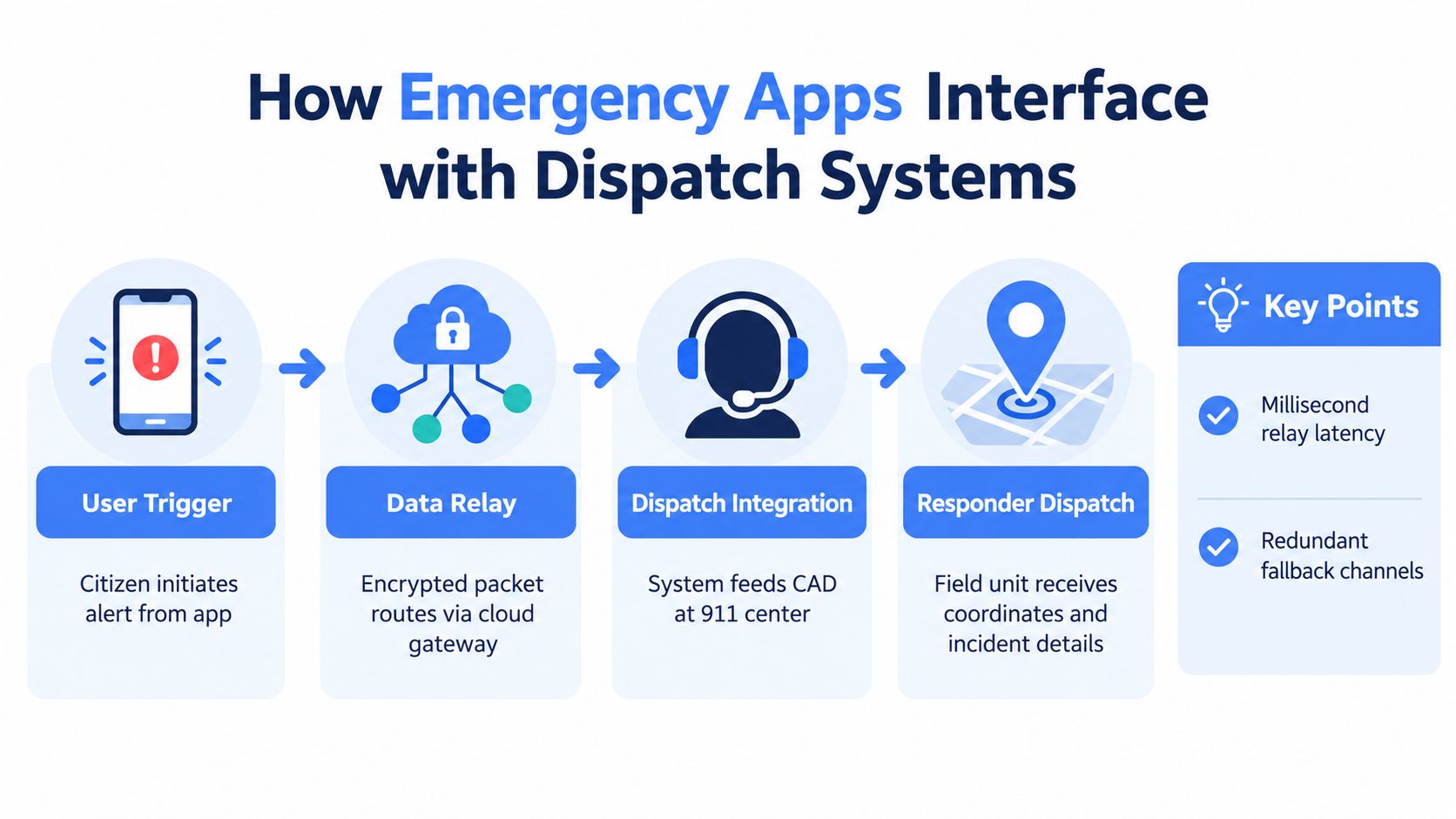
Think of the system as a relay race. Your phone creates the first handoff, a cloud or monitoring platform validates and organizes the information, and an authorized emergency center receives data through its dispatch software.
The sequence often looks like this:
- User trigger: You press SOS, start Go Live, or activate another emergency feature.
- Data packaging: The service attaches available location, profile, audio, video, and incident information.
- Monitoring or routing: A Safety Agent may assess the alert, communicate with the user, and escalate it.
- Dispatch presentation: The receiving center gets information through a CAD, mapping, call-taking, or related integration.
- Responder assignment: The dispatcher uses the available context to select and send the appropriate unit.
The reason location matters so much is that legacy emergency communication often grew around voice calls and fixed telephone infrastructure. A widely cited FCC analysis summarized here examined 73,706 emergency incidents in the Salt Lake City area and estimated that better caller-location accuracy could get ambulances to scenes one minute faster nationwide, potentially saving about 10,120 lives and $92 billion annually. Those figures describe a modeled impact, not a guarantee for any particular app or call.
Mobile phones created a basic mismatch. People increasingly called from devices that moved between networks and locations, while emergency systems could still struggle to identify a caller quickly and reliably. A data-enabled app addresses part of that gap by sending information that a dispatcher can use alongside the caller’s voice.
What the dispatcher may receive
A useful app doesn’t merely transmit a raw GPS point. It tries to turn device signals into operational details:
- Location: Coordinates, movement, route, or an entry instruction such as an Emergency Entry Pin.
- Incident context: Whether the user activated SOS, started a stream, or received a welfare prompt.
- Media: Live audio or video, where the receiving system and workflow support it.
- Identity details: A profile, emergency contacts, or information supplied during setup.
- Status: Whether the user is responding, whether a Safety Agent has verified the alert, and whether escalation has started.
This conversion from device data to structured dispatch information is the central technical advantage. It can reduce repeated questions and help the center understand what’s happening before responders arrive. It can’t overcome missing coverage, inaccurate user settings, weak connectivity, or a center that isn’t equipped to receive the relevant data.
The Role of RapidSOS in Emergency Data Networks
A person presses an SOS button at home, on campus, or during travel. The alert may first reach a monitoring team, then pass through an emergency data network before appearing on a dispatcher’s screen. RapidSOS is designed to connect app and device data with participating emergency response systems, rather than requiring every app to build a separate connection to every 911 center.
RapidSOS reports connections to more than 723 million connected devices, apps, and sensors, and says 23,500+ first responder agencies use its network during more than 171 million annual emergencies. Those figures come from RapidSOS’s own materials. The company also reports that its emergency communications ecosystem covers 99.99% of the U.S. population, another self-reported figure that should not be treated as proof that every local center supports every app function. Its home and personal safety network overview provides the company’s stated figures.
Population coverage and operational coverage are different. The emergency communication center serving the address must have the right integration, authorization, and workflow for the incoming data. A network can provide the route, while the local center still determines what reaches the dispatcher.
Follow the handoff
Ask the app provider to explain the complete chain in plain language:
- Who receives the first alert? Is it a contact, a trained Safety Agent, or a public safety center?
- Who decides to escalate? Does a person verify the event, or does software route it automatically?
- Where does the data appear? It may reach CAD, a dispatcher map, a call-taker screen, or a separate portal.
- What happens without local integration? The fallback could be a voice call, relay, or manual transfer.
- What does the dispatcher receive? Confirm whether location, profile information, media, and incident status travel together.
RapidSOS states that direct digital delivery can replace a 10-digit monitoring-call chain and remove more than 7 minutes of delay in that workflow, according to its digital alerts documentation. The claim applies to the relevant integrated process, not every alert or jurisdiction.
Local verification matters for families and employers. Ask whether the emergency communication center covering the home, campus, workplace, or travel route can receive the app’s data. For coverage beyond one journey, 24-hour app-based safety monitoring should be assessed by its escalation path and local handoff, not only by its button design.
Real-World Use Cases and Response Time Benefits
The strongest use cases begin with a practical problem: someone needs help, but a normal phone call may be unsafe, difficult, or unable to convey the full situation.
A college student crossing campus can start a monitored session before a concern becomes an emergency. If someone approaches, the student may activate SOS without explaining everything aloud. A Safety Agent can use the available communication channel, review the shared context, and escalate when the circumstances warrant it. The handoff still depends on connectivity, the monitoring process, and the receiving center’s ability to accept the information.
A rideshare passenger faces a different risk. The concern may involve an unexpected route change, the driver, or a sudden shift in circumstances. Live route information, audio, or video can show more than a final location point. If escalation occurs, that context can help a dispatcher understand the sequence without relying entirely on answers from a distressed passenger. The saved time may help clarify a moving vehicle’s location, while a lone-worker check-in failure may instead help responders identify a fixed workplace and confirm who has not checked in.
A family member may also need to act for someone else. In an “Emergency for a Friend” situation, the person initiating the alert may know where the individual is without being nearby. The system must keep three details distinct: who activated the alert, who faces the risk, and where responders are needed.
Why the timing difference matters
As established in the RapidSOS section, direct digital delivery can save more than seven minutes compared with a voice-only monitoring chain. The operational lesson matters more than the headline. Each repeated relay creates another opportunity to lose location, urgency, or incident context.
A voice-only process may require one person to call a monitoring number, another to collect details, and another to contact emergency services. A digital route can package information earlier, although the receiving center still must assess and dispatch the event according to its procedures. Faster transmission does not guarantee faster assistance if the alert is unclear, the network fails, or local integration is unavailable.
Where apps add the most value
- Silent escalation: A person may start an alert without making a conspicuous call.
- Shared visibility: Approved contacts can follow a route or view permitted live media.
- Remote assistance: Someone in another location can provide known information to the monitoring workflow.
- Incident continuity: A recording, transcript, or summary can preserve details for follow-up.
- Better orientation: Location information and entry instructions can help responders find the correct access point.
These features do not make an app faster in every emergency. They make early information more usable when a caller cannot clearly explain what is happening.
A service such as real-time safety monitoring combines live oversight with an escalation process. Before relying on it, users should confirm how it handles failed connectivity, unclear alerts, and limits in local dispatch coverage.
Comparing Direct 911 Calls and App-Mediated Alerts
The safest choice depends on the immediate situation, not on loyalty to one technology.
| Situation | Direct 911 call | App-mediated alert |
|---|---|---|
| You can speak safely | Usually the clearest first option | Can add information, but may add a handoff |
| You can’t speak openly | May expose you or be difficult to complete | Silent or low-interaction activation may help |
| Your location is uncertain | Dispatcher questions can clarify it | Device location may add useful context |
| Visual context matters | A voice call may not show the scene | Live media can help where supported |
| You’re helping someone else | You may need to explain the full situation | The app may preserve the other person’s location and status |
| Local integration is unknown | 911 reaches the local emergency center directly | The app may depend on monitoring and data-network integrations |
Direct calling remains the gold standard when you can safely use your phone. A dispatcher can ask follow-up questions, confirm the location, keep you on the line, and give instructions appropriate to the emergency.
An app has a distinct role when the user needs discreet activation, live observation, or structured information. It can also help a parent, friend, campus team, or employer coordinate a response, but those benefits depend on permissions and local capability.
Don’t choose based on the feature list alone. Choose the channel that leaves the fewest unanswered questions in the situation you’re facing.
Keep both options available. Know how to call 911 directly, and understand exactly what your app does after you press its emergency button.
Privacy Trade-offs and Legal Considerations
Safety data is still personal data. A service that can show where you are may also collect location history, device information, contact details, audio, video, transcripts, and incident records. Live monitoring requires sharing information with the people or agents who need to assess the event.
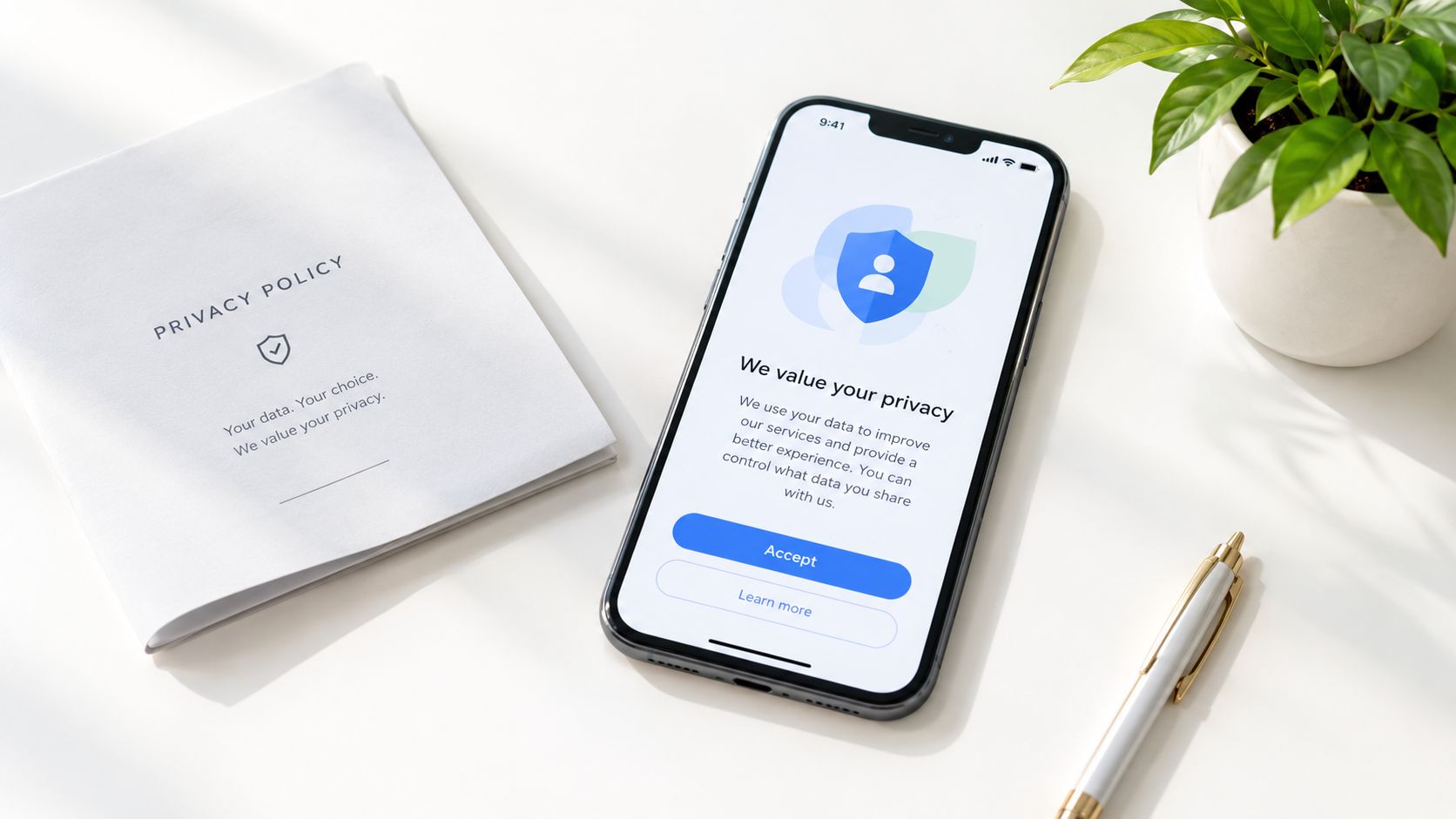
Features such as Ghost mode can limit routine visibility, while an Emergency Entry Pin can help responders find the right entrance during an active incident. Those controls solve different problems. One reduces ordinary exposure, and the other deliberately provides more information when access could affect response.
Read the policy before an emergency happens. Focus on:
- Retention: How long are recordings, transcripts, and summaries stored?
- Access: Can contacts, Safety Agents, emergency centers, or vendors view the material?
- Automation: Are transcripts or AI-generated summaries created automatically?
- Consent: What permission is required before someone else activates help?
- Recording law: Does the relevant jurisdiction restrict recording audio or video without consent?
- Deletion: Can you remove routine location history or incident media?
“Emergency” doesn’t erase every legal or ethical issue. If someone uses an Emergency for a Friend feature, they should provide accurate information and avoid activating a response as a prank or guess. Families and employers should also explain who can watch a stream, when monitoring starts, and how access ends.
Richer context can support responders and later documentation, but it creates a record that may be sensitive long after the event. Configure only the contacts and permissions you trust, and don’t enable continuous sharing merely because the option exists.
Best Practices for Using 911 Dispatch Apps Effectively
An emergency app helps most when you understand its behavior before you need it. Open the app during a calm moment and identify the fastest way to start a session, contact a Safety Agent, alert a trusted person, and call 911 directly.
Use a short preparation checklist:
- Test access: Confirm that the app opens from its lock-screen widget or other rapid shortcut.
- Check permissions: Review location, microphone, camera, notification, and contact settings.
- Set contacts carefully: Choose people who can recognize an alert and respond promptly.
- Charge the phone: A safety workflow can’t help if the device loses power.
- Enable urgent notifications: Critical Alerts can help emergency notifications reach contacts through Do Not Disturb where the operating system and settings support them.
- Learn the fallback: Know what happens if the app can’t reach a monitoring agent or local emergency center.
Routine features can prevent a crisis from becoming the first test. One-tap nudges such as “You good?” or “Home yet?” may reduce the friction of checking in, while movement prompts can draw attention to an unexpected interruption. These tools support awareness, but they aren’t substitutes for a direct emergency call when danger is immediate.
Match the tool to the risk
A late walk may justify a live route and trusted watcher. A rideshare trip may benefit from continuous location context and a way to request help discreetly. Lone workers may need a clear escalation policy that tells colleagues who acts, what information they receive, and when they contact emergency services.
For organizations, test the workflow with the actual locations and teams involved. Ask whether the local center can receive the relevant data, whether staff know how to distinguish a test from a real alert, and whether the app’s privacy settings fit the work environment.
The central habit is simple: maintain direct 911 access while using the app for additional context and monitoring. Don’t let a polished interface create confidence that the public safety system has received information it may not support.
Future Trends in Emergency Dispatch Technology
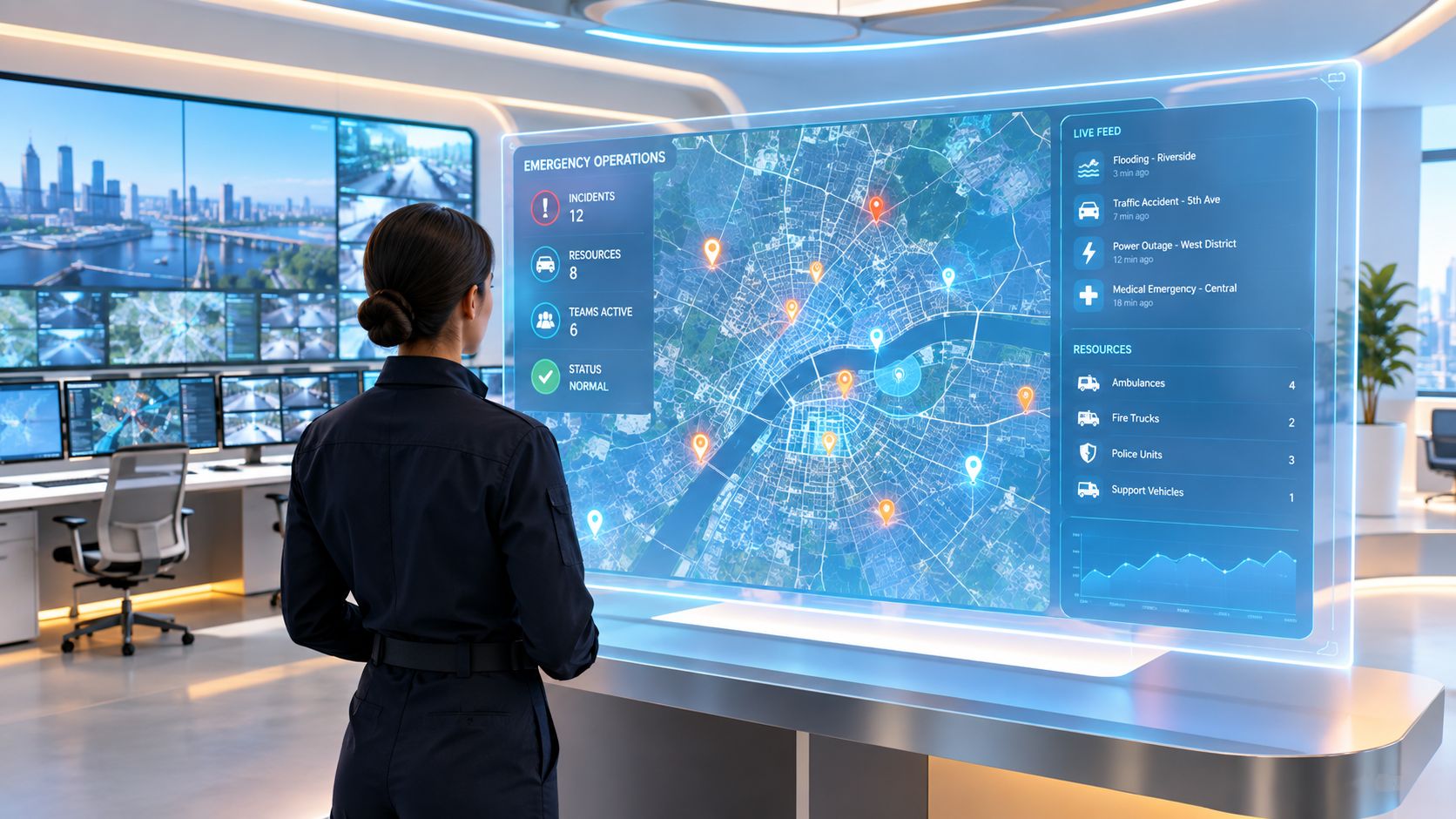
A future emergency alert may carry more than a location pin. It could preserve live context, language support, media, and incident status as a call moves between monitoring services, emergency communication centers, and responder systems.
Multilingual emergencies illustrate the challenge. RapidSOS says its UNITE capability can provide real-time transcription and translation, while recent public messaging has highlighted coordination intended to help mission-critical data move across jurisdictional boundaries. Those developments point toward a system where a caller’s meaning and incident details are less likely to disappear during a transfer.
The harder question is implementation. A feature may exist in an app or platform, yet the local center may have different software, permissions, staffing, or media-handling capability. Language support also needs to preserve the original meaning, urgency, and location details well enough for a dispatcher and responder to act.
Interoperability is the real test
A person traveling across county or state lines may cross several emergency jurisdictions during one journey. The safety service needs to maintain a coherent record as the responsible center changes. That requires more than sending coordinates. It requires authorized data exchange, reliable routing, compatible screens, and procedures for transferring context.
Watch for product claims that answer four practical questions:
- Can the receiving center view the data directly?
- What information survives a transfer?
- Does translation apply to live communication, written messages, or both?
- What is the fallback when a center can’t accept multimedia?
The direction is clear, but the user experience won’t be uniform. Emergency apps are becoming richer data tools, while 911 remains a locally operated service with varying capabilities. The safest expectation is that these apps will supplement direct calling by making context easier to share, not eliminate the need to call when immediate voice contact is possible.
A short visual summary of this evolving handoff can help teams discuss the difference between an app feature and a dispatch capability.
If you’re evaluating a safety workflow for late walks, family travel, campus operations, or lone workers, review how 3rd-i combines live video, audio, location, trained Safety Agent monitoring, and RapidSOS-based escalation. Visit 3rd-i to see how its app fits into the full path from user activation to emergency response.