
Emergency SOS App Guide: Compare Features and Pick Right
You’re in the back seat of a rideshare after dark, watching the route take an unexpected turn. You press the emergency button in a safety app. A contact receives your location, but nobody can see the road, hear the driver, or tell whether the situation is dangerous. The button worked. The response system didn’t.
That distinction matters. An emergency SOS app can be a shortcut to help, or it can be little more than a digital panic button. The products worth considering add context and human action behind the trigger: live video, trained monitoring, emergency-dispatch integration, incident recording, and a disciplined way to cancel false alarms.
This guide evaluates those layers for individuals, families, campuses, and employers. It also treats privacy, battery life, weak connections, and evidence retention as core safety requirements, not fine print.
Table of Contents
- When a Panic Button Is Not Enough
- Five Core Capabilities of a Modern Emergency SOS App
- Comparing Capability Depth Across Leading Approaches
- Matching Capabilities to Individuals, Families, Campuses, and Employers
- Reliability Concerns Most Reviews Skip
- Privacy Consent and Post Incident Documentation
- Choosing the Right Emergency SOS App for Your Situation
When a Panic Button Is Not Enough
A generic SOS app may send a static GPS point to a family member. That’s useful, but it leaves the recipient with questions: Is the user injured? Are they being followed? Did the phone trigger accidentally? Is the person able to speak? A location marker can identify an area without explaining the emergency.
A stronger emergency workflow changes the first few minutes. The user activates SOS, a watcher sees the route and live stream, a trained monitor assesses the situation, and the dispatch pathway receives usable context. That progression turns an alert into an incident that someone can understand and manage.
Apple’s evolution illustrates how emergency access has moved beyond a simple in-app rescue option. Apple introduced Emergency SOS in watchOS 3 on September 13, 2016, brought it to iPhone through iOS 10.2 on December 12, 2016, and launched Emergency SOS via satellite for iPhone 14 users in the United States and Canada on November 15, 2022. The satellite feature later expanded to France, Germany, Ireland, and the United Kingdom in December 2022, with Apple describing a $450 million infrastructure investment and a two-year free service period for new iPhone 14 activations in its Emergency SOS feature history.
The lesson isn’t that every user needs satellite coverage. It’s that emergency communication works as a network of capabilities, not as one button.
Practical rule: Judge an SOS product by what happens after activation, not by how prominently the button appears.
Five capabilities separate a credible response stack from a contact-alert app:
- Live streaming gives watchers visual and audio context.
- Human monitoring places a trained person between the alert and escalation decision.
- Dispatch integration moves information into an emergency-response workflow rather than leaving a contact to make calls.
- Incident recording preserves material that may matter after an accident, assault, or dispute.
- False-alarm handling protects the user from accidental activation while keeping responders from receiving unreliable alerts.
That last point deserves more attention after a crash. A person should first seek safety, contact emergency services when needed, document the scene, and preserve relevant information. The Mattiacci Law accident guide offers practical post-accident guidance, including steps that can help protect health and evidence. For built-in iPhone features and setup considerations, review this Emergency SOS guide for iPhone, but remember that device-level SOS and a monitored app solve different problems.
Public reliance also explains why dispatch depth matters. The European Commission recorded 149,928,021 calls to 112 in 2019, with total emergency calls across the European Union reaching 266,853,441, and noted approximately 1,900 regional emergency apps in its European emergency communications report. An app doesn’t replace public emergency numbers. It should make the path to appropriate help clearer, faster, and better informed.
Five Core Capabilities of a Modern Emergency SOS App
Start with definitions, because vendors often use the same feature label for very different operating models.
Live audio and video streaming
A meaningful live-streaming feature sends audio, video, and location together to selected watchers or a monitoring center. The watcher can see whether the user is still moving, hear environmental cues, and identify details that a map cannot provide.
For example, a student walking from a transit stop can start a stream before anything happens. A family member sees the route, while an approved watcher may be able to speak with the user. A GPS-only app can show where the phone is, but it can’t provide that same situational picture.
Trained human monitoring
Passive emergency contacts receive an alert and decide what to do. A trained Safety Agent or monitoring operator receives the signal as part of a defined process, attempts contact, assesses available information, and escalates according to protocol.
That distinction is important when the user can’t explain the situation. A monitor may see a live feed, review the route, contact the user, and pass relevant context to dispatch. Organizations building this function should also invest in building a skilled emergency team, because training and escalation discipline matter as much as software.
Dispatch integration
An app may claim dispatch support while only sending a text to a contact or asking the user to call 911. Those are not equivalent to direct integration with a public-safety answering point or a recognized dispatch network.
A strong implementation sends verified alarm information and incident context through the available dispatch pathway. It should also explain its fallback when direct integration isn’t available, such as a monitor placing the emergency call or using an appropriate text-based channel where supported. The service still isn’t a substitute for calling emergency services when the user can safely do so.
Automatic incident recording
Recording starts when the safety session begins, not after the user remembers to press another control. Better systems preserve video and audio, apply access controls, and add useful documentation such as transcription or an incident summary.
For instance, a recording can preserve what the user said, what the surrounding environment sounded like, and how the route changed. That may support follow-up with a school, employer, insurer, or law-enforcement agency, subject to local law and the service’s retention policy.
False-alarm handling
A panic button needs safeguards that don’t create dangerous friction. Useful controls include a countdown timer, a cancel action, a spoken or typed cancel code, and a verification call from a monitor.
The best flow depends on the situation. A visible countdown may help during an accidental pocket activation, while a discreet trigger and silent verification may be safer when drawing attention could increase risk. Android’s documented Emergency SOS behavior includes a five-second countdown option, an alarm, and instructions to stay on the line if emergency services are dialed accidentally in its Personal Safety guidance.
For teams comparing products, real-time safety monitoring should mean more than a dashboard. Ask who watches, what they can see, how they contact the user, and exactly when they escalate.
Comparing Capability Depth Across Leading Approaches
A feature checklist can make a basic app look similar to a monitored platform. The operating detail tells a different story. Use the matrix below to distinguish a label from a working capability.
Capability Depth Across Leading Emergency SOS App Approaches
| Capability | Basic SOS Apps | Mid-Tier Safety Apps | Monitored SOS Platforms |
|---|---|---|---|
| Live audio and video | Often GPS sharing or an audio alert, with limited context | Live location and occasional audio or video sharing | Continuous live audio, video, and route sharing with approved watchers or monitors |
| Human monitoring | Relies on family, friends, or the user | May offer contact escalation or limited support | Trained agents assess alerts, contact the user, and follow escalation procedures |
| Dispatch integration | User or contact must call emergency services | May forward an alert or use a private response channel | Connects verified alarm context to an emergency dispatch workflow where supported |
| Incident recording | May record nothing or leave storage to the user | User-controlled clips or basic cloud storage | Automatic recording with controlled access, transcription, and incident documentation options |
| False-alarm handling | Cancel button or manual dismissal | Countdown, cancellation, and contact notification | Configurable countdowns, discreet cancellation, verification, and documented escalation |
The first row exposes the most common marketing shortcut. “Live location” isn’t live video, and “video recording” isn’t live viewing. If a watcher can’t see and hear the event while it unfolds, they’re still interpreting a map and waiting for the user to explain.
The same distinction applies to monitoring. An emergency contact may be dependable, but they could be asleep, driving, unavailable, or unsure whether they should call 911. A trained monitor exists to perform that assessment under a response protocol. That doesn’t eliminate judgment, but it reduces the burden on an unprepared relative or friend.
Dispatch depth changes the handoff
A direct connection to an emergency dispatch workflow is stronger than forwarding an alert to a private inbox. The information should identify the user, locate the incident, communicate what the monitor has observed, and preserve a clear handoff.
Location quality also affects that handoff. In a RapidSOS PSAP integration study, 14 of 15 test calls produced dispatchable locations, with an average error of 16 meters and a median error of 10 meters. Only 1 of 15 calls exceeded 50 meters, reaching 90 meters. The study found device-based hybrid location was available by the time traditional Wireless Phase 1 data arrived, as detailed in the RapidSOS location testing analysis.
Those figures don’t guarantee performance for every app or every environment. They do show why a product should explain how it obtains, validates, and passes location data rather than displaying a pin.
Response speed still depends on the notification step
Voice calls can be difficult when a user is frightened, injured, or unable to speak freely. In an integrated emergency-management study, a mobile-app emergency took about 30 seconds on average, while calls to 112 ranged from 30 to 278 seconds, with an overall average of 90 seconds. A separate smartphone alerting validation study reported a median turnout time of 1 minute 45 seconds, compared with a total response time of 5 minutes 22 seconds, in the mobile emergency alerting research.
The practical conclusion is simple. Faster activation helps, but only if the system then delivers actionable information, reaches the right humans, and handles uncertainty without stalling.
Matching Capabilities to Individuals, Families, Campuses, and Employers
The right configuration depends on who carries the risk and who is expected to respond. A solo commuter doesn’t need the same administration tools as a university, while a lone worker needs more than a family group chat.
Capability Fit by Audience Segment
| Capability | Individuals | Families | Campuses | Employers |
|---|---|---|---|---|
| Live audio and video | High value for rideshares, late walks, and unfamiliar routes | Useful for shared oversight during travel | Strong for escorts, transit routes, and incident review | Important for field work, night shifts, and lone assignments |
| Human monitoring | Worth paying for when no trusted contact is reliably available | Adds consistency when relatives may be unavailable | Supports safety operations beyond informal contacts | Creates a defined response layer for workers outside a staffed site |
| Dispatch integration | Prioritize for serious personal risk or remote travel | Useful when family members shouldn’t make emergency decisions | Essential for coordinated incident escalation | Necessary when workplace protocols require documented emergency action |
| Incident recording | Valuable after harassment, assault, or a collision | Useful for accountability and follow-up | Supports reviews, subject to policy and privacy controls | Helps document incidents, response actions, and workplace investigations |
| False-alarm handling | Countdown and discreet cancellation prevent embarrassing or risky mistakes | Verification protects family members from unnecessary panic | Centralized protocols reduce repeated nuisance alerts | Duress codes and verification procedures help separate mistakes from real threats |
Individuals and families
For an individual who walks home late or regularly uses rideshares, live streaming plus human monitoring addresses the biggest failure mode: being alone with no one able to interpret the event. Recording adds value when the user may later need to explain what happened.
Families should focus on controlled sharing. Every relative shouldn’t automatically see every movement. Look for private circles, clear watcher permissions, check-in alerts, and an escalation rule that doesn’t force a parent or partner to guess whether an alert is serious.
A basic live-stream and SMS setup can be sufficient when a trusted person is consistently available and the risk is limited. Pay for monitoring when availability, distance, or uncertainty makes that assumption unreliable.
Campuses and employers
Campuses need more than individual accounts. They need coordinated coverage, silent activation options, dispatch integration, and policies that define who owns the response. A campus safety team should test the handoff with its own dispatch and escalation procedures before deployment.
Employers covering lone or field workers should require documented response protocols, duress codes, check-in failure handling, and a clear distinction between wellness monitoring and emergency intervention. The software should support the employer’s duty-of-care process without turning continuous location collection into an unexamined surveillance program.
Reliability Concerns Most Reviews Skip
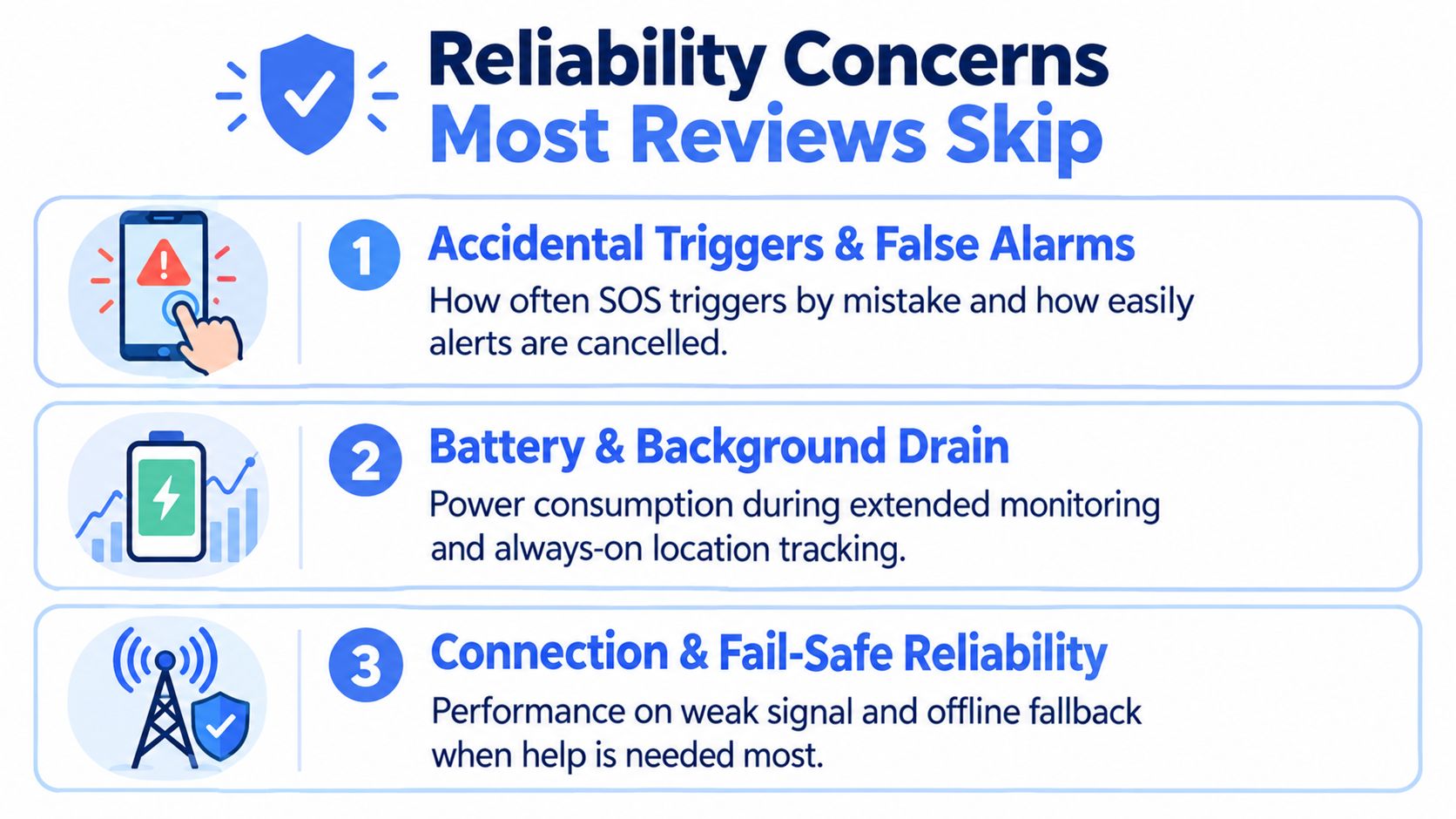
A polished demo happens in a strong-signal environment with a charged phone and a cooperative user. Real emergencies happen in pockets, garages, stairwells, crowded streets, and vehicles where attention is divided. Evaluate the failure modes before evaluating the interface.
Accidental triggers
Public app reviews include users asking about accidental activations and missed check-ins. One recent review of an SOS-style safety app reported two false alarms, including one accidental trigger from a phone in a pocket, as shown in the Parachute app-store listing.
That’s not a universal failure rate, but it’s a reminder to test the exact trigger mechanism. Ask whether the app offers a countdown, whether cancellation is discreet, whether a monitor verifies the event, and what happens if the user ignores the verification attempt.
Battery and background drain
Background location, live audio, video, and recording each impose different demands. Public product testing has reported implementations with low battery impact, including a local report of 1.4% smartphone battery use over a full day for a background-running panic-button app. A separate wearable SOS study reported 72+ hours of operation and a 97.2% SMS delivery success rate under moderate signal conditions, as summarized in the same app-store research material.
Treat those results as implementation-specific, not promises for every emergency SOS app. Test battery use during the exact mode you’ll rely on, especially continuous monitoring.
Weak networks and fail-safes
Video may degrade before text or a voice call fails. A strong product should explain what happens when streaming drops: Does it retain the last known location, retry automatically, send an alert through another channel, or tell the monitor that the stream is degraded?
Users who need 24-hour-a-day app coverage should test the service in places they travel, not only at home. Reliability means the system communicates its limitations and preserves the safest available fallback.
Privacy Consent and Post Incident Documentation
Emergency sharing creates a trust problem that a panic-button screenshot won’t reveal. The app may collect location, audio, video, contact details, and incident metadata. The user needs to know who can view each data type, when sharing begins, how long it remains available, and how to stop it.
Apple’s privacy documentation states that Emergency SOS can share location with emergency services and emergency contacts. It also explains that location updates may continue after the call ends unless the user actively stops sharing, as described in Apple’s Emergency SOS privacy documentation.
That behavior isn’t wrong. Continued sharing can help responders locate someone who has moved or lost phone access. But consent must remain visible, especially in domestic-violence, youth, family-monitoring, and workplace contexts where another person may influence the user’s setup.
A trustworthy consent model
Before adopting an app, confirm these points:
- Activation boundary: The app clearly states whether collection starts only after SOS, when a live session begins, or during background monitoring.
- Viewer permissions: The user can identify contacts, agents, administrators, and third parties who may access the information.
- Stop controls: Ending a session and stopping location sharing are separate actions if that distinction matters.
- Retention policy: The service explains how long recordings, transcripts, summaries, and location records remain available.
- Deletion process: Users can request deletion where applicable, with exceptions explained for legal or operational obligations.
Documentation should also be specific. “Your incident is saved” isn’t enough. Ask whether the system creates a timestamped recording, transcript, route history, escalation log, and access record. Recording may support follow-up, but it doesn’t replace medical care, a police report, legal advice, or an organization’s formal investigation process.
The best emergency SOS app makes privacy a control surface, not a buried policy link. Users should be able to choose monitoring circles, limit routine visibility, activate a temporary privacy mode, and understand what dispatch receives during escalation.
Choosing the Right Emergency SOS App for Your Situation
Choose based on the failure you’re trying to prevent.
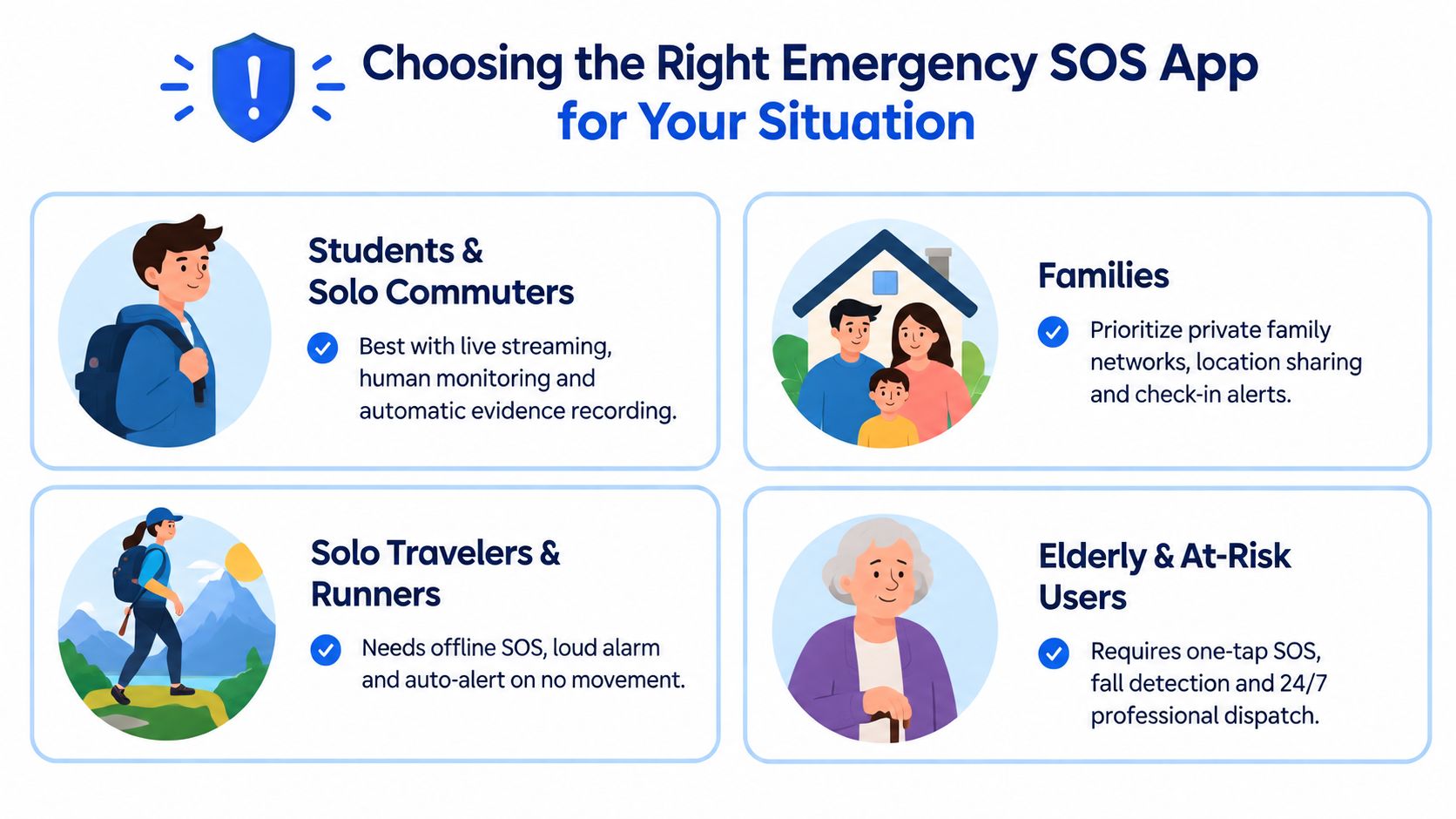
Students and solo commuters should prioritize live streaming, trained human monitoring, and automatic evidence recording. Those capabilities address isolation, uncertainty, and the possibility that the user won’t be able to describe an incident afterward.
Families should choose private monitoring circles, controlled location sharing, check-in alerts, and a defined escalation policy. Professional monitoring can justify its cost when relatives can’t reliably answer or shouldn’t be expected to make emergency decisions.
Campuses need dispatch integration, silent activation, multi-user coordination, and centralized administration. A campus tool should fit existing safety operations rather than create a parallel alert stream nobody owns.
Employers with lone workers should require documented response protocols, duress codes, check-in failure handling, and clear privacy boundaries. The system must support real workplace procedures, not just show a manager where an employee is.
Before downloading, answer five questions:
- Monitor tier: Who watches the alert, and what training do they have?
- Dispatch pathway: Does the service connect to emergency dispatch, or only notify contacts?
- Evidence retention: Are recordings, transcripts, and escalation actions preserved under a clear policy?
- Battery impact: What does continuous monitoring consume on your device?
- False-alarm process: Can you cancel discreetly, and does someone verify the alert before escalation?
3rd-i offers live video, audio, and location sharing to selected contacts and trained Safety Agents, with SOS escalation through RapidSOS, automatic recording, transcription, and monitoring options for individuals, families, campuses, and companies. If that response model matches your risk, visit 3rd-i to review how the service can add human oversight and dispatch context behind an emergency SOS trigger.