
Panic Buttons in Schools: How They Work and What to Know
In the 2019-20 school year, 40% of U.S. schools reported having panic buttons or silent alarms directly connected to law enforcement, up from 27% in 2015-16. That increase shows how panic buttons in schools moved from a niche measure toward wider adoption, but it also means most schools still didn’t report having them. The figures come from Pew Research Center’s analysis of federal school-safety data.
The most useful way to understand these systems isn’t to picture only a lockdown. A panic button can also help staff summon support during a fight, a medical emergency, or a mental-health crisis. Its value depends on what happens after someone presses it: who receives the alert, what information they get, and how the school responds.
Table of Contents
- What Panic Buttons in Schools Are
- How a Panic Button Alert Moves From Classroom to 911
- Main Deployment Options for Schools
- Alyssa’s Law and the Policy Landscape
- Why Most Panic Button Alerts Are Not Shooter Events
- Connecting Alerts to Dispatch and Live Context
- Best Practices Before and After Deployment
- A Practical Path Forward for Schools
What Panic Buttons in Schools Are
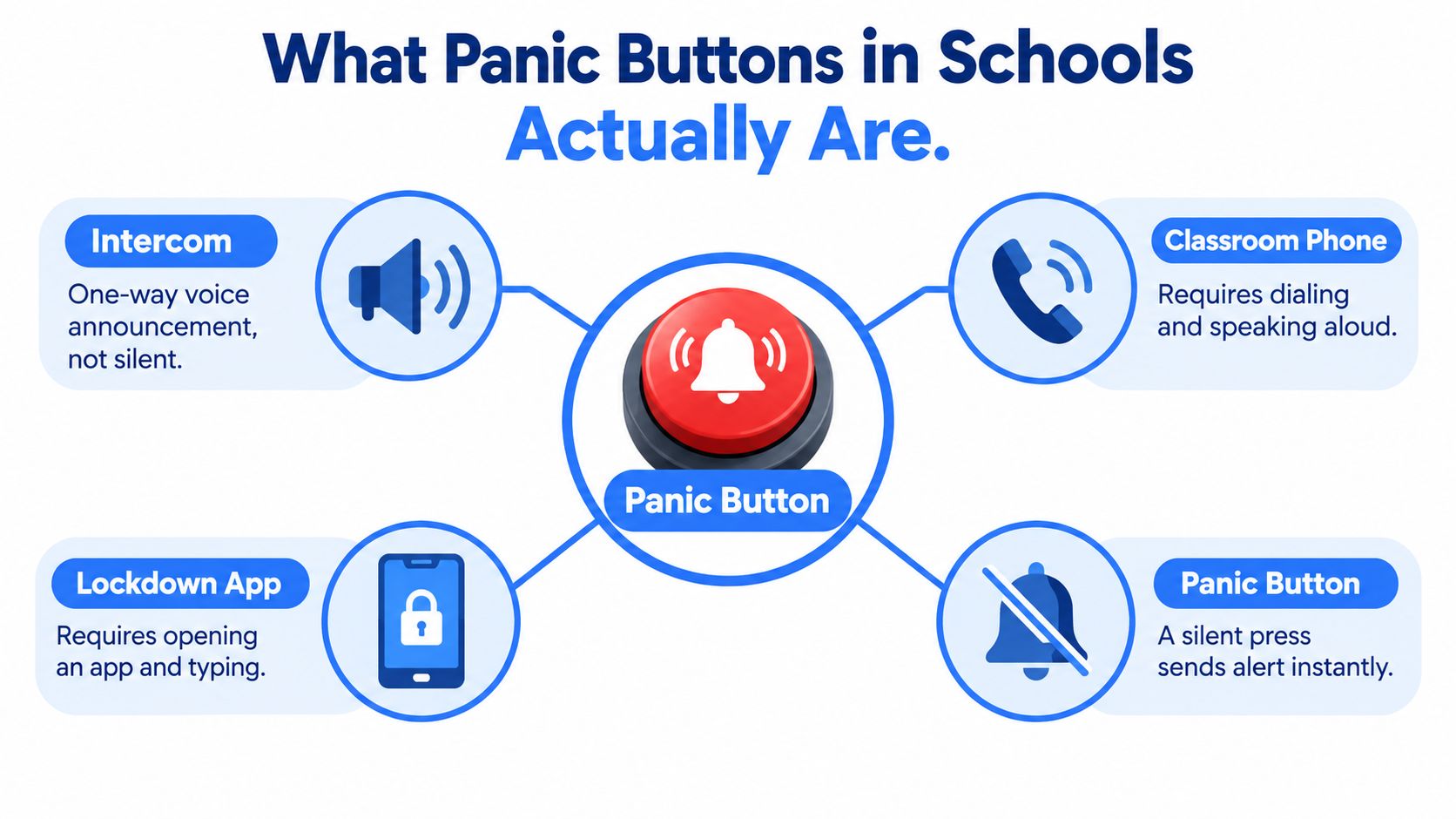
A school panic button sends an urgent, often silent alert when someone needs help. Depending on the setup, it can notify school safety staff, a monitoring service, or public-safety dispatch, and may include the sender’s location. Staff can call for support without leaving a room or speaking aloud, which can help during a behavioral, medical, or mental-health crisis as well as a serious threat.
The button serves a different purpose from everyday communication tools. An intercom broadcasts a message, while a classroom phone requires someone to dial and speak. A lockdown app may offer instructions, but using it can take attention away from an unfolding situation. A panic button provides a direct signal. Its value, however, depends on where that signal goes and what staff are expected to do after it arrives.
Availability differs by region. In the 2019-20 federal data, about 49% of schools in the Northeast reported having the technology, compared with 43% in the Midwest and South and 27% in the West, according to Pew’s school-security data summary. Local policy, funding, and infrastructure can all affect access. A button on the wall is only one part of readiness, like a fire alarm that still depends on people knowing how to respond.
Schools need to decide what devices staff can use, who receives alerts, and how procedures distinguish a medical emergency from a threat requiring lockdown. They should also account for everyone on campus, including substitutes and volunteers. Clear school volunteer checks can support broader safety practices, but they do not replace clear alert and response procedures. Decisions about the device and the response process belong together: a signal is useful only when the right people can act on it.
How a Panic Button Alert Moves From Classroom to 911
A teacher hears a fight developing in a hallway. They press a discreet button or activate an approved device. That simple action is only the beginning of the response: the school needs a clear route for the signal to reach someone who can interpret it and coordinate help.
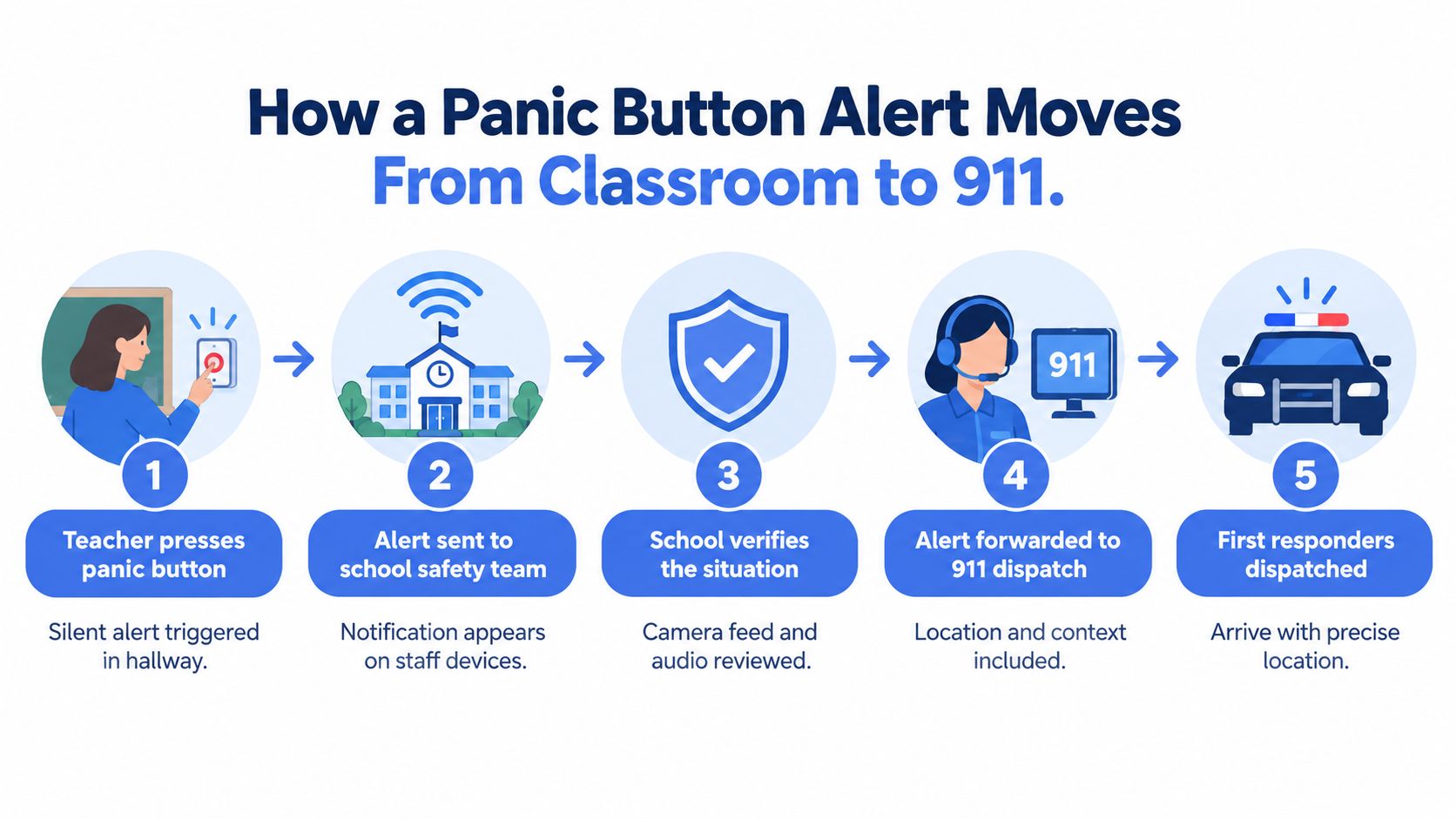
A typical chain has several moving parts:
- Trigger: A staff member presses a fixed button, uses a phone-based tool, or activates another approved device.
- Signal: The system sends an alert through the school’s network or service. The signal may identify the sender and location, depending on how the system is set up.
- Receiver: A campus safety team, front office, monitoring service, or 911 dispatch receives it. The receiver needs to know whether the alert is an emergency and what action to take.
- Assessment and routing: Staff or a dispatcher use the available details to decide whether to notify school personnel, contact emergency services, or do both.
- Response: Responders are directed to the location and given relevant information, while school staff follow the appropriate on-campus procedure.
Now return to the hallway fight. If the alert only says that a button was pressed somewhere on campus, staff may need to call back or search for the right location. If it identifies the hallway and describes the concern, the receiver can route assistance with less ambiguity. A silent alert can’t do that by itself. Location accuracy, alert wording, and the receiver’s training determine how useful the first message is.
Schools should ask how they’ll measure the chain from trigger to response, not just how quickly the device sends a signal. When was the alert received and acknowledged? Who notified staff? Was 911 contacted, and did responders get a clear entrance and location? Maryland’s school-safety study cautions that available evidence wasn’t enough to establish that one statewide product would be efficient, cost-effective, or demonstrably effective at preventing deaths and injuries. The important lesson is that rapid transmission and effective intervention aren’t the same thing.
The following video offers another look at how emergency alerts can move through a school response process.
Main Deployment Options for Schools
A button can be a piece of hardware, a phone-based tool, or part of a monitored service. Some schools use more than one, since a device installed in a classroom won’t help a staff member supervising a field, and a phone app won’t help someone who can’t reach or operate their phone.
Fixed hardware buttons
A fixed button can be mounted in a classroom, office, reception area, or other staff location. It’s easy to find when it’s well placed and staff know how it works. But coverage is tied to the device’s location. Substitute teachers may not know where it is, and outdoor spaces, buses, gyms, and after-hours events need separate consideration.
Mobile activations
A mobile app or phone-based alert can travel with staff across campus. It may be useful for teachers moving between buildings, administrators covering events, or staff who work in spaces without a fixed button. The school should test whether staff can activate it discreetly, how it identifies location, and what happens if a person’s phone is unavailable or the network is weak. Schools comparing mobile approaches can review the campus safety app as one example of a tool category.
Monitored services
A monitoring service places a trained person between the alert and the response. That agent may contact school staff, gather context, or escalate to emergency services, depending on the service design and the school’s protocols. This can add a human decision point, but it also raises important questions: who’s on duty, what information can the agent access, and when will they contact 911 directly?
| Option | Who Triggers | Who Receives Alert | Location Accuracy | Best Fit |
|---|---|---|---|---|
| Fixed hardware | Staff near an installed button | School team, monitoring service, or dispatch | Depends on whether each device is mapped to a specific location | Staff stations and rooms where coverage is consistent |
| Mobile app or phone | Staff carrying an enabled device | School team, monitoring service, or dispatch | Depends on device location features and campus mapping | Staff moving around buildings and outdoor areas |
| Monitoring service | Staff using a connected button or app | Trained agent, then school personnel or emergency services | Depends on the triggering device and information available | Schools that want a human to assess or route alerts |
A hybrid setup can pair fixed buttons in key rooms with a mobile option for staff outside those rooms. The important test isn’t how many types of devices a school owns. It’s whether the coverage plan matches the people and places on campus, including substitutes, buses, and events after the school day.
Alyssa’s Law and the Policy Landscape
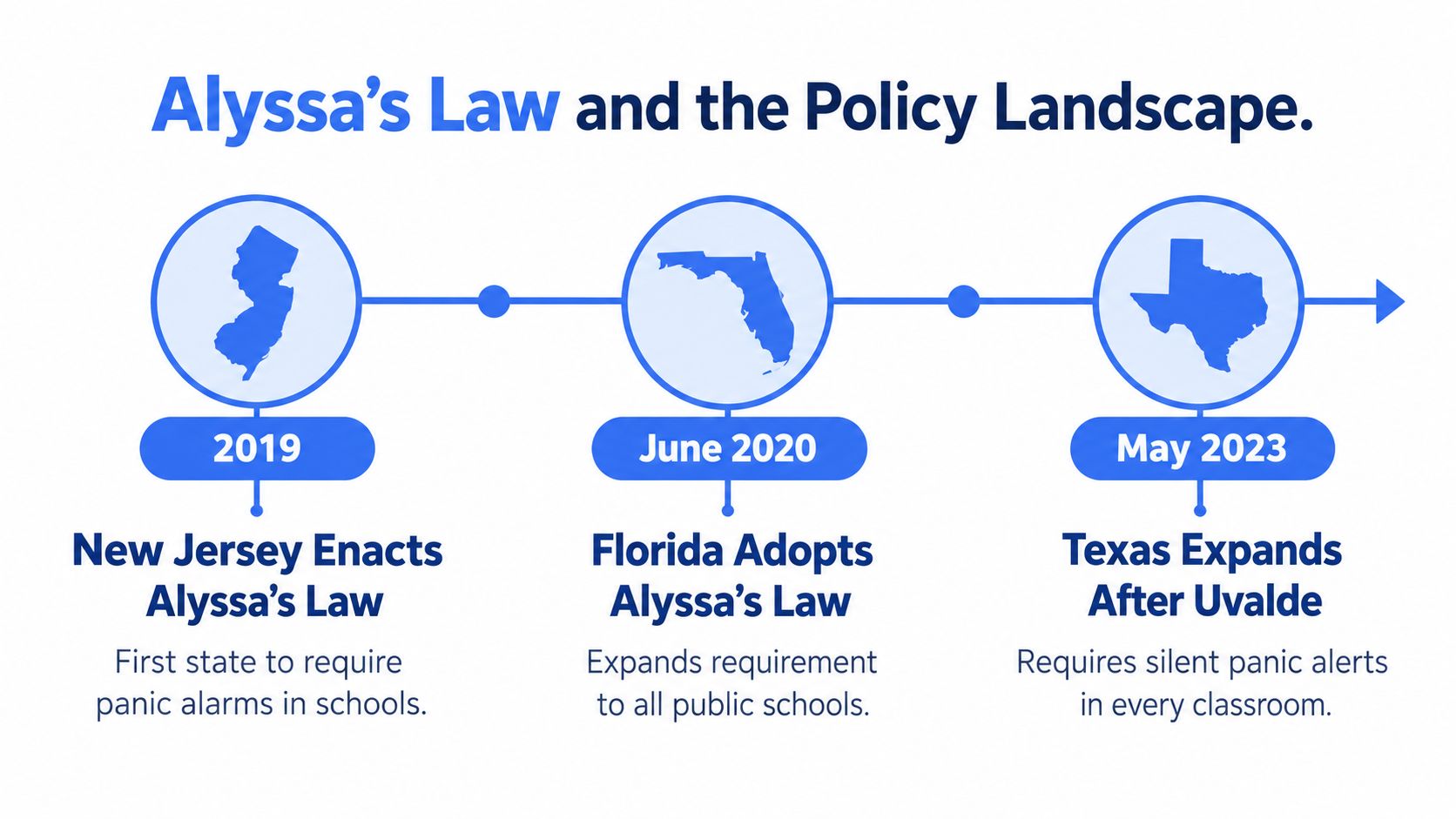
Alyssa’s Law helped make silent or mobile panic-alert technology a school-safety policy issue. New Jersey enacted the law in 2019, Florida followed in June 2020, and Texas adopted a similar measure in May 2023 after the Robb Elementary School shooting in Uvalde. Requirements vary by state, so districts need to check the law and implementation guidance that apply to them rather than assume every state’s rules are identical.
The policy model generally calls for public schools to use technology that can send an emergency alert and location information to first responders. In plain terms, the system is meant to reduce reliance on a staff member reaching a phone or physically finding someone to report an incident. That doesn’t mean every alert goes to the same recipient or triggers the same response. District leaders still need to understand whether their system meets the applicable requirement and how it connects with local public-safety agencies.
Florida illustrates what actual use can look like beyond the policy language. WLRN reported more than 54,000 alerts from Florida schools during one school year, with the system deployed in 53% of the state’s public schools. The reported alert categories included student behavior, drills, system tests, suspicious activity, and campus threats. The figures are detailed in WLRN’s report on Florida’s mobile panic-button system.
Policy doesn’t complete the response. A requirement to send an alert still leaves schools responsible for training people, setting routing rules, checking location data, and agreeing with responders on what they’ll receive.
That distinction matters when a district evaluates a system. A policy can establish that an alert capability is required, but it can’t by itself ensure staff know how to use it or that dispatchers receive enough context to act. Schools should treat compliance as the starting point for a response plan, not the plan’s finish line.
Why Most Panic Button Alerts Are Not Shooter Events
The active-shooter scenario often dominates conversations about school panic buttons. But a 2025 analysis of more than 265,000 school-safety activations reported that 88% involved behavioral incidents, including fights, medical emergencies, and mental-health crises. It also reported that nearly 60% occurred outside classrooms, in places such as hallways, parking areas, and sports fields, according to the analysis of school-safety activations.
That pattern changes what a school needs to plan for. A fight in a hallway may call for trained staff to separate students and assess injuries. A student with a medical crisis needs care, not an automatic lockdown. A mental-health emergency may require a calm response from designated staff, while a missing child or incident on a sports field may demand a different search and communication process.
One alert channel can support all of these situations, but one response shouldn’t fit them all. If every press triggers the same lockdown, staff may create unnecessary disruption or delay the right kind of help. Conversely, if staff don’t know how to identify an urgent medical or safety issue, the system may not reach people who can act. Clear alert categories and escalation rules give receivers a way to distinguish the situation without expecting the person pressing the button to write a report under stress.
Success should therefore include more than whether a system is installed or whether it can send a signal. Schools can look at whether the right person acknowledged the alert, whether 911 was involved when appropriate, and whether staff documented how the incident was resolved. The answer should be judged by incident type. A school shouldn’t treat a successful medical response as a failed lockdown alert because no lockdown occurred.
This broader view also changes how administrators explain the system to families and staff. Panic buttons aren’t only an extreme-threat measure; they can be part of the school’s everyday response and documentation practices. That value depends on using the right workflow for the event, rather than treating all activations as identical.
Connecting Alerts to Dispatch and Live Context
A bare alarm tells someone that help may be needed. A context-rich alert aims to tell the receiver where the person is and what may be happening. That difference matters when a school has multiple buildings, several entrances, or activity spread across indoor and outdoor spaces.
| Alert type | Information the receiver may get | Key question for schools |
|---|---|---|
| Basic silent alarm | A signal that a button was activated | Can staff or dispatch identify the exact location and urgency? |
| Alert with location | Alert plus mapped building or campus location | Is the location accurate indoors and outdoors? |
| Context-rich alert | Location and additional information, potentially including audio, video, or notes | Who can view the information, and how is it routed to 911? |
Integrations such as RapidSOS can support the transfer of location and other available incident context to emergency dispatch. The school should verify what its chosen system sends, who can see it, and whether the local public-safety answering point can receive it. The term “integration” isn’t enough by itself; dispatch compatibility and a tested handoff matter.
For example, an alert that identifies a building but not the right entrance could still send responders to the wrong side of a large campus. An Emergency Entry Pin can help direct them to a specific entrance when the system supports it. Live audio or video may also offer context, but schools need defined rules for access, privacy, and retention before staff rely on those features during an emergency.
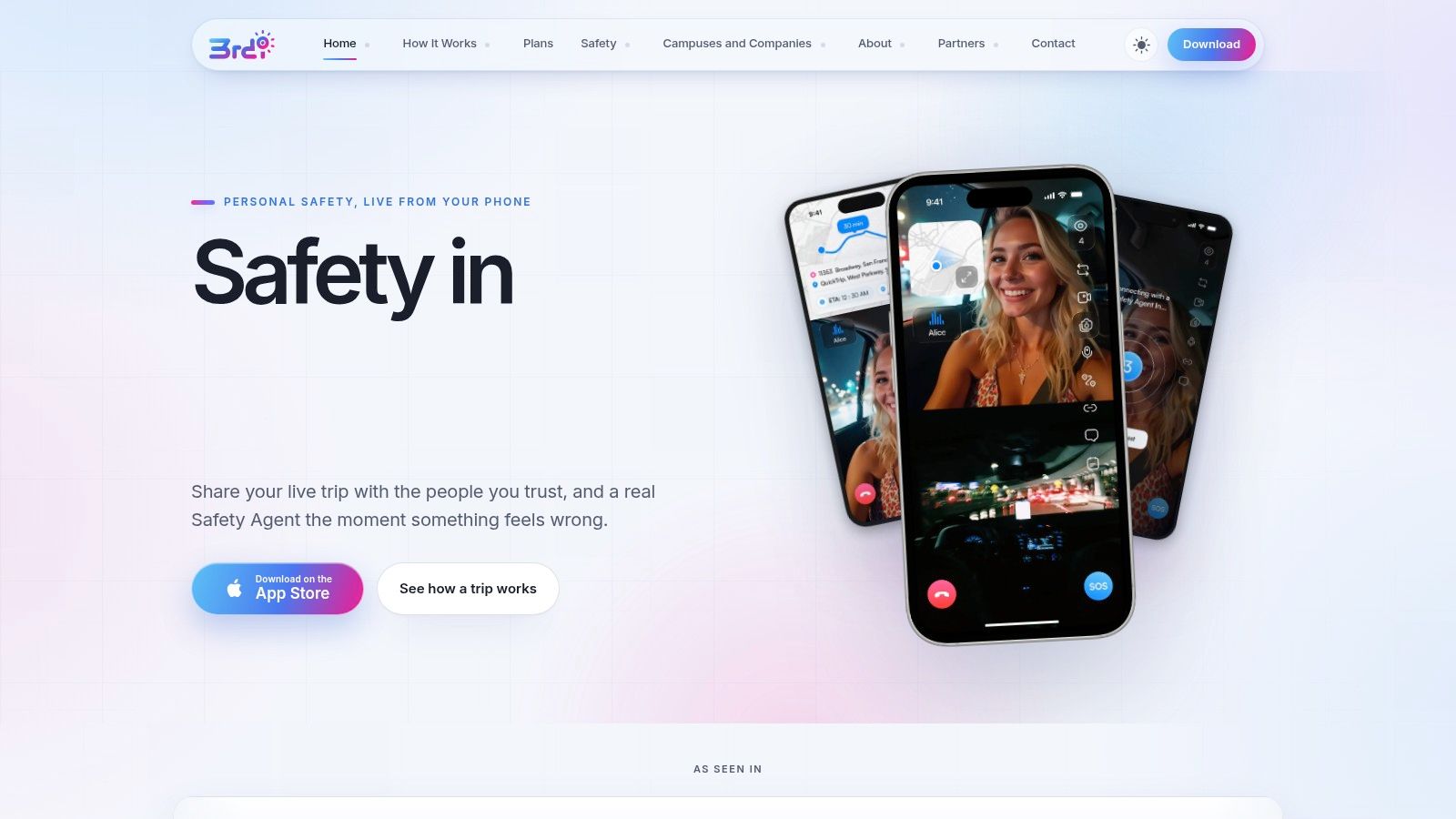
On a user’s device, the practical question is simple: Can the person activate the alert quickly, and can the receiving team understand the location and situation? In a campus or workplace setting, 3rd-i’s school-focused solution is described as offering a silent alert, live camera streams, indoor mapping, and entrance guidance, with emergency dispatch through RapidSOS. Schools assessing dispatch-facing tools can also review the 911 dispatch app to understand how an app-based approach may support an emergency handoff.
Context can help responders make a more informed decision, but it doesn’t replace direct contact with 911 when someone can safely call. Nor does more data automatically mean better response. A district needs to decide what information should be sent, who is authorized to access it, and how staff will act if the connection fails.
Best Practices Before and After Deployment
Buying a system is a procurement decision. Making it usable across a real school day is an operational one. A committee evaluating panic buttons should test the whole route from activation to human response, then revisit it through training and exercises.
Before choosing a system
- Map the campus: Identify classrooms, hallways, gyms, fields, buses, offices, and event spaces where staff may need help.
- Define the receiver: Decide whether alerts go first to school staff, a monitoring service, 911, or more than one recipient. Document who owns each handoff.
- Test the connection: Ask what happens when Wi-Fi or cellular service is unavailable or degraded. Staff need a backup procedure that doesn’t depend on the same failed connection.
- Check access and usability: Confirm that substitute teachers, non-teaching staff, and people with disabilities can use the system. Consider what happens if a student is the person needing help.
- Set privacy rules: Specify who can view any location, audio, video, or incident records, how access is controlled, and how long information is retained.
- Plan documentation: Keep emergency contact and escalation details current, supported by clear school emergency contact lists.
After installation
Maryland’s school-safety study highlights why a school should measure the entire response chain, rather than only the time between a button press and a transmitted signal. Track time to receipt and acknowledgment, internal notification, public-safety dispatch, and on-scene arrival. Also review missed acknowledgments, device availability, connectivity problems, alert types, and staff training completion.
Run exercises that include ordinary complications. A teacher may not have a phone; the incident may happen at a field; a student may press the alert; or the usual administrator may be absent. Administrators, school resource officers, dispatchers, and substitute staff should understand the escalation rules before they face a real alert.
Practical rule: Treat every drill as a chance to find a handoff that nobody owns yet.
Review false alarms and test traffic, too. Staff need a way to identify practice activations so they don’t confuse them with emergencies, while responders need to know when an alert is real. A clear process protects trust in the system and gives school leaders useful records for follow-up and improvement.
A Practical Path Forward for Schools
A useful decision starts with three questions. Does the system meet the policy requirements that apply to the school? Does it cover the people and places where staff need help? And can it send the right information to the right receiver, with a response plan that distinguishes a medical emergency from a threat?
Schools should then test the whole process, not just the button. Staff need to know how to activate it; the receiving team needs a clear way to acknowledge and route the alert; and public-safety partners need to know what information they’ll get. The system should also have an alternative path when a device or network isn’t available.
In 2026 and beyond, schools may see continued discussion of state requirements and richer alert context. Those are policy and technology directions, not guarantees that a particular product will improve outcomes. Districts should assess any new feature against their own needs, privacy rules, accessibility requirements, and working arrangements with dispatch.
A panic button can support emergency communication, but it can’t replace trained staff, practiced procedures, or calling 911 directly when that’s the appropriate response. Before selecting a system, bring administrators, teachers, families, campus safety staff, and local responders into the same conversation. Agree on what the button should do, who will act, and how the school will learn from each activation.
3rd-i offers campus-focused safety tools that can send alerts with location and live context, with escalation to 911 through RapidSOS. If your school is reviewing panic-button procedures or dispatch integration, visit 3rd-i for schools and campuses to learn how its approach works.