
7 Apps for Safe Driving: Find Your Best Fit
A driver can need different protection at different moments. Before a trip, a parent may want to know when a teen leaves school. During the drive, the priority may be reducing phone interaction or sharing a live route. After a collision, automatic detection, human assistance, or a reliable practice log may matter more than navigation features.
This roundup compares apps for safe driving by the safety problem they solve, not by how many features appear on a product page. You’ll find tools for live oversight, family visibility, human-assisted crash response, automated emergency calls, distraction prevention, and supervised-practice documentation. These apps don’t replace attentive driving, seat belts, emergency services, or responsible vehicle maintenance.
Configure every app before the car moves. Set emergency contacts, review location and motion permissions, confirm that alerts work, and keep the phone mounted or untouched during every trip.
Table of Contents
- 1. 3rd-i for live monitored oversight
- 2. Life360 for family driving visibility
- 3. OnStar Guardian for human-assisted crash response
- 4. Openroad by Cambridge Mobile Telematics for crash response
- 5. Google Pixel Personal Safety for built-in crash detection
- 6. SAFE 2 SAVE for distraction prevention
- 7. RoadReady for supervised-practice documentation
- Top 7 Safe-Driving Apps: Feature Comparison
- Match the App to the Risk You Want to Reduce
1. 3rd-i for live monitored oversight
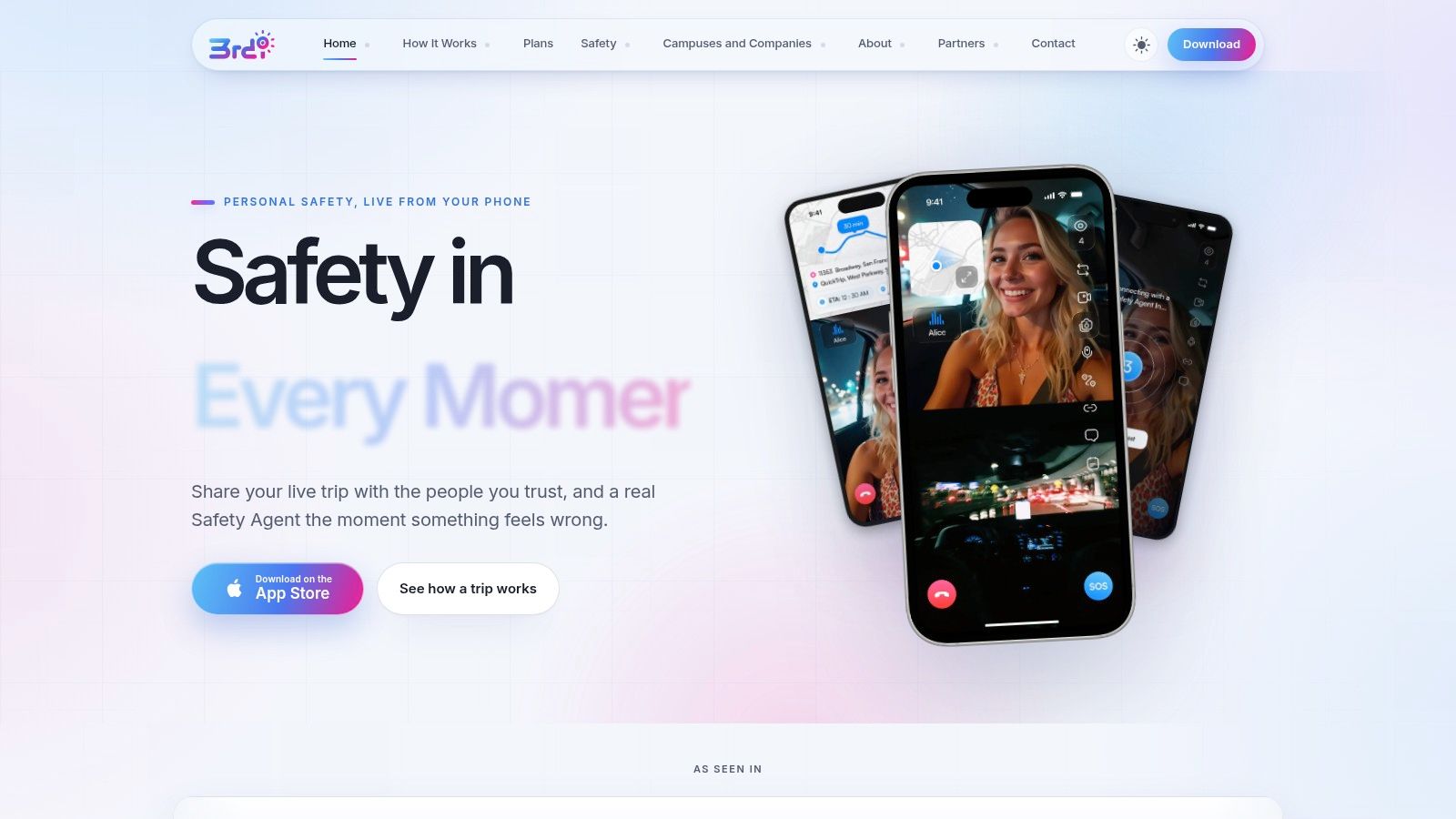
3rd-i is the strongest choice when you want more than location sharing. It combines a live personal-safety app with trained Safety Agents who can monitor a stream of video, audio, and route information and escalate a verified emergency to 911 through RapidSOS. For a driver traveling alone, taking a rideshare, commuting after a late shift, or crossing an unfamiliar area, that human layer can provide context that an automated alert may not capture.
The app is designed for travel that can include driving, walking, and rideshares. A user can start a live stream, while selected contacts see the route and video together through Squad viewing. The dual-camera option, picture-in-picture, visible watcher count, and request-to-speak function help watchers understand what’s happening without requiring the driver to keep messaging.
Why 3rd-i stands out after an incident
3rd-i also handles the part many safety apps overlook: documentation after the event. Streams can be recorded automatically, transcribed, and summarized with AI. That creates a record beyond ordinary location history, which can help with follow-up after a threatening encounter, road incident, or safety concern.
The service includes an SOS route to a Safety Agent, Emergency for a Friend for triggering help on someone else’s behalf, Critical Alerts that can break through Do Not Disturb, and an Emergency Entry Pin to help responders find the right entrance. Ghost mode provides a privacy control when the user temporarily doesn’t want to appear on the map.
Practical rule: Use 3rd-i for live oversight and escalation, not as a substitute for calling local emergency services yourself when you can safely do so.
Plans use pooled streaming and recording minutes across Solo, Family, campus, and company deployments. The website doesn’t publish per-tier prices, so confirm the current plan, minute allowance, regional coverage, and cellular requirements before buying. It’s presented as an iOS service, which is an important limitation for mixed-device households.
Best for: Drivers who want trusted contacts and trained Safety Agents to see what’s happening in real time, particularly during late travel or rideshare trips.
2. Life360 for family driving visibility
Life360 is the best fit for families that need an ongoing view of where drivers are and how trips are going. Its safety model centers on a shared family ecosystem, combining location sharing with driving reports, place alerts, crash detection, and roadside assistance on eligible paid tiers.
Parents can use individual driver reports and family summaries to start practical conversations with teen drivers. Instead of relying only on a report after a serious event, they can review patterns such as abrupt braking or acceleration and use those observations for coaching. The app also supports location history and geofenced Place Alerts, which can notify family members when someone reaches a chosen location.
The trade-off between visibility and data sharing
Life360 has a mature ecosystem and broad device support, making it easier to deploy across a household than a narrowly focused tool. Crash detection is available on the free tier, while higher tiers add services such as roadside assistance. That makes it a sensible starting point for families that want location and emergency features in one place.
The compromise is heavier data use. Location tracking can affect battery life if settings aren’t tuned, and some driving features rely on sharing data with the Arity scoring platform. Users can disable that sharing, but doing so reduces the driving functionality that makes Life360 useful for coaching.
Families comparing this category with more focused monitoring tools can also review this guide to a family tracking app. Choose Life360 when the main need is family visibility across daily routines, not continuous live video or a dedicated human watcher.
Best for: Parents and families who want location sharing, driving feedback, crash detection, and optional roadside support in one household app.
3. OnStar Guardian for human-assisted crash response
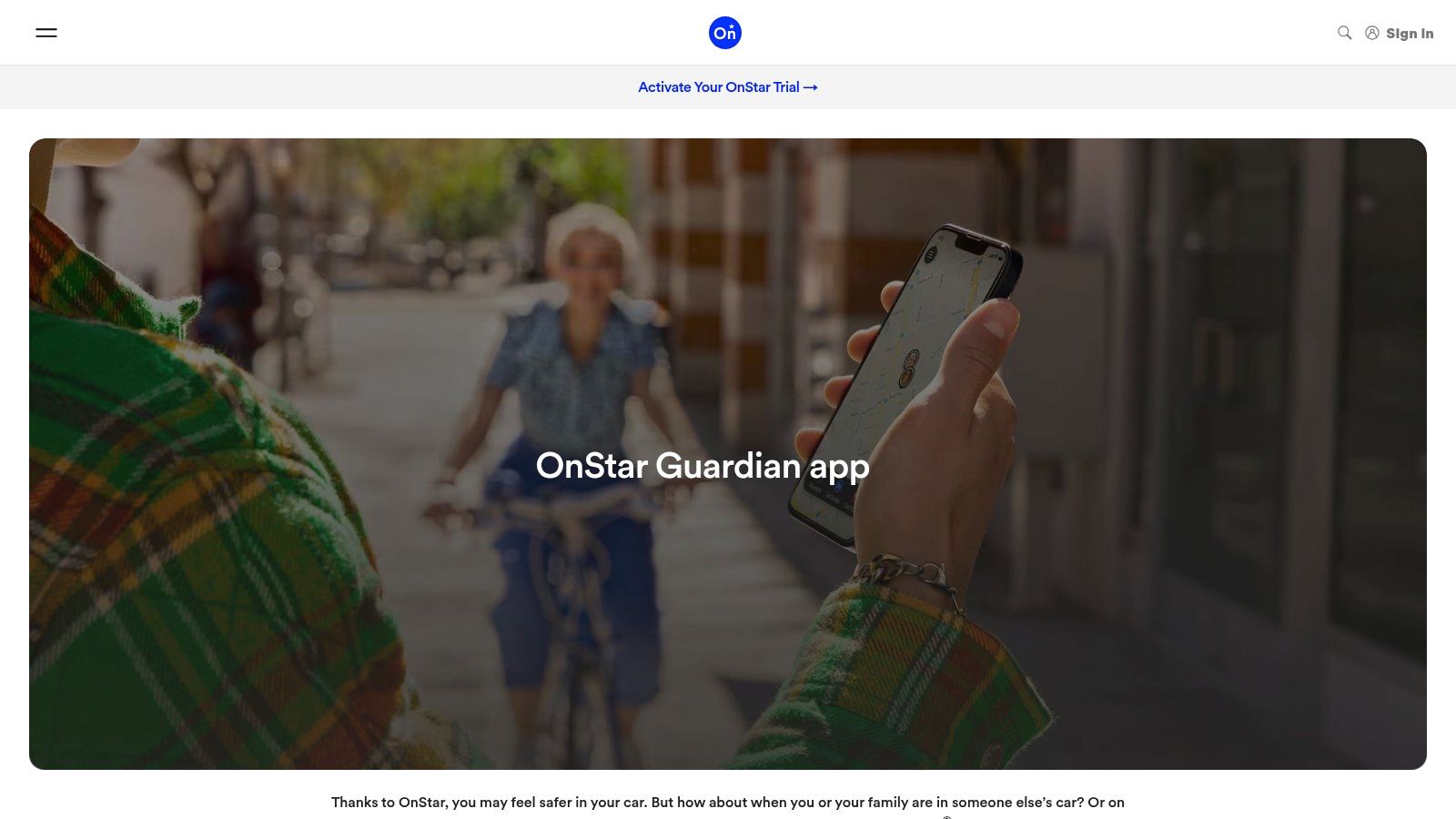
OnStar Guardian brings OnStar-style safety services to a smartphone, so users don’t need to drive a General Motors vehicle to access the service. Its central value is the connection to 24/7 human Advisors after a detected crash or emergency. Those Advisors can contact first responders and share the driver’s location, giving the response process a human coordinator instead of leaving the driver to manage every step alone.
The app provides smartphone-based crash detection, family location and status sharing, and roadside assistance. That combination makes it particularly useful for solo drivers who want assistance after an impact and families who also want a shared view of a loved one’s status.
Choose it for coordination, not prevention
OnStar Guardian is primarily a post-crash response service. It doesn’t replace attentive driving, and it isn’t the strongest choice if your first concern is preventing phone use, reviewing teen driving habits, or documenting every part of a journey.
The platform’s strongest advantage is its human-assisted workflow. A driver who may be injured, disoriented, or unable to explain their location can have an Advisor coordinate the next step. Full access requires a paid OnStar plan, so check the current subscription terms before treating it as a complete emergency solution.
Platform behavior also differs. On Android, the Advisor can connect automatically after an eligible event, while iOS uses a callback flow. That distinction matters if the driver’s phone is an iPhone or if a family uses both operating systems. Users should test the setup while parked and understand what the phone needs to do after a crash.
For another monitored option focused on emergency dispatch and live context, compare the concept with this 911 dispatch app. Don’t confuse the two categories: OnStar Guardian coordinates crash assistance, while a live monitoring service can provide oversight before a crash occurs.
Best for: Drivers who want a major automotive safety service and human Advisor support after a detected crash, regardless of the vehicle brand.
4. Openroad by Cambridge Mobile Telematics for crash response
Openroad is the clearest choice for drivers who want a purpose-built crash response app without building a larger family monitoring system around it. It uses phone sensors and telematics models to detect serious crashes, then connects users with trained crash responders who can provide post-crash guidance and coordinate with 911 when needed.
The app works on iOS and Android and can auto-wake when driving begins. Share-my-location tools let users notify family after an incident, while responder outreach helps determine whether emergency assistance is necessary. The free core app also keeps setup relatively straightforward for someone who wants crash detection rather than a bundle of unrelated services.
Understand what Openroad is designed to detect
Openroad is tuned for serious crashes, not every minor contact between vehicles. A light fender-bender may not trigger the same response, so drivers shouldn’t treat a lack of notification as proof that no action is needed. If anyone is injured or the scene is dangerous, call emergency services directly when possible.
The service is also U.S.-only, and roadside or towing arranged through the app can carry an additional cost. Those limitations don’t undermine its main use case, but they make regional eligibility and service fees essential parts of setup.
Crash detection is a response layer. It won’t prevent speeding, phone use, fatigue, or other risky behavior before impact.
Openroad makes sense for a driver who wants trained responders involved after a serious event but doesn’t need continuous family location sharing. It’s less suitable for parents seeking detailed teen coaching or organizations supervising workers throughout a shift.
Best for: U.S. drivers who want a focused crash-detection and responder service on either major mobile platform.
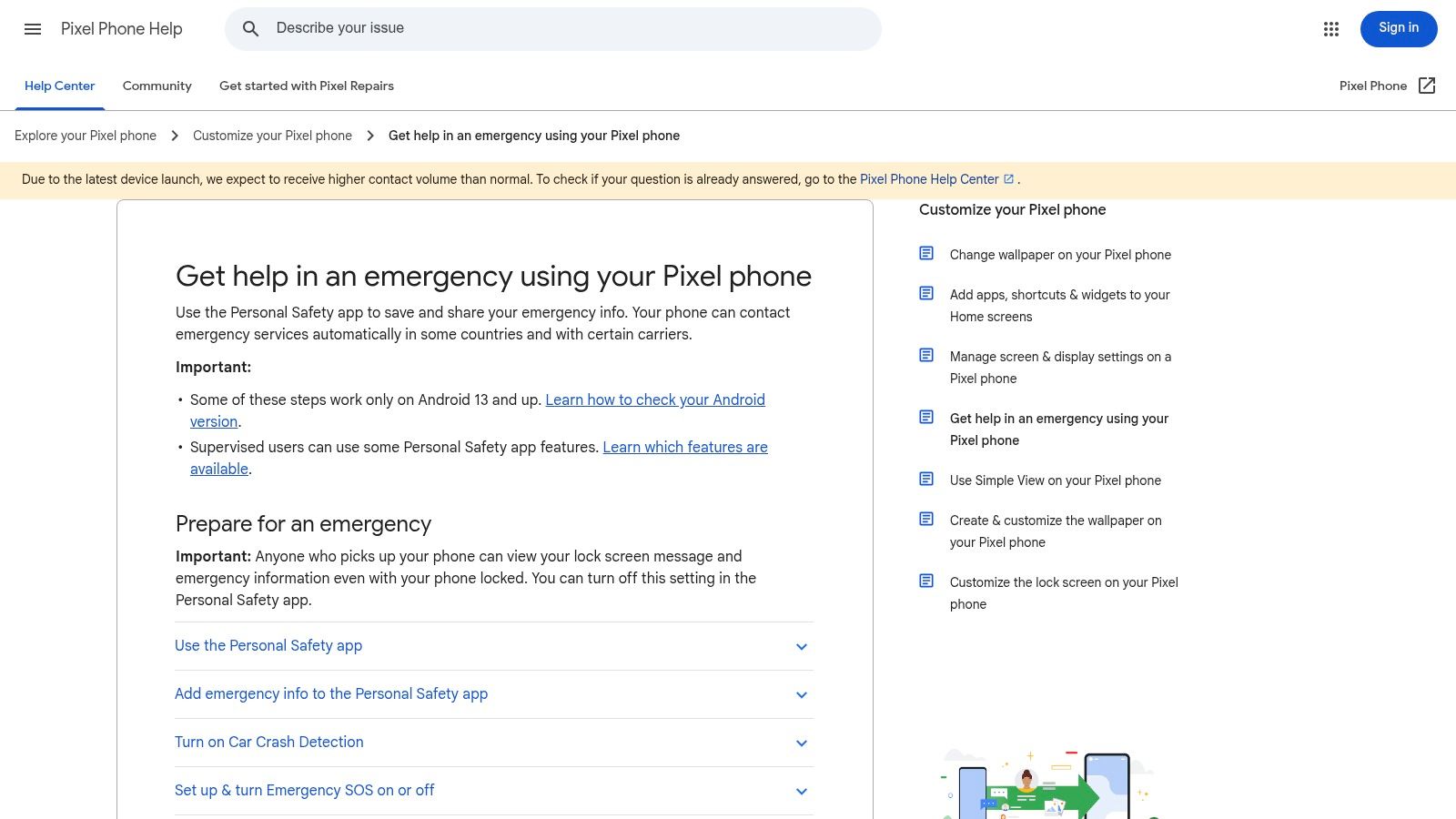
5. Google Pixel Personal Safety for built-in crash detection
Google Pixel Personal Safety is the most direct option for a compatible Pixel owner who wants automatic crash detection without adding a separate subscription. The feature can detect a severe car crash and initiate a 911 call in the U.S. if the driver doesn’t respond. Because it is integrated into the phone, there’s no separate crash-response app to remember to open before every journey.
The app also includes emergency sharing and check-in functions. That gives solo drivers a basic way to notify selected contacts or arrange a status check, while the crash feature focuses on initiating emergency contact when the driver may be unable to reach the phone.
Check the settings before relying on it
Native integration is the main advantage, but it also defines the limitation. Personal Safety is available only on compatible Google Pixel devices, so it isn’t a practical household-wide solution if family members use other phones. The feature also depends on required phone settings and may not function reliably in Battery Saver or Airplane Mode.
That means setup matters more than the apparent simplicity suggests. Review emergency permissions, confirm the feature is available in your region, and test the alert workflow while parked. Drivers should know what the phone will do, what happens if they don’t respond, and how emergency sharing is configured.
Pixel Personal Safety is for automated crash response, not live oversight. It doesn’t let a parent watch a trip, prevent a driver from touching a phone, or preserve a continuous incident record. If you want a broader emergency workflow on a compatible device, compare it with this emergency SOS app, but keep the distinction clear between built-in emergency calling and monitored assistance.
Best for: Solo Pixel drivers who want integrated severe-crash detection and automatic 911 initiation without a separate app subscription.
6. SAFE 2 SAVE for distraction prevention
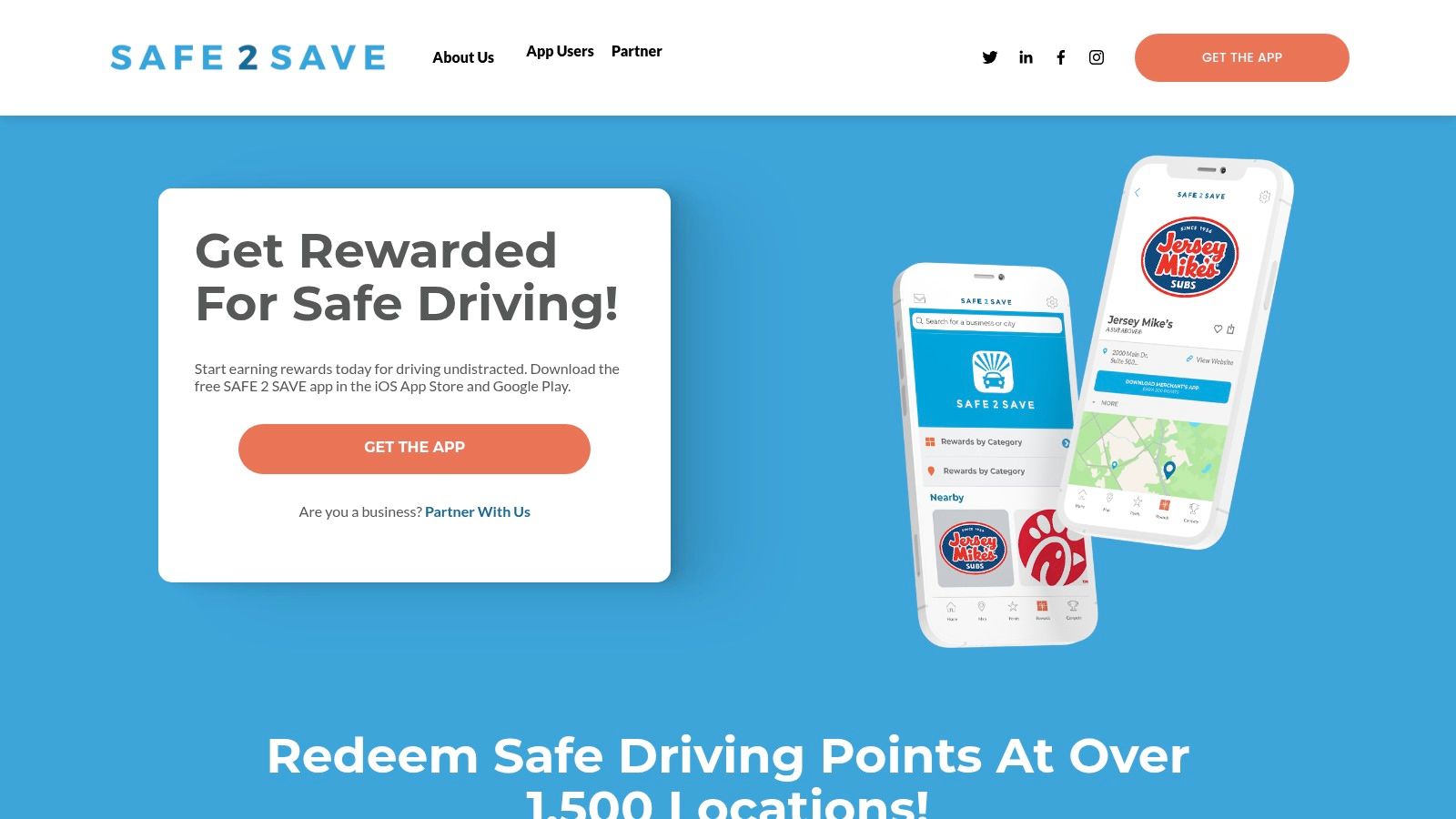
SAFE 2 SAVE targets the risk before a crash occurs: phone interaction while driving. The U.S. app rewards drivers with points for completing trips without touching their phones, and participating merchants provide redemption options. That positive-reinforcement model is especially useful for families, schools, employers, and communities that want to make distraction-free driving visible and motivating.
The Auto-On option can start earning automatically when the user drives. Group challenges and leaderboards add a social layer for organizations that want teams or students to work toward the same behavior goal. Instead of presenting safe driving as surveillance or punishment, SAFE 2 SAVE gives users a concrete reason to leave the phone alone.
Use rewards to reinforce a clear rule
The app’s simplicity is its strength. A driver doesn’t need to interpret a complex telematics score to understand the target: start the trip, avoid touching the phone, and earn points. Families can use the approach alongside a written phone-free driving agreement, while employers can use group challenges to reinforce a consistent policy.
There are practical conditions. The app must be running, or Auto-On must be configured, for the user to earn points. Rewards depend on participating partners, so the experience varies by location. Drivers should also configure the system before moving and avoid checking the app for points during a trip.
SAFE 2 SAVE is a prevention tool, not a crash-response system. It won’t provide a human Advisor, automatically call 911, or create a supervised-practice log. Pick it when the behavior you need to change is phone handling, and choose a different app for emergency response or family location visibility.
Best for: Drivers, families, schools, and employers that want positive reinforcement for keeping phones untouched behind the wheel.
7. RoadReady for supervised-practice documentation
RoadReady solves an administrative problem that other apps in this list don’t address. Learner drivers need to document supervised practice, and parents need a dependable record of dates, times, durations, and driving conditions. RoadReady automatically logs trips and provides exportable records and integrated affidavits for some states.
The app supports parent and teen account pairing, automatic trip entries, and manual entry when a trip wasn’t captured correctly. Its connection to The Parent’s Supervised Driving Program gives it a clear purpose: reduce paperwork while helping families maintain a record that can be prepared for licensing requirements.
Confirm state acceptance before submission
RoadReady is a documentation tool, not a safety monitor. It doesn’t provide crash detection, live family oversight, distraction prevention, or coaching analytics. Parents should use it alongside direct supervision, a mounted phone, and clear practice rules rather than treating an automatically logged trip as evidence of competent driving.
State requirements can differ, and an exportable log isn’t automatically valid for every licensing office. Check the current DMV requirements in your state before submitting an affidavit or relying on the app’s format. Families should also review recent app behavior after updates, because login or synchronization issues can affect confidence in the record.
Keep a backup of completed logs before a licensing appointment, especially after changing phones or updating the app.
Choose RoadReady when the immediate need is state-ready supervised-practice documentation. If the teen also needs feedback on braking, phone use, or trip behavior, pair the log with a separate coaching or family visibility tool rather than expecting RoadReady to provide those functions.
Best for: Parents and learner drivers who need organized, exportable records of supervised practice.
Top 7 Safe-Driving Apps: Feature Comparison
| Product | 🔄 Implementation complexity | ⚡ Resource requirements | 📊 Expected outcomes | 💡 Ideal use cases | ⭐ Key advantages |
|---|---|---|---|---|---|
| 3rd-i | Medium, monitored service setup, admin seats and device permissions | iOS + cellular/data; minutes-metered subscription with pooled minutes; Safety Agent coverage included | Real‑time dual-camera video/audio/route streaming, RapidSOS 911 escalation, recordings, transcripts, AI summaries | Lone workers, campuses, students, families, late-night rideshares | Rich dispatch context via RapidSOS; dual-camera streaming; human-in-the-loop monitoring |
| Life360 | Low, consumer install and family setup | Broad device support; background location; optional paid tiers for roadside/advanced features | Continuous location sharing, crash detection, driver reports, Place alerts | Families with teen drivers; parent coaching and oversight | Mature ecosystem, clear driving insights, wide user base |
| OnStar Guardian | Medium, app install plus subscription for full Advisor features | Smartphone + paid OnStar plan for full access; 24/7 human Advisors | Crash detection with Advisor contact, 911 coordination, roadside assistance, family sharing | Users wanting OnStar-style human coordination without a GM vehicle | Human Advisors and automaker-backed emergency coordination |
| Openroad (CMT) | Low to Medium, app install, tuned telematics detection | Phone sensors + data; free core app; paid roadside/towing (US-only) | Automatic crash detection, live responder outreach, post-crash guidance, 911 coordination | Drivers who want purpose-built crash response backed by telematics | Trained crash responders; purpose-built crash detection; free core offering |
| Google Pixel Personal Safety | Low, native OS feature on Pixel phones | Requires compatible Pixel device and enabled settings; no subscription | Automatic 911 call on severe crash, emergency sharing/check-ins | Solo Pixel users wanting automatic crash-to-911 without subscription | Native integration, no subscription, reliable emergency-call workflow |
| SAFE 2 SAVE | Low, consumer app; must run or use Auto‑On | Phone + app; keep app active; rewards depend on local partners | Points for distraction-free driving redeemable with partners; behavior incentives | Families, schools, employers promoting reduced phone use while driving | Positive‑reinforcement model with merchant rewards and group challenges |
| RoadReady (Teen Driving Log) | Low, install, pair parent/teen, auto logging | Phone GPS + accounts; export capability; some manual entry | DMV-ready logged supervised practice hours, exportable affidavits | Parents and teens documenting learner’s-permit practice | Purpose-built exportable logs accepted by many state DMVs; reduces paperwork |
Match the App to the Risk You Want to Reduce
The best app depends on the failure you’re trying to prevent or manage. A tool that excels at family location sharing won’t necessarily provide live human oversight, and a crash detector won’t stop a driver from reaching for a phone. Treat these products as separate safety layers, then choose the one that matches the risk in front of you.
Choose 3rd-i for live monitored oversight, shared video and route visibility, human Safety Agent escalation, and documented incidents. It’s the strongest recommendation for late travel, rideshares, lone driving, and situations where trusted contacts need more than a map pin. Choose Life360 for family visibility, place alerts, driving feedback, and household coordination, especially when parents want a continuing coaching conversation with teen drivers.
Choose OnStar Guardian or Openroad for human-assisted crash response. OnStar Guardian is the better fit if you want 24/7 Advisors and a broader roadside and family-sharing ecosystem. Openroad is the more focused choice for serious-crash detection and trained responder outreach on iOS or Android. Select Google Pixel Personal Safety if you use a compatible Pixel and want built-in crash detection with automatic 911 initiation in the U.S.
Choose SAFE 2 SAVE when phone distraction is the specific behavior you want to change. Its rewards and group challenges can give families, schools, and employers a practical reinforcement system. Choose RoadReady when a learner driver needs supervised-practice records, exportable logs, or state-related documentation. For a broader teen-driver shortlist, see these top apps for teen drivers.
Before the first trip, complete this setup:
- Configure emergency contacts: Confirm names, phone numbers, location permissions, and notification access.
- Review connectivity requirements: Check cellular, GPS, operating-system, device, and regional limitations.
- Test alerts while parked: Trigger check-ins or practice the emergency workflow without moving the vehicle.
- Confirm plan restrictions: Review subscriptions, roadside fees, minute meters, reward availability, and service coverage.
- Mount and ignore the phone: Start the app before driving, then keep the device untouched throughout the trip.
The broader need is clear. NHTSA recorded 3,208 deaths in U.S. crashes involving distracted drivers in 2024, and distraction-related crashes represented 8% of all fatal crashes that year, according to its distracted-driving data. No app removes that responsibility. The right one makes a specific safety behavior easier to practice, monitor, or respond to when a driver can’t manage the phone or emergency alone.
3rd-i offers live video, audio, and route sharing with trusted contacts and trained Safety Agents, plus emergency escalation through RapidSOS and automatic incident documentation. If you need monitored oversight for driving, rideshares, late commutes, or lone travel, visit 3rd-i to review the service and choose the right setup.