
Live Location Sharing App Guide: Safety Features Explained
You’re walking home after a late shift, or riding in a car with someone you don’t know well. A friend can see a dot on your map, but that dot can’t tell them whether you’ve reached the right entrance, whether the car has stopped unexpectedly, or whether you need help but can’t type a message.
That gap is the difference between sharing a location and sharing what’s happening. A live location sharing app might send a one-time pin, refresh your position periodically, or stream your route alongside live audio or video. Those options offer different levels of context, and choosing between them matters most when someone’s safety depends on the information.
Table of Contents
- Why Live Location Sharing Matters Now
- What a Live Location Sharing App Actually Does
- Live Streaming vs Simple Location Pings
- Key Features to Evaluate in a Safety App
- Best Practices for Individuals and Organizations
- Privacy and Consent Trade-Offs
- What Happens When You Hit SOS
- Choosing the Right App for Your Situation
Why Live Location Sharing Matters Now
A location pin can make a late walk feel less isolating. A friend may follow your progress on a map while you head home, and a family member can check whether a rideshare is moving toward its destination. But if your route changes or you stop responding, the map alone may leave the watcher unsure what’s happening.
That’s why people use location sharing for more than meeting up. It can support check-ins during a commute, help coordinate a pickup, or give a lone worker a way to keep someone informed. For travel arrangements where timing and clear coordination matter, chauffeured travel planning for meetings can help people plan the journey itself. A safety app addresses a different need: what trusted contacts can see and do while someone is in transit.
Location sharing has become familiar to many phone users. A 2013 Pew Research Center finding reported that 7% of U.S. adults had checked into locations on social media or shared their locations with friends. Later survey figures found that 62% of U.S. adults had activated location-sharing features at least sometimes, including 69% of Gen Z respondents and 77% of millennials (survey figures reported in Jordan News). These surveys measured different behaviors, so they shouldn’t be treated as a direct, like-for-like comparison. They do, however, illustrate how sharing a location has become a normal mobile interaction for many people.
Two kinds of visibility
A simple location ping shows where a phone reported its position. It can answer, “Where are they?” A more advanced service may add a live route, audio, video, or a person who can respond to an alert. That can help answer a different question: “What might be happening, and what should we do next?”
The right level depends on the situation. A family coordinating a routine pickup may need a map and an arrival update. Someone walking alone at night may want a way to share what’s around them and reach a trained responder if they feel unsafe.
The central question isn’t just whether an app shares location. It’s whether the app gives the right people enough current, useful context to act, while making clear what the app cannot guarantee.
What a Live Location Sharing App Actually Does
Every live location sharing app performs the same basic job: it reads position data from a phone and delivers some version of that data to people the user has chosen. What separates one app from another is how much of the journey it carries. Some apps send a static ping, a single reported position. Others refresh that position on a timer. Safety-focused tools can show continuous movement along a route and may add live audio or video from the phone itself.
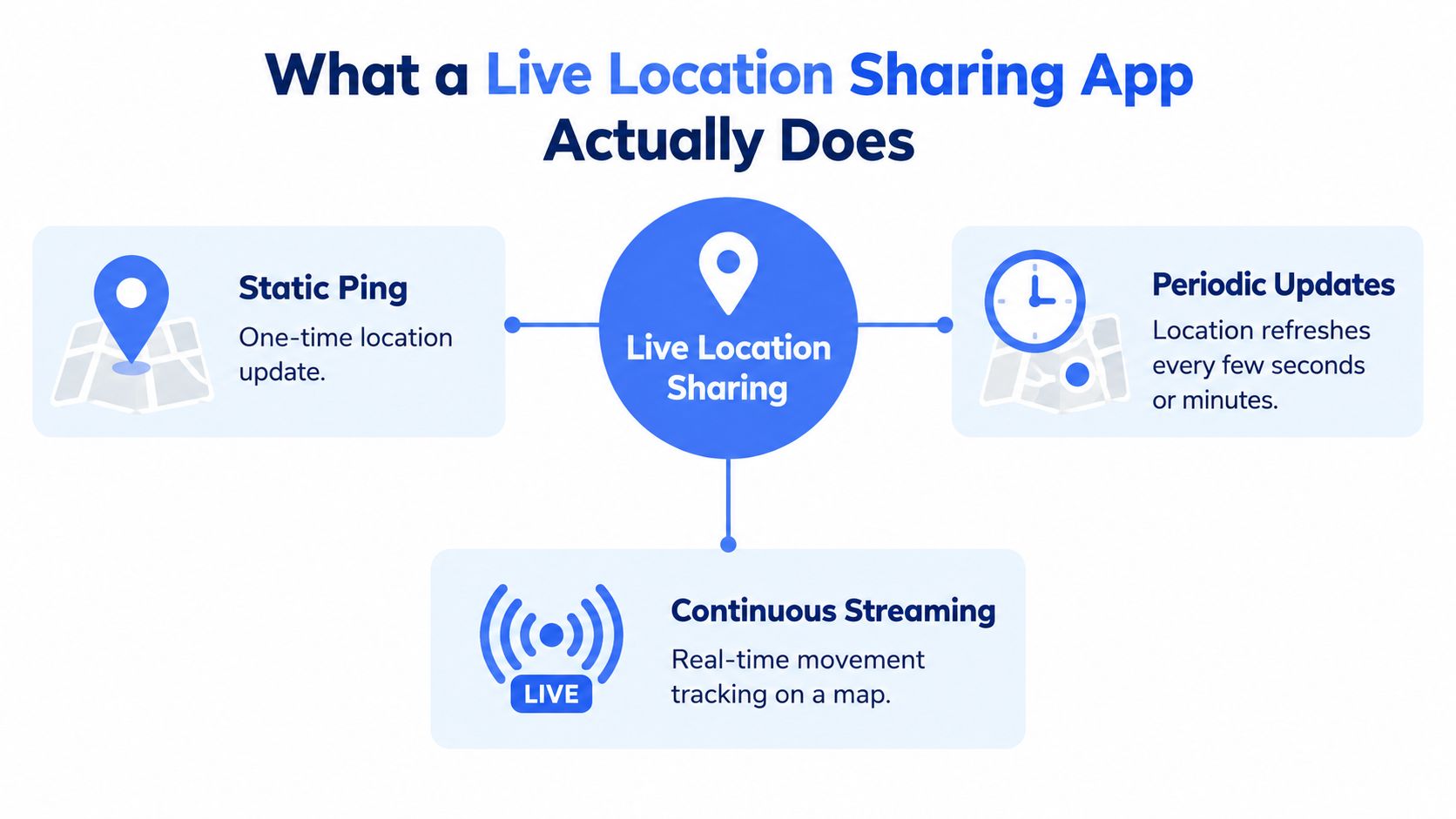
A postcard and a live call capture the difference well. A ping works like a postcard sent from where you happen to be: accurate at that moment, silent afterward. A stream works more like keeping a call open, so a trusted contact can follow movement and, depending on the app, hear or see the situation unfold. Both leave the judgment to the people watching. They supply different amounts of context.
A map dot is an estimate
Phones estimate position using satellite signals, nearby cell towers, and Wi-Fi networks, and the result is always an approximation. As noted later in this guide, smartphone GPS accuracy typically ranges from 3 to 5 meters and can degrade further around tall buildings, where signals get blocked or reflected. A dot sitting near a building entrance may not reveal which side of the building someone is standing on.
A well-designed app communicates that uncertainty instead of making every position look exact. It can flag a location as old or low-confidence and hold onto the last reliable reading when the phone temporarily loses a strong signal. That honesty matters when a contact is trying to guide someone to a specific doorway rather than a general block.
Consumer familiarity with this kind of sharing grew as Apple and Google folded friend and family tracking into their mainstream apps. For fleet operators, location tools serve a separate operational purpose, such as coordinating vehicle activity alongside DOT compliance software for fleets.
For an individual, the question stays personal: does the app show only a position, or does it give trusted people enough context to understand what is happening?
Live Streaming vs Simple Location Pings
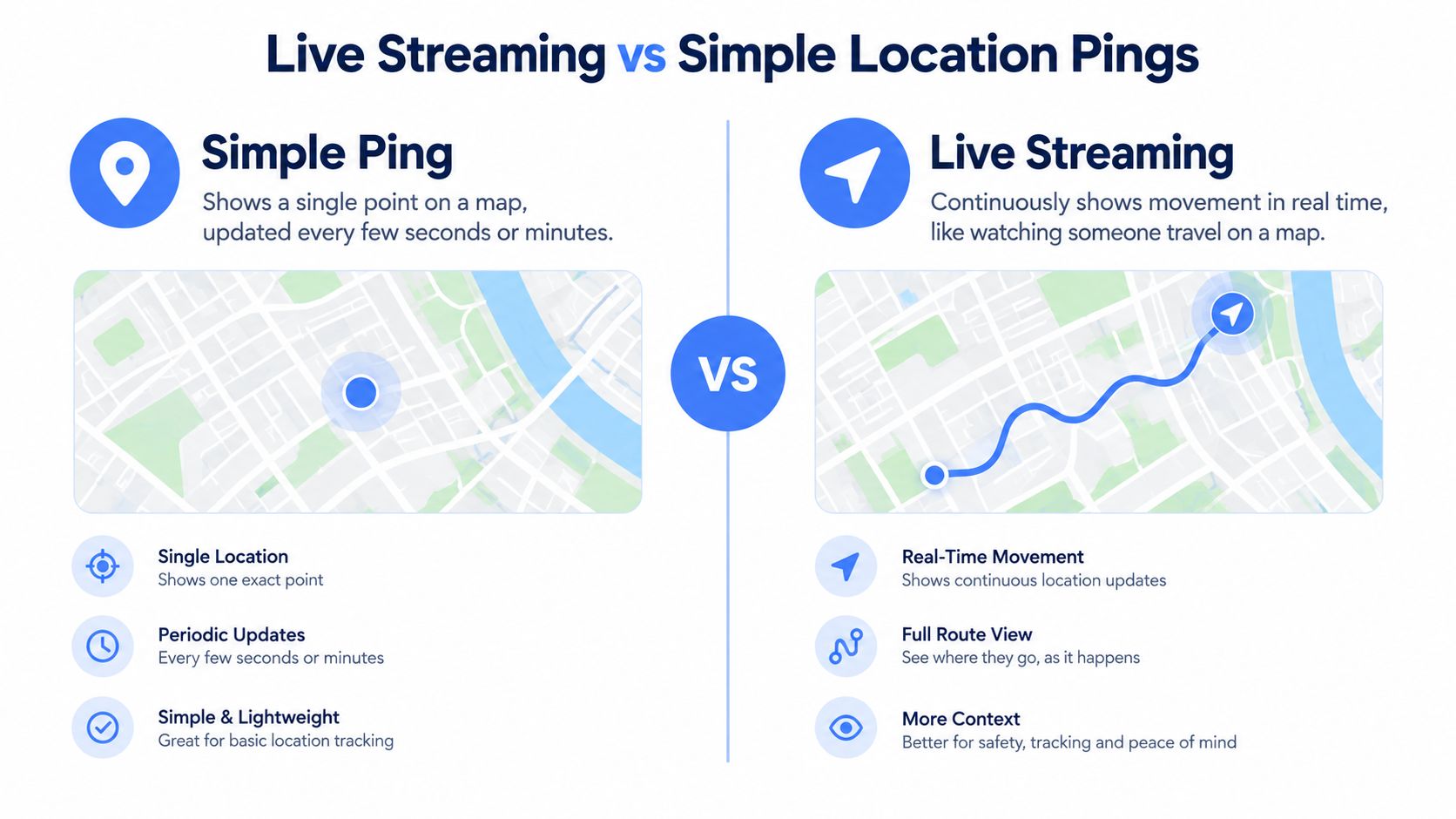
A simple ping and a live stream can both put a person on a map. The difference is how much a watcher can infer from what they see. A ping reports a position. A stream can combine a moving route with video or audio, giving contacts more context about the journey.
What each option can tell you
| Capability | Simple ping or periodic updates | Live route and streaming |
|---|---|---|
| Location | Shows the phone’s reported position, sometimes refreshed periodically | Shows movement along a route as updates arrive |
| Situation | Usually can’t explain why someone stopped or changed direction | Audio or video may provide clues about what’s happening |
| Best fit | Routine coordination, such as sharing a pickup point | Situations where a watcher may need to assess a changing event |
| Limit | A dot can’t show distress or confirm what the person sees | Video and audio depend on the phone, permissions, and network connection |
For example, if a friend is meeting you at a restaurant, a location pin may be all either of you needs. If you’re in an unfamiliar rideshare and the vehicle takes an unexpected turn, a route view gives your contact more information about the movement. If the app also streams video or audio, that may provide additional context, although poor connectivity can interrupt it.
Streaming has real technical demands. An experimental WebRTC evaluation reported typical video bitrates of several megabits per second, frame rates above 10 frames per second, end-to-end latency around 100 milliseconds, and normally less than 100 milliseconds of jitter (WebRTC evaluation.pdf?sequence=1&isAllowed=y)). These are experimental results, not a promise of performance in every situation. Cellular congestion, weak upload capacity, camera settings, and multiple viewers can all affect the experience.
Why hybrid designs matter
A practical system can begin with route updates and provide a way to activate audio or video when the user wants more support. If the connection weakens, it should adapt rather than implying that a clear video feed is guaranteed. Two-camera streaming can approximately multiply encoded video demand, so a system may need to prioritize one camera or lower stream quality when bandwidth is limited.
That trade-off helps people match the tool to the need. A location ping may be enough for an ordinary trip; a stream can be more useful when seeing or hearing the surroundings matters. Services such as real-time safety monitoring illustrate the streaming-oriented category, where route visibility and live media are used together. Before choosing a tool, ask whether you need a map update, situational context, or a way for someone to respond when you can’t explain what’s wrong.
Key Features to Evaluate in a Safety App
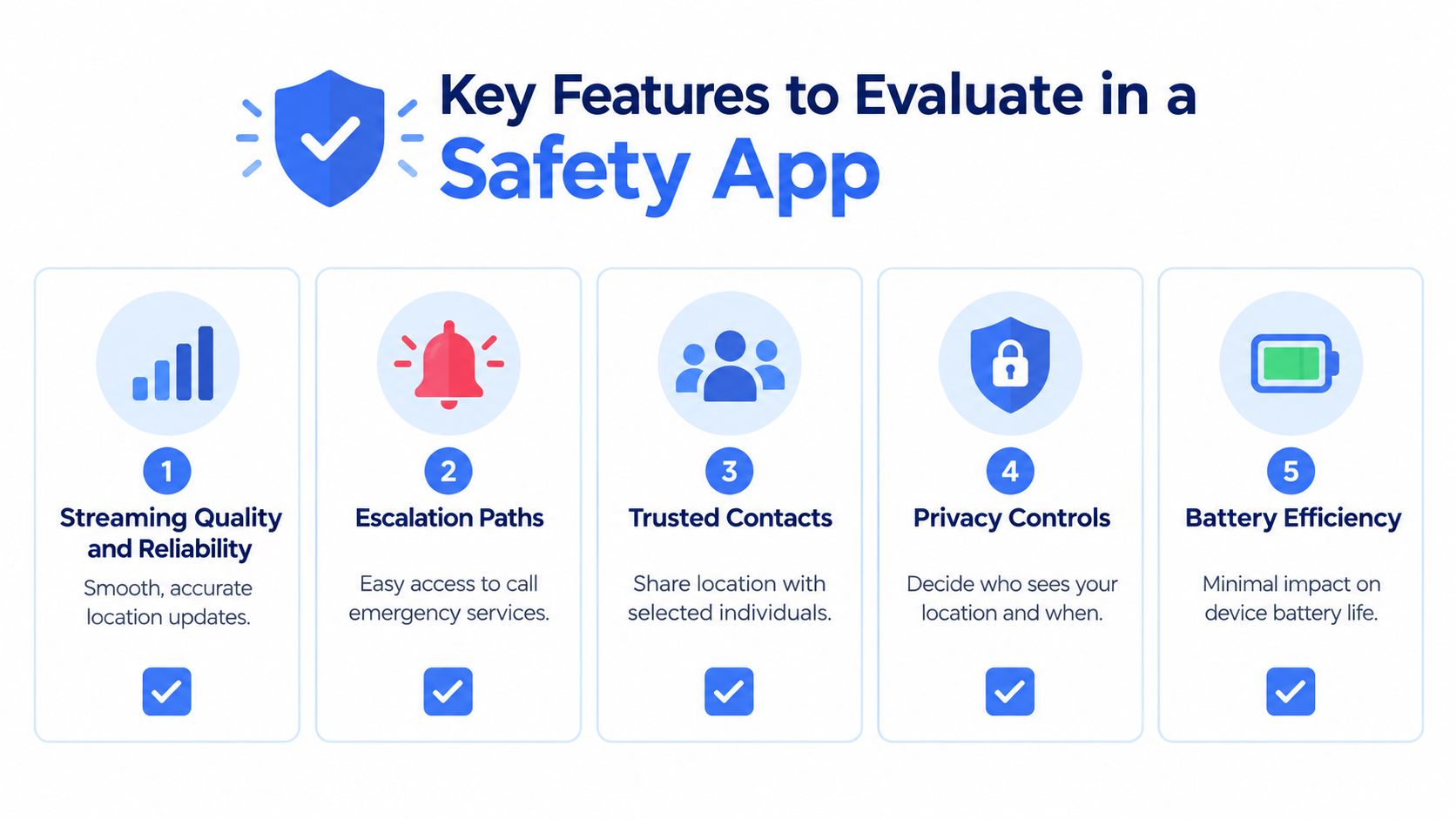
Two apps can display the same map and still behave very differently under pressure. The useful question is what each one does when conditions get difficult: how clearly it reports location, how quickly a user can call for help, who can see the information, and what happens after an alert.
Start with reliability and location confidence
As noted earlier, every position on a map is an estimate with a margin of error. That limit becomes a practical evaluation tool. Look for apps that display a confidence range or staleness indicator instead of presenting each dot as exact, and check whether the app shows when the last fix was obtained. A stale dot shown as current is worse than an honest “last seen 2 minutes ago” label.
Signal behavior matters just as much. When coverage drops, does the app retain the last known position or freeze? If it streams live media, does it fall back to audio or route updates when the connection weakens, and does it say so on screen? An app that degrades gracefully tells you more than one that only works well on strong Wi-Fi.
Check how help is reached
An SOS button should make the next step understandable. Find out whether it alerts personal contacts, connects to a trained safety agent, or supports escalation to emergency services, and ask who monitors the alert and what information they can see. A feature that promises a response without explaining who responds can create false confidence.
Test how the alert works in the conditions where you would need it: from a lock screen, with the phone silenced, or while the device sits in a pocket. Critical alerts that override silent mode can matter here, though users should understand who can trigger them and under what circumstances.
Treat privacy as a core feature
Review who can view a live stream, whether route history is stored, and how the user can stop sharing. Tools such as ghost mode can provide temporary invisibility, while selected-contact controls limit who receives updates. For workplace or fleet deployments, you can see Faberwork LLC geofencing wins as a comparison point for how location tools operate in managed settings, where disclosure rules differ from personal use.
Practical rule: Run the alert flow once before you rely on it. Confirm what contacts receive, what they can see, and what you expect them to do.
Best Practices for Individuals and Organizations
A safety app works best when people agree on how they’ll use it before a stressful moment. Set up the sharing routine together, test it in ordinary conditions, and make sure everyone knows what a location update does and does not mean.
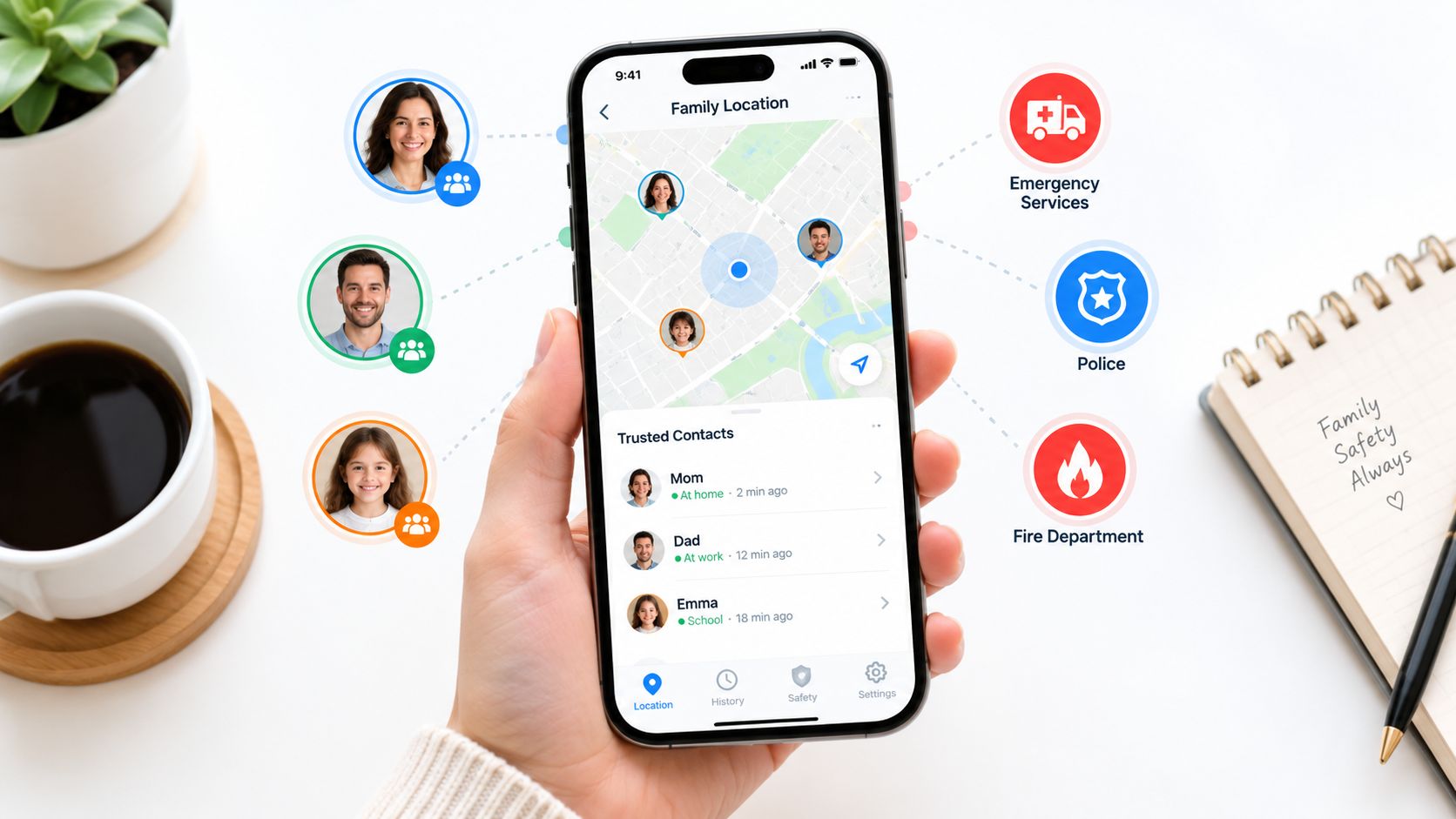
For individuals and families
- Choose trusted contacts deliberately. Add only people you want to receive the information, and explain what you want them to do if a route changes or you stop responding.
- Match sharing to the trip. A pin may suit a simple meetup. For a late walk or unfamiliar ride, you might prefer a route view or live media, depending on the app and your comfort.
- Reduce typing while moving. One-tap nudges and replies can help people check in without composing a text while walking or riding.
- Know how to stop or change access. Find the privacy controls before you need them, including any temporary mode that hides your position.
Location sharing can be common while still raising legitimate concerns. Recent U.S. survey data shows that 65% of adults aged 18 to 29 share their phone location with someone, and 61% of users share it with at least two people; 88% of location-sharing users remain at least somewhat concerned about hacking (survey data reported by Digital Information World). Those figures are a reminder to discuss access and security, rather than assuming that familiarity means everyone feels comfortable.
For campuses and employers
Organizations should decide which journeys or shifts need coverage and who is responsible for monitoring. A campus might use a defined check-in routine for someone walking to a vehicle after an evening event. An employer with lone workers can set expectations for when staff start sharing and how a supervisor responds to an alert. A deployment supporting employee safety monitoring should make those responsibilities clear to both workers and managers.
Before rollout, test the app on the routes and in the environments where people will use it. Confirm that contacts receive the right alerts, that users can reach help, and that everyone understands how weak service affects location and media.
Organizations should also explain data access and retention in plain language. Safety monitoring shouldn’t become a way to inspect routine movements. A clear purpose, limited access, and a known response process help people understand when sharing is expected and when it isn’t.
Privacy and Consent Trade-Offs
More people watching a route may provide reassurance, but every additional viewer is another account, device, and relationship that must be trusted. Sharing with a large group can also make it harder to know who is paying attention or who might pass along a screenshot.
A useful approach is least-privilege access: give each person only the information they need, for only as long as they need it. Someone coordinating a pickup may need a temporary route view. A trusted emergency contact might receive more information during an SOS. Those are different purposes and shouldn’t automatically mean the same access.
Questions to settle before sharing
- Who can see the live stream? A route view and a video feed may reveal different kinds of personal information.
- Is route history kept? Know whether the app stores past locations or recordings, and who can review them.
- Can access be revoked quickly? Make sure you can remove a viewer or stop sharing without relying on that person.
- What happens if circumstances change? A lost phone, compromised account, or changed relationship can make old permissions inappropriate.
Consent should be ongoing, not assumed. People should understand who can see their location, why they’re sharing, and how to change that choice. Families, schools, and employers should be especially careful to distinguish a voluntary safety check-in from constant tracking.
Temporary privacy controls can help someone step off the map without ending every safety relationship. But the control needs to be understandable: users should know what becomes invisible, who is notified, and whether any emergency functions still work. A setting that hides location from watchers shouldn’t be mistaken for a way to summon help.
Privacy is part of safety. If someone can’t comfortably change or end sharing, the arrangement may be serving the watcher more than the person being monitored.
What Happens When You Hit SOS
Pressing SOS can start an alert workflow, but what happens next depends on the app. It may notify selected contacts, connect the user with a trained safety agent, share live location or media, and support escalation to emergency services. Users should confirm those steps in advance instead of assuming that every SOS button works the same way.
One misconception can be dangerous: some callers expect emergency dispatch to receive a precise live GPS position automatically. A 2025 U.S. survey reported that 56% of respondents believed 911 automatically receives a caller’s precise real-time GPS location. Actual accuracy can vary from a few feet to several hundred yards, depending on the device, carrier, surroundings, and local emergency infrastructure (Motorola Solutions on emergency-response expectations).
Live location is context, not a guarantee
A monitoring service may be able to share information with emergency responders, but that doesn’t guarantee that dispatch receives or can act on every detail. Indoor locations, tunnels, weak cellular service, moving vehicles, and jurisdiction boundaries can complicate the handoff. A map may also show the phone’s location rather than the user’s exact entrance or floor.
If you’re in immediate danger and can call emergency services, call directly. Give the dispatcher your location as clearly as you can, including a nearby entrance or landmark. Keep speaking or texting with a trusted contact when it’s safe to do so, and don’t assume that activating an app has replaced the emergency call.
Apps that use a trained human responder can add a layer of communication and context. For example, an emergency SOS app may connect an alert to a safety agent who can assess the situation and support escalation. Ask what the agent can see, how the dispatch handoff works, and what to do if the app or phone loses service.
Choosing the Right App for Your Situation
Choose a simple sharing tool for routine coordination; consider route, audio, or video features when a watcher needs more context. Students, families, lone workers, and campus teams should compare monitoring, emergency handoffs, privacy controls, and how the app behaves without a reliable connection. Test the process with your contacts before depending on it.
3rd-i offers an iOS safety app that streams live video, audio, and location to selected contacts and trained Safety Agents, with emergency escalation to 911 through RapidSOS. If that combination of live context and human monitoring fits your needs, visit 3rd-i to review how the service works.