
Personal Safety Devices: Types, Uses and How to Choose
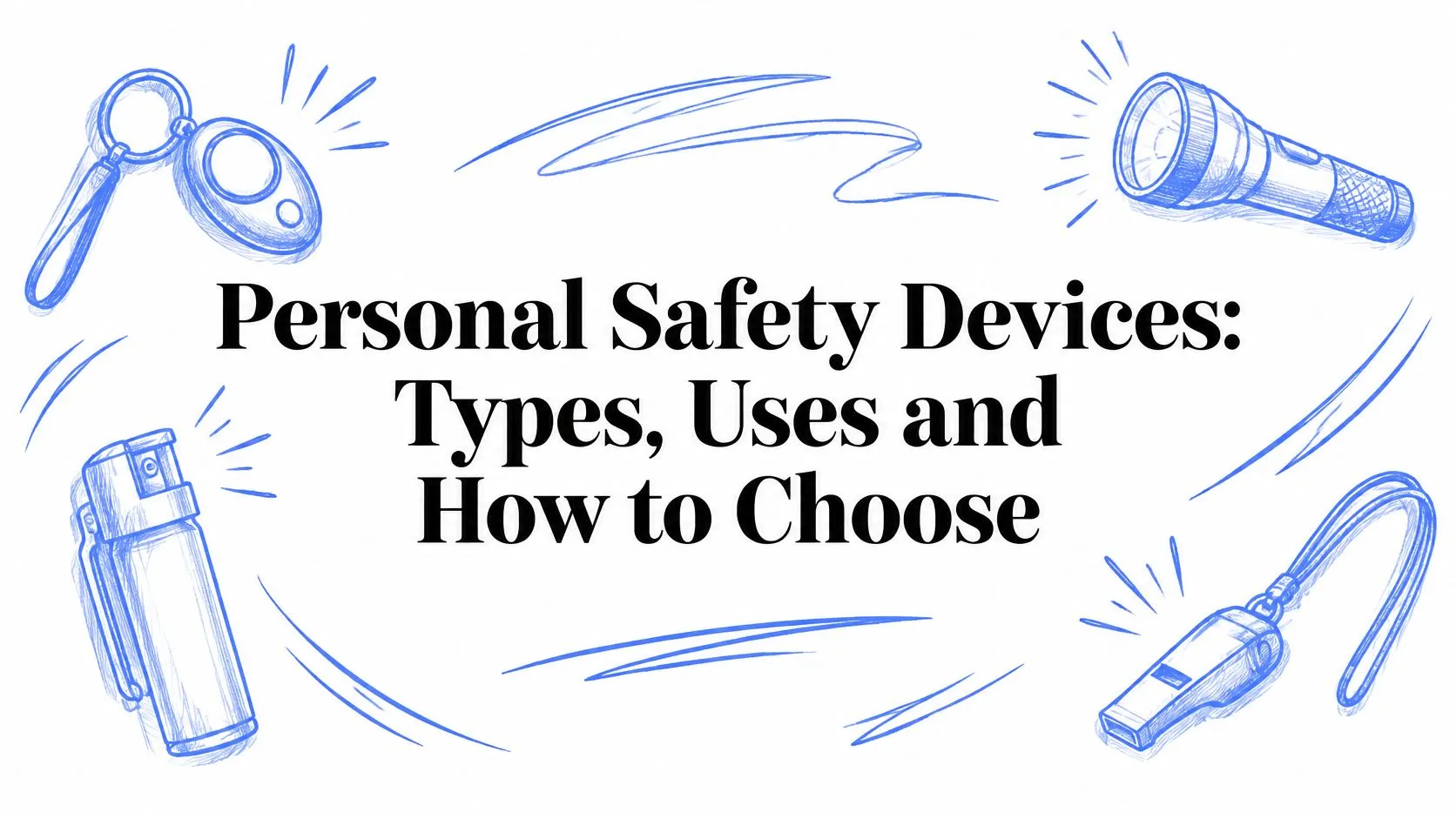
You’re locking the door after a late shift, or you’re in the back of a rideshare whose route just changed. The phone is in your hand, but opening it, finding an app, and explaining where you are takes longer than the moment feels safe. Personal safety devices exist for that gap. The useful ones aren’t defined by a loud button or a sleek case. They’re defined by who gets the alert, how close that person can get to your actual door, and what still happens when the battery, the signal, or your voice fails.
Table of Contents
- Personal Safety Device Types at a Glance
- How Personal Safety Devices Turn an Alert into Help
- Where Location Accuracy Breaks Down Indoors
- Failure Modes Every Buyer Should Plan For
- Matching Devices to Students, Families and Employers
- Privacy, Consent and Legal Limits to Check
- Confirm the Right Device Before You Need It
Personal Safety Device Types at a Glance
Five categories show up in almost every search. Each one answers a different version of the same question: after you pull, press, or speak, who moves?
| Category | Best for | How it alerts | Who responds |
|---|---|---|---|
| Personal alarm | Quick deterrent on foot | Loud siren when pulled or pressed | Nearby people only, no automatic call |
| Wearable PERS pendant or wristband | Older adults, medical or fall risk | Button press, some models detect falls | Monitoring centre contacts family or emergency services |
| Smartphone safety app | Late walks, rideshares, commutes | Go Live, SOS, check-ins, nudges | Chosen contacts, and in some services a trained monitor |
| GPS tracker | Locating children, pets or vehicles | Location history and geofence alerts | Owner watches the map, usually no response service |
| Lone-worker device | Field, night-shift and remote staff | Man-down detection, SOS button, check-in timers | Employer monitoring desk or on-call team |
A personal alarm is a siren. It can startle someone on a sidewalk and draw nearby people, and that’s the whole chain. Nobody is dispatched if the street is empty.
A PERS pendant or wristband is built for falls and medical risk at home. Pressing the button, or a fall sensor firing, reaches a monitoring centre that calls family or emergency services. You’re buying the service, not the plastic.
A smartphone safety app fits movement: a night walk, a commute, a rideshare. Contacts see a live route, and some services add a trained monitor who can escalate. A GPS tracker shows where a child, pet, or car is. Geofence pings land on the owner’s phone. There is usually no one whose job is to send help.
A lone-worker device is for the person finishing a site visit after the office closes. Man-down sensors, an SOS, and timed check-ins go to an employer desk, not to random bystanders.
Look and price don’t pick the winner. The GM GROUP Services duress alarm guide is a useful walkthrough of how a workplace duress alarm only pays off when a named person is ready to act. Run this test before you buy: name the person who must know within seconds. If that person isn’t in the “who responds” column, the device is the wrong category.
How Personal Safety Devices Turn an Alert into Help
Think of a smoke alarm. The beep doesn’t put out a fire. It protects you because someone calls a crew. A siren with no receiver is a smoke alarm and no fire brigade.
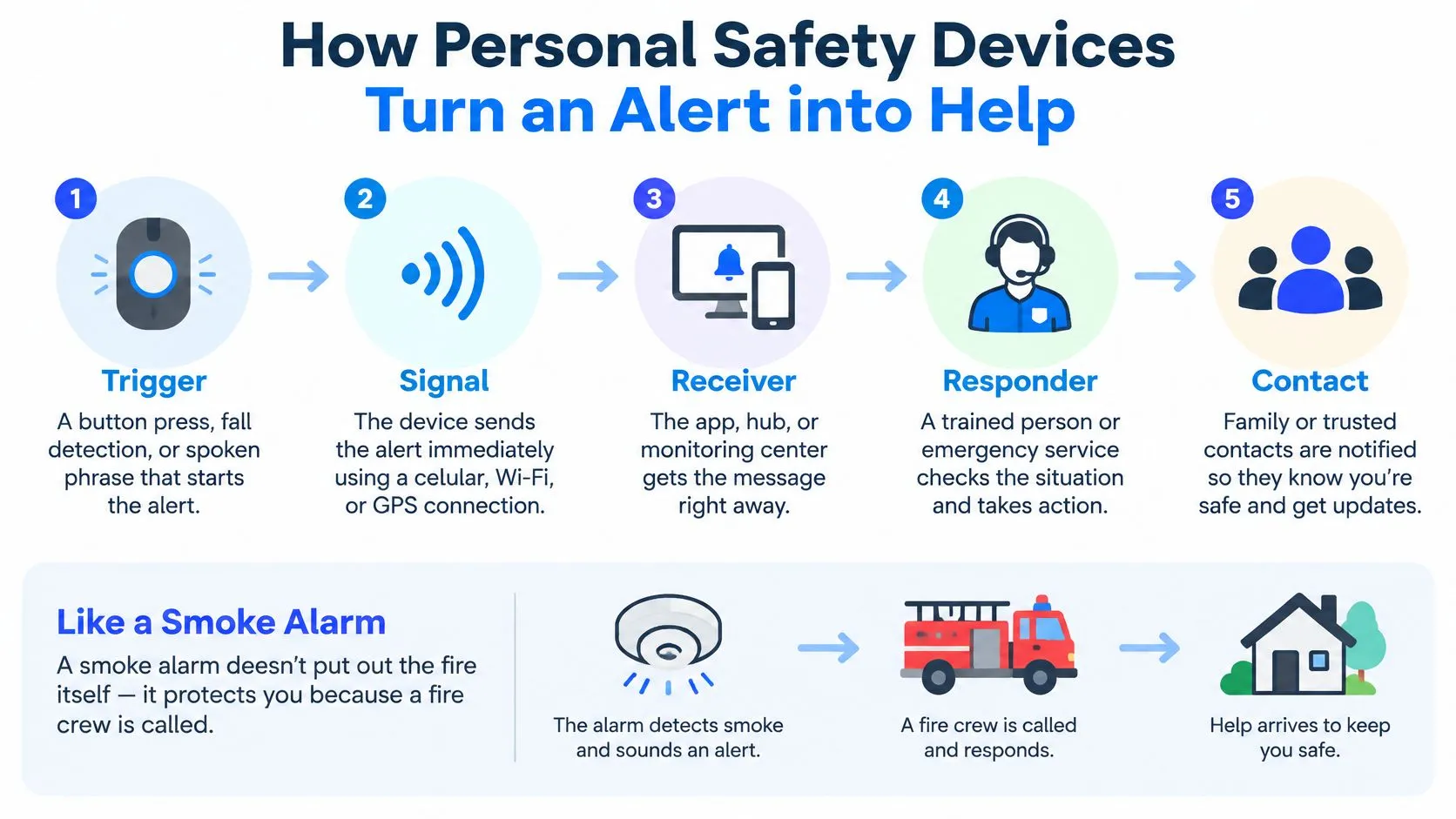
The five stages
- Trigger. You press a button, speak a distress phrase, or the device detects a fall.
- Signal. The device sends location, a timestamp, and any live stream to a server right away.
- Receiver. A monitoring centre, hub, or trained agent sees the alert, not just a dot on a consumer map.
- Responder. That person calls you and the contacts you listed, then decides whether the situation is real.
- Contact and escalation. If you don’t answer, or you can’t speak, they pass the best available location to emergency services and tell family what is happening.
Each stage fails in a different way. A trigger nobody practices gets fumbled. A signal with no timestamp can be an hour old. A receiver who only stores a pin still has to guess which door is yours.
A stale or wrong fix doesn’t slow help a little. It sends the crew to the wrong building while you’re still waiting.
Personal emergency response systems set this pattern long before phone apps. A 2016 peer-reviewed review describes systems that began in the late 1970s as home pull-cord units, then moved to wearable pendants, with about 1.4 million users in the United Kingdom and 74,000 in Norway. The button was never the product. The monitoring desk behind it was.
You can see the same chain in a modern emergency response app: trigger, live context, a person who checks, then escalation. If a demo stops at “your contacts get a text,” you don’t yet have a response chain.
Where Location Accuracy Breaks Down Indoors
GPS is excellent on an open road and unreliable in a stairwell, a parking garage, or a street canyon. A pin that looks precise on a map can still be a floor, or a building, away from you.
| Location method | Reported accuracy | What it means for responders |
|---|---|---|
| Android Fused Location Provider | About 25.5 m horizontal error in five large buildings | Met the FCC benchmark of 50 m or dispatchable location |
| iPhone Core Location | About 37.8 m horizontal error in five large buildings | Below the 50 m benchmark in this test, vertical data less consistent |
| Indoor emergency-location app with registered Wi-Fi | 7.45 m average horizontal accuracy | Floor correct in 87.6% of area, 15.11 m or better across 95% of area |
These figures come from separate test setups, so don’t treat them as a phone-versus-phone ranking.
What the numbers mean on a real floor
In NIST testing across five large buildings, Android’s Fused Location Provider produced about 25.5 m of horizontal error and iPhone Core Location about 37.8 m. The Android result met the FCC benchmark of 50 m horizontal accuracy or a dispatchable location for at least 80% of covered emergency calls. Vertical data was less consistent, and some location APIs supplied elevation slowly or not at all. Thirty-eight metres of error can put a crew at the next entrance, or the next block, while you’re inside.
A different NIST indoor emergency-location test used registered Wi-Fi and reached 7.45 m average horizontal accuracy, 15.11 m or better across 95% of the tested area, and the correct floor in 87.6% of that area. Floor beats a prettier outdoor pin. “Third floor, north stair” is something a responder can use. “Near this intersection” is not, once you’re inside.
Sensor fusion, not a single satellite
A solid device combines GNSS, Wi-Fi, cellular positioning, Bluetooth beacons, inertial sensors, and barometric elevation, then picks what the building allows. Outdoors, satellites lead. Underground or between tall towers, Wi-Fi and air pressure have to take over. If the phone also loses its cell connection, the alert never leaves. Learning how to fix dropped calls indoors is part of the same problem, because a perfect coordinate that never transmits still leaves you alone.
Before you trust an app, open it in the place you travel and look for three things:
- Accuracy radius: a circle, not a single confident dot.
- Age of the last fix: a timestamp so a monitor can tell a fresh reading from a stale one.
- More than one point: floor, entrance, or several recent fixes, not one coordinate from ten minutes ago.
A late walk across campus, a rideshare under a highway, or a lone worker in a basement all share this failure. Help goes to the pin, and the pin is wrong. Our notes on how to improve location accuracy cover the same checks you should run in a store demo, including an entrance pin a monitor can use.
Failure Modes Every Buyer Should Plan For
Connected and voice-triggered devices are not automatically safer. A 2026 peer-reviewed edge-computing prototype detected a spoken distress phrase 73.3% of the time, rejected non-keywords 96.7% of the time, and produced a 3.3% false-positive rate. The researchers were clear that missed detections mean the technology should stay assistive, not be the only safety mechanism.
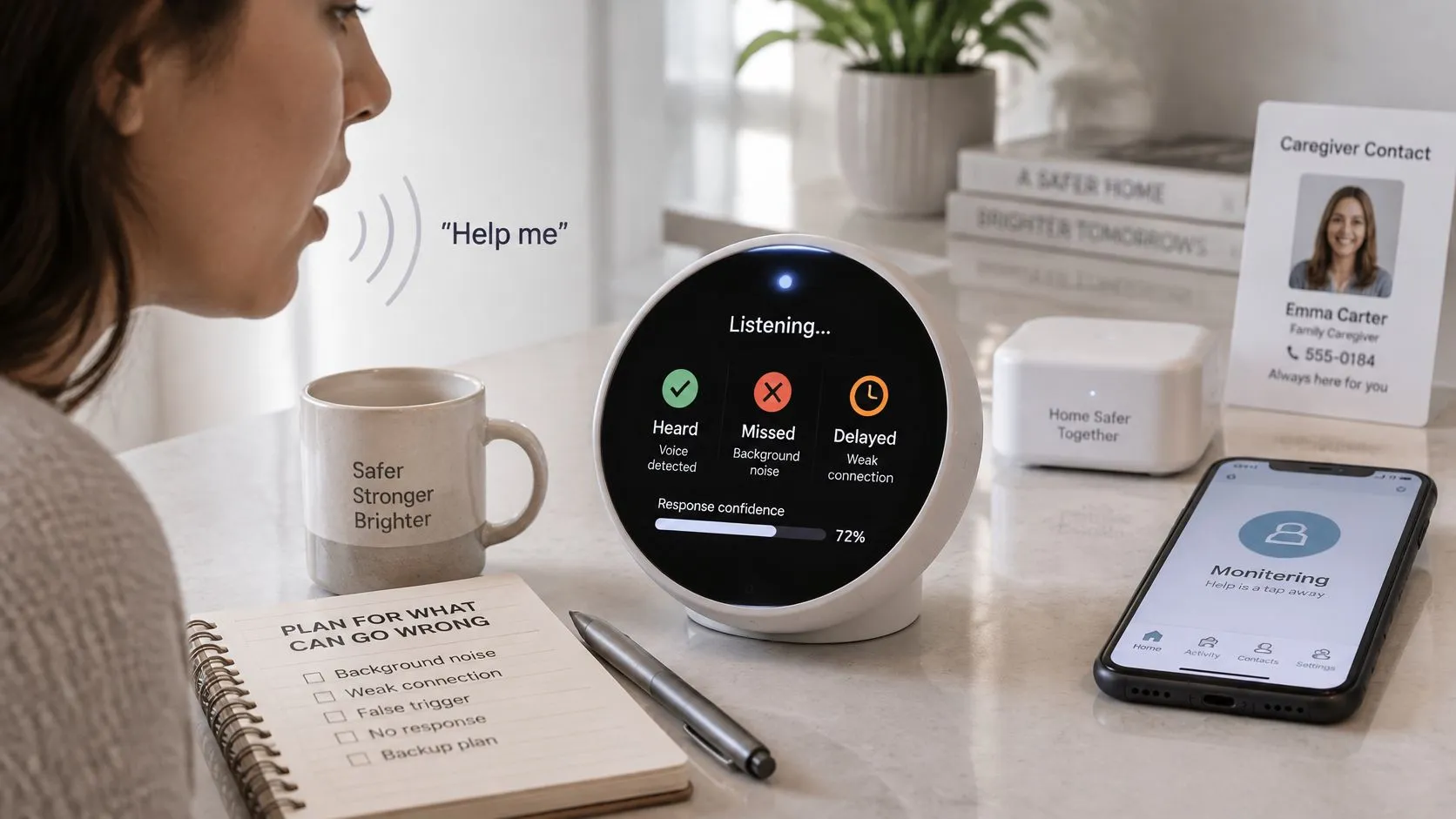
About one in four spoken cries in that test never became an alert. A false alarm is an awkward call. A missed one is silence while you’re in trouble. On a night walk, in a rideshare, or on a lone shift, that trade is not close.
Practical rule: Location features are supplemental tools. Don’t rely on them alone in an emergency.
Failures and the fix to demand
| Failure | Mitigation |
|---|---|
| Loss of phone connectivity | Keep a manual SOS and a second communication path |
| Weak GPS indoors | Send several recent fixes with accuracy radius and floor data |
| Dead battery | Check charge before long trips and carry a backup |
| User unable to speak | Use silent activation such as a discreet press or text |
| Accidental presses | Set a cancel window and confirm with the listed contact |
| Missed detection in noise or unfamiliar speech | Treat voice detection as assistive and keep a manual button |
| Delayed escalation | Confirm the human handoff and the time to escalate |
Evidence is not a response
A recording, a transcript, or an AI summary helps after the fact. It does not summon anyone. Ask the seller what the device does with no signal, what it does if you can’t talk, and who a human calls if the algorithm stays quiet. If the answer is “the cloud stores it,” you have a diary, not a responder. Accepting some false alarms is reasonable. The cost of a missed alert is higher than the inconvenience of an extra check-in.
Matching Devices to Students, Families and Employers
The same pendant is a poor fit for a student crossing campus and for a grandparent who mostly needs fall help at home. Match the chain to the person, then test whether that person can start it.
Late walks and commutes. You need a control you can hit without looking, plus someone who can follow the route while you move. A siren helps only if people are close. A check-in that expires and then calls a named contact fits the empty stretch between the station and your door.
Families. Parents and adult children need a shared plan, not a secret tracker. Agree who answers a missed check-in for a child coming home, or for an older relative whose pendant is the medical path. Say out loud what “no reply in two minutes” means, including who calls emergency services.
Students after dark. Campus-linked alerts and a live route shared with two trusted friends beat a device that only pings a parent three time zones away. Ask whether the campus system and the phone app can exchange an alert, or whether you’ll be maintaining two dead ends.
Employers. Field staff, night shifts, and remote visits need man-down detection, a check-in timer, and a desk that is staffed. Lone-worker coverage works when that desk can see live video, shared location, and an SOS, not when a manager finds a missed ping the next morning.
A survey of occupational safety and health professionals drew 952 valid responses. In that workplace wearable study, 50.5% (481 people) owned a fitness device, and 53.5% (509 of 952) favoured wearables to track workplace risk. The same respondents flagged privacy, employee compliance, durability, and unclear cost-benefit. A sensor on a wrist doesn’t equal a safety program.
When the device doesn’t fit the body
The Carleton University and Accessibility Standards Canada project found that wearables and smart-home tools can support emergency detection and independent living, and can also replace human contact, increase dependence, and work less well for some disabled and older users than others. Cost, cluttered screens, and loss of control show up as often as “it didn’t detect the fall.”
Try activation one-handed, in a noisy room, and while wearing gloves. If the only path is a small icon plus a spoken phrase, it will fail for someone who is nonverbal, hard of hearing, or already out of breath. Ask whether the device shares alerts with the campus or workplace system you already have, instead of creating a second inbox nobody watches.
Privacy, Consent and Legal Limits to Check
A safety device that records other people can create a legal problem on the way to solving a physical one. Audio and video rules differ by place. Several US states require every party to a conversation to agree before it is recorded. Check the rule where you walk, ride, and work before you stream a driver, a classmate, or a coworker.
Who receives the data
An alert can carry location, a live stream, and a recording to the app provider, a monitoring agent, and public safety responders. Read who gets each piece and how long it is kept. Starting an SOS authorizes sharing that may include location with the emergency data platform and with responders, because that is how dispatch gets context. You should still know that this handoff happens before the night you need it.
Employers and schools should limit monitoring to work or safety hours. For schools, only safety data should feed automated alerts. Staff and students need a plain description of what is tracked, not a policy buried in a handbook. Members covered by an organization plan should appear in that organization’s admin panel so coverage isn’t a rumour.
Look for these controls before you enrol anyone else:
- Pause visibility: a way to step off the map when you aren’t in the agreed window, the same idea as choosing to disable Android location tracking when a phone is sharing more than you meant.
- Clear permission prompts: each person covered opts in, including children old enough to understand the map.
- Deletion: a path to remove recordings, not only to stop new ones.
- An admin view: who is covered, and during which hours, for campus or company seats.
A monitoring service is not a substitute for calling emergency services, and features that escalate to dispatch may be unavailable outside a given country or at a given moment. If you run this for a team, set the rules in your employee safety monitoring setup before the first shift, not after the first false alarm.
Confirm the Right Device Before You Need It
Decide on a quiet afternoon, not in a parking garage.
- Name the risk. Night walks, a medical or fall need, lone work, or check-ins for a child or older relative. One risk, not a fantasy device that covers all four.
- Pick the category. Use the responder column, not the feature list on the box.
- Confirm the alert path. Who answers, and what they do if you stay silent. A text to a group chat is not a path.
- Test location in the buildings and routes you use. Look for a radius, a timestamp, and floor or entrance detail.
- Set consent for every person the device will record or follow, including how long data is kept.
- Compare the monthly fee with monitoring, escalation, and what happens if the hardware dies. Cheap hardware with no desk behind it is a siren you already know how to judge.
Then run one drill with each person and each contact. Press the control. See whether the listed person got a location they could act on, and how long escalation waited.
In the smartphone category, a monitored app is one candidate to shortlist, not a default. At 3rd-i, a Safety Agent is a trained person who joins your live stream and texts with you, so you don’t have to say out loud that something is wrong. The agent stays on the stream and the location during that chat. Escalation toward 911 is not available everywhere. Our SOS and dispatch features are currently available only in the United States, may be missing in some areas or at some times, and are not a substitute for dialing 911 or your local emergency number.
Shortlist two devices. Take a test walk. Write down what the responder saw, and how many seconds passed before a person answered. If you can’t explain that chain to the people on your contact list, you don’t have a safety device yet. You have a button.
3rd-i is a personal safety app that streams live video, audio, and location to people you choose and to a trained Safety Agent, built for late walks, rideshares, campuses, and lone work. If something feels wrong, you can text the agent without announcing it, and escalation to 911 goes through RapidSOS where that service is available. Visit 3rd-i to see how the response chain works and whether it fits the risk you named.