
SOS Button in Car: What It Does and When to Press It
An in-car SOS button doesn’t automatically summon police or an ambulance; it opens a connection to the operator the car’s system is wired to, who then decides how to respond.
That’s why “just press SOS” is incomplete advice. Before relying on the button, you need to know who answers, what information they receive, and what you’ll do if nobody connects. Treat it as a route into emergency help, not confirmation that help is already coming.
Table of Contents
- What an SOS Button in a Car Actually Connects To
- How the Voice Call and Crash Data Travel Together
- Why an SOS Call Can Fail or Send the Wrong Location
- When to Press SOS and When to Call 112 Directly
- Benefits, Drawbacks and How Often False Alarms Happen
- What Your SOS Button Records and Who Can See It
- Check Your Car’s SOS Setup Before You Need It
What an SOS Button in a Car Actually Connects To
SOS is a label, not a universal service. Similar-looking buttons can connect to public emergency dispatch, a manufacturer’s call centre, or a roadside assistance provider. A phone-based SOS service introduces another route, through a monitoring agent.
The distinction matters. Someone arranging a tow isn’t necessarily handling an emergency medical call, and a manufacturer’s adviser may need to contact public emergency services before responders can be sent.
Where an in-car SOS press goes, by system type
| System type | Triggered by | First point of contact | Data sent |
|---|---|---|---|
| EU-style eCall (112-based) | Automatic after a serious crash, or manual press | Public-safety answering point via 112 | Incident time, vehicle location, direction of travel, plus a voice connection |
| Manufacturer connected SOS | Manual press; automatic activation on equipped models | Manufacturer call centre, which can contact emergency services | Location and supported vehicle or crash information, according to the vehicle’s service specification |
| Roadside assistance button | Manual press | Roadside assistance provider | Vehicle location and the assistance details supported by the provider |
| App-based SOS with trained agents | Manual activation in the app or a supported Lock Screen widget | Trained Safety Agent, with emergency escalation through supported dispatch services | Live video, audio, route and location when those features are enabled |
The clearest reference point is Europe’s public eCall system. The European Commission’s eCall guidance states that new passenger-car and light-commercial-vehicle types approved for the EU market from 31 March 2018 had to include 112-based eCall, with automatic activation after a serious crash and manual activation available.
That requirement concerned new vehicle types, not every car already being driven. An older vehicle may have no emergency-calling equipment, while a newer vehicle may offer public eCall alongside separate connected services.
Before you rely on it: Find the manual’s emergency-calling section and identify who answers your particular button.
Don’t identify the service by button colour alone. Look for the named service, its activation instructions and any separate roadside assistance control. If you’re buying a used car, ask the manufacturer to confirm the emergency-calling equipment fitted to that vehicle, rather than assuming the dashboard tells the whole story.
How the Voice Call and Crash Data Travel Together
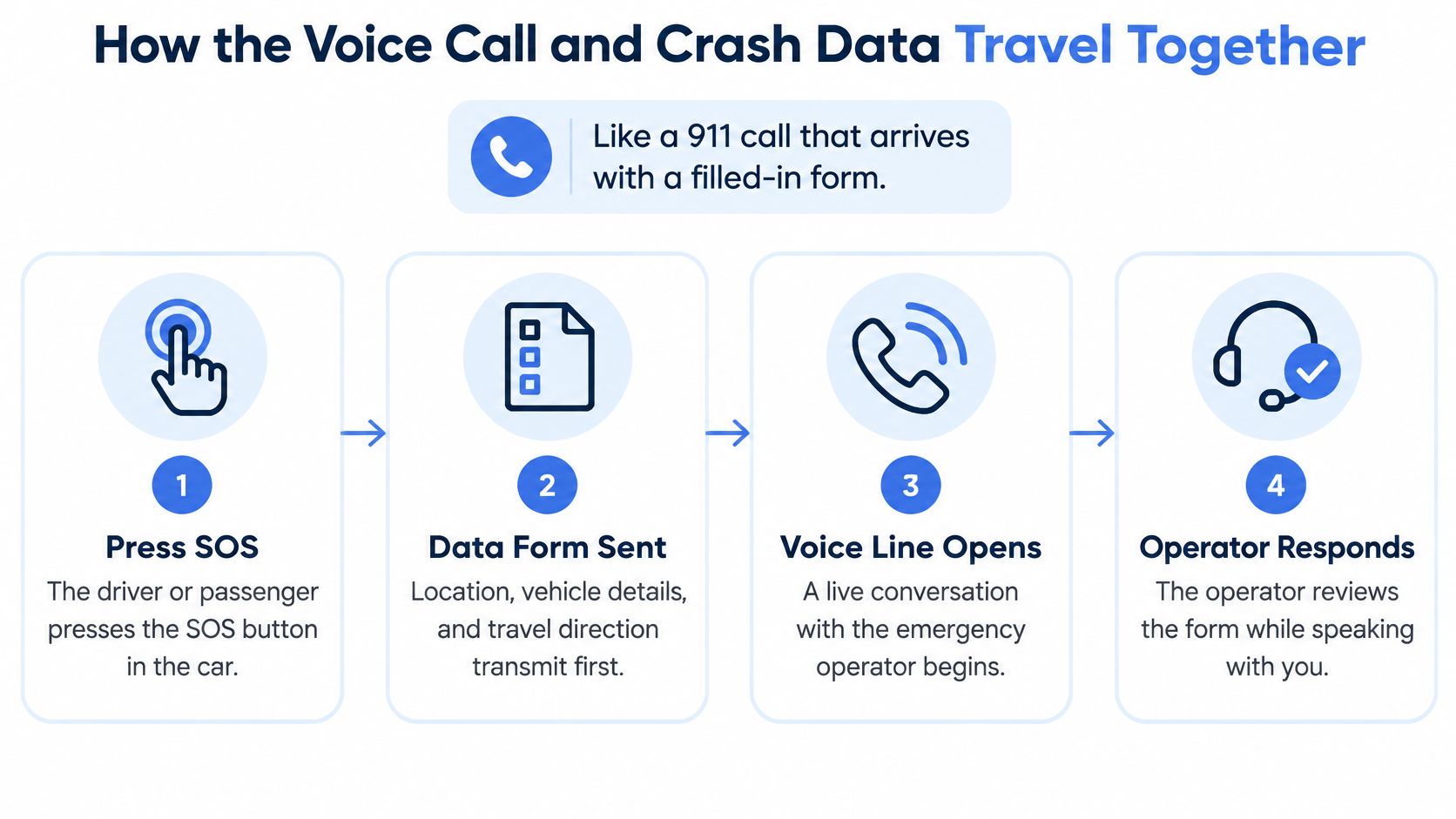
Think of eCall as an emergency phone call that arrives with a filled-in form. The conversation lets the operator ask questions; the form supplies essential information when an occupant can’t explain what happened.
The European interoperability framework for eCall describes a voice connection to the public-safety answering point alongside a machine-readable Minimum Set of Data, including incident time, vehicle location and travel direction. These are complementary paths within the emergency connection, not a promise that every system delivers its information in an identical sequence.
The illustration separates those functions so they’re easier to understand.
What happens during the connection
-
The emergency event starts the system. A qualifying crash triggers the vehicle’s sensors, or an occupant manually activates SOS. Don’t assume that every impact meets the automatic trigger conditions.
-
The vehicle attempts a cellular connection. Its emergency-calling equipment tries to reach the appropriate service. A recorded announcement or flashing indicator may mean it’s attempting the call, not that an operator has answered.
-
The emergency information is transmitted. The system sends its supported payload. Timestamped positioning, vehicle identification and callback information help the receiving service associate the information with the call.
-
The call-taker assesses the event. They may ask whether anyone is injured, whether the vehicle is obstructing traffic, or whether there’s fire. If occupants don’t respond, the operator must assess the available crash information and follow emergency procedures.
-
The appropriate responders are requested. Dispatch decisions use the information available, including any location clarification the occupant can provide. Emergency action doesn’t necessarily wait for a complete conversation.
-
An accidental activation needs an explicit explanation. If your system provides a short cancellation window, follow its displayed or spoken instructions. Once connected, stay on the line and explain that there’s no emergency rather than hanging up.
Why the operator keeps asking questions
A coordinate identifies a point, but direction of travel can identify the relevant carriageway. A timestamp helps distinguish the crash position from an earlier position recorded while the vehicle was moving.
Say the car stops beside a divided road. Tell the operator which direction you were travelling and whether you’re on the main carriageway, an exit or a nearby access road.
Phone-based systems also need a clear handoff between monitoring and public dispatch. This explanation of an emergency dispatch app provides context for that distinction.
Expect questions, answer briefly and follow the operator’s instructions. Don’t leave the connection merely because you believe the car has already sent everything.
Why an SOS Call Can Fail or Send the Wrong Location
An SOS press is only useful if the equipment can establish contact and provide a usable position. Connection failure and location failure are different problems: the operator might hear you without receiving a reliable position, or the system might struggle to open the call at all.
A location marker can also look more trustworthy than it is. An old coordinate may display neatly on a map even though the vehicle has since entered a tunnel or moved onto another road.
Conditions that weaken an in-car SOS call
| Condition | What goes wrong | What the driver can do |
|---|---|---|
| Weak or no cellular coverage | Voice and data may fail to connect or arrive late | Try the phone’s emergency call function and describe the location if connected |
| Tunnels, underground car parks and urban canyons | Satellite positioning may be missing, inaccurate or stale | Give the road, tunnel or car park name, level, entrance and travel direction |
| Battery disrupted or disconnected in a crash | Damaged equipment or power loss may prevent transmission | Use a reachable phone without delaying for the vehicle system |
| Cold start after long parking | The system may need time to establish a fresh position | Give your location verbally rather than waiting silently |
| Accidental activation | The operator receives a call without a genuine emergency | Answer the operator’s questions clearly and confirm whether help is needed |
| Network shutdown or unsupported system | The controls may still operate without a supported connection | Ask the manufacturer about compatibility and retain a phone backup |
A phone isn’t guaranteed to work where the vehicle fails. Both can encounter network limitations, so don’t treat switching devices as proof that a call will connect.
A precise-looking map pin isn’t proof of a fresh location. Tell the operator what you can actually see.
What reliable location handling requires
A well-designed system should distinguish a current position from a last-known position, preserve its timestamp and communicate uncertainty. Those are engineering safeguards, not information every driver can inspect on the dashboard.
The EU eCall regulation also limits the emergency transmission to a standardized minimum data set. That keeps the emergency message focused on information needed for response rather than arbitrary personal or vehicle records.
For practical preparation, review ways to improve location accuracy, including device permissions and positioning conditions. During an actual failure, don’t troubleshoot settings while someone needs help: call 112 in the EU, or the local emergency number elsewhere, and give the road name, landmarks and direction aloud.
When to Press SOS and When to Call 112 Directly
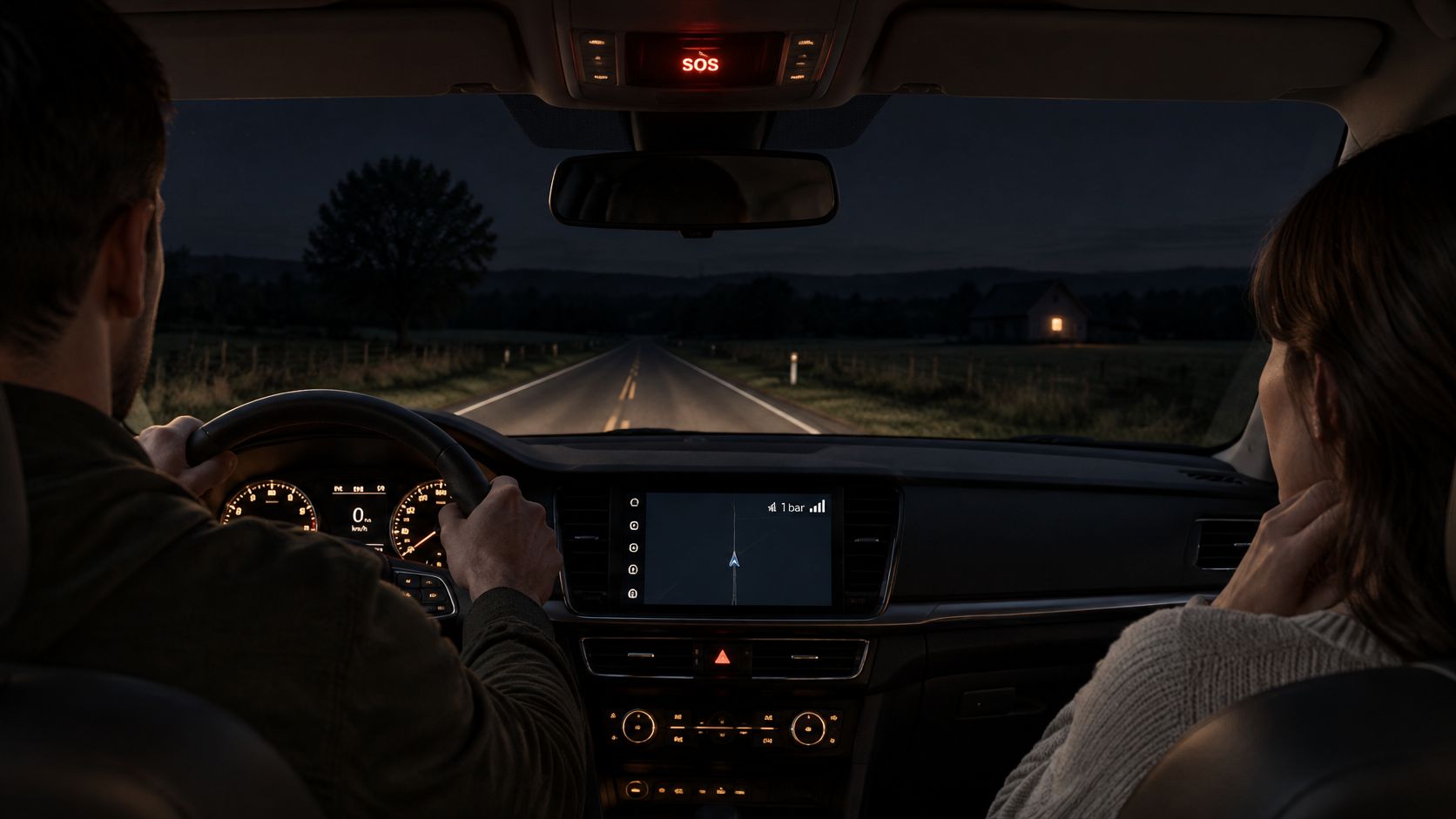
You’ve had a light crash on a rural road at night. Your passenger reports neck pain, the vehicle hasn’t called automatically, and your phone shows a weak signal.
The passenger’s condition matters more than the apparent size of the collision. Activate the car’s emergency SOS service if available. If it doesn’t connect, try the phone’s emergency call function rather than waiting for an automatic trigger.
A night-time emergency is easier to manage when passengers already know where the control is.
Press SOS or call emergency services directly
| Situation | Press the SOS button | Call emergency number directly |
|---|---|---|
| Serious crash with occupants hurt | Yes, if emergency SOS is available | Call if SOS hasn’t connected; don’t interrupt an established emergency call |
| Minor bump, no injuries, no hazard | Usually no | Usually unnecessary; exchange details safely and follow local reporting requirements |
| Unclear medical problem in the car | Yes | Call if SOS doesn’t connect |
| Breakdown with no danger | No; use roadside assistance | Not normally needed |
| Passenger trapped or unable to speak | Yes | Call if you can do so safely and no emergency connection is established |
| Being followed or threatened | Use a monitored emergency service if available | Call directly when safe; follow the dispatcher’s instructions |
| Smoke or fire in or around the car | Don’t remain inside to operate it | Move to safety and call immediately |
The NHTSA guide to driver-assistance technologies describes automatic crash notification as a way to contact emergency help without driver input. It isn’t a reason to wait when you can already identify an emergency yourself.
Decision rule: Use emergency SOS for immediate danger or an uncertain medical emergency. If it doesn’t connect, call directly; if it does, stay with the operator.
Tell the operator what the vehicle cannot
A crash signal can’t fully explain a person’s condition. Say whether someone is trapped, struggling to breathe, threatened by another person or unable to answer.
Give the location and direction first, then the immediate problem. For example: you’re on the northbound carriageway near a named junction, your passenger has neck pain, and the car is clear of moving traffic.
Don’t create duplicate calls merely to be thorough. If another passenger has already reached dispatch, coordinate with them and tell the operator about any existing SOS connection.
After everyone is safe, a road-collision safety example can help you think through follow-up preparation. For paperwork rather than emergency response, AskLegally’s accident claim filing guide offers a starting point for organizing a claim; local requirements and your insurer’s instructions still matter.
Benefits, Drawbacks and How Often False Alarms Happen
An SOS button is worth having, but it isn’t a guarantee of rescue. Its strongest use is a crash that leaves occupants unable to make an ordinary call. Its limitations become clearer when you compare that situation with a breakdown, a personal threat or a loss of connectivity.
Where the feature helps
- Location transmission: Responders can receive positioning information without relying entirely on spoken directions.
- Incapacitated occupants: Automatic activation can start the emergency process when nobody can press a button.
- Unfamiliar surroundings: EU-style eCall avoids requiring the occupant to identify a different national emergency number.
- Cross-border operation: The public European system is designed to function across EU borders.
The practical trade-offs deserve equal attention.
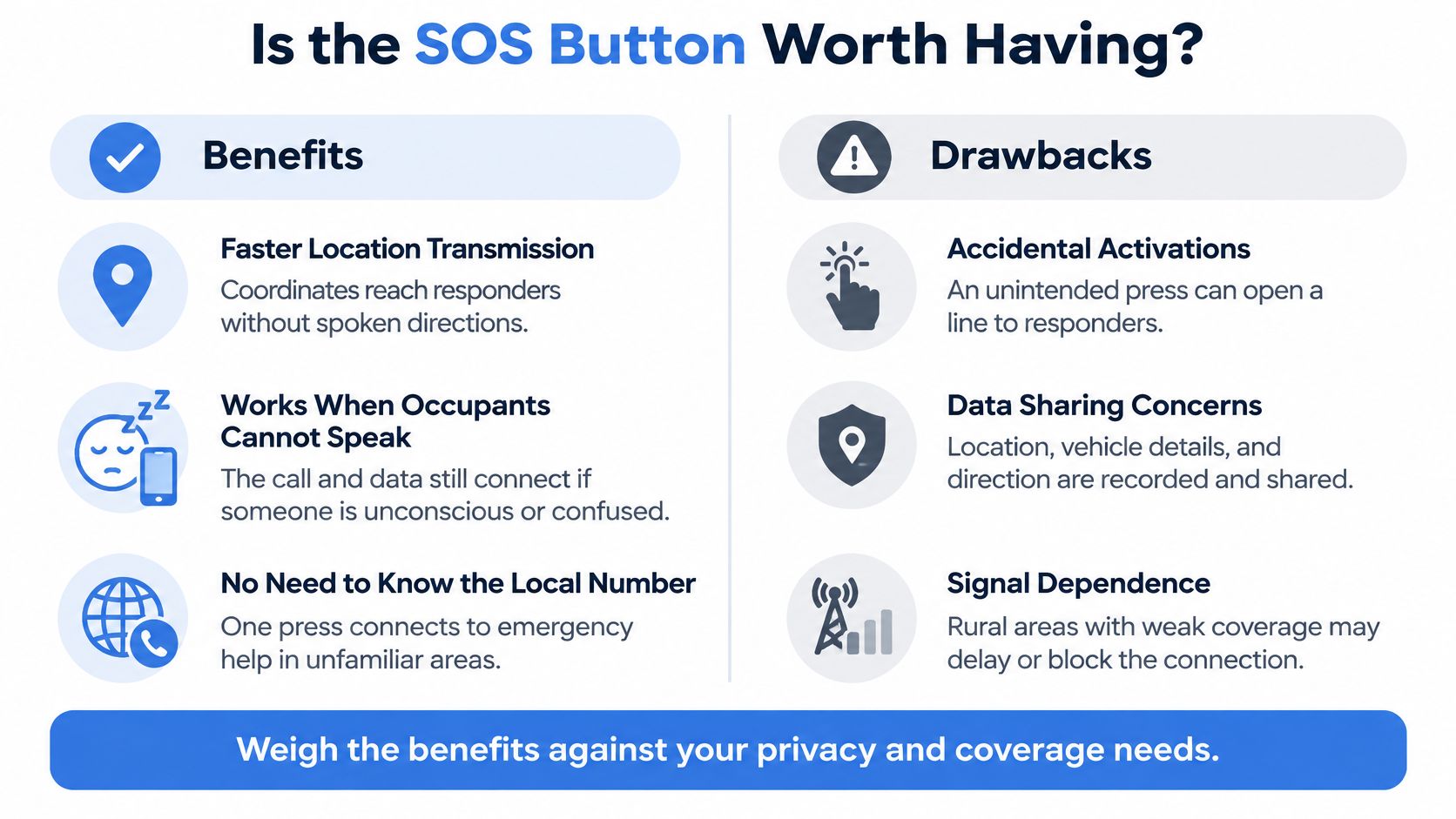
Where the limits matter
- False activations: Operators must assess calls that don’t involve an emergency.
- Service costs: Commercial connected services may involve subscriptions; check which functions require payment rather than assuming every SOS service does.
- Equipment availability: Older vehicles may lack emergency-calling hardware.
- Coverage dependence: A fitted button doesn’t remove the need for a working communications connection.
- Privacy trade-offs: Emergency assistance involves sharing information with the people handling the event.
The European Emergency Number Association’s eCall review reports 356,746 eCalls across 15 countries in 2024, of which 53,682 were classified as real emergencies, leaving about 85% classified as false, accidental or otherwise non-emergency.
That isn’t the probability that your own SOS activation will be false. It describes the calls in that reporting group, and it includes more than accidental button presses.
The operational consequence is straightforward: call-takers need enough information to distinguish an emergency from a non-emergency. Clear answers help them assess whether responders are needed, and non-emergency calls consume attention that emergency services must also keep available for urgent incidents.
For a severe crash with incapacitated occupants, automatic calling offers a capability a manual phone call cannot. For an unfolding personal threat, human context matters more: what someone is doing, whether speaking is safe and what assistance the person actually needs.
What Your SOS Button Records and Who Can See It
More monitoring doesn’t automatically mean more safety. A service can help during an emergency while also creating unwanted visibility during everyday travel.
The dashboard control tells you little about the provider’s recording and access rules.
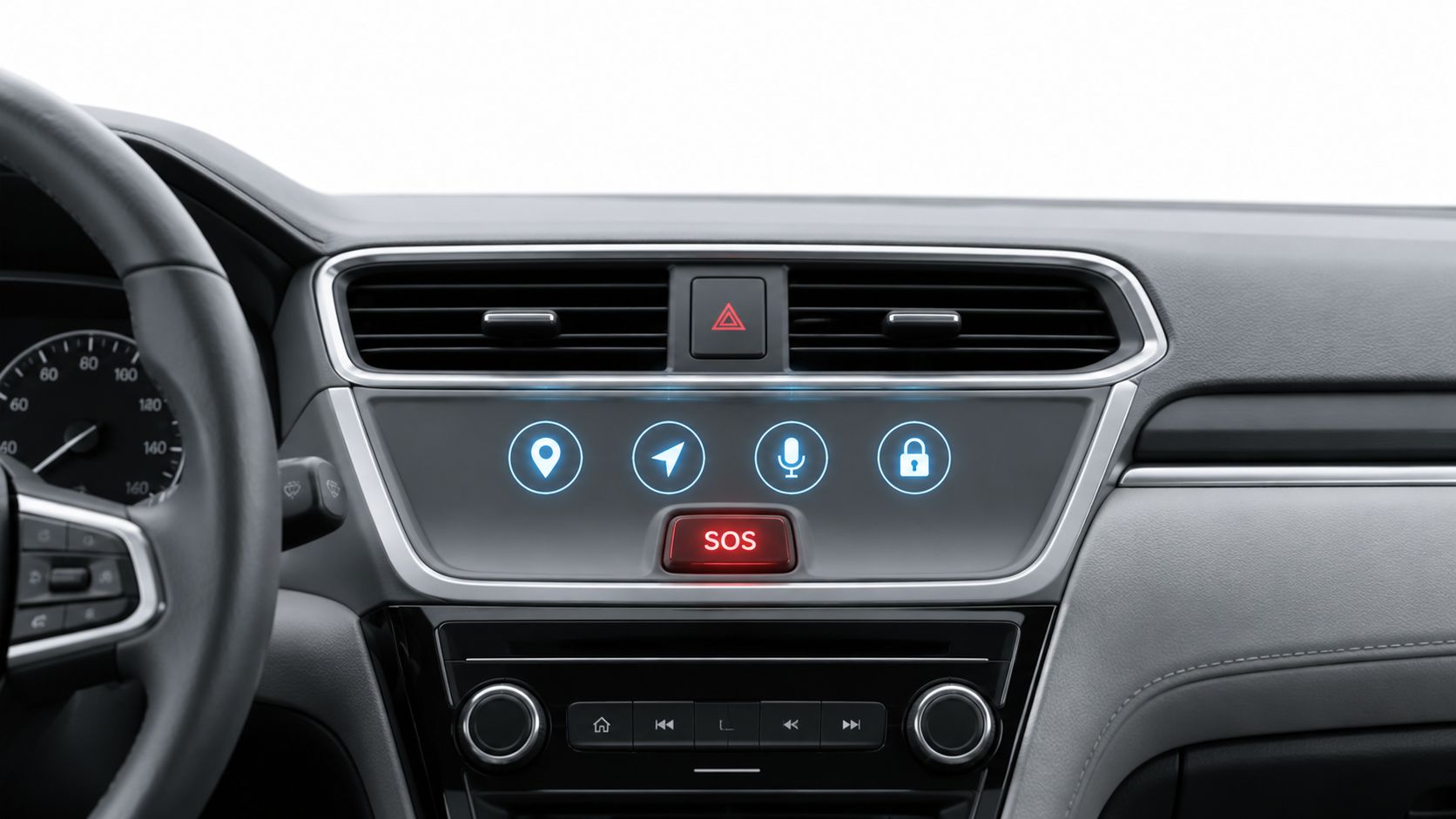
An emergency event can expose location, vehicle characteristics, travel direction and voice communications to the people handling it. Call metadata or event records may also exist, but don’t assume every vehicle records cabin audio continuously or follows the same retention policy.
Questions to take to the dealer or provider
- Activation: Is location sharing continuous, event-based or separately enabled?
- Access: Who can see location, recordings and call metadata?
- Retention: How long is each type of record kept, and how can you request deletion where available?
- Passenger control: Can a passenger activate emergency assistance without the owner’s app account?
- Shared ownership: What must change when the vehicle is sold or reassigned?
- Travel and outages: What happens across borders or when connectivity disappears?
- Helping someone else: What authorization is required to initiate monitoring or seek help on another person’s behalf?
These questions matter in families, rideshares, campus fleets and workplaces. A person may welcome emergency assistance without agreeing to routine location access by a partner, employer or previous owner.
Good practice means a written explanation of when sharing starts, who receives it and what stops it. Optional monitoring should have understandable controls, and nobody should have to guess whether leaving a group or selling a car removes another person’s access.
Use the accompanying video as another prompt for discussing the service’s operation, not as a substitute for your vehicle’s documentation.
Keep the roles separate: a monitoring provider can support an emergency handoff, but public emergency dispatch remains authoritative, whether that’s 911, 112 or another local emergency number.
Check Your Car’s SOS Setup Before You Need It
- Find the control and its instructions. Read the owner’s manual section that identifies who answers. Distinguish emergency SOS from roadside assistance.
- Confirm the activation method. Check whether your vehicle supports automatic crash notification, manual activation or both.
- Check service readiness. Ask whether any subscription, account activation or connectivity plan is needed for your specific service. Confirm that the manufacturer still supports its network connection.
- Prepare the phone backup. Keep it charged and reachable. Know the emergency number for where you’re travelling, including 112 in the EU.
- Practise describing your position. Say the road name, direction and nearest recognizable landmark aloud.
- Brief regular passengers. Show them the button and explain what to do if you can’t respond.
Verify without creating an emergency call
Don’t test-press SOS casually. Use the manufacturer’s documented test procedure or ask its support team how to verify operation without generating an unnecessary emergency alert.
For late walks, rideshares and lone working, a phone-based monitoring option can support situations beyond the vehicle’s crash sensors. Check its permissions, coverage and escalation arrangements before relying on it, and remember that it complements direct emergency calling rather than replacing it.
The best SOS is the one you know how to use before you need it.
3rd-i offers live video, audio and route sharing with selected contacts and trained Safety Agents, who can escalate emergencies to 911 through RapidSOS. For support during late walks, rideshares or lone working beyond your car’s SOS coverage, visit 3rd-i and review its Go Live, SOS and Lock Screen options. Keep your local emergency number ready, because the app complements emergency services rather than replacing them.