
Tile Mate Bluetooth Tracker: Comprehensive Reference Guide
The Tile Mate is a compact Bluetooth proximity tracker, not a GPS device. It offers a quoted range of up to 350 feet, or 105 meters, but independent testing found roughly 60 feet in typical conditions.
You reach for your keys, hear nothing in your pocket, and start checking the counter, the sofa, and yesterday’s jacket. A Tile Mate can often shorten that search, but only when you understand what it tracks, how Bluetooth behaves through walls, and where the device stops being a dependable recovery tool.
The product is useful for everyday objects that tend to disappear nearby. It isn’t a substitute for continuous location monitoring, and its battery and subscription details deserve more attention than the simple setup suggests.
Table of Contents
- What Is the Tile Mate Bluetooth Tracker
- Core Specifications and Real-World Performance
- Setup and Pairing Instructions
- Practical Use Cases and Tracking Scenarios
- Battery Life and Hardware Evolution
- Privacy, Security, and the Freemium Trap
- Integrating with Companion Monitoring Apps
- Maintenance and Troubleshooting Guide
- Final Verdict and Buyer Recommendations
What Is the Tile Mate Bluetooth Tracker
The Tile Mate Bluetooth tracker is a small tag that helps locate attached belongings through a companion app. Attach it to a keyring, place it in a bag, or keep it with another item that regularly goes missing. When the tracker is within Bluetooth reach, the app can request an audible alert, making the final search much easier than relying on memory.
Tile introduced Mate in October 2016 as its newest and smallest Bluetooth tracker at the time. It joined Tile’s product family alongside Tile Slim, updated the original Tile design, and launched at $25 for one unit or $70 for a four-pack, according to Tile’s announcement reported by Yahoo Finance.
What it does
The Mate communicates with a phone using Bluetooth Low Energy, rather than reporting its position through a built-in GPS receiver. That distinction matters. Your phone can identify the tracker when the two devices are close enough, but the Mate doesn’t independently calculate and continuously transmit its position like a cellular GPS device.
The app can also show a last known location when the connection was previously active. If the item is farther away, recovery may depend on other participating Tile users detecting it, which is a much less predictable process than opening a live map and watching a current location.
What it doesn’t do
Tile Mate won’t provide continuous movement data for a person, vehicle, or bag traveling through an area without nearby network participation. It also won’t guarantee recovery in a rural setting, inside a moving vehicle, or after an item has passed through a busy transit route.
That makes its ideal role straightforward: a nearby-finding tool for ordinary belongings. If your main problem is misplacing keys inside the house or leaving a bag in a nearby room, the Mate fits. If you need reliable oversight of someone or something in motion, Bluetooth alone is the wrong technology.
Core Specifications and Real-World Performance
Current Tile Mate listings describe a Bluetooth Low Energy tracker with a quoted range of up to 350 feet, or 105 meters, IP68 water resistance, and a non-replaceable battery rated for up to three years. The device measures roughly 1.48 to 1.49 inches square and about 0.28 to 0.29 inches thick, according to the current Tile Mate product listing.
Its compact body suits everyday carry. The Mate can hang from a keychain, sit in a bag pocket, or stay attached to another frequently misplaced item without much added bulk. If the attachment point matters more than the tag’s headline range, compare it with a key fob tracker before choosing a mounting method.
The range on the box versus the range in a home
The quoted figure describes favorable radio conditions, not a guaranteed connection distance in every building. Independent testing found a range of about 60 feet in typical conditions, according to Android Police’s Tile Mate review.
Walls absorb or reflect signals. A person’s body can obstruct the path between phone and tracker, while nearby wireless devices and the phone’s receiver also affect performance. An unobstructed Mate in a park may respond differently from one inside a backpack under a seat, behind a wall, or beneath clothing.
Practical rule: Treat the advertised range as an outdoor ceiling, not an indoor operating guarantee.
The useful test is whether the connection remains stable long enough for the alert to help you find keys under a cushion or a bag elsewhere in the building. The Mate can handle nearby searches well, but Bluetooth-only tracking cannot provide map-level precision or dependable oversight once the item moves beyond nearby phones.
That limitation also explains why a companion service such as 3rd-i may suit situations where proximity tracking falls short. Bluetooth helps locate belongings nearby. Wider monitoring requires a different connection and service model, with separate attention to battery requirements and subscription paywalls.
Setup and Pairing Instructions
Start with the phone you’ll use most often to search for the item. Install the Tile app from the appropriate app store, create or sign in to your account, and keep Bluetooth enabled before pressing the Mate’s button to wake or identify it.
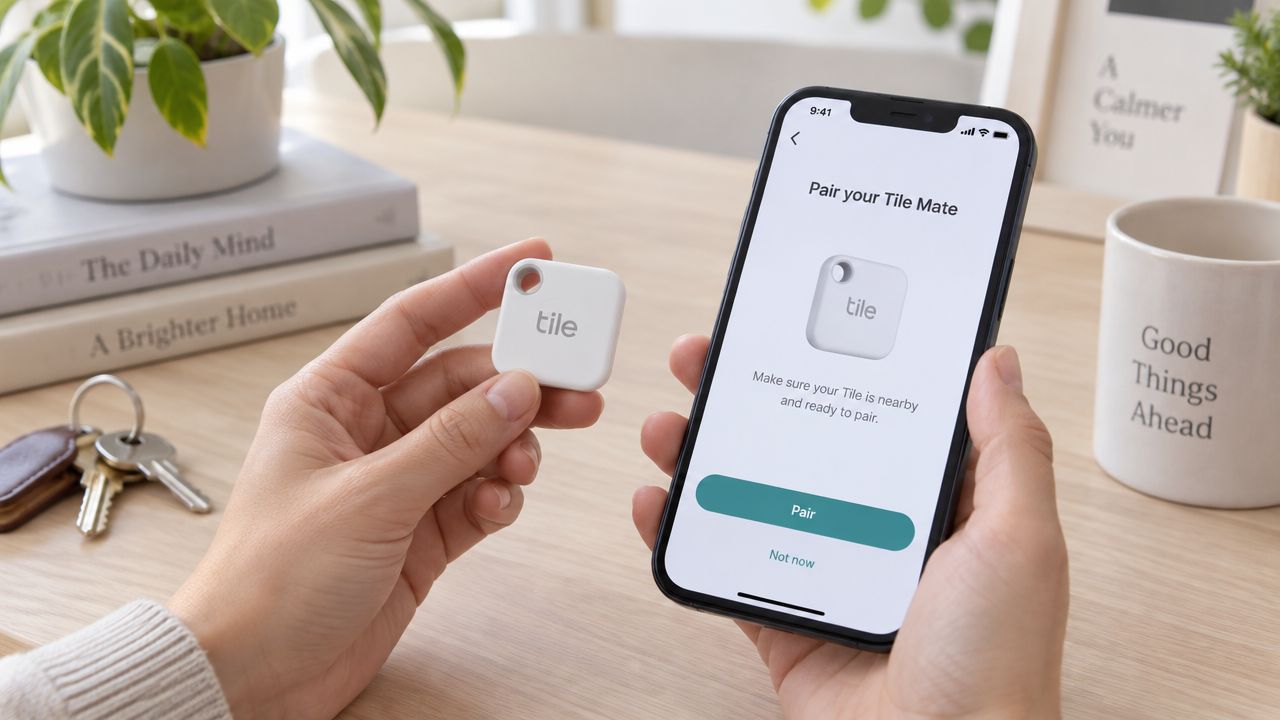
Pairing on Android
- Install and sign in. Open the Tile app and complete the account prompts.
- Allow nearby-device access. Android may ask for Bluetooth or nearby-device permission. Grant it so the phone can detect the Mate.
- Enable location access. Allow the app to use location services where requested. The phone uses its own location to record where a connection occurred.
- Add the tracker. Choose the option to add a Tile, select Mate, and press the Mate button when the app asks.
- Name the item. Use a clear label such as “house keys” or “work backpack,” then attach the tracker securely.
Pairing on iPhone
The basic flow is similar, but iOS permissions deserve attention. Enable Bluetooth, allow location access, and permit notifications if you want alerts from the app. Background refresh can also help the app maintain useful connectivity when you aren’t actively looking at it.
The first test should happen before you depend on the device. Place the tagged item nearby, use the app to play the sound, and then press the Mate’s button to confirm the phone and tracker respond as expected.
Use the video below as a visual reference for the pairing flow, then repeat the test with the tracker attached to its actual item.
Practical Use Cases and Tracking Scenarios
Tile Mate earns its place when a missing item is probably nearby, stationary, and attached to something familiar. Keys left in a room, a bag under a table, or a wallet between sofa cushions are practical Bluetooth-tracking jobs.
Start the search in the app, check for a connection, and play the tracker’s sound. A recent connection is a useful starting point, not proof of a live location. Retrace the route from that point and inspect drop spots, pockets, furniture gaps, and the last place you handled the item.
Where it earns its place
- Keys and everyday carry: The keyring format suits objects handled throughout the day. The audible alert can narrow an indoor search quickly.
- Backpacks and work bags: A tag helps confirm whether the bag is still nearby after a rushed departure or distraction.
- Luggage: Mate can provide reassurance in a hotel room, airport waiting area, or baggage-claim hall. Its usefulness depends on a nearby Bluetooth connection or detection by the community network.
- Occasionally misplaced household items: Remote controls, cases, and small bags are good candidates when they disappear indoors and remain within listening distance.
Where the model breaks down
Mate is poorly suited to items that need continuous visibility over distance. A bag left on a bus, a suitcase moving through transit, or property lost in an isolated area can travel beyond the last useful connection before another compatible phone detects it.
Outside Bluetooth reach, the app relies on the Tile community and the tracker’s last known location. Independent review coverage describes weaker results in remote areas and during fast-moving or lost-in-transit situations. Community detection is opportunistic, so an empty map does not prove that the item is stationary or still nearby.
That limitation changes the buying decision. Use Mate for proximity searches and occasional location updates. For valuables, people, vehicles, or equipment that may leave Bluetooth range, pair the tag with a companion monitoring service such as 3rd-i, or choose a solution designed for ongoing visibility.
A Bluetooth tag is strongest at the final few feet of a search. It is weakest when you need continuous visibility over distance.
Battery Life and Hardware Evolution
Battery expectations depend heavily on which Mate generation you’re holding. Current listings describe a non-replaceable battery rated for up to three years, while recent coverage has also described a newer generation with a replaceable CR2032 battery. That inconsistency creates a real buying risk, particularly when listings use similar product names across different inventory.
The safest approach is to verify the exact model documentation before purchase. Don’t assume that every Mate has the same battery door, replacement procedure, or ownership cycle.
Why the older generations matter
Tile’s earlier hardware used built-in batteries that lasted about one year. In October 2018, Tile redesigned Mate and Pro with user-replaceable batteries, according to Tile’s hardware launch history.
The comparison shows how quickly the product changed:
| Hardware generation | Range or battery detail | Serviceability |
|---|---|---|
| 2016 Mate | 30 meters and 6 grams | Built-in battery |
| 2018 Mate refresh | 45 meters and a CR1632 coin cell | User-replaceable battery |
| Current listings | Up to 350 feet, or 105 meters | Non-replaceable battery listed for up to three years |
The older 2018 design is easier to maintain because replacing the coin cell can extend the useful life of the physical tag. A current non-replaceable model may be simpler during its rated battery period, but its long-term value depends on whether you’re comfortable retiring the tracker when the battery reaches the end of its service life.
Check the packaging, model identifier, and official instructions rather than buying solely from a product photo. Battery ambiguity is one of the most important ownership details in the Tile Mate range.
Privacy, Security, and the Freemium Trap
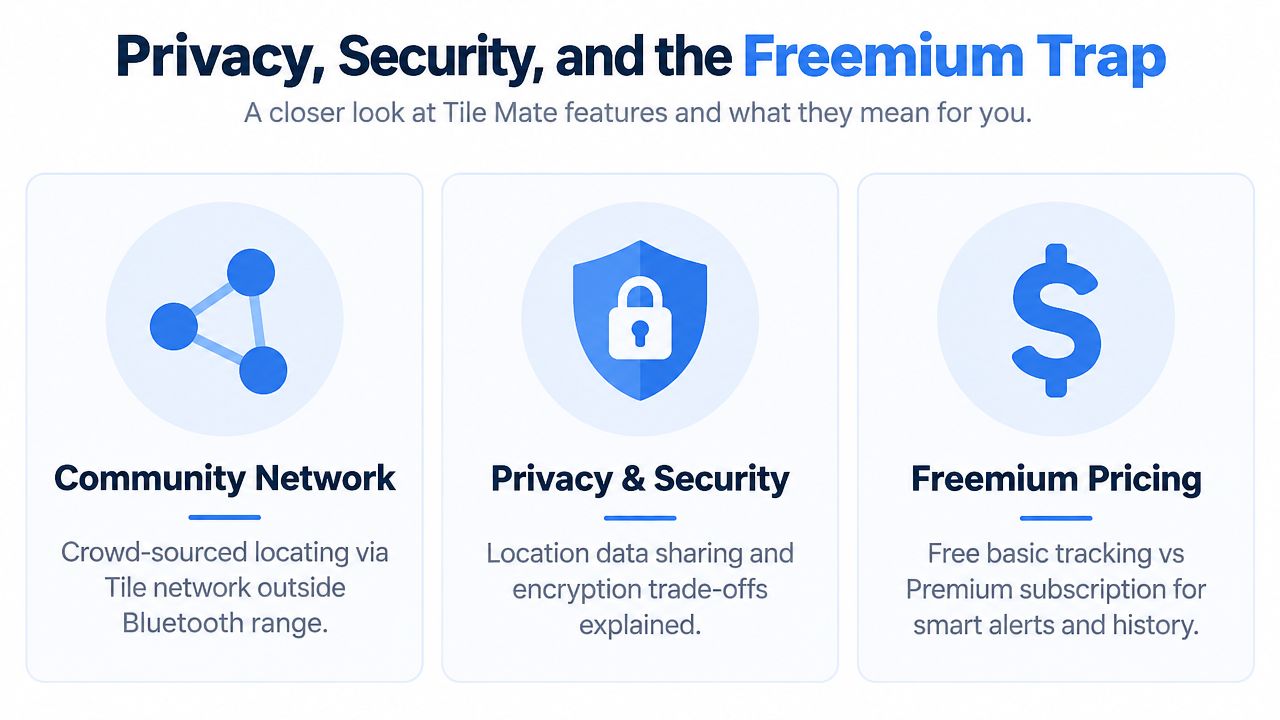
Tile’s community model extends the tracker’s usefulness beyond direct Bluetooth contact. When another participating Tile user’s phone detects a tagged item, the system may update the item’s location without revealing that person’s identity to you. That can help with a lost object in a populated area, but it also means the recovery model depends on network participation and location-data processing.
Users should read the current privacy terms and app permissions before pairing the device. The relevant questions are practical: what location access does the app request, when does it operate in the background, how are account details protected, and who can access the location information associated with the tracker?
The free plan has meaningful limits
The hardware may appear to solve the “I left my bag behind” problem, but several features people expect from a modern tracker sit behind paid plans. Review coverage in 2025 identifies separation or Smart Alerts and extended location history as subscription features, and says the paywall materially limits the basic experience, as discussed in TechGearLab’s Tile Mate review.
That distinction changes the purchase calculation. Basic proximity finding may be enough if you usually lose keys at home. It’s less satisfying if your primary goal is receiving an automatic warning before you walk away from a backpack.
Consider the difference between finding after loss and preventing loss. The first may remain available through the basic app experience. The second may require a paid plan, depending on the feature and current account terms.
For broader location-sharing needs, users may also evaluate a dedicated live location sharing service, but that serves a different purpose from a Bluetooth tag. A tracker identifies an attached object. A monitoring service is designed around people, active trips, and shared oversight.
Integrating with Companion Monitoring Apps
A Tile Mate works well for locating an attached item while it remains within Bluetooth range or another Tile user detects it. Bluetooth-only tracking has a clear boundary. It does not provide continuous GPS tracking, live video, human monitoring, or emergency escalation for someone walking alone, taking a rideshare, or working in an uncertain environment.
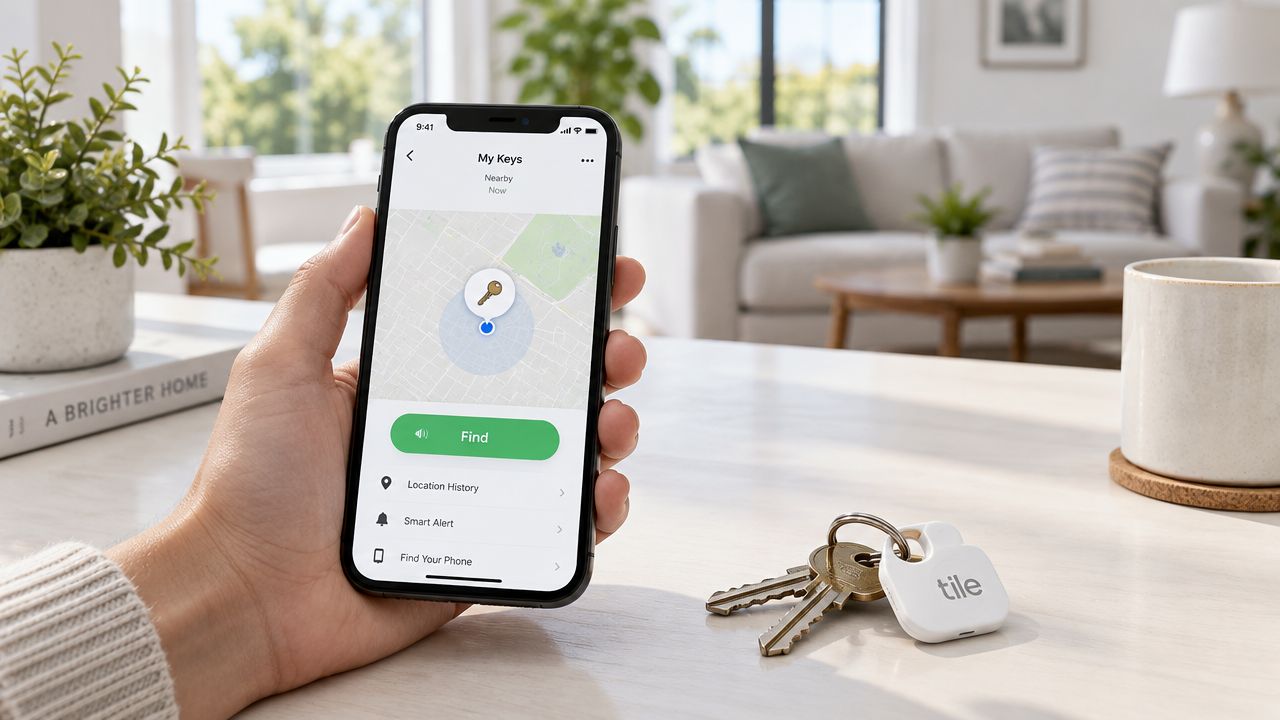
If keys go missing, the Mate can show their last detected location and trigger an audible alert nearby. It cannot confirm whether the owner is safe, explain a sudden stop, or give a helper enough context to respond. Recovery outside Bluetooth range depends on the Tile community and the last known location, so results vary with distance, surroundings, phone access, and nearby participating devices.
Match the tool to the risk
A practical setup separates property recovery from personal safety:
- Keys or bags: Use the Mate for nearby finding and audible alerts.
- An active journey: Use a mobile safety app that can share a live route and offer communication options.
- A developing emergency: Choose a service with escalation and useful context for selected contacts, rather than relying on a Bluetooth tag to communicate the situation.
A companion safety platform such as 3rd-i can provide live video, audio, and location sharing with selected contacts and trained Safety Agents. Its available features include Go Live streaming, Squad viewing, one-tap Nudges, SOS support, Emergency for a Friend, Critical Alerts, automatic recording, transcription, and AI summaries. Emergency dispatch can be coordinated through RapidSOS. The app complements emergency services and does not replace calling them.
The trade-off is straightforward. The Mate is inexpensive to deploy on belongings, but its useful range and recovery depend on Bluetooth conditions and network participation. A monitoring service is designed for live human context, communication, and escalation, which an item tracker cannot supply. Use the Mate to protect what someone carries, and a companion service when the safety of the person matters more than the location of the object.
Maintenance and Troubleshooting Guide
Start with the simplest checks when the Mate disappears from the app. Confirm that Bluetooth and phone location services are active, keep the phone close to the tracker, reopen the Tile app, and check that the app has the permissions it needs to operate in the background.
If the tracker still won’t connect, move away from dense wireless equipment and physical obstructions. Test the Mate in an open area, then inspect the case, button, keyring opening, and battery compartment for cracks, dirt, or moisture exposure.
A practical maintenance routine
- Test the alert periodically. Make sure the Mate’s speaker responds before you need it.
- Inspect the attachment point. A cracked loop can separate from a bag or keychain even when the electronics still work.
- Confirm the battery type. Current listings can differ, so use the exact model instructions before opening the housing or buying a coin cell.
- Keep the app updated. Install available app and firmware updates through the normal app workflow, since compatibility issues can look like hardware failure.
- Clean carefully. Wipe the exterior with a soft, slightly damp cloth and keep moisture away from openings.
If the phone can’t detect the tracker after permission checks and a fresh test, don’t assume the battery is the only cause. Physical damage, a failed speaker, a damaged antenna, or internal corrosion can also stop a previously reliable Mate from responding.
Final Verdict and Buyer Recommendations
Tile Mate is a good fit for nearby item recovery, especially keys, bags, and other belongings that disappear inside familiar places. Its small form factor, water resistance, and audible finding feature make it practical, while the current quoted range gives it a useful headline specification. World range is much shorter in ordinary environments, so successful use depends on treating it as a proximity tool rather than a miniature GPS beacon.
Choose it if
- You mainly misplace objects at home, work, or nearby.
- You want a compact keychain tag.
- You accept that community finding is less predictable outside Bluetooth range.
- You’ve checked the exact battery design and understand whether replacement is possible.
- You’re comfortable evaluating paid features before relying on Smart Alerts or extended history.
Look beyond it if
- You need continuous tracking during travel.
- The item may move through remote areas or fast-moving transit.
- You need automatic separation warnings without accepting a subscription.
- Your concern involves a person’s safety, live context, or emergency response.
- You require a current view of location rather than a last known or community-detected position.
The clearest verdict is conditional. Buy Tile Mate for the last few feet of finding a misplaced object. Don’t buy it as your only protection for a person, moving vehicle, or high-stakes journey. Pair the device with expectations that match Bluetooth’s limits, and confirm battery and plan details before committing to several years of ownership.
3rd-i provides live video, audio, and location sharing with selected contacts and trained Safety Agents, plus tools such as SOS support, route visibility, recording, and emergency escalation through RapidSOS. Visit 3rd-i to see how a companion monitoring service can cover the live-safety gaps that a Tile Mate Bluetooth tracker can’t.