
What Is a 360? 5 Meanings, From a Full Spin to a 360 Review

A 360 is one full turn: a rotation of 360 degrees that leaves you facing the same way you started. The word has five common meanings, and the context tells you which one is in play: a full spin (in geometry or a skateboard trick), the figure of speech “do a 360”, a 360 photo or video you can look around inside, a 360 review at work, or a product with 360 in its name, such as the Xbox 360 or Life360. One rule clears up most of the confusion: if someone means a complete reversal, the right number is 180, not 360.
You may have searched “what is a 360” after hearing a friend say they “did a 360”, dragging an interactive video around on YouTube, or seeing “360 review” on a work calendar. The same term covers all of these, but it doesn’t mean the same thing in each. Dictionary.com lists both senses side by side: “something involving a full-circle rotation or view, such as a turn or a photograph,” and “an information-gathering process that involves the perspectives of all relevant parties, such as an employee’s performance review” (Dictionary.com).
The 5 Meanings of a 360 at a Glance
| Meaning | Where you hear it | What it means | Example |
|---|---|---|---|
| A full rotation | Geometry, skateboarding | One full spin that ends facing the starting direction (Wikipedia) | “She landed a 360 off the ramp.” |
| “Doing a 360” | Opinions, plans, life changes | Ending up back where you began, often misused for a reversal (Grammarist) | “I did a 360 and kept my first plan.” |
| A 360 photo or video | YouTube, VR headsets, virtual tours | Imagery of every direction from one point (Wikipedia) | Dragging a video to look behind the camera |
| A 360 review | Workplaces and HR | Feedback from supervisors, peers, direct reports and yourself (Wikipedia) | “Your 360 is due Friday.” |
| A product name | Gaming and apps | An Xbox 360 console or the Life360 app (Wikipedia) | “I still play on my 360.” |
How to Tell Which 360 Someone Means
The meanings share one idea, coverage from every direction, but the subject changes. Five quick checks sort them out:
- Something physically turned. A person, board, camera or object spun all the way around. That is a rotation.
- An opinion or a life changed. That is the figure of speech. If the person now holds the opposite view, they mean a 180.
- You can drag, swipe or turn your head to look around. That is a 360 photo, video or virtual tour.
- A manager, HR or a review cycle is involved. That is 360-degree feedback.
- It is a bare noun, like “my 360” or “on 360”. It is probably a product: an Xbox 360, or Life360 when the topic is a family sharing locations.
Table of Contents
- The 5 Meanings of a 360 at a Glance
- How to Tell Which 360 Someone Means
- Understanding the Core Concept Behind a 360
- How 360 Video and Photos Work
- Common Misconceptions About 360 and 180
- Key Types of 360 Experiences Compared
- What Is a 360 Review?
- Xbox 360, Life360 and Other Things Called 360
- Real World Examples and Use Cases for 360
- Choosing the Right 360 Option for Your Needs
Understanding the Core Concept Behind a 360
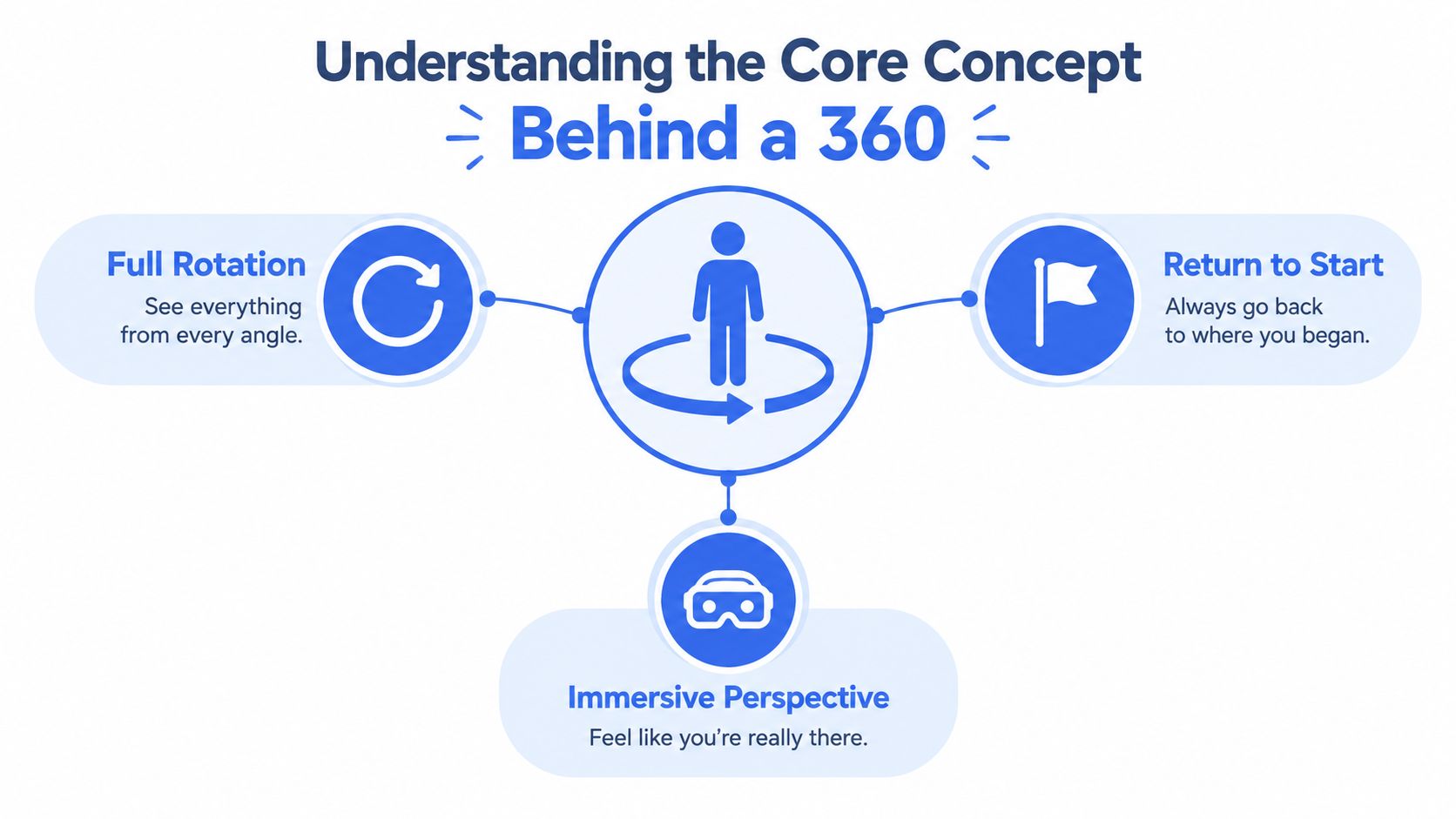
Start with a circle drawn on the floor. Stand at its center and face north. Turn gradually in one direction until you face north again. You’ve completed one full rotation, or 360 degrees.
The important detail is the ending position. A 360 doesn’t take you to the opposite side of the circle. It completes the entire loop and returns you to your starting orientation. That’s why the number describes completeness rather than reversal.
Now replace the flat circle with a sphere. A person standing at the center of a sphere can look forward, backward, left, right, upward, and downward. A system designed for a 360 experience tries to record or present the visual environment around that central point instead of framing only one direction.
Core definition: A 360 describes complete surrounding coverage, whether that means turning all the way around, viewing an entire environment, or collecting perspectives from all relevant sides.
This analogy explains why a normal photograph and a 360 photograph feel different. A standard photograph chooses a window into the world. A 360 photograph attempts to preserve the surrounding environment so the viewer can choose which part of it to inspect.
From rotation to perspective
The word “complete” doesn’t mean every 360 product works identically. A camera may record the full environment, while a viewer sees only the direction selected through a phone gesture or headset movement. The content contains the sphere, but the interface presents a movable window into it.
That difference helps explain why 360 media feels interactive. In a conventional video, the director chooses what appears inside the frame. In 360 content, the creator records the environment and the viewer chooses where to look.
The same logic appears in virtual tours. A viewer might examine a doorway, turn toward a window, or look behind the original camera position. The experience remains centered on one viewpoint, but the viewer controls the visual direction.
How 360 Video and Photos Work
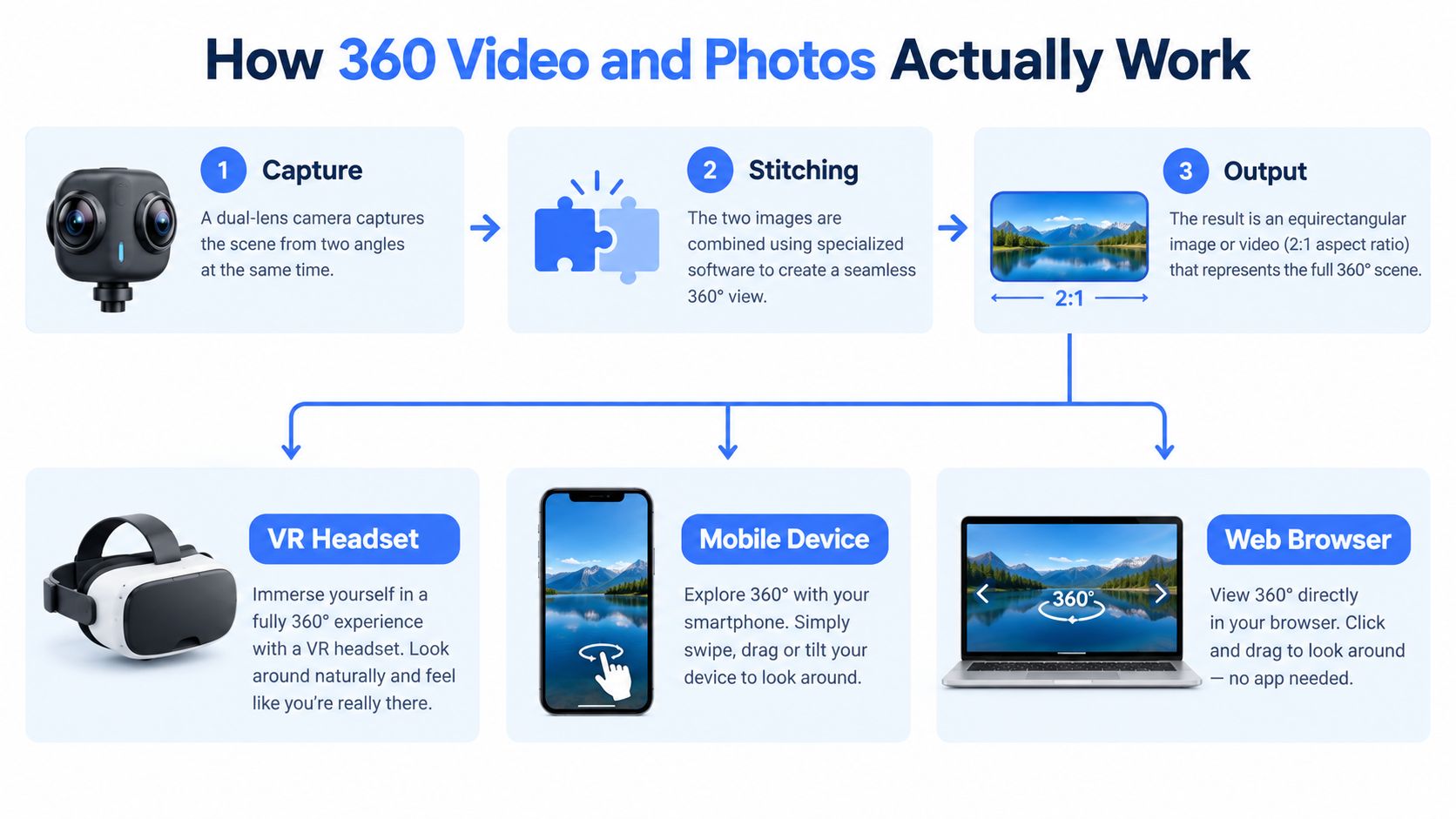
A 360 camera often uses several lenses to record different parts of the surroundings. In many compact systems, opposing lenses capture overlapping views. Software then stitches those views together, aligning their edges to create one spherical image.
The finished file usually looks flat when opened as an ordinary image. It is commonly stored as an equirectangular frame with a 2:1 aspect ratio. The complete horizontal view is stretched across a rectangle twice as wide as it is tall, and a compatible player maps that rectangle onto the inside of a sphere.
Capture, stitching, and projection
Each lens records a separate image, so the software must blend their overlapping areas. Errors can appear when an object is close to the camera, moves between lens views, or crosses a seam. Camera placement and the distance between the subject and camera both affect the final image.
Wikipedia’s 360-degree video entry describes the same pipeline: footage from “an omnidirectional camera or a collection of cameras” is stitched into one spherical piece, the color and contrast of each shot are matched, and the result is typically formatted in an equirectangular projection. Because that frame spans 360 degrees across and 180 degrees from top to bottom, it is twice as wide as it is tall. YouTube’s 360 video upload guide adds the step people miss: after stitching, the file has to be modified with an app like Adobe Premiere or a script before upload, or it will not play as a sphere you can look around.
Resolution matters because the viewer sees only part of that frame at any moment. Everything outside the current view is still stored in the file, so a rectangle that appears sharp on a monitor can look softer when one small slice of it fills a phone screen or a headset.
How viewers explore the scene
A headset tracks head movement and updates the viewport to match it. On a phone or website, viewers drag, swipe, or move the device to select a direction. The spherical content stays in place while the displayed window changes.
Production teams comparing spherical capture with multi-camera workflows can review a multiple-camera streaming setup to assess when several directed feeds suit the project better than one interactive 360 view. The decision rests on who controls attention, the audience or an operator.
Common Misconceptions About 360 and 180
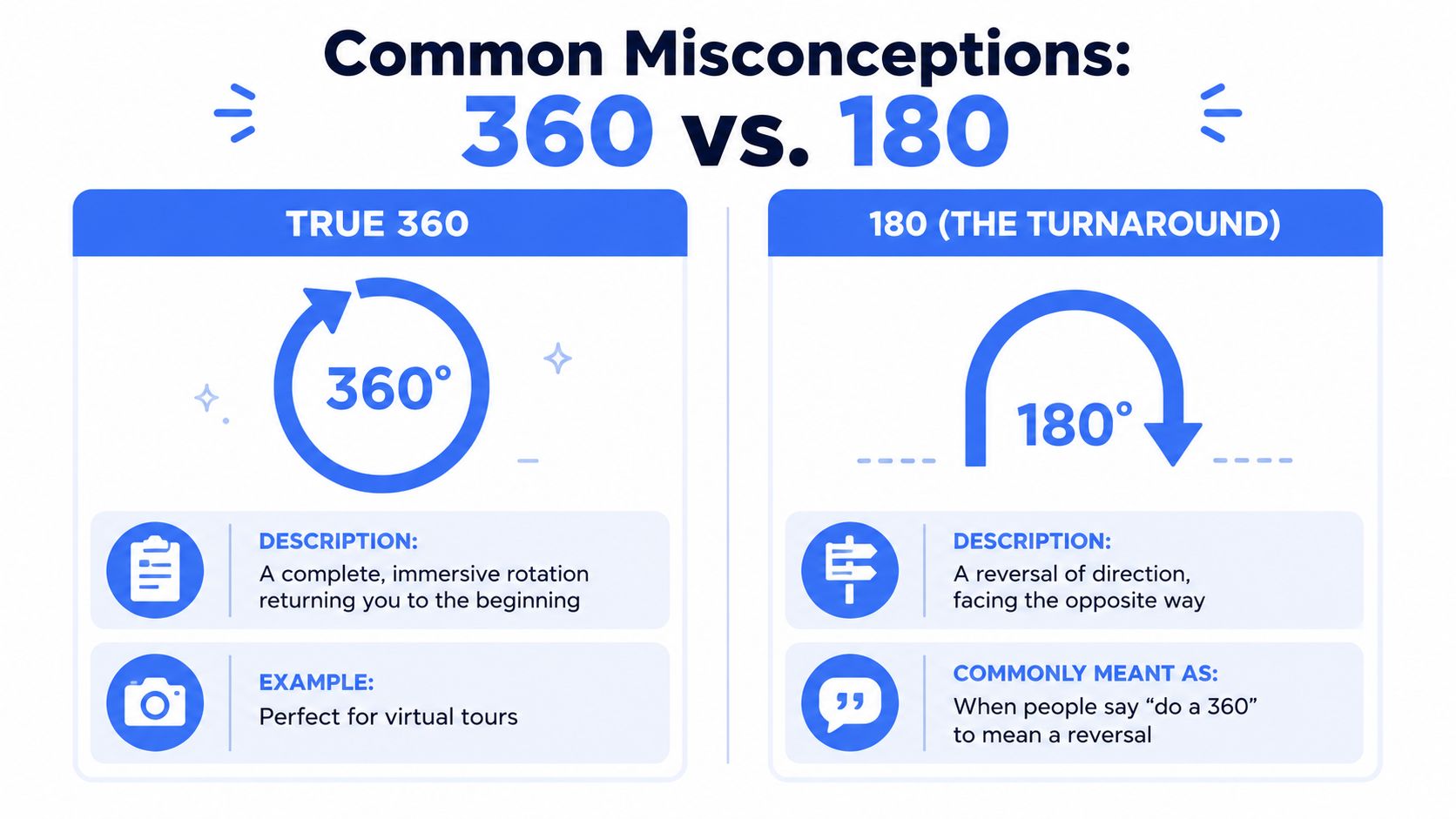
The most persistent mistake is using “360” to describe a complete reversal. Suppose you’re walking north and turn until you face south. You’ve turned 180 degrees, because you’ve rotated halfway around the circle.
If you continue turning in the same direction until you face north again, you’ve completed a 360-degree rotation. You changed your facing direction temporarily, but you ended where you began.
Grammarist puts the language point plainly: “do a 360” means “to end up in the same place that one started,” and “most often, the phrase do a 360 is used incorrectly when the speaker means do a 180.” The slang.blog explainer makes the same distinction, describing a 180 as “only half a turn” that “means a true opposite change.”
The language test
The phrase often appears in discussions about opinions, plans, or personal decisions. Someone might say, “My view did a 360,” intending to say that their view became the opposite. That sentence suggests the view returned to its original position.
Use 180 when you mean a turnaround:
- Correct meaning: “The company made a 180 and abandoned the original plan.”
- Literal 360 meaning: “The camera captured a 360 view of the room.”
- Potentially confusing phrase: “My opinion did a 360.”
The issue isn’t that informal speech has no room for exaggeration. People understand the intended meaning from context. The problem appears when precision matters, such as explaining a production requirement, writing a project brief, or describing a strategic change.
360 doesn’t always mean video
A 360 can describe a still photograph, a video, a virtual tour, or a rotating product presentation. In each case, the surrounding view is the central feature, but the delivery method changes.
A 360 photo holds one moment from a viewpoint. A 360 video adds time and movement. A virtual tour may connect several 360 viewpoints so a visitor can move through a property or location. A rotating product animation may show an object from multiple angles without giving the viewer a full surrounding environment.
The reliable question is: What surrounds the viewpoint, and who controls the view? If the viewer looks in every direction from one position, you’re probably dealing with immersive 360 media. If the subject turns in front of a fixed camera, the result may be a turntable animation rather than a spherical scene.
Key Types of 360 Experiences Compared
A hotel manager, product retailer, and people leader can all ask for “a 360,” yet each may mean something different. The hotel manager may want a viewer-controlled tour. The retailer may need an object to rotate against a clean background. The people leader may be gathering feedback from colleagues, direct reports, and other working relationships. Only the first two involve captured visual media.
The shared idea is broad coverage, but the subject changes. In geometry, 360 describes a complete turn or view. In immersive media, it describes the space surrounding a viewpoint. In workplace practice, 360-degree feedback describes input gathered from people connected to someone’s performance, as reflected in the Dictionary.com entry for 360.
| 360 Type | What It Captures | Best For | Limitation |
|---|---|---|---|
| 360 video | A moving, surrounding visual environment | Immersive tours, events, training, and exploration | Viewers may miss important moments while looking elsewhere |
| 360 photo | A still scene from one viewpoint | Property previews, location records, and interactive maps | It doesn’t show movement or changing conditions |
| Virtual tour | Connected 360 viewpoints | Real estate, hospitality, campuses, and facilities | The experience depends on well-placed viewpoints and navigation |
| 360-degree feedback | Perspectives from relevant working relationships | Development conversations and broad performance input | Feedback quality depends on thoughtful participation and interpretation |
Matching the format to the task
Start with the subject the audience must examine. A viewer standing inside a captured room needs a 360 photo or video. A viewer inspecting a shoe, appliance, or other object from outside may get a clearer result from a controlled rotation. The practical turntable animation guide explains that format, which presents the object from multiple angles instead of placing the viewer inside a spherical scene.
A virtual tour joins several 360 viewpoints. It suits buildings, campuses, and facilities because visitors can move between selected locations. Teams using enterprise indoor mapping should separate a visual tour from a location map and a live operational view. These formats can work together, but they answer different questions about a space.
The delivery method also affects attention. A 360 video gives the viewer freedom to look around while time and movement continue. A 360 photo preserves one moment. A virtual tour adds movement between viewpoints. Feedback uses the word 360 metaphorically, covering perspectives rather than surrounding vision. Knowing whether the subject is a scene, an object, or a person prevents the common 360 and 180 meanings from being mixed together.
What Is a 360 Review?
A 360 review, or 360-degree feedback, is a workplace process that gathers feedback about one employee from the people around their work, rather than from their manager alone. According to Wikipedia’s 360-degree feedback entry, the sources are typically subordinates, peers and supervisors, plus a self-evaluation by the employee, and they can include external sources such as customers and suppliers.
The practice is older than most people assume. One of the earliest recorded uses came in the 1950s, when the Esso Research and Engineering Company ran surveys to gather information about its employees, according to the same entry.
The most useful question to ask about any 360 review is what it feeds. Organizations most commonly use 360-degree feedback for development. Using it in performance evaluations and administrative decisions is increasing, and the entry calls that shift controversial because of concerns about the subjectivity and fairness of the people giving feedback. If you are asked to complete one, find out whether your answers inform a coaching conversation or a pay decision.
Xbox 360, Life360 and Other Things Called 360
Sometimes “a 360” is simply a product. The most common is the Xbox 360, a home video game console developed by Microsoft and released on November 22, 2005, in the United States and Canada. Microsoft announced on April 20, 2016, that it would end production of new Xbox 360 hardware while continuing to support the platform (Wikipedia). When someone says they still play “on the 360”, this is what they mean.
Life360 is the other name people shorten. It is a location-sharing app from Life360, Inc., a San Mateo, California company founded in 2007, designed primarily to let friends and family members share their location with each other (Wikipedia). It has no connection to 360 cameras or 360 reviews. If you are comparing family location apps, our family tracking app comparison sets Life360 against nine alternatives, with the privacy tradeoff in each.
The list does not stop there. Wikipedia’s 360 disambiguation page runs from IBM’s System/360 and Motorola’s Moto 360 smartwatch to Norton 360 and CNN’s Anderson Cooper 360°, plus a 2024 Charli XCX song from her album Brat. When “360” is part of a name, the rest of the name decides the meaning.
Real World Examples and Use Cases for 360
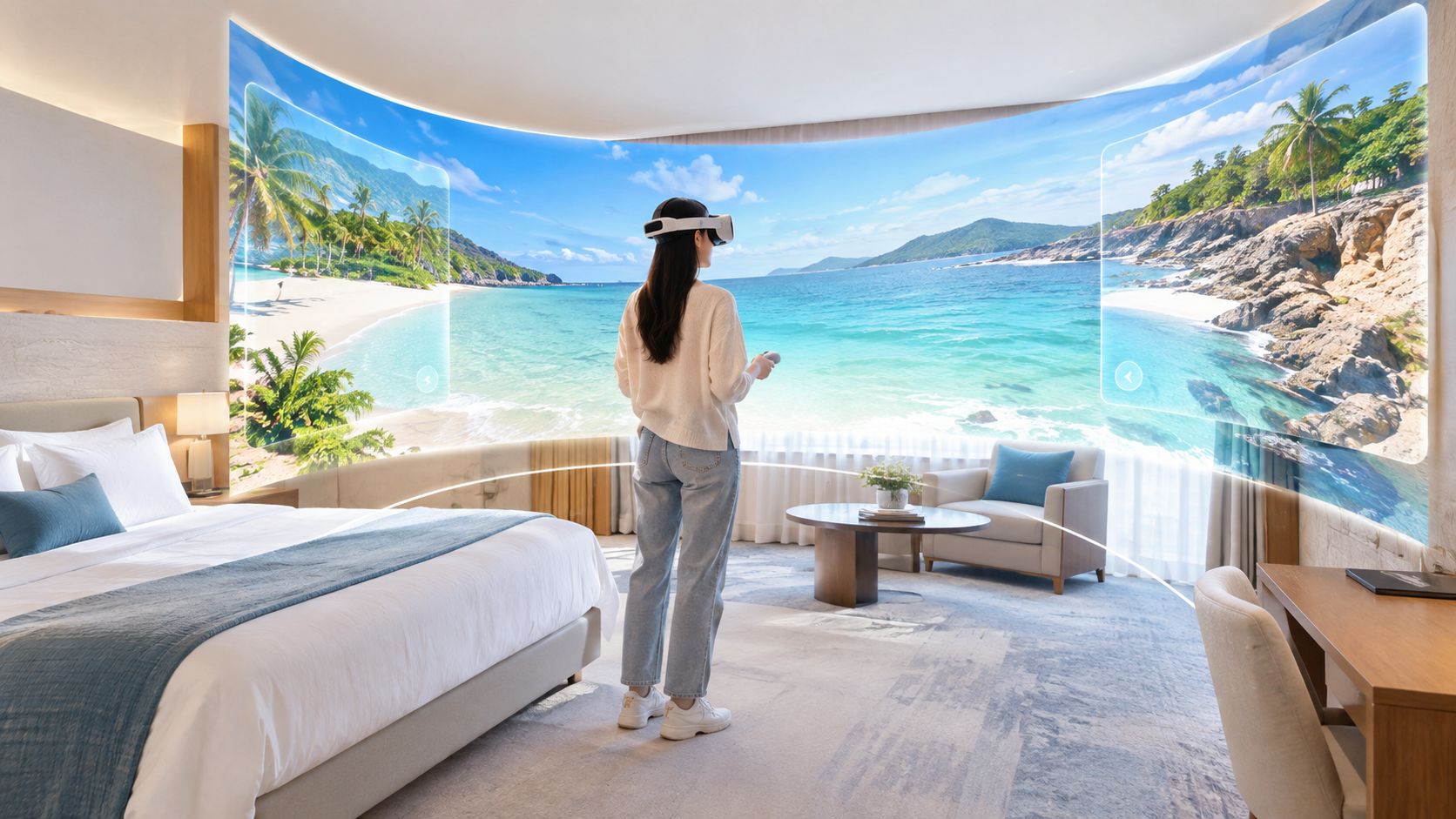
A hotel can use 360 imagery to let a prospective guest look around a room before booking. A real estate professional can offer an interactive property preview, while a museum or tourism organization can preserve a sense of place that a forward-facing clip might leave out.
Where surrounding vision helps
Training designers use 360 scenes when the learner needs to inspect an environment and notice details independently. An emergency drill, workplace orientation, or equipment walkthrough can benefit from letting the learner choose where to look instead of following a fixed camera path.
Events create another natural fit. A 360 camera can preserve the atmosphere around a performance or gathering, including areas outside the director’s chosen frame. The trade-off is attention. A viewer may look away from the important action, so creators often add instructions, spatial cues, or a guided version alongside the free-look experience.
The format also supports security and site documentation, but the right design depends on whether the audience needs exploration or immediate direction. A recorded sphere can help someone review surroundings after an event. It doesn’t automatically ensure that a person is watching the relevant area at the relevant moment.
YouTube rolled out support for 360-degree video in March 2015, and Facebook added comparable support in September 2015, moving the format from experimental media onto major consumer platforms within the same year, according to Wikipedia’s 360-degree video entry.
When focused live video is safer
Personal safety creates a useful contrast. Someone walking home or riding in a rideshare may need a trusted person or trained monitor to see the route, hear what’s happening, and respond quickly. A full sphere could provide broad context, but the viewer still has to select the right direction.
A directed live stream can be more practical when an operator must focus on the person, route, or immediate hazard. 3rd-i offers live video, audio, and location sharing, including front and rear camera streaming, selected-contact viewing, and Safety Agent monitoring with emergency escalation capabilities. Its real-time safety monitoring approach illustrates why coverage and response are separate design questions, and the 3rd-i product page shows how a stream reaches the people watching it.
The lesson is simple. Use 360 when the audience benefits from choosing the viewpoint. Use directed live video when a watcher needs to maintain attention, communicate with the person, and act on developing information.
Choosing the Right 360 Option for Your Needs
Choose based on the job, not the label.
- Choose 360 video when viewers need to look around a moving environment, such as an event, training scene, or guided experience.
- Choose a 360 photo or virtual tour when people need to inspect a place at their own pace.
- Choose a turntable animation when the subject is an object that should rotate clearly in front of the viewer.
- Choose a standard directed video when an editor, presenter, or safety watcher must control attention.
- Choose 360-degree feedback when a workplace process needs perspectives from the people connected to someone’s work.
Check the technical requirements before buying equipment. Equirectangular projection, stitching quality, viewport detail, and playback support affect the result as much as the camera’s lens count.
Before you describe a project as 360, ask three questions: Does the viewer need a complete surrounding view? Is the subject inside the captured environment or rotating outside it? Does “360” refer to physical coverage, or to broad feedback from multiple people? Those answers will keep geometry, immersive media, and workplace language separate.
If you’re assessing live coverage for late walks, rideshares, campuses, or lone-working situations, 3rd-i combines live video, audio, route sharing, and human monitoring in one safety workflow. Visit 3rd-i to see whether directed real-time support fits your needs better than a viewer-controlled 360 experience.
Frequently asked questions
- What does it mean to do a 360?
- Literally, it means turning all the way around, 360 degrees, until you face the direction you started in. In skateboarding, a 360 is an air where the skater and board spin one full rotation. Figuratively, Grammarist defines "do a 360" as ending up in the same place you started, and notes that people most often say it when they actually mean "do a 180", a complete reversal.
- What is the difference between a 180 and a 360?
- A 180 is half a turn: you end up facing the opposite direction, so in speech it means a reversal of opinion or behavior. A 360 is a full turn: you end up facing the same direction you started. If someone changed their mind completely and stayed changed, the accurate phrase is "did a 180".
- What is a 360 photo or 360 video?
- A 360 photo or video records a view in every direction from one point at the same time, using an omnidirectional camera or a collection of cameras whose footage is stitched together. Viewers drag, swipe, tilt a phone or turn their head in a headset to choose where to look. YouTube added 360 video support in March 2015 and Facebook followed in September 2015.
- What is a 360 review at work?
- A 360 review, also called 360-degree feedback, gathers feedback about an employee from the people around their work: supervisors, peers and direct reports, plus a self-evaluation, and sometimes customers or suppliers. Organizations most commonly use it for development. Using it in performance evaluations and administrative decisions is growing but controversial, because of concerns about the fairness of the feedback.
- What does 360 mean in slang?
- In casual speech, a 360 usually describes a full-circle moment: ending up back where you started, often with a new perspective. Many people also use it loosely for a total change of direction, which is technically a 180.
- Is a 360 the same as Life360?
- No. Life360 is a location-sharing app from Life360, Inc., a San Mateo, California company founded in 2007, designed mainly to let friends and family members share their location with each other. It has no connection to 360 cameras or 360 reviews beyond the number in its name.